
Inleiding
Dankie vir die aankoopasing the Klip Xtreme BluWave II KWS-616 2.1 Channel Stereo System. This system is designed to provide a rich audio experience for music, games, and movies. It features Bluetooth connectivity, USB and SD card playback, and an auxiliary input for versatile audio sources. Please read this manual thoroughly before operating the device to ensure proper use and to maximize your listening experience.
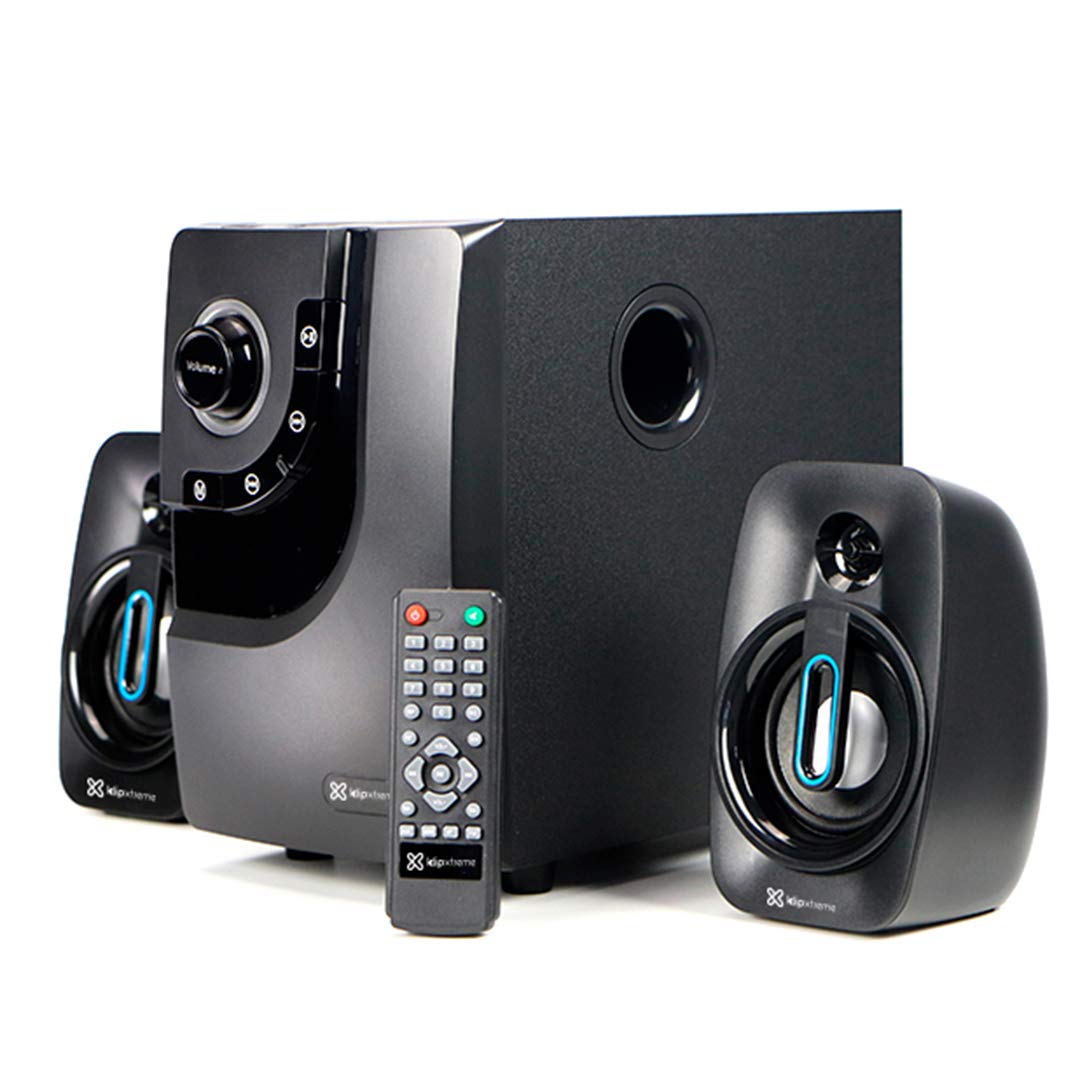
Image: The Klip Xtreme BluWave II KWS-616 system, including the subwoofer, two satellite speakers, and remote control, shown with its packaging and connecting cables.
Pakketinhoud
Maak asseblief seker dat alle items in die pakket teenwoordig is:
- Subwoofer-eenheid
- Satellietluidsprekers (x2)
- Afstandbeheer
- 3.5 mm oudio kabel
- Gebruikershandleiding (hierdie dokument)

Image: The Klip Xtreme BluWave II KWS-616 system components, including the subwoofer, satellite speakers, remote, and cables, displayed alongside its retail packaging.
Produk verbyview
Subwoofer Front Panel Controls

Beeld: 'n Gedetailleerde view of the subwoofer's front panel, showing the volume knob with blue LED illumination, mode button, playback controls, and digital display.
- Volumeknop: Rotate to adjust the master volume. Press to change input mode (Bluetooth, USB, SD, AUX).
- Bas Knop: Pas die basvlak aan.
- Terugspeelkontroles: Speel/Pouseer, Vorige snit, Volgende snit.
- Digitale skerm: Shows current mode, track number, or volume level.
Subwoofer Rear Panel Connections

Image: The rear panel of the subwoofer, displaying input and output ports, power switch, and AC power input.
- Input (R/L): RCA stereo-invoer vir die koppeling van eksterne klankbronne.
- Output (R/L): Connects to the satellite speakers.
- USB-poort: Vir USB-flash drives.
- SD-kaartgleuf: Vir SD-geheuekaarte.
- Krag skakelaar: Turns the system ON or OFF.
- AC-invoer: Verbind aan die kragkabel.
Opstelling
1. Luidsprekerverbinding
- Connect the cables from the satellite speakers to the "Output (R/L)" ports on the rear panel of the subwoofer. Ensure correct polarity.
- Position the satellite speakers to the left and right of your listening area for optimal stereo separation. The subwoofer can be placed on the floor or a sturdy surface.
2. Kragverbinding
- Ensure the power switch on the rear of the subwoofer is in the OFF position.
- Connect the AC power cord to the "AC Input" on the subwoofer's rear panel.
- Plug the other end of the power cord into a standard wall outlet (110V/220V 60Hz/50Hz auto-sensing).
Bedryfsinstruksies
Krag aan/af
Flip the power switch on the rear panel of the subwoofer to the ON position to power on the system. Flip it to the OFF position to power off.
Volume and Bass Control
- Volume: Rotate the large knob on the front of the subwoofer or use the volume buttons on the remote control to adjust the overall volume.
- Bas: Use the dedicated bass knob on the front of the subwoofer or the bass control buttons on the remote to adjust the bass intensity.
Invoermodusse
Press the Volume knob on the front panel or the "Mode" button on the remote control to cycle through available input modes: Bluetooth, USB, SD, and AUX.
Bluetooth-koppeling
- Switch the system to Bluetooth mode. The digital display will show "BT" and an indicator light may flash, indicating it's in pairing mode.
- On your Bluetooth-enabled device (smartphone, tablet, computer), enable Bluetooth and search for available devices.
- Select "Klip Xtreme KWS-616" (or similar name) from the list of devices.
- Once paired, the system will confirm the connection, and you can begin playing audio from your device. The effective wireless range is approximately 33 feet (10 meters).
USB/SD -afspeel
- Insert a USB flash drive or an SD card containing audio files into the respective port on the subwoofer's rear panel.
- Switch the system to USB or SD mode. The system will automatically detect and begin playing audio files.
- Use the playback controls on the front panel or remote control to play, pause, skip tracks, or adjust volume.
AUX-verbinding
- Connect one end of the provided 3.5mm audio cable to the "Input (R/L)" RCA ports on the subwoofer (using an adapter if necessary).
- Connect the other end of the 3.5mm audio cable to the headphone jack or audio output of your external audio device (e.g., TV, DVD player, gaming console, MP3 player).
- Switch the system to AUX mode.
- Speel klank vanaf jou gekoppelde toestel.
Afstandbeheerfunksies
The included remote control provides convenient access to all major functions:
- Krag: Turns the system on/off (standby).
- Modus: Cycles through input sources (Bluetooth, USB, SD, AUX).
- Volume +/-: Pas meestervolume aan.
- Bas +/-: Pas basvlak aan.
- Demp: Demp/demp oudio.
- Speel/pouse: Controls playback for USB/SD/Bluetooth.
- Vorige volgende: Skips tracks for USB/SD/Bluetooth.
Onderhoud
- Keep the system away from direct sunlight, heat sources, and moisture.
- Maak die buite-oppervlaktes skoon met 'n sagte, droë lap. Moenie skuurmiddels of oplosmiddels gebruik nie.
- Verseker behoorlike ventilasie rondom die subwoofer om oorverhitting te voorkom.
- Do not block the subwoofer's bass port.
Probleemoplossing
| Probleem | Moontlike Oplossing |
|---|---|
| Geen krag nie |
|
| Geen klank nie |
|
| Bluetooth-samestelling misluk |
|
| Verwronge klank |
|
Spesifikasies

Image: The Klip Xtreme BluWave II KWS-616 subwoofer and satellite speakers displayed with rulers to indicate their physical dimensions.
| Soort toestel | 2.1 speaker system with Bluetooth technology |
| Maksimum kraguitset (RMS) | 40W (80W Peak Power) |
| AC-invoer | 110V/220V 60Hz/50Hz (autosensing) |
| Satellite Driver Unit | 3 duim (76 mm) |
| Satelliet RMS Krag | 10W each (20W total) |
| Satellite Frequency Response | 120Hz-18kHz |
| Satellite Impedance | 8Ω |
| Subwoofer Driver Unit | 4 duim (102 mm) |
| Subwoofer RMS Krag | 20 W |
| Subwoofer frekwensie reaksie | 20Hz-150Hz |
| Subwoofer-impedansie | 4Ω |
| Sein tot geraas verhouding | 60dB |
| Konnektiwiteit | Bluetooth, SD, USB, 3.5mm (via RCA input) |
| Wireless Range | Tot 33 voet (10 meter) |
| Subwoofer-afmetings (BxHxD) | 6.1 x 9.8 x 10.8 duim (15.5 x 24.9 x 27.4 cm) |
| Satellite Dimensions (WxHxD) | 3.9 x 6.3 x 3.8 duim (9.9 x 16.0 x 9.7 cm) |
| Produk Gewig | 6.8 lbs (3.08 kg) |
| Kabellengte | 4.9 voet (1.5 meter) |
| Modelnommer | KWS-616 |
Waarborg en Ondersteuning
The Klip Xtreme BluWave II KWS-616 system comes with a een jaar beperkte waarborg vanaf die aankoopdatum. Hierdie waarborg dek defekte in materiaal en vakmanskap onder normale gebruik. Dit dek nie skade wat veroorsaak word deur misbruik, ongeluk, ongemagtigde wysiging of eksterne oorsake nie.
For technical support or warranty claims, please contact your local Klip Xtreme authorized dealer or visit the official Klip Xtreme webwebwerf vir kontakinligting.