
Inleiding
Welcome to the user manual for your Blackweb BWA16WI003 4-Foot Lightning Cable. This manual provides essential information for the proper setup, operation, and maintenance of your cable. Please read these instructions carefully before use.
Produk verbyview
Pakketinhoud
- 1 x Blackweb BWA16WI003 4-Foot Lightning Cable
Sleutel kenmerke
- 4-foot (1.2 meter) length for extended reach.
- Lightning connector for Apple devices.
- USB-A connector for power sources and data transfer.
- Duursame konstruksie vir betroubare gebruik.
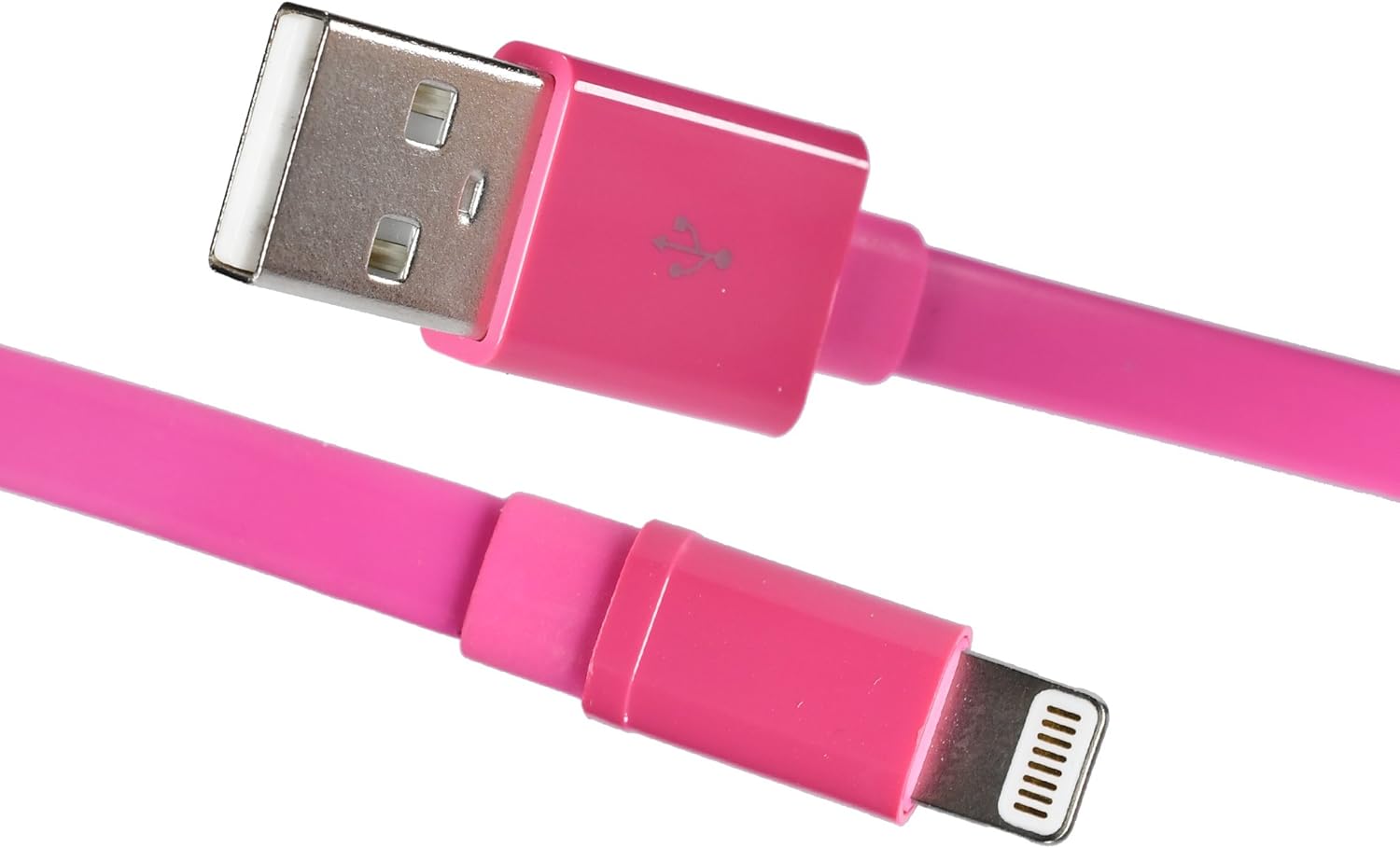
Image: The Blackweb BWA16WI003 Lightning Cable, showcasing both the USB-A and Lightning connectors.
Opstelling en verbinding
- Identify Connectors: Locate the USB-A connector (larger, rectangular) and the Lightning connector (smaller, reversible).
- Koppel aan kragbron: Insert the USB-A connector into a compatible USB power adapter, computer USB port, or other USB charging device.
- Koppel aan toestel: Insert the Lightning connector into the charging/sync port of your Apple device (iPhone, iPad, iPod). Ensure a firm connection.

Image: The Lightning connector being inserted into an Apple iPhone, demonstrating proper connection.
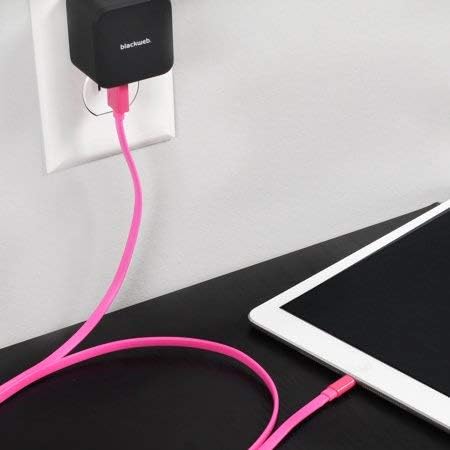
Image: The Blackweb Lightning cable connected to a wall power adapter and an iPad, illustrating a typical charging setup.

Image: The Blackweb Lightning cable connecting an iPhone to a laptop's USB port for charging or data synchronization.
Bedryfsinstruksies
Laai jou toestel
Once connected to a power source and your Apple device, the device should begin charging automatically. A charging indicator (e.g., battery icon) will typically appear on your device's screen.
Data sinchronisasie
When connected to a computer, the cable facilitates data transfer between your Apple device and the computer. Follow your device's instructions for syncing photos, videos, music, and other data.
Onderhoud en versorging
- Berging: Store the cable in a clean, dry place when not in use. Avoid extreme temperatures.
- Skoonmaak: Gently wipe the cable with a soft, dry cloth. Do not use harsh chemicals or abrasive cleaners.
- Hantering: Avoid bending the cable sharply or pulling it by the cord. Always grasp the connector ends when plugging or unplugging.
- Inspeksie: Periodically inspect the cable and connectors for any signs of damage, such as fraying or bent pins. Discontinue use if damage is observed.

Image: The Blackweb Lightning cable neatly coiled, demonstrating proper storage to prevent damage.
Probleemoplossing
Toestel laai nie
- Gaan verbindings na: Ensure both the USB-A and Lightning connectors are fully and securely inserted.
- Verifieer kragbron: Confirm that the USB power adapter or computer USB port is functional and providing power. Try a different power source.
- Inspekteer Kabel: Check the cable for any visible damage. If damaged, replace the cable.
- Herbegin toestel: Sometimes, restarting your Apple device can resolve charging issues.
Data-oordragkwessies
- Gaan verbindings na: Ensure secure connections at both ends.
- Computer Recognition: Verify that your computer recognizes the connected Apple device. You may need to unlock your device and confirm "Trust This Computer."
- Sagteware-opdaterings: Ensure your computer's operating system and your device's iOS are up to date.
Spesifikasies
| Kenmerk | Detail |
|---|---|
| Model | BWA16WI003 |
| Handelsmerk | Swartweb |
| Kabel tipe | Lightning to USB-A |
| Lengte | 4 voet (ongeveer 1.2 meter) |
| Kleur | Pienk |
| Koppelaar Geslag | Man-tot-Manlik |
| Item gewig | 1.92 onse (ongeveer 54 gram) |
| Produk afmetings | 7 x 2 x 5 duim (verpakking) |
Veiligheidsinligting
- Do not expose the cable to water or excessive moisture.
- Moenie probeer om die kabel uitmekaar te haal of te wysig nie.
- Hou buite bereik van kinders.
- Use only with compatible devices and power sources.
- Disconnect the cable during lightning storms or when unused for long periods.
Waarborg en Ondersteuning
For warranty information or technical support, please refer to the documentation provided with your purchase or contact Blackweb kliëntediens.
You can often find support resources on the official Blackweb webwebwerf.