
Inleiding
This manual provides comprehensive instructions for the safe and efficient operation, installation, and maintenance of your ATAG CX4511C oven. Please read this manual thoroughly before using the appliance and keep it for future reference. Proper use and care will ensure optimal performance and extend the lifespan of your oven.
Veiligheidsinstruksies
Volg altyd die volgende veiligheidsmaatreëls om persoonlike beserings of skade aan die toestel te voorkom:
- Ensure the oven is properly installed by a qualified technician before first use.
- Moenie aan warm oppervlaktes raak nie. Gebruik altyd oondhandskoene of oondhandskoene.
- Hou kinders weg van die toestel tydens werking en afkoeling.
- Never use water to extinguish grease fires; smother the flames or use a dry chemical extinguisher.
- Moenie vlambare materiaal in of naby die oond stoor nie.
- Ontkoppel die toestel van die kragtoevoer voordat u skoonmaak of enige onderhoud uitvoer.
- Moenie die oond gebruik as die kragkabel of prop beskadig is nie.
Produk verbyview
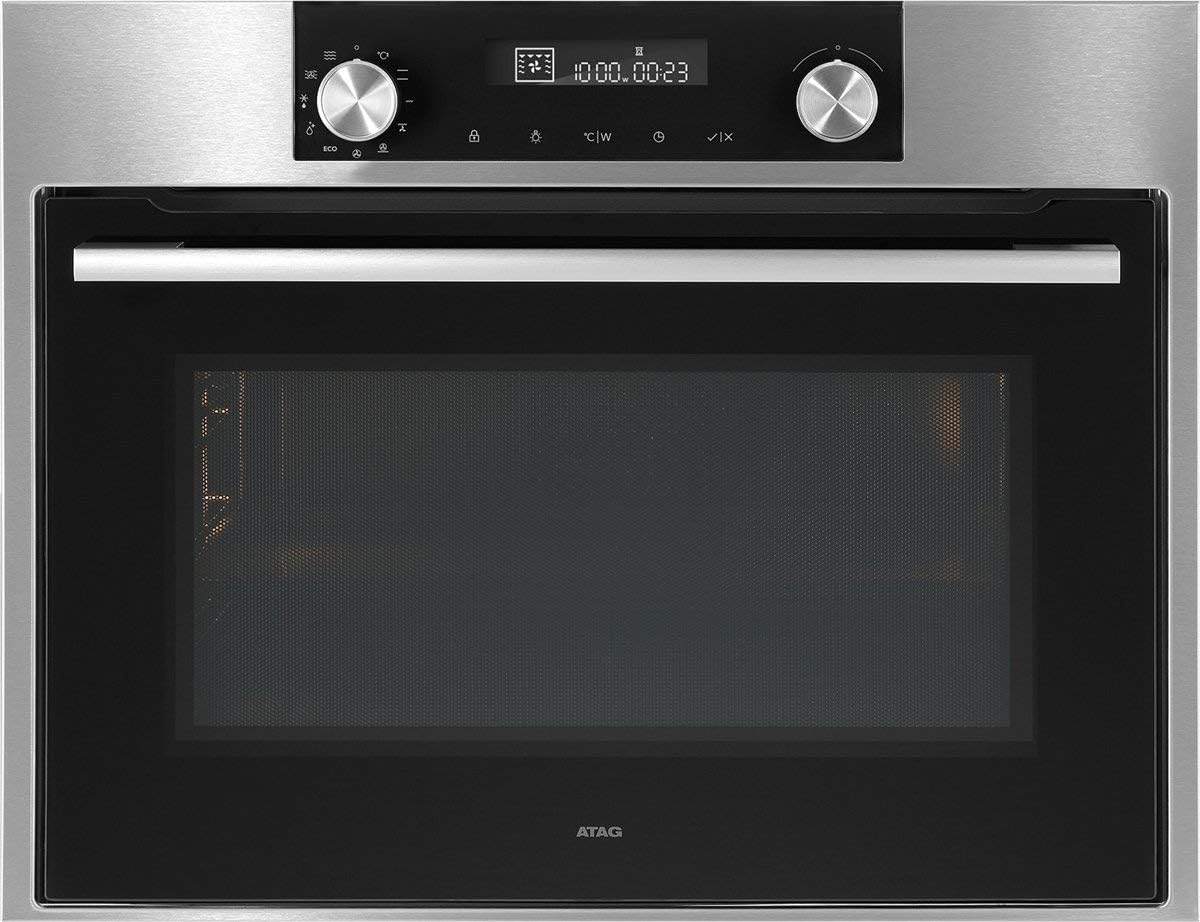
Figuur 1: Voorkant view van die ATAG CX4511C oven. This image displays the stainless steel finish, the black glass door with a horizontal handle, and the integrated control panel at the top. The control panel features two rotary knobs, a digital display, and touch-sensitive buttons for various functions and settings.
Die ATAG CX4511C is a built-in oven designed for modern kitchens. It features a sleek stainless steel and black glass aesthetic. Key components include:
- Beheerpaneel: Located at the top, featuring a digital display, two rotary knobs for function and temperature selection, and touch controls for timer, settings, and other options.
- Oonddeur: A black glass door with a sturdy stainless steel handle, providing visibility into the oven cavity.
- Oondholte: The interior cooking space, equipped with racks and lighting.
- Ventilasiegleuwe: Essential for proper air circulation and cooling of the appliance.
Opstelling
1. Installasie
Die ATAG CX4511C oven must be installed by a qualified electrician or authorized service technician in accordance with local regulations and the provided installation instructions. Ensure adequate ventilation around the appliance.
2. Aanvanklike skoonmaak
Before first use, clean the oven interior and all accessories (racks, trays) with a damp cloth and mild detergent. Rinse thoroughly and dry. Do not use abrasive cleaners.
3. Eerste gebruik (Inbranding)
To eliminate any manufacturing odors, operate the empty oven for approximately 60 minutes at 200°C (392°F) using a conventional heating mode. Ensure the kitchen is well-ventilated during this process.
Bedryfsinstruksies
1. Stel die tyd in
Upon first connection to power, the display will flash. Use the right rotary knob to set the current time, then press the checkmark button to confirm.
2. Selecting a Cooking Function
Turn the left rotary knob to select the desired cooking function (e.g., conventional heat, fan-assisted, grill). The selected function icon will appear on the display.
3. Temperatuur en Tyd instel
After selecting a function, turn the right rotary knob to adjust the temperature. Press the timer button to set a cooking duration, then use the right knob to adjust the time. Confirm settings by pressing the checkmark button or waiting a few seconds for automatic confirmation.
4. Voorverhitting
The oven will begin preheating once the function and temperature are set. An indicator on the display will show when the set temperature has been reached.
5. Ending Operation
To stop cooking, turn the left rotary knob to the 'Off' position or press the stop button if available. Allow the oven to cool down completely before opening the door for an extended period.
Onderhoud en Skoonmaak
1. Buite Skoonmaak
Clean the exterior surfaces, including the control panel and door, with a soft cloth and warm soapy water. For stainless steel, use a specialized stainless steel cleaner. Avoid abrasive sponges or harsh chemicals.
2. Interior Cleaning
Vir ligte vuilgoed, vee die binnekant af met 'n advertensie.amp cloth after the oven has cooled. For stubborn stains, use an oven cleaner specifically designed for the oven's interior lining, following the product instructions carefully. Remove all racks and accessories before cleaning.
3. Door Glass Cleaning
Clean the inner and outer glass panels of the oven door with a glass cleaner or warm soapy water. Ensure no liquid seeps into the door's ventilation system.
4. Vervanging van die oond Lamp
Ensure the oven is disconnected from the power supply. Unscrew the protective glass cover, replace the bulb with a new heat-resistant oven lamp of the same specifications, and reattach the cover.
Probleemoplossing
| Probleem | Moontlike oorsaak | Oplossing |
|---|---|---|
| Oond word nie warm nie. | No power supply; incorrect settings; fuse tripped. | Check power connection; verify settings; check household fuse box. |
| Ongelyke kookresultate. | Incorrect rack position; overloaded oven; door opened too frequently. | Use recommended rack positions; avoid overcrowding; minimize door openings. |
| Rook of reuk tydens eerste gebruik. | Oorblywende vervaardigingsolies wat afbrand. | This is normal. Ensure good ventilation. It will dissipate after initial use. |
| Die skerm wys 'n foutkode. | Interne wanfunksie. | Note the error code and contact customer support. |
Spesifikasies
- Handelsmerk: ATAG
- Model: CX4511C
- Kapasiteit: 51 liter
- Krag: 3400 W
- ASIN: B075V16NFM
- Kleur: Swart, Vlekvrye Staal
- Eerste Beskikbare Datum: 11 Junie 2019
Waarborg en Ondersteuning
Your ATAG CX4511C oven comes with a manufacturer's warranty. For detailed information regarding warranty terms, conditions, and duration, please refer to the warranty card included with your appliance or visit the official ATAG website. For technical support, service requests, or spare parts, please contact ATAG customer service directly. Contact details can typically be found on the manufacturer's webwebwerf of in die dokumentasie wat by jou aankoop voorsien is.
When contacting support, please have your model number (CX4511C) and serial number ready. The serial number is usually located on a label inside the oven door frame or on the back of the appliance.