
1. Inleiding
The iHome Zenergy Meditative Light & Sound Therapy Candle is designed to enhance your relaxation, meditation, and sleep experience through customizable light and sound programs. This manual provides detailed instructions for the proper setup, operation, and maintenance of your device.
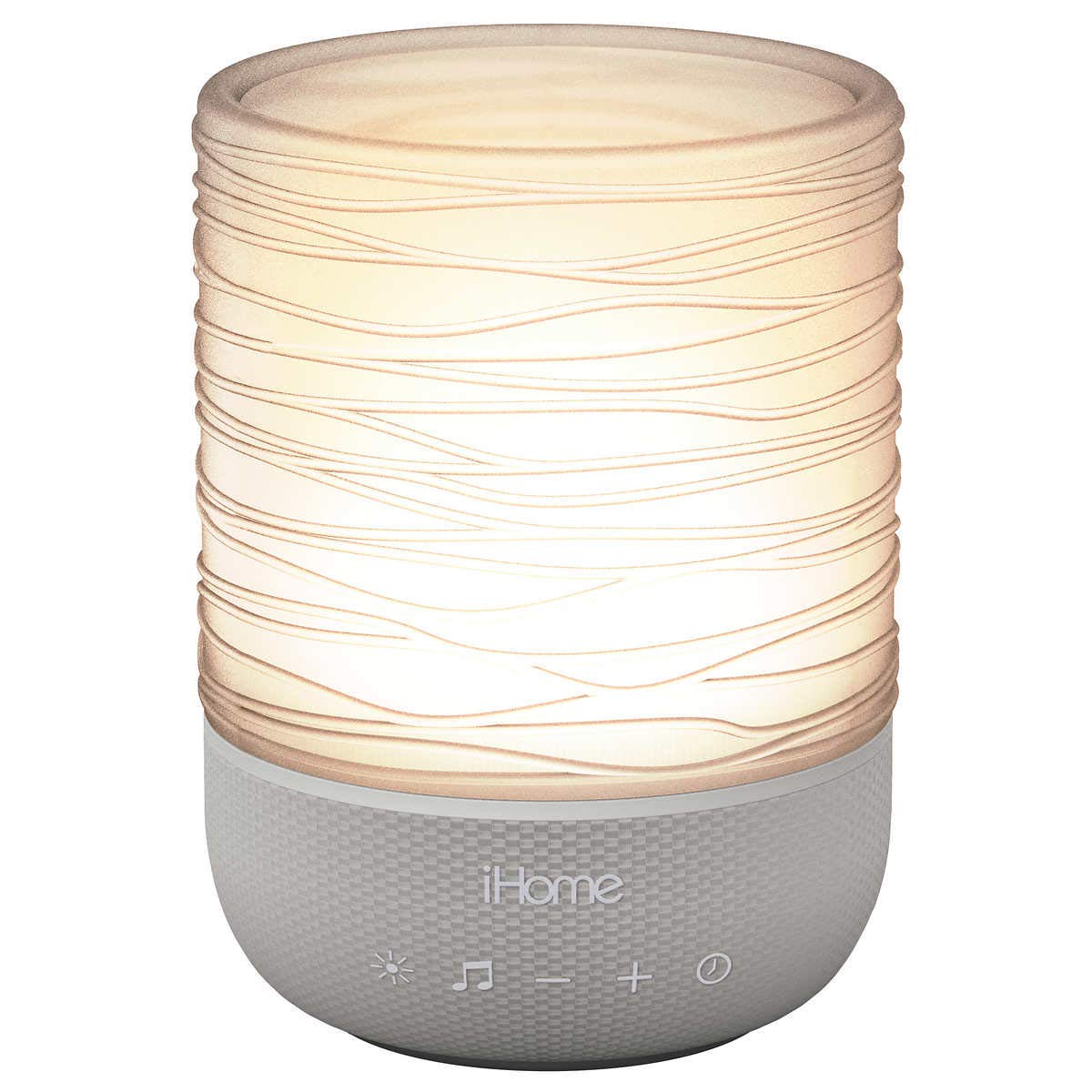
Figuur 1: iHome Zenergy Meditative Light & Sound Therapy Candle. This image shows the device from the front, highlighting its candle-like design and light-emitting surface.
2. Wat is in die boks
Kontroleer asseblief dat alle komponente teenwoordig is:
- iHome Zenergy Meditative Light & Sound Therapy Candle (iZM100GFT)
- Wisselstroomadapter
- Gebruikershandleiding (hierdie dokument)
- Bulb (included component, likely pre-installed LED)
3. Opstelling
3.1 Kragverbinding
- Place the iHome Zenergy Candle on a stable, flat surface away from direct sunlight or heat sources.
- Connect the supplied AC power adapter to the DC jack located on the back or bottom of the unit.
- Steek die AC-kragadapter in 'n standaardmuuraansluiting.
- The unit will power on in standby mode.
3.2 Battery Installation (for backup or portable use, if applicable)
The device requires 2 AAA batteries for certain functions or backup power. (Note: The primary power source is AC. Batteries are not explicitly mentioned for primary operation in the product description, but are listed in specifications.)
- Vind die batterykompartement aan die onderkant van die eenheid.
- Maak die batteryvakdeksel oop.
- Plaas 2 AAA-batterye in en maak seker dat die polariteit (+/-) korrek is.
- Maak die batterykompartement se deksel stewig toe.
4. Operasie
4.1 Basiese kontroles
The iHome Zenergy Candle features touch and push-button controls. Refer to the device for specific button locations.
- Kragknoppie: Druk om die eenheid aan of af te skakel.
- Ligmodus-knoppie: Cycles through various light therapy modes.
- Klankmodus-knoppie: Cycles through various sound therapy programs.
- Volume op / af knoppies: Pas die klank-uitsetvlak aan.
- Timer-knoppie: Activates and adjusts the sleep/meditation timer.
- Breathing Coach Button: Activates the guided breathing exercise.
4.2 Light Therapy Modes
Druk die Ligte modus knoppie to cycle through the available light settings:
- Vlam effek: Simulates a flickering candle flame for a calming ambiance.
- Color Blending: Smoothly transitions between a spectrum of colors.
- Gunsteling Kleur: Allows selection and display of a single preferred color. (Consult device instructions for specific color selection method, typically by pausing on a color during blending or using dedicated controls.)
4.3 Sound Therapy Programs
Druk die Klankmodus-knoppie to select from various soothing soundscapes:
- Zen Sound: A tranquil, meditative tone.
- Calming Ocean: Gentle waves and ocean sounds.
- Thunder Storm: Distant thunder and rain for a natural sound.
- Wit geraas: A consistent, static-like sound to mask distractions.
- Pienk Geraas: A softer, deeper variant of white noise.
- Waaiergeluid: The steady hum of a fan for background sound.
4.4 Breathing Coach
The device includes a guided breathing coach based on the 4-7-8 method. Press the Breathing Coach Button to activate. The light and/or voice prompts will guide you through the breathing cycle (inhale for 4 counts, hold for 7, exhale for 8). This feature can be used with or without voice guidance.
4.5 Programmable Timer
The timer function allows the light and sound to gradually decrease in volume and brightness before turning off. Press the Timer-knoppie repeatedly to cycle through available timer durations (e.g., 30, 60, 90 minutes). The selected duration will be indicated on the device.
4.6 Produk verbyview Video
For a visual guide on the iHome Zenergy Candle's features and operation, please watch the official product video below.
Video: iHome Zenergy Candle iZM100GFT Product Overview. This video demonstrates the various light and sound features, as well as the breathing coach function of the iHome Zenergy Meditative Light & Sound Therapy Candle.
5. Onderhoud
5.1 Skoonmaak
Om die voorkoms en funksionaliteit van jou toestel te behou:
- Maak seker dat die eenheid afgeskakel en ontkoppel is voordat u dit skoonmaak.
- Wipe the exterior surfaces with a soft, dry, or slightly damp lap.
- Moenie skuurmiddels, wasse of oplosmiddels gebruik nie.
- Vermy dat vog in enige openinge kom.
- Do not attempt to clean the recessed candle area with liquids; use a soft brush or compressed air to remove dust.
5.2 Berging
When not in use for extended periods, store the unit in a cool, dry place, away from extreme temperatures and humidity.
6. Probleemoplossing
If you experience issues with your iHome Zenergy Candle, please refer to the following common problems and solutions:
| Probleem | Moontlike oorsaak | Oplossing |
|---|---|---|
| Eenheid skakel nie aan nie. | Kragadapter nie gekoppel nie of foutiewe stopcontact. | Maak seker dat die WS-adapter stewig in die eenheid en 'n werkende muursok ingeprop is. Probeer 'n ander sok. |
| No sound or light. | Volume too low, light mode off, or unit in standby. | Increase volume. Press the Light Mode button. Ensure the unit is powered on, not in standby. |
| Lights are too bright/dim. | Light intensity not adjustable or specific mode selected. | Some light modes may have fixed brightness. Check if your model supports brightness adjustment for specific modes. |
| Breathing coach voice is annoying. | Voice guidance is active. | The breathing coach can be used with or without voice. Consult your device's specific controls to toggle voice guidance off. |
7. Spesifikasies
| Kenmerk | Detail |
|---|---|
| Modelnommer | iZM100GFT |
| Handelsmerk | iHome |
| Kragbron | AC krag |
| Ligbrontipe | LED |
| Beheer metode | Push Button, Touch, Voice (for breathing coach) |
| Produk afmetings | 3.55 x 3.55 x 4.85 duim |
| Item gewig | 13.1 onse (0.82 pond) |
| Materiaal | Glass (Shade Material) |
| Batterye | 2 AAA batteries required (for certain functions/backup) |
| UPC | 047532913460 |
8. Waarborg en Ondersteuning
Vir waarborginligting en kliëntediens, verwys asseblief na die dokumentasie wat by u aankoop ingesluit is of besoek die amptelike iHome-webwerf. webwebwerf. Bewaar u bewys van aankoop vir waarborgeise.