
1. Inleiding
The Benetech GM610 is a portable digital wood moisture meter designed for quick and accurate measurement of moisture content in various wood types. It also provides environmental temperature and humidity readings. This manual provides detailed instructions for the proper use, setup, operation, and maintenance of your device to ensure optimal performance and longevity.
2. Produkkenmerke
- Adjustable for 4 different wood species groups.
- Data hold function to lock readings.
- Automatic temperature compensation for varying environmental conditions.
- Review function for maximum moisture reading.
- Backlight on/off switch for improved visibility.
- Utilizes CPU technology for precise measurements.
- Powered by 2 AAA batteries with a battery icon indicator on the display.
- Large LCD display for clear readability.
- Automatic power-off after 120 seconds of inactivity; manual power-off is also available.
- Capable of measuring environmental humidity and temperature.
3. Produk verbyview

Figuur 1: Voorkant view of the Benetech GM610 Wood Moisture Meter with the protective cap removed, displaying the LCD screen and control buttons.

Figure 2: The Benetech GM610 Wood Moisture Meter held in hand, demonstrating the illuminated LCD display with current readings.
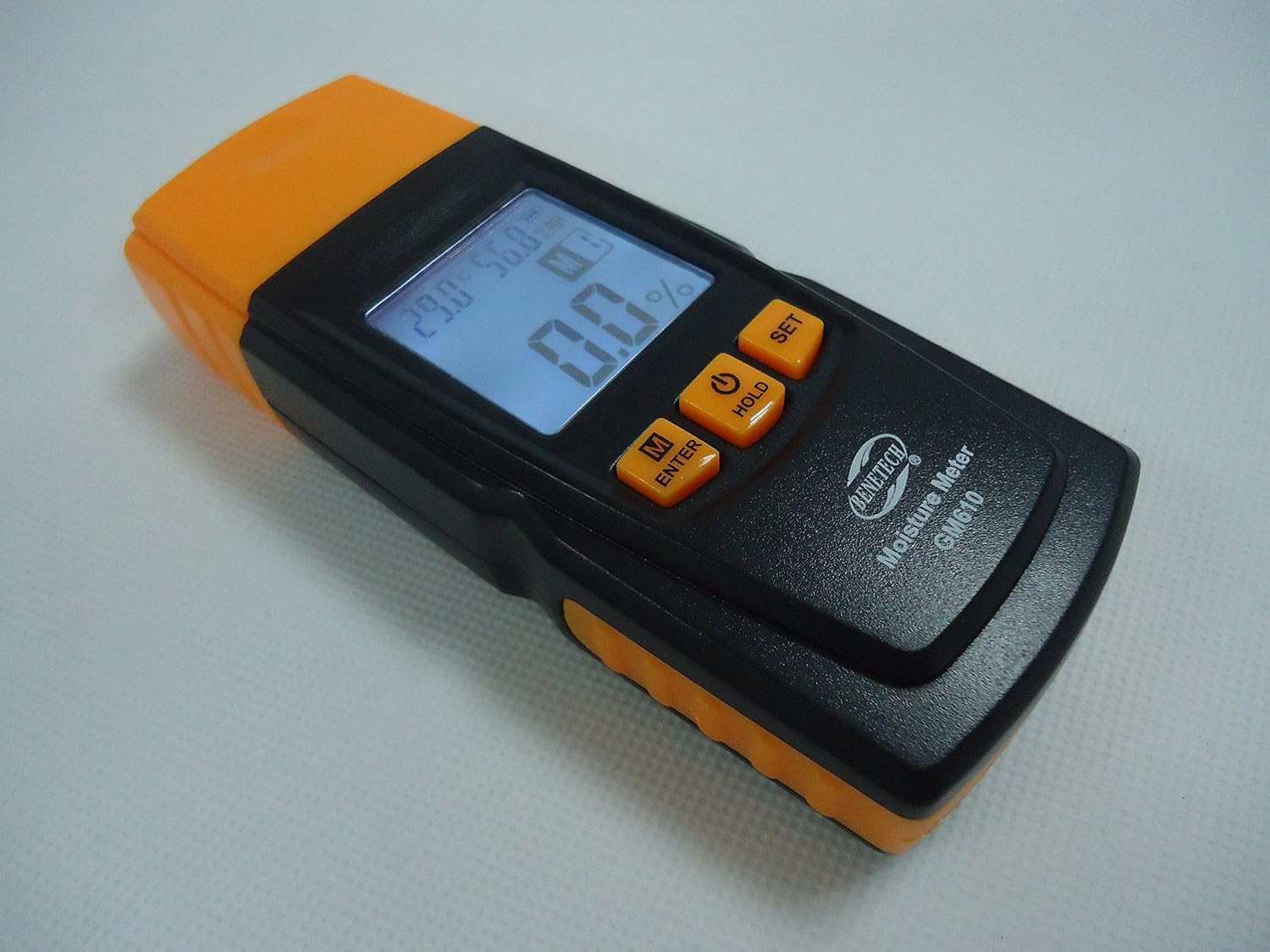
Figuur 3: 'n Hoekige view of the Benetech GM610, showing the top measurement pins and the side profile van die toestel.

Figure 4: The Benetech GM610 Wood Moisture Meter presented in its open retail packaging, with the orange protective cap positioned next to it.
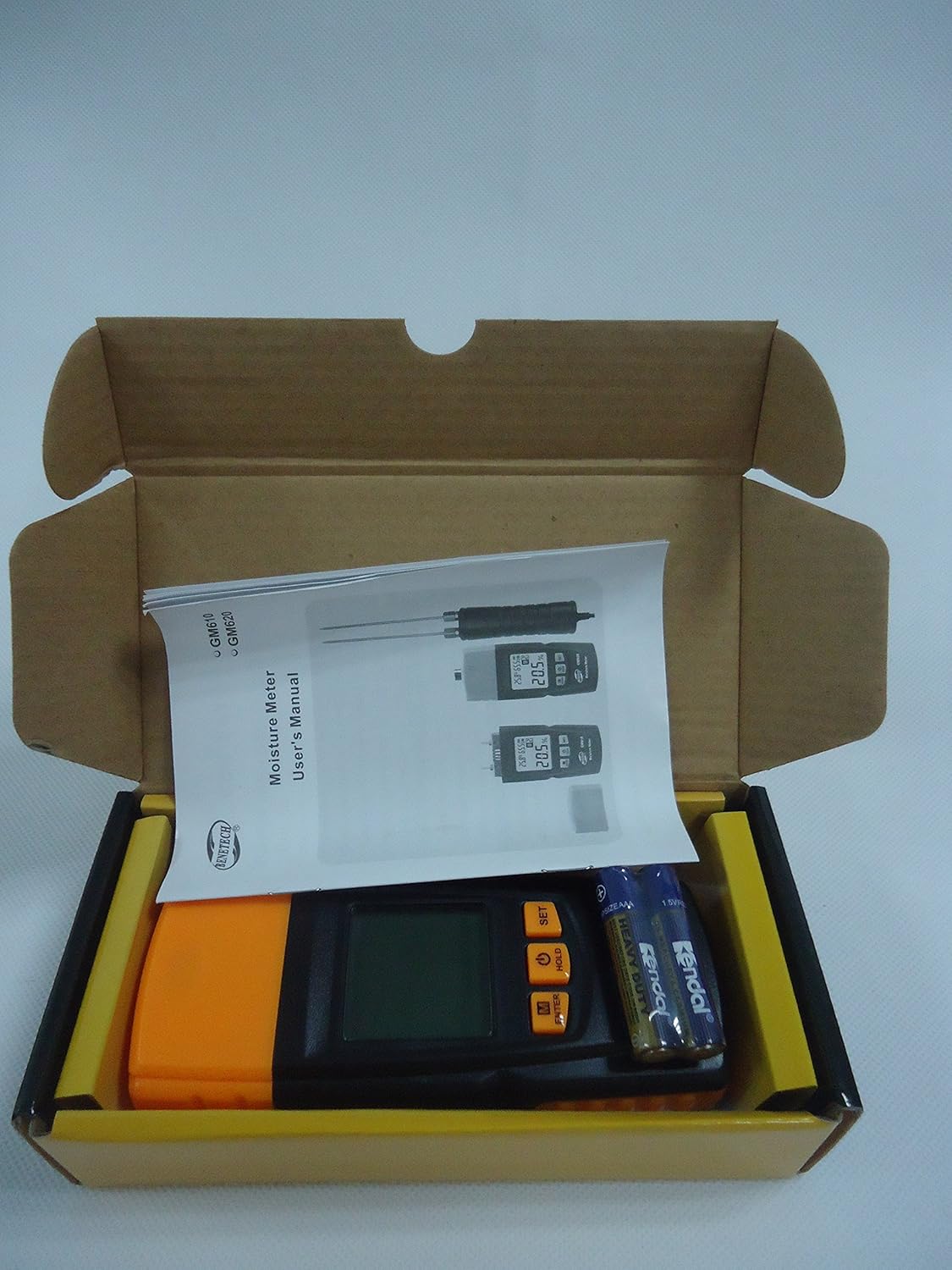
Figure 5: Contents of the Benetech GM610 package, including the moisture meter, user manual, and AAA batteries.
4. Opstelling
4.1 Battery installasie
- Vind die batteryklepdeksel aan die agterkant van die toestel.
- Skuif of knip die deksel los om die kompartement oop te maak.
- Plaas twee (2) AAA 1.5V batterye in en maak seker dat die polariteit (+/-) korrek is.
- Plaas die batterykompartement se deksel veilig terug.
Let wel: Batterye is gewoonlik nie ingesluit nie en moet afsonderlik aangekoop word.
5. Bedryfsinstruksies
5.1 Krag aan/af
- Om die toestel aan te skakel, druk die HOU button (power symbol).
- To manually power off the device, press and hold the HOU knoppie vir ongeveer 2 sekondes.
- The device will automatically power off after 120 seconds of inactivity to conserve battery life.
5.2 Measuring Wood Moisture
- Verwyder die beskermende dop van die meetpenne.
- Gently push the measurement pins into the wood surface to be tested. Ensure both pins are fully inserted and make good contact with the wood.
- The moisture content percentage sal op die LCD-skerm vertoon word.
- After measurement, carefully withdraw the pins and replace the protective cap.
5.3 Selecting Wood Species Group
The GM610 allows adjustment for 4 different wood species groups to ensure accurate readings. Refer to the wood species chart (usually provided in a separate document or on the device itself) to determine the correct group for your wood type.
- Druk die M/ENTER button to cycle through the wood species groups (M1, M2, M3, M4).
- Select the group that corresponds to the wood you are measuring.
5.4 Data Vashou Funksie
Om die huidige lesing op die skerm te vries:
- While a measurement is being taken, briefly press the HOU button. The reading will be held on the screen.
- Druk die HOU button again to release the reading and resume live measurement.
5.5 Agterligbeheer
Om die skerm se agtergrond aan of af te skakel:
- Druk die STEL button to toggle the backlight.
5.6 Environmental Measurement
The device also displays the ambient temperature and relative humidity on the upper part of the LCD screen.
- The temperature unit (Celsius or Fahrenheit) can typically be switched by pressing and holding the STEL button (refer to specific device instructions if this differs).
6. Onderhoud
6.1 Skoonmaak
- Vee die toestel af met 'n sagte, droë lap.
- Moenie skuur skoonmaakmiddels of oplosmiddels gebruik nie.
- Ensure the measurement pins are clean and free of debris after each use.
6.2 Berging
- Always replace the protective cap over the measurement pins when not in use to prevent damage and injury.
- Bêre die toestel op 'n koel, droë plek, weg van direkte sonlig en uiterste temperature.
- Indien dit vir 'n lang tydperk gestoor word, verwyder die batterye om lekkasie te voorkom.
6.3 Batteryvervanging
When the battery indicator on the LCD shows low power, replace the batteries as described in the Setup section (4.1 Battery Installation).
7. Probleemoplossing
| Probleem | Moontlike oorsaak | Oplossing |
|---|---|---|
| Toestel skakel nie aan nie. | Lae of dooie batterye; verkeerde batteryinstallasie. | Vervang batterye met nuwes, en verseker die korrekte polariteit. |
| Inaccurate moisture readings. | Incorrect wood species group selected; pins not fully inserted; pins dirty or damaged. | Verify wood species group; ensure pins are fully inserted; clean or inspect pins for damage. |
| Die skerm is dof of flikker. | Lae batterykrag. | Vervang batterye. |
| Auto-off function not working. | Device is actively being used or buttons pressed. | Ensure no interaction for 120 seconds. If issue persists, contact support. |
8. Spesifikasies
| Parameter | Waarde |
|---|---|
| Moisture Measurement Range | 2% to 70% (specific ranges for wood types: 2~40%/50%/60%/70%) |
| Moisture Measurement Error | ±1% |
| Temperatuurreeks | -10℃ tot 60℃ (14℉ tot 140℉) |
| Humiditeitsbereik | 20% RH tot 90% RH |
| Kragtoevoer | 2 x 1.5V AAA-batterye |
| Outomatiese afskakeling | Na 120 sekondes van onaktiwiteit |
| Gewig | 107.7g (batterye uitgesluit) |
| Afmetings | 135.6 mm x 55 mm x 29.4 mm |
9. Waarborg en Ondersteuning
This Benetech GM610 Wood Moisture Meter is covered by a standard manufacturer's warranty against defects in materials and workmanship. Please refer to your purchase documentation for specific warranty terms and duration.
For technical support, troubleshooting assistance, or warranty claims, please contact the retailer or manufacturer directly using the contact information provided at the time of purchase.