
Inleiding
Dankie vir die aankoopasing the 2BOOM Portable Wireless Bluetooth Speaker System. This manual provides detailed instructions for setting up, operating, and maintaining your speaker. Please read this manual thoroughly before using the product to ensure proper function and longevity.
Pakketinhoud
Kontroleer asseblief die inhoud van die pakket om seker te maak dat alle items teenwoordig is:
- 1 x 2BOOM Twister Speaker (Model: BX311R)
- 1 x oudio kabel
- 1 x Laaikabel
- 1 x Gebruikershandleiding
Note: This unit does not come with an attachable carry strap.
Produk verbyview

Figuur 1: Voorkant view of the 2BOOM Twister speaker, showcasing its cylindrical design with red end caps and a black carbon fiber textured body.

Figure 2: Diagram highlighting the key features of the speaker, including Deep Digital Bass, FM Radio capability, Colorful Light FX, and a Bluetooth range of 32.8 feet.

Figuur 3: Gedetailleerd view of the speaker's control panel, indicating the location and function of the DC5V charging port, AUX input, OFF/ON switch, Mode button, Previous/Volume -, Play/Pause, Next/Volume +, MIC-VOL, Microphone input, USB input, and TF Card slot.

Figuur 4: Hoekig view of the speaker's top, providing a clear perspective of the control panel and its various buttons and ports.
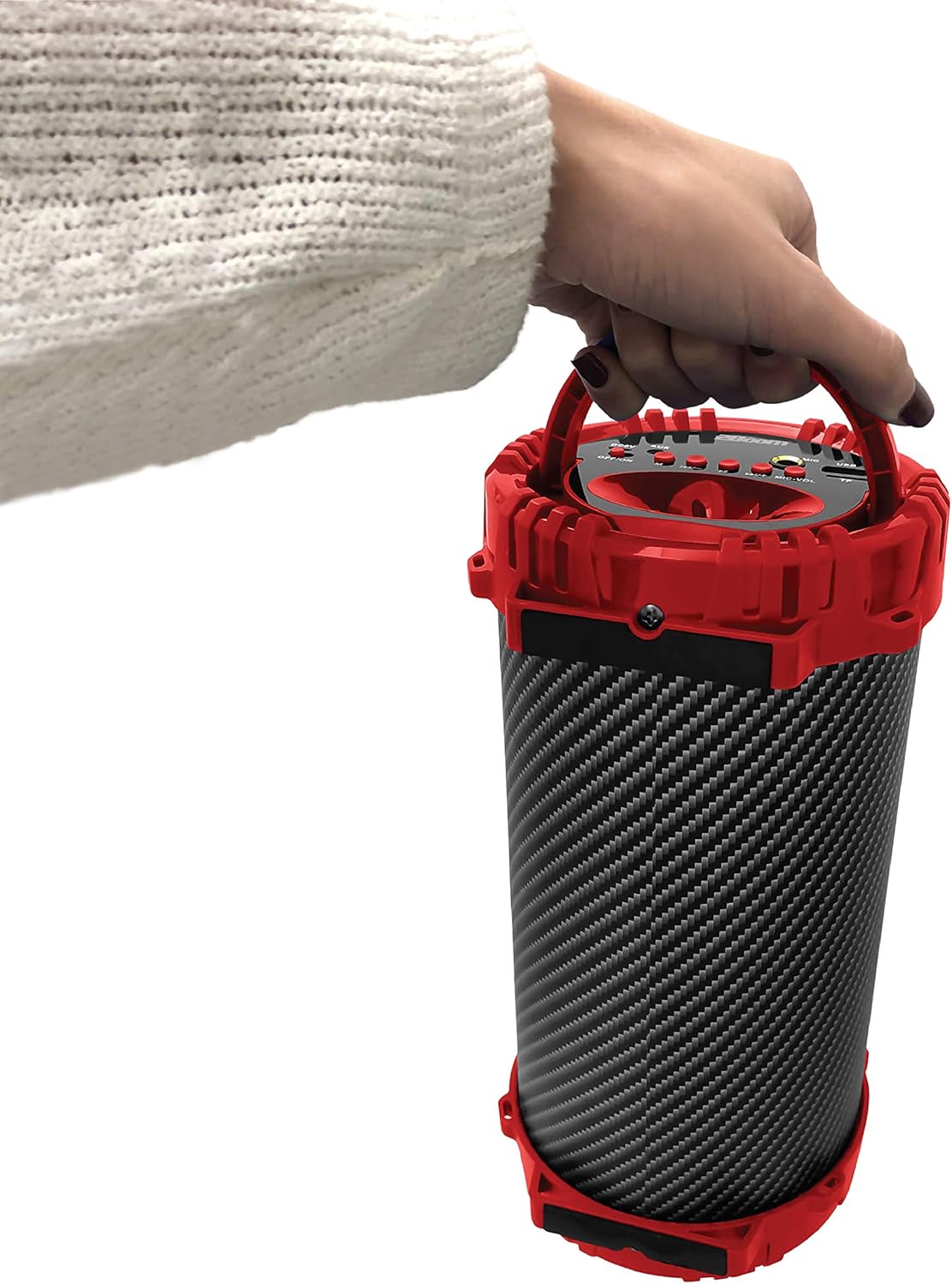
Figure 5: Image demonstrating the portability of the speaker, held by hand using its integrated carry handle.
Opstelling
Laai die luidspreker
Before first use, fully charge the speaker. Connect the provided charging cable to the DC5V port on the speaker (refer to Figure 3) and the other end to a USB power adapter (not included) or a computer's USB port. The charging indicator light will illuminate during charging and turn off when fully charged.
Skakel aan/af
Locate the OFF/ON switch on the control panel (refer to Figure 3). Slide the switch to the "ON" position to power on the speaker. Slide it to the "OFF" position to power off the speaker.
Bedryfsinstruksies
Bluetooth-verbinding
- Ensure the speaker is powered on. It will automatically enter Bluetooth pairing mode.
- Aktiveer Bluetooth op jou Bluetooth-geaktiveerde toestel (slimfoon, tablet, MP3-speler) en soek vir beskikbare toestelle.
- Select "2BOOM Twister" from the list of devices.
- Once connected, the speaker will emit an audible confirmation. Your device will automatically remember the speaker for future connections.
- The Bluetooth connection range is up to 33 feet (10 meters).
Mode seleksie
Press the "M" (Mode) button on the control panel (refer to Figure 3) to cycle through available modes: Bluetooth, FM Radio, AUX, USB, and TF Card.
FM-radio werking
- Switch to FM Radio mode using the "M" button.
- Press and hold the "Play/Pause" button to automatically scan and save available FM stations.
- Use the "Previous/Volume -" and "Next/Volume +" buttons to navigate between saved stations.
AUX-invoer
Connect an external audio device (e.g., MP3 player, computer) to the AUX port on the speaker (refer to Figure 3) using the provided audio cable. Switch to AUX mode using the "M" button. Audio will now play through the speaker from your connected device.
USB-invoer
Plaas 'n USB-geheuestokkie wat MP3-klank bevat files into the USB port (refer to Figure 3). The speaker will automatically switch to USB mode and begin playing the audio files.
TF-kaartinvoer
Insert a TF (MicroSD) card containing MP3 audio files into the TF Card slot (refer to Figure 3). The speaker will automatically switch to TF Card mode and begin playing the audio files.
Microphone Input (Karaoke Function)
Connect a microphone (not included) to the MIC input port (refer to Figure 3). Adjust the microphone volume using the "MIC-VOL" knob. You can sing along to music playing from any source (Bluetooth, AUX, USB, TF Card, FM Radio).
Volume Control and Track Navigation
- Volume op: Press and hold the "Next/Volume +" button.
- Volume af: Press and hold the "Previous/Volume -" button.
- Volgende snit/stasie: Short press the "Next/Volume +" button.
- Vorige snit/stasie: Short press the "Previous/Volume -" button.
- Speel/pouse: Short press the "Play/Pause" button.
Onderhoud
- Skoonmaak: Gebruik 'n sagte, droë lap om die buitekant van die luidspreker skoon te maak. Moenie skuurmiddels of oplosmiddels gebruik nie.
- Berging: Bêre die luidspreker op 'n koel, droë plek weg van direkte sonlig en uiterste temperature.
- Waterweerstand: Hierdie luidspreker is NIE waterdig nie. Vermy blootstelling aan water of oormatige vog.
- Batterysorg: Om die batterylewe te verleng, vermy om die battery gereeld heeltemal te ontlaai. Laai die luidspreker gereeld, selfs al word dit nie vir lang tye gebruik nie.
Probleemoplossing
| Probleem | Moontlike oorsaak | Oplossing |
|---|---|---|
| Luidspreker skakel nie aan nie. | Battery is laag of uitgeput. | Laai die luidspreker met die meegeleverde laaikabel. |
| Kan nie met Bluetooth-toestel saambind nie. | Bluetooth is not enabled on your device; speaker is not in pairing mode; device is out of range. | Ensure Bluetooth is on and the speaker is in pairing mode. Move device closer to the speaker (within 33 feet). |
| Geen geluid van die luidspreker nie. | Volume is too low; incorrect mode selected; audio cable not fully connected. | Increase speaker and device volume. Ensure correct mode (Bluetooth, AUX, etc.) is selected. Check cable connections. |
| FM Radio reception is poor. | Swak sein; omgewingsinmenging. | Try repositioning the speaker. Perform an auto-scan for stations again. |
Spesifikasies
| Kenmerk | Detail |
|---|---|
| Model | BX311R |
| Handelsmerk | 2BOOM |
| Subwoofer diameter | 4 duim |
| Verbindingstegnologie | Bluetooth, USB, Wireless |
| Maksimum Bluetooth-reeks | 33 voet (10 meter) |
| Klankuitvoermodus | Stereo |
| Kragbron | Battery aangedrewe |
| Materiaal tipe | Plastiek |
| Kleur | Rooi |
| Item gewig | 1.65 pond (ongeveer 748.43 g) |
| Produkafmetings (L x B x H) | 25.4 x 16.51 x 15.24 cm |
| Spesiale kenmerke | FM Radio, Microphone Input, USB/TF Card Playback |
Waarborg en Ondersteuning
The 2BOOM Twister Speaker comes with an UNLIMITED 2BOOM warranty when bought from Tech Direct Worldwide. For warranty claims, technical support, or any inquiries regarding your product, please contact the retailer or manufacturer directly.
Bewaar asseblief u aankoopbewys vir waarborgdoeleindes.