
Inleiding
Dankie vir die aankoopasing the Bud Light Bluetooth Can Speaker. This portable wireless speaker is designed to provide clear audio with a compact and unique design. This manual provides instructions for setting up, operating, maintaining, and troubleshooting your speaker to ensure optimal performance.
Pakketinhoud
Kontroleer asseblief die pakket vir die volgende items:
- Bud Light Bluetooth Can Speaker
- USB-laaikabel
- Gebruikershandleiding

Image: The Bud Light Bluetooth Can Speaker shown in its clear retail packaging.
Produk verbyview
Familiarize yourself with the speaker's components:
- Krag skakelaar: Located at the base, used to turn the speaker ON or OFF.
- Laaipoort: Mikro-USB-poort vir die laai van die luidspreker.
- LED-aanwyser: Toon laaistatus en Bluetooth-paringstatus.
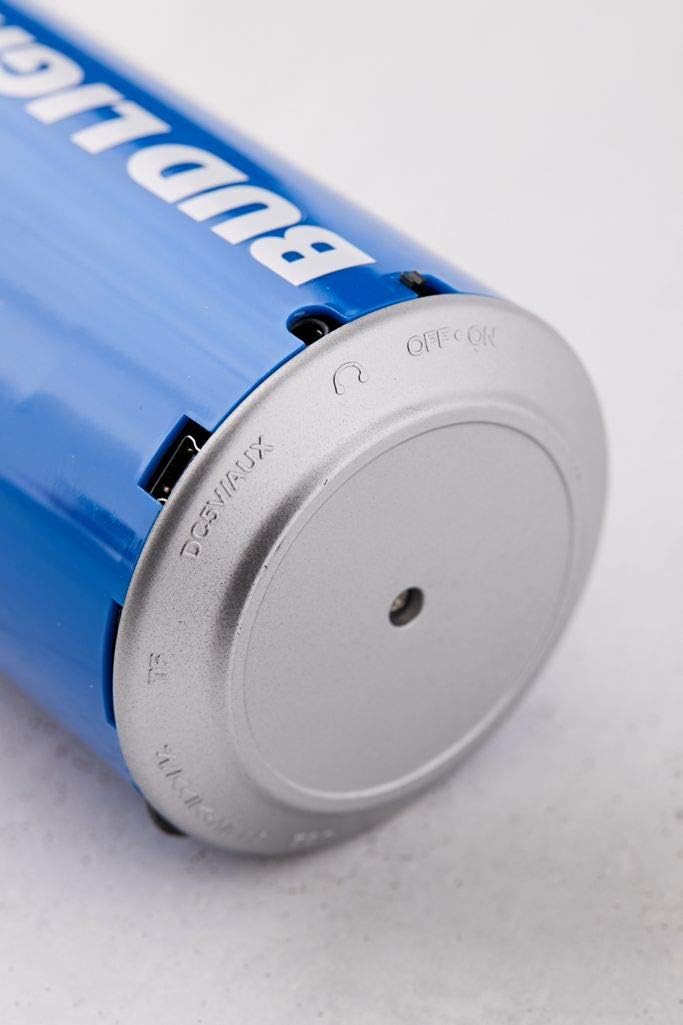
Beeld: 'n Nabyskoot view of the speaker's base, highlighting the 'OFF ON' switch and the charging port.
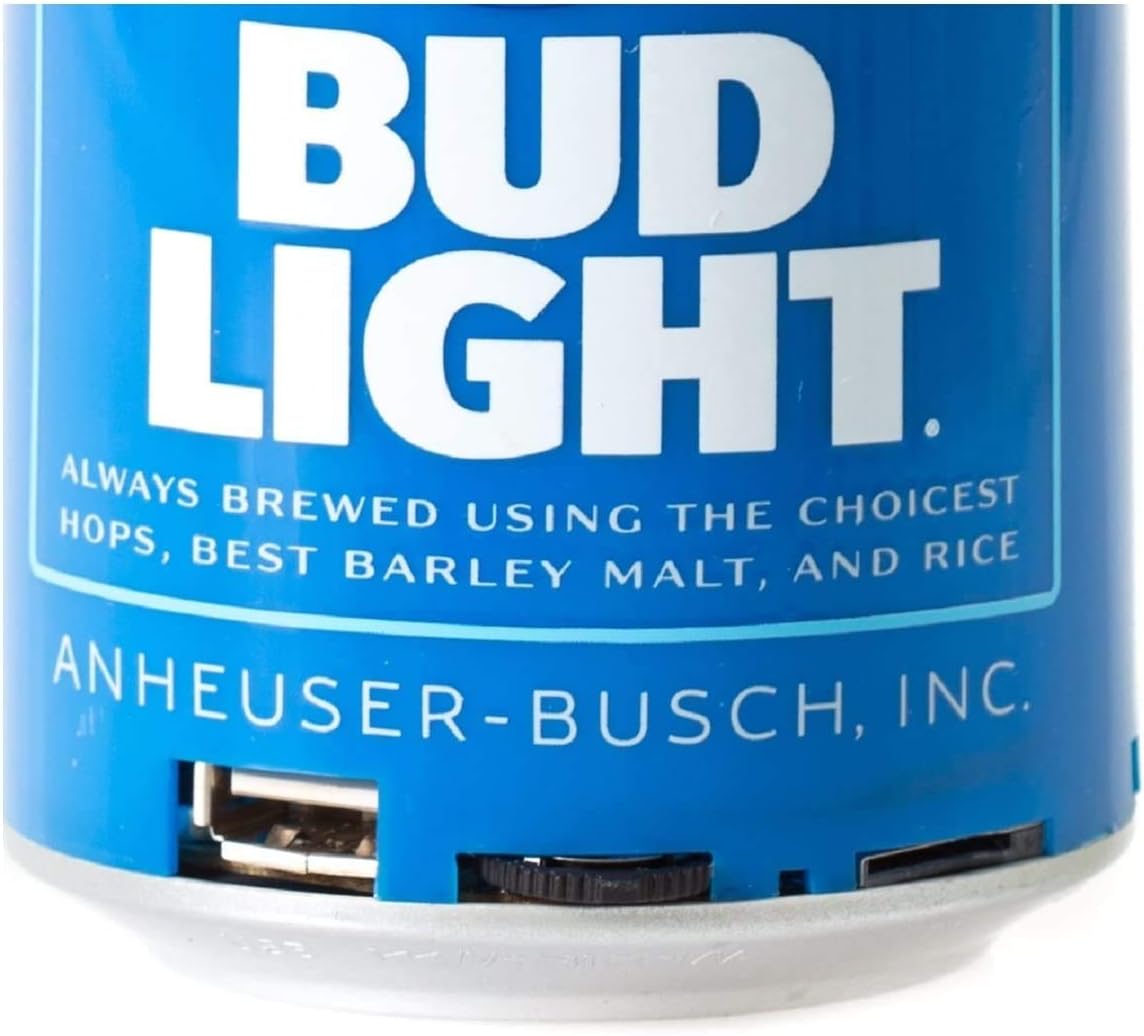
Beeld: 'n Gedetailleerde view of the speaker's bottom section, showing the USB charging port and the power switch.
Opstelling
1. Laai die luidspreker op
- Connect the small end of the USB charging cable to the charging port on the speaker's base.
- Koppel die groter punt van die USB-laaikabel aan 'n USB-kragadapter (nie ingesluit nie) of 'n rekenaar se USB-poort.
- The LED indicator will illuminate during charging and turn off once fully charged.
- 'n Volle lading neem gewoonlik ongeveer 2-3 uur.
2. Skakel aan/af
- To turn ON the speaker, slide the power switch located at the base to the 'ON' position. You will hear an audible prompt.
- To turn OFF the speaker, slide the power switch to the 'OFF' position.
Bedryfsinstruksies
1. Bluetooth-koppeling
The speaker is compatible with all Bluetooth-enabled devices.
- Ensure the speaker is charged and powered ON. The LED indicator will flash, indicating it is in pairing mode.
- On your device (smartphone, tablet, etc.), go to the Bluetooth settings and enable Bluetooth.
- Soek vir available devices. The speaker will appear as "Bud Light Speaker" or similar.
- Select the speaker from the list to connect. Once paired, the LED indicator will stop flashing and remain solid, and you will hear a confirmation tone.
- Indien gevra vir 'n wagwoord, voer "0000" in.

Image: The Bud Light Bluetooth Can Speaker positioned next to a smartphone displaying a music application, illustrating a successful Bluetooth connection.
2. Klankweergawe
- Sodra dit gekoppel is, sal klank van jou toestel deur die luidspreker speel.
- Control volume and track selection directly from your connected device.
3. Draagbaarheid
The compact and lightweight design allows for easy transport, making it suitable for various outdoor and indoor environments.

Image: The Bud Light Bluetooth Can Speaker being held in a hand, demonstrating its compact size and portability.

Image: The Bud Light Bluetooth Can Speaker placed on a beach towel, illustrating its use in an outdoor setting.
Onderhoud
- Skoonmaak: Gebruik 'n sagte, droë lap om die luidspreker af te vee. Moenie skuurmiddels of oplosmiddels gebruik nie.
- Berging: Bêre die luidspreker op 'n koel, droë plek weg van direkte sonlig en uiterste temperature.
- Waterweerstand: Hierdie luidspreker is nie waterdig nie. Vermy blootstelling aan water of oormatige vog.
Probleemoplossing
| Probleem | Moontlike oorsaak | Oplossing |
|---|---|---|
| Luidspreker skakel nie aan nie. | Battery is leeg. | Laai die luidspreker met die meegeleverde USB-kabel. |
| Kan nie met Bluetooth-toestel saambind nie. | Speaker is not in pairing mode or device's Bluetooth is off. | Ensure speaker is ON and LED is flashing. Turn ON Bluetooth on your device and search again. |
| Geen geluid of lae volume nie. | Volume on device is low or speaker is not connected. | Increase volume on your connected device. Ensure speaker is properly paired. |
| Swak klank kwaliteit. | Device is too far from speaker or interference. | Move device closer to the speaker (within 10 meters). Avoid obstacles between devices. |
Spesifikasies
- Handelsmerk: Bud Lig
- Model: Bluetooth-kan-luidspreker
- Luidspreker maksimum uitsetkrag: 3 Watt
- Verbindingstegnologie: Bluetooth, USB
- Klankuitsetmodus: Stereo, Omring
- Montage tipe: Vrye staande
- Verenigbaarheid: All Bluetooth-enabled devices (Apple iPhone, Samsung Galaxy, Tablets, Smartphones) and non-Bluetooth devices (MP3 players via USB).
Waarborg en Ondersteuning
For warranty information or technical support, please refer to the contact details provided with your purchase documentation or visit the official Bud Light accessories webwebwerf. Bewaar u bewys van aankoop vir waarborgeise.