
1. Inleiding
Dankie vir die aankoopasing the MAX LED Partybar4. This versatile RGBW light set is designed to create dynamic and colorful light shows for various events. It features four PAR spots with RGBW LEDs, multiple operating modes, and comes with a sturdy stand for easy setup. This manual provides essential information for safe operation, setup, and maintenance of your device. Please read it thoroughly before use and keep it for future reference.

Image 1.1: The MAX LED Partybar4, showcasing its four PAR spots with vibrant purple illumination.
2. Veiligheidsinstruksies
- Lees alle instruksies noukeurig deur voordat u die toestel gebruik.
- Bewaar hierdie handleiding vir toekomstige verwysing.
- Maak seker dat die kragtoevoer ooreenstem met die voltage op die toestel gespesifiseer.
- Moenie die toestel aan reën of vog blootstel om brand of elektriese skok te voorkom nie.
- Always disconnect from the mains power supply before cleaning or servicing.
- Do not open the housing; there are no user-serviceable parts inside. Refer servicing to qualified personnel.
- Vermy direkte blootstelling van die oë aan die ligbron, aangesien dit oogskade kan veroorsaak.
- Verseker behoorlike ventilasie rondom die eenheid om oorverhitting te voorkom.
- Position the device on a stable surface or mount it securely using appropriate hardware.
3. Produk verbyview
3.1 Komponente
- LED Partybar4 unit with 4 PAR spots
- Verstelbare driepootstaander
- Draadlose afstandbeheer
- Kragkabel
- Gebruikershandleiding
3.2 Sleutelkenmerke
- 4 PAR spots with RGBW LEDs for vibrant color mixing.
- Plug and Play design for quick setup.
- Multiple operating modes: Sound-activated, Auto, DMX, and Master/Slave.
- Pre-programmed shows for instant effects.
- Wireless remote control for convenient operation.
- Integrated control panel with LED display for easy settings adjustment.
- Sturdy, adjustable tripod stand with a maximum height of 1.8m.

Image 3.1: The MAX LED Partybar4 with its included wireless remote control, highlighting ease of color and function adjustment.
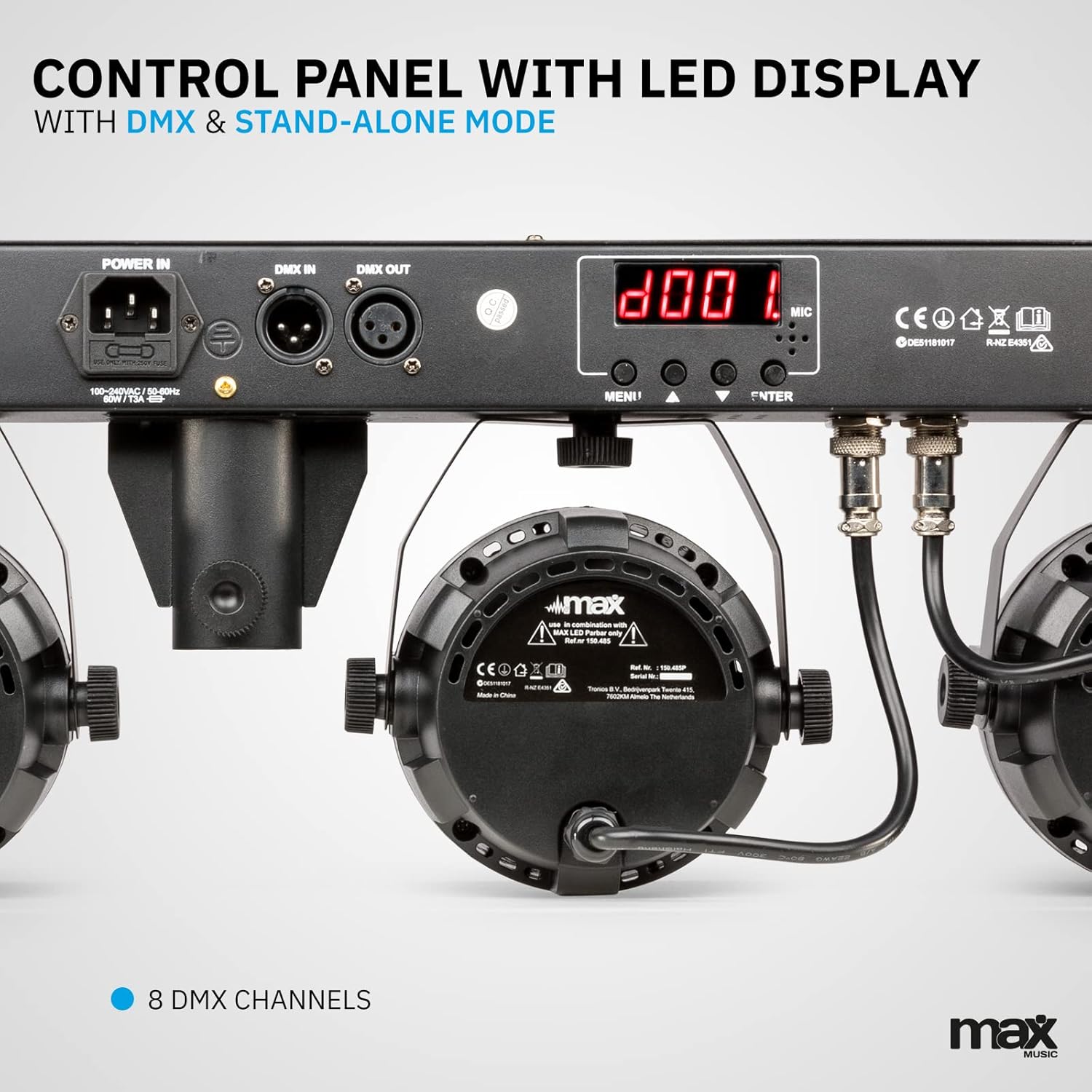
Beeld 3.2: Gedetailleerd view of the control panel, featuring power input, DMX connections, and the LED display for mode selection.
4. Opstelling
4.1 Montering van die Staanplek
- Unfold the tripod legs and ensure they are fully extended and stable.
- Loosen the height adjustment knob on the stand.
- Extend the central pole to the desired height, ensuring it is securely locked in place. The maximum height is 1.8 meters.
- Draai die hoogteverstellingsknop stewig vas.
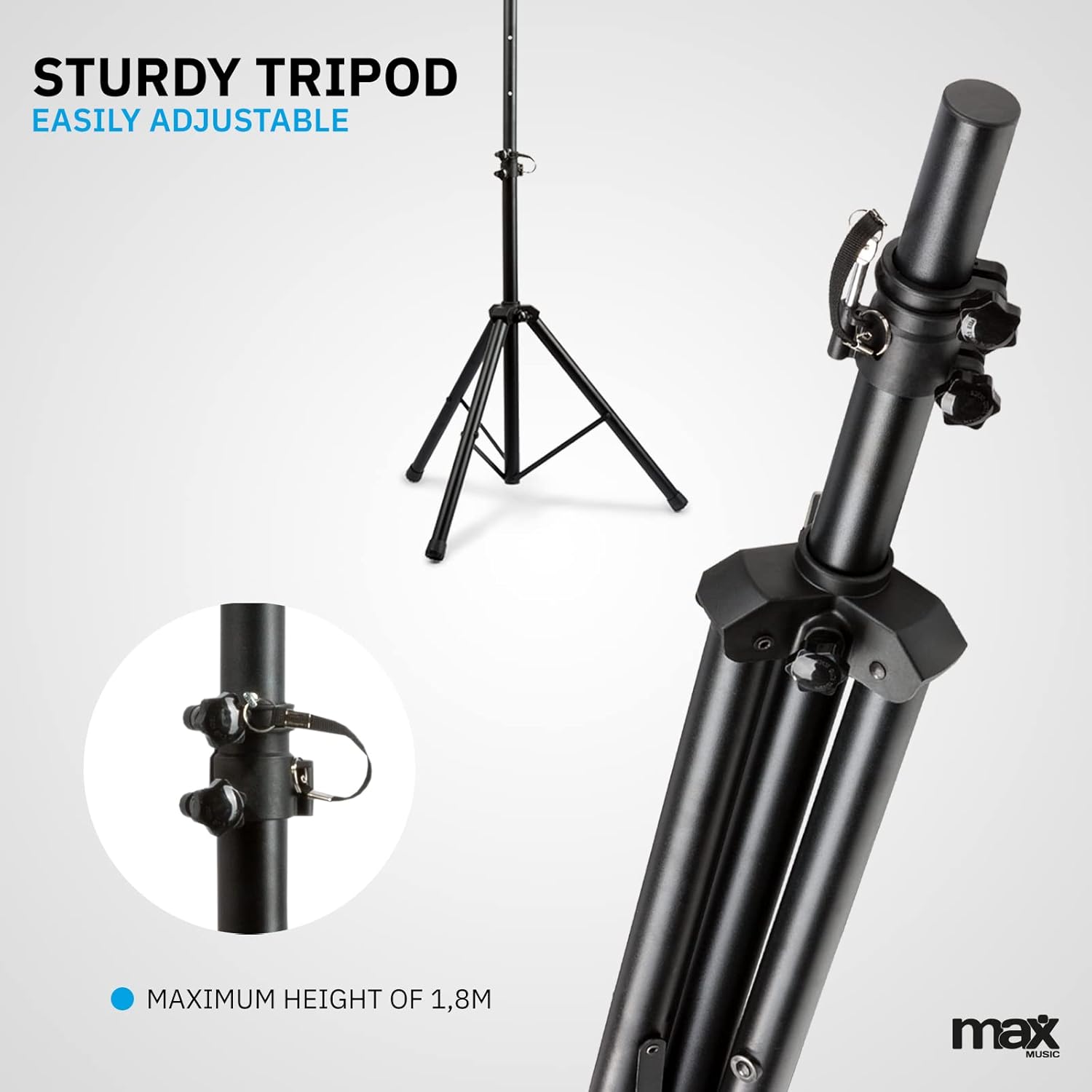
Image 4.1: The sturdy tripod stand, illustrating its adjustable height mechanism for optimal positioning.
4.2 Mounting the Partybar4 Unit
- Carefully place the Partybar4 unit onto the top of the assembled tripod stand.
- Secure the unit to the stand using the provided mounting hardware (if applicable) to prevent accidental dislodgement.
- Adjust the angle of the PAR spots as desired by loosening and tightening their side knobs.
4.3 Kragverbinding
- Connect the power cable to the "POWER IN" socket on the Partybar4 unit.
- Plug the other end of the power cable into a suitable mains power outlet.
- Ensure the power switch on the unit is in the "OFF" position before connecting to power.
4.4 DMX-verbinding (opsioneel)
For advanced control, connect a DMX controller to the "DMX IN" port using a standard 3-pin DMX cable. If linking multiple units, connect the "DMX OUT" of the first unit to the "DMX IN" of the next unit in a daisy chain.
5. Bedryfswyses
The MAX LED Partybar4 offers several operating modes, which can be selected via the control panel on the unit or the wireless remote control.
5.1 Beheerpaneelwerking
Use the "MENU", "UP", "DOWN", and "ENTER" buttons on the control panel to navigate through the settings and select your desired mode. The LED display will show the current mode or setting.
5.2 Afstandbeheer werking
The included wireless remote control provides convenient access to various functions:
- AAN/UIT: Skakel aan of af.
- AUTO/MUTE: Activates automatic program mode.
- SOUND/SEEK: Aktiveer klank-geaktiveerde modus.
- DMX: Selects DMX control mode.
- PAR/FLASH: Controls PAR spot flash function.
- LED/COLOR: Adjusts LED colors or color mixing.
- MOTOR/SEN: Adjusts motor speed or sound sensitivity.
- +/-: Adjusts parameters (speed, sensitivity, DMX address).
5.3 Outomatiese modus
In Automatic mode, the Partybar4 cycles through pre-programmed light shows. You can adjust the speed of these shows using the remote control or control panel.
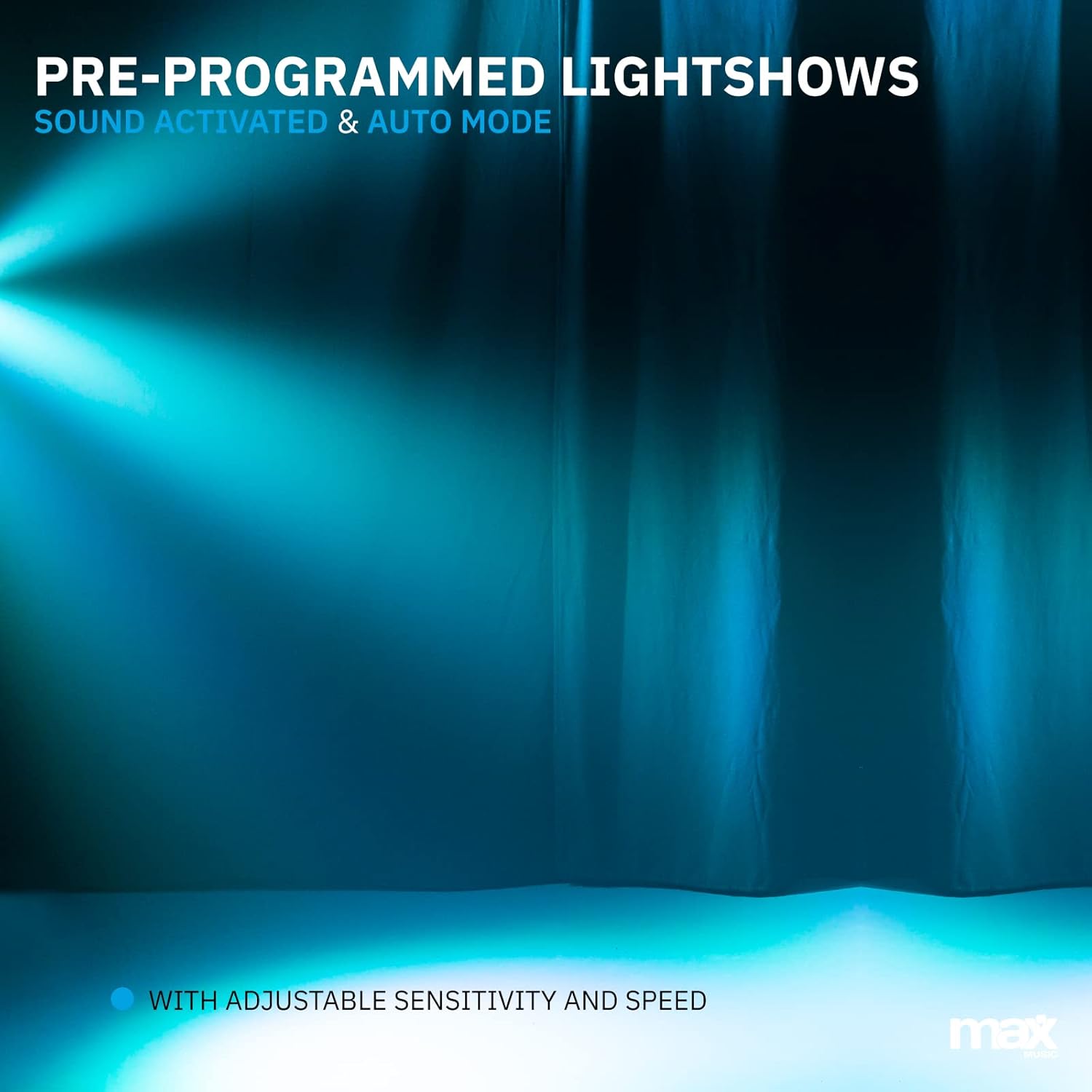
Beeld 5.1: 'n Eksample of a pre-programmed light show, demonstrating dynamic blue and white light effects.
5.4 Klank-geaktiveerde modus
In Sound-activated mode, the light effects react to the beat of the music detected by the built-in microphone. Adjust the sensitivity using the remote control or control panel to fine-tune its response.
5.5 DMX-modus
For professional control, use DMX mode. Set the DMX start address via the control panel. The Partybar4 uses 8 DMX channels, allowing precise control over colors, dimming, strobe, and program selection from an external DMX controller.
5.6 Color Mixing
The RGBW LEDs allow for a wide spectrum of colors. In certain modes, you can mix red, green, blue, and white to create custom hues.

Image 5.2: Illustration of RGBW color mixing capabilities, producing a vibrant blue light effect.
6. Onderhoud
6.1 Skoonmaak
- Ontkoppel altyd die toestel van die kragtoevoer voordat dit skoongemaak word.
- Use a soft, lint-free cloth to wipe the exterior of the unit.
- For lenses, use a specialized lens cleaning solution and a soft cloth to avoid scratches.
- Moenie skuur skoonmaakmiddels of oplosmiddels gebruik nie.
6.2 Berging
- Bêre die toestel in 'n droë, stofvrye omgewing wanneer dit nie gebruik word nie.
- If storing for extended periods, consider using the original packaging or a protective case.
- Ensure the tripod is collapsed and secured to prevent damage.
7. Probleemoplossing
| Probleem | Moontlike oorsaak | Oplossing |
|---|---|---|
| Geen krag nie | Power cable disconnected; power outlet faulty; unit switch off. | Kontroleer die kragkabelverbinding; probeer 'n ander aansluiting; maak seker dat die kragskakelaar AAN is. |
| Lights not responding to music (Sound-activated mode) | Microphone sensitivity too low; music volume too low; incorrect mode selected. | Increase microphone sensitivity; increase music volume; ensure Sound-activated mode is active. |
| Afstandbeheer werk nie | Battery depleted; obstruction between remote and unit; remote not pointed at IR receiver. | Replace remote control battery (CR2); remove obstructions; ensure remote is pointed at the IR receiver on the unit. |
| DMX-beheerprobleme | Incorrect DMX address; faulty DMX cable; DMX controller issue; unit not in DMX mode. | Verify DMX address settings; check DMX cable connections; test with another DMX controller; ensure DMX mode is selected on the unit. |
8. Spesifikasies
| Kenmerk | Detail |
|---|---|
| Modelnommer | PartyBar4 |
| Ligbron | RGBW LED's |
| DMX-kanale | 8 |
| Bedryfsmodusse | Auto, Sound-activated, DMX, Master/Slave |
| Kragbron | Hoofkabel |
| Produk afmetings | 20 x 20 x 9 cm |
| Item gewig | 7.3 kilogram |
| Driepoot Max Hoogte | 1.8 XNUMX meter |
| Afstandbeheer battery | 1 CR2 battery (ingesluit) |
| Sertifiserings | CE |
9. Amptelike Produkvideo
Video 9.1: A Closer Look at the MAX LED Partybar4. This video provides a detailed visual overview of the product's features and components.
10. Waarborg en Ondersteuning
The MAX LED Partybar4 comes with a standard manufacturer's warranty. Please refer to the warranty card included in your packaging for specific terms and conditions. For technical support, troubleshooting assistance, or warranty claims, please contact your retailer or the MAX customer service department. Keep your proof of purchase for all warranty-related inquiries.
Note: The manual provided with the item may not be available in Dutch. This document serves as a comprehensive English instruction guide.