
Inleiding
The Riwbox WT-7S Kids Bluetooth Headphones are designed to provide an engaging audio experience for children, featuring LED lights that synchronize with music. These headphones offer both wireless Bluetooth 5.3 connectivity and a wired mode for continuous use. They are foldable for portability and include a built-in microphone for communication.
Sleutel kenmerke
- Dinamiese LED-ligte: LED lights on both sides of the headphones flash with the music's frequency, adding a fun visual element.
- Bluetooth 5.3 Tegnologie: Ensures stable and efficient wireless connection with powerful 40mm speakers for natural sound and strong bass.
- ON/OFF LED Light Function: Users can turn off the LED blinking effect in Bluetooth mode to conserve battery life.
- Dual Mode (Wired/Wireless): Seamlessly switch between Bluetooth wireless mode and wired mode using the included Riwbox D1 audio cable when the battery is low.
- Geïntegreerde kontroles: Convenient controls on the headphone allow for easy navigation of songs and volume adjustment.
- Opvoubare ontwerp: The headphones can be folded for compact storage and portability, making them ideal for travel.
- Ingeboude mikrofoon: Enables hands-free calls and voice chat.
Wat is in die boks
- Riwbox WT-7S Kids Bluetooth Headphones (Blue)
- Riwbox D1 Audio Cable (3.5mm Jack)
- USB-laaikabel
Opstelgids
1. Laai die oorfone
Before first use, fully charge your Riwbox WT-7S headphones. Connect the provided USB charging cable to the USB charge port on the headphones and the other end to a compatible USB power source (e.g., computer USB port, wall adapter). The LED indicator will show charging status and turn off when fully charged. Charging time is approximately 3 hours.

Image: Diagram showing the location of the USB charge port and LED indicator on the Riwbox WT-7S headphones.
2. Bluetooth-koppeling
- Maak seker dat die oorfone afgeskakel is.
- Druk en hou die aan/af-knoppie in totdat die LED-aanwyser afwisselend blou en rooi flikker, wat paringsmodus aandui.
- Aktiveer Bluetooth op jou toestel (slimfoon, tablet, rekenaar) en soek vir beskikbare toestelle.
- Select "WT-7S" from the list of found devices.
- Sodra dit gekoppel is, sal die LED-aanwyser blou word of stadig flikker.

Image: Riwbox WT-7S headphones connected wirelessly to a smartphone, illustrating the Bluetooth connection and power display.
The headphones support Bluetooth 5.3 and have a range of up to 10 meters.
3. Bedrade verbinding (AUX-modus)
To use the headphones in wired mode, connect the Riwbox D1 audio cable (3.5mm jack) to the AUX port on the headphones and the other end to your audio device's 3.5mm audio output. This mode allows you to continue listening even when the headphone battery is depleted.

Image: Riwbox WT-7S headphones connected via a 3.5mm audio cable, demonstrating wired compatibility with devices like computers, iPads, smartphones, and MP3/MP4 players.
Bedryfsinstruksies
Kontroles verbyview
Image: Detailed diagram of the Riwbox WT-7S headphone controls, including ON/OFF switch, microphone, LED indicator, USB charge port, and 3.5mm audio AUX port.
| Knoppie/Beheer | Function (Bluetooth Mode) |
|---|---|
| AAN/UIT-skakelaar | Powers the headphones on or off. |
| Speel/Pause-knoppie | Short press to play or pause music. Press to answer/hang up calls. |
| Volume op (+) | Druk kort om volume te verhoog. |
| Volume af (-) | Druk kort om die volume te verminder. |
| Knoppie volgende liedjie | Long press to skip to the next song. |
| Vorige liedjie -knoppie | Druk lank om na die vorige liedjie te gaan. |
| LED lig beheer | Long press to open/close the LED light effect. |
| Mikrofoon | For hands-free calls and voice input. |
The LED lights on the earcups will flash according to the music's rhythm, enhancing the listening experience. You can turn off the LED lights to save battery life, extending playtime up to 39.99 hours.

Beeld: Voorkant view of the Riwbox WT-7S Kids Bluetooth Headphones in blue, showcasing the illuminated LED lights on the earcup.
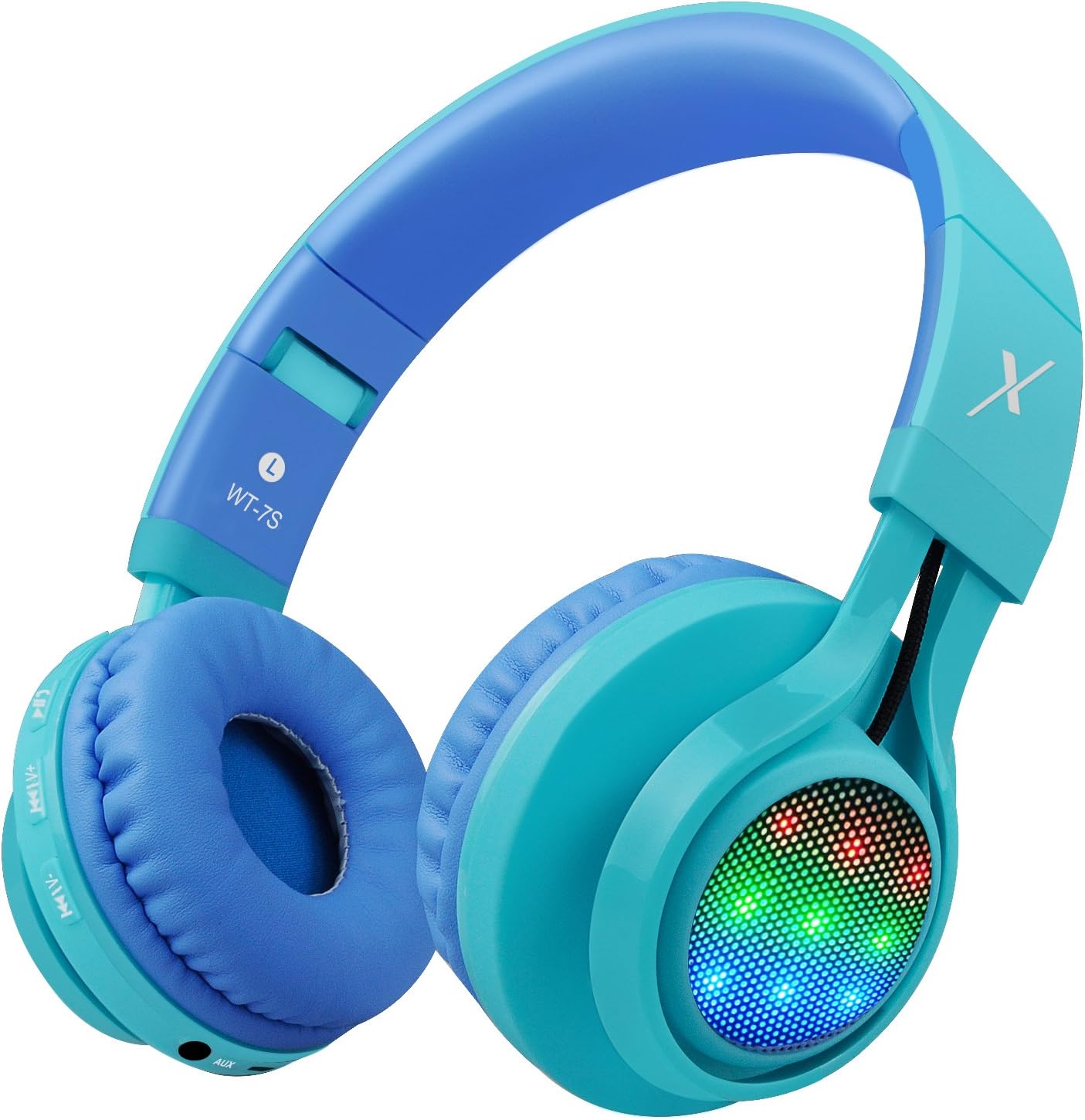
Beeld: Sykant view of the Riwbox WT-7S Kids Bluetooth Headphones in blue, highlighting the LED lights on the earcup and the control buttons.
Onderhoud en versorging
- Skoonmaak: Use a soft, dry cloth to clean the headphones. Avoid using abrasive cleaners or solvents.
- Berging: When not in use, store the headphones in a cool, dry place. The foldable design allows for compact storage, minimizing space.
- Batterysorg: Om die batterylewe te verleng, vermy om die oorfone gereeld heeltemal te ontlaai. Laai hulle gereeld, selfs al word hulle nie voortdurend gebruik nie.
- Waterweerstand: The headphones are water resistant, but not waterproof. Avoid submerging them in water or exposing them to heavy rain.

Image: The Riwbox WT-7S headphones shown in their collapsed, folded state, demonstrating how they minimize storage space and fit easily into a backpack or drawer.
Probleemoplossing
| Probleem | Moontlike Oplossing |
|---|---|
| Oorfone sal nie aanskakel nie. | Ensure the headphones are charged. Connect to a power source using the USB charging cable. |
| Kan nie met Bluetooth-toestel saambind nie. |
|
| Geen klank in draadlose modus nie. |
|
| Geen klank in bedrade modus nie. |
|
| LED-ligte flikker nie. | Long press the LED light control button to ensure the feature is enabled. If enabled, ensure music is playing. |
Produkspesifikasies
| Spesifikasie | Detail |
|---|---|
| Model Naam | WT-7S |
| Handelsmerk | ripbox |
| Kleur | Blou |
| Verbindingstegnologie | Bluetooth |
| Draadlose kommunikasietegnologie | Bluetooth |
| Bluetooth weergawe | 5.3 (Note: Product data shows 4.0, but feature bullets state 5.3. Using 5.3 as it's more recent and likely correct for current models.) |
| Bluetooth-reeks | 10 meter |
| Oudiobestuurdergrootte | 40 millimeter |
| Frekwensierespons | 20 Hz - 20 kHz |
| Sensitiwiteit | 108 dB |
| Impedansie | 32 ohm |
| Koptelefoonaansluiting | 3.5 mm-aansluiting |
| Laai tyd | 3 ure |
| Batterylewe | 39.99 ure |
| Item gewig | 210 gram (7.4 onse) |
| Produk afmetings | 7.09 x 5.91 x 3.15 duim |
| Waterweerstandvlak | Waterbestand |
| Tipe beheer | Volumebeheer, Aanraking |
| Materiaal | Plastiek |
Waarborg en Ondersteuning
For warranty information and customer support, please refer to the product packaging or visit the official Riwbox webwebwerf. Bewaar u aankoopbewys vir enige waarborgeise.
U kan ook die Riwbox Store on Amazon vir meer produkinligting en ondersteuningsbronne.
Produkvideo's
Video: An official product video titled "Top Best Headphones for Kids with LED and Mic" by Cotico (Seller). This video demonstrates the features and usage of the Riwbox WT-7S headphones, including the LED lights and overall design, in a family setting.