
1. Produk verbyview
The Uponor Unipipe Wireless Room Thermostat is a radio-controlled device designed for efficient temperature management in your living space. It features an integrated adjustment dial for easy setting of the desired room temperature. Beneath the main cover, a service level provides access to advanced configurations, including precise temperature input in Celsius, adjustment of the temperature range, and selection of operating modes such as heating, reduced operation, or automatic. An LED indicator on the service level communicates various operational statuses.
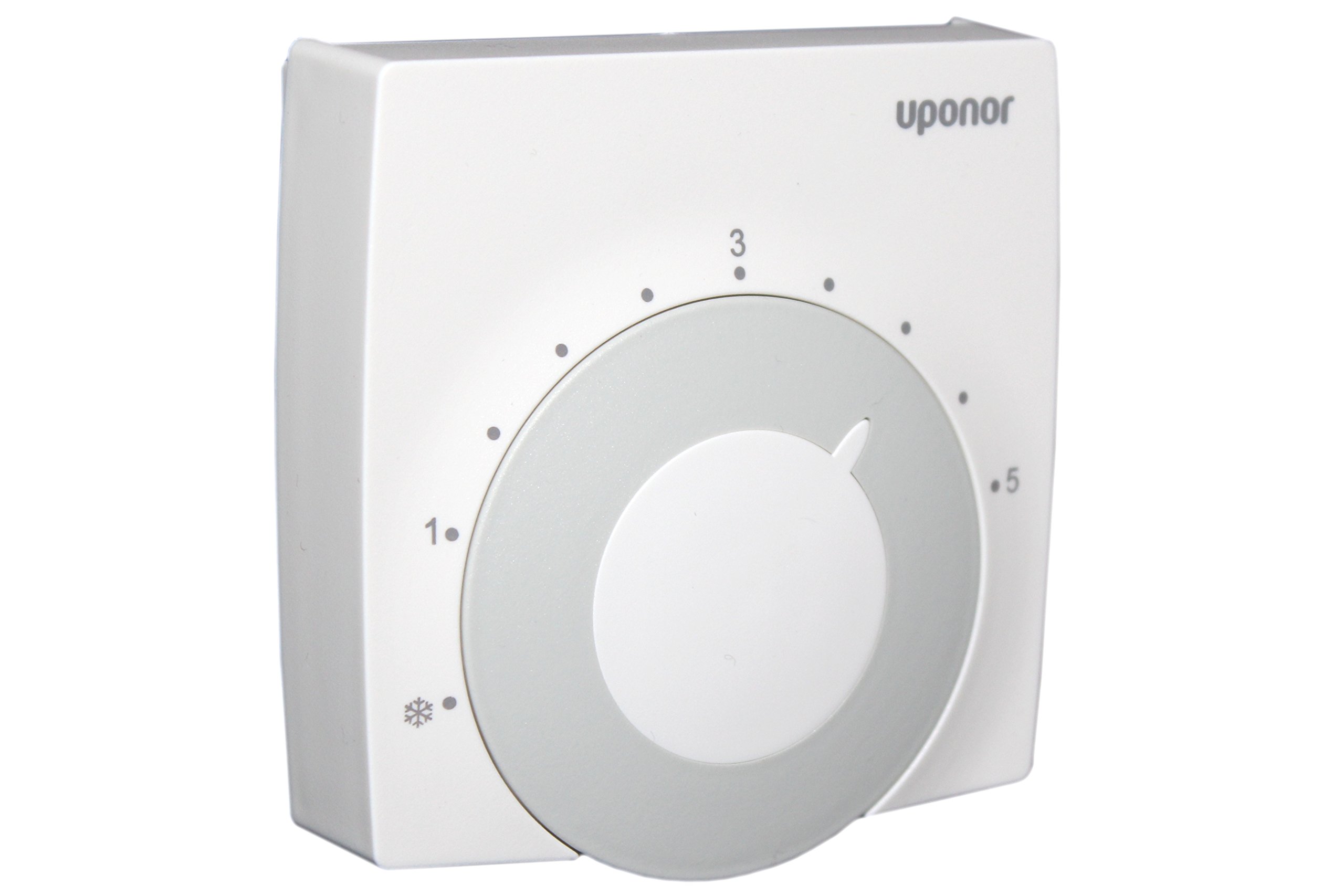
Prent 1.1: Voorkant view of the Uponor Unipipe Wireless Room Thermostat, highlighting the central dial for temperature adjustment.
2. Veiligheidsinligting
Please observe the following safety guidelines to ensure safe operation and prevent damage:
- Read this entire manual before installation and use.
- Installation must be carried out by a qualified professional in compliance with all local electrical and building codes.
- Always disconnect power to the heating system before performing any installation, maintenance, or battery replacement.
- Do not expose the device to water, high humidity, extreme temperatures, or direct sunlight.
- Hierdie toestel is slegs bedoel vir binnenshuise gebruik.
- Keep the thermostat out of reach of children.
3. Pakketinhoud
Voordat u met die installasie voortgaan, maak asseblief seker dat al die items wat hieronder gelys word, in u pakket teenwoordig is:
- Uponor Unipipe Wireless Room Thermostat (Model 585060)
- Montageplaat
- Monteer skroewe
- Gebruikershandleiding (hierdie dokument)
4. Opstelling en installering
4.1. Die keuse van 'n monteringsplek
Select an interior wall location that is representative of the room's average temperature. Avoid areas near windows, doors, air vents, direct sunlight, or heat-emitting appliances (e.g., televisions, lamps, radiators) as these can affect temperature readings. The recommended mounting height is approximately 1.5 meters (5 feet) from the floor.
4.2. Wall Mounting Procedure
- Gently separate the mounting plate from the back of the thermostat unit.
- Position the mounting plate on the chosen wall location and use a pencil to mark the positions for the drill holes.
- Drill holes at the marked positions. If mounting on drywall or plaster, insert appropriate wall anchors (not always included, may need to be purchased separately).
- Secure the mounting plate to the wall using the provided mounting screws. Ensure it is firmly attached.
4.3. Battery Installasie
The thermostat is powered by one 3.6V lithium AA battery (2000 mAh). Batteries are typically not included and must be purchased separately.
- Locate and open the battery compartment, usually found on the back of the thermostat unit.
- Insert one 3.6V AA lithium battery, ensuring the correct polarity (+ and -) as indicated inside the compartment.
- Maak die batterykompartement stewig toe.
4.4. Attaching the Thermostat Unit
Once the mounting plate is secured and the battery is installed, carefully align the thermostat unit with the mounted plate. Gently push the thermostat onto the plate until it clicks into place, indicating a secure attachment.
5. Bedryfsinstruksies
5.1. Setting the Desired Room Temperature
The primary function of the thermostat is to allow you to set your preferred room temperature. This is done using the large, integrated dial on the front of the unit. Rotate the dial clockwise to increase the target temperature and counter-clockwise to decrease it. The adjustable temperature range is from 5 °C to 30 °C.
5.2. Accessing the Service Level
For advanced settings and configuration, the thermostat features a 'service level' located beneath its front cover. To access it, carefully remove the front cover. On the service level, you can:
- Input the desired temperature in °C.
- Adjust the temperature range limits using small insert pins located under the rotary scale.
- Change the operating mode of the thermostat.
An LED indicator on the service level provides visual feedback on the thermostat's current operational status.
5.3. Bedryfswyses
The thermostat offers different operating modes to suit your heating needs:
- Verhittingsfunksie: In this mode, the thermostat actively controls your heating system to maintain the temperature set by the dial.
- Reduced Operation: This mode maintains a lower, energy-saving temperature, ideal for periods when the room is unoccupied or during nighttime hours.
- Outomatiese werking: This mode allows the thermostat to switch between heating and reduced operation based on pre-programmed schedules or adaptive learning, optimizing comfort and energy consumption.
6. Onderhoud
Regular maintenance ensures optimal performance and longevity of your thermostat:
- Skoonmaak: Clean the exterior of the thermostat with a soft, dry cloth. Do not use liquid cleaners, abrasive materials, or chemical solvents, as these can damage the casing of interne komponente.
- Battery vervanging: The 3.6V AA lithium battery should be replaced approximately every 2-3 years, or when a low battery indicator (if present) is displayed. Always use a new 3.6V AA lithium battery for replacement.
- Inspeksie: Periodically check the thermostat for any visible damage, loose connections, or obstructions around the temperature sensor.
7. Probleemoplossing
If you encounter issues with your Uponor Unipipe Wireless Room Thermostat, refer to the table below for common problems and their solutions:
| Probleem | Moontlike oorsaak | Oplossing |
|---|---|---|
| Thermostat not responding to adjustments. | Battery is depleted; Loss of radio signal; Internal malfunction. | Replace the battery; Check the proximity to the receiver and ensure no interference; If problem persists, contact technical support. |
| Inaccurate room temperature readings. | Thermostat is located near a heat source, draft, or direct sunlight; Sensor is obstructed. | Relocate the thermostat to a more suitable position; Ensure the sensor area is clear of obstructions. |
| Heating system not turning on or off as expected. | Radio communication issue with the heating system receiver; Incorrect operating mode selected; Heating system fault. | Verify the radio connection between the thermostat and receiver; Ensure the correct operating mode (e.g., Heating) is selected; Check the heating system for any independent faults. |
| Cannot set desired temperature range limits. | Insert pins on the service level are not correctly adjusted. | Access the service level (under the front cover) and adjust the insert pins located beneath the rotary scale to set the desired temperature limits. |
8. Spesifikasies
- Modelnommer: 585060
- Vervaardiger: Uponor
- Kontroleurstipe: Rotary Dial (Bimetal)
- Temperatuurreeks: 5-30 °C
- Operasie: Normaalweg gesluit (NC)
- Radio frekwensie: 433.7 MHz
- Kragbron: 1 x 3.6V Lithium Battery, 2000 mAh, Type AA (not included)
- Beskermingsklas: IP20
- Kleur: White (~RAL 9010)
- Montering: Muurmontering
- Vertoon tipe: Digital (or LCD/LED)
- Spesiale kenmerke: Automatic operation and adaptation to user habits
- Eerste Beskikbare Datum: 15 Januarie 2020
9. Waarborg en Ondersteuning
For detailed warranty information, technical assistance, or to purchase replacement parts, please visit the official Uponor website or contact your local Uponor dealer. It is recommended to retain your purchase receipt as proof of purchase for warranty claims.
Vervaardiger: Uponor
Amptelik Webwebwerf: www.uponor.com