
1. Inleiding
The Behringer DeepMind 12 is a 12-voice analog polyphonic synthesizer designed for musicians and producers. It features a 49-key semi-weighted keyboard with velocity sensitivity and aftertouch, offering extensive sound design capabilities through its powerful synthesis engine and integrated effects. This manual provides essential information for setting up, operating, and maintaining your DeepMind 12.
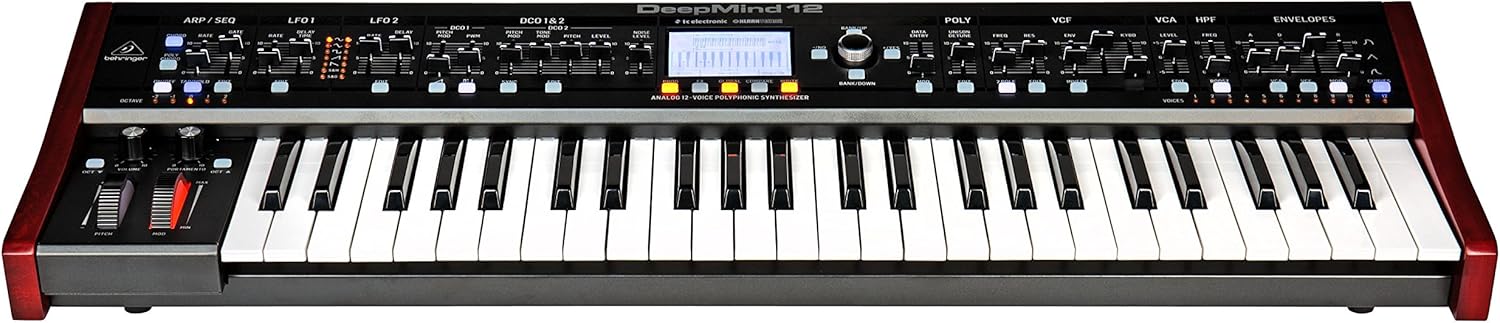
Figuur 1.1: Voorkant view of the Behringer DeepMind 12 synthesizer. This image displays the full keyboard, control panel with faders and knobs, and the central LCD screen.
2. Belangrike veiligheidsinstruksies
Please read and follow these safety instructions to ensure safe operation and to prevent damage to your device:
- Do not open the device. There are no user-serviceable parts inside. Refer all servicing to qualified service personnel.
- Moenie hierdie toestel blootstel aan reën of vog nie.
- Moenie hierdie toestel naby water gebruik nie.
- Maak slegs skoon met 'n droë lap.
- Verseker behoorlike ventilasie. Moenie enige ventilasie-openinge blokkeer nie.
- Gebruik slegs aanhegsels/bykomstighede gespesifiseer deur die vervaardiger.
- Ontkoppel hierdie apparaat tydens weerligstorms of wanneer dit vir lang tye ongebruik word.
3. Pakketinhoud
Verify that all items are present in your DeepMind 12 package:
- Behringer DeepMind 12 Synthesizer
- Kragkabel
- USB kabel
- Vinnige Begingids (nie in hierdie handleiding ingesluit nie)
- Information regarding the companion app for iPad/PC/Mac/Android
4. Opstelling
4.1 Kragverbinding
Connect the supplied power cable to the AC input on the rear panel of the DeepMind 12 and then to a suitable power outlet. Ensure the power switch is in the OFF position before connecting.
4.2 Oudioverbindings
Use standard 1/4-inch TS cables to connect the main audio outputs (LEFT/MONO, RIGHT) to your mixer, audio interface, or amplifier. For private monitoring, connect headphones to the dedicated headphone jack.
4.3 MIDI- en USB-verbindings
The DeepMind 12 supports MIDI communication via traditional 5-pin DIN MIDI ports (IN, OUT, THRU) and USB. Connect the USB cable to your computer for MIDI over USB functionality and for remote control via the dedicated app.
4.4 WiFi Setup
The DeepMind 12 features integrated WiFi for wireless remote control. Refer to the on-screen menu for WiFi client setup, allowing connection to your local network for control via the iPad/PC/Mac/Android app.

Figuur 4.1: Rear panel of the DeepMind 12, showing power input, audio outputs, MIDI ports, USB port, and pedal inputs.
5. Operating the DeepMind 12
5.1 Basiese kontroles
The DeepMind 12 features a 49-key semi-weighted keyboard with velocity and aftertouch for expressive playing. On the left side of the keyboard, you will find the pitch bend and modulation wheels, along with dedicated controls for volume and portamento.

Figuur 5.1: Close-up view of the pitch bend and modulation wheels, along with volume and portamento controls, located on the left side of the DeepMind 12.
5.2 Voice Architecture
The DeepMind 12 is a 12-voice polyphonic synthesizer. Each voice includes two digitally controlled oscillators (DCOs), two LFOs, and three ADSR envelope generators. These components allow for complex sound shaping.
5.3 Filters
The synthesizer features a switchable low-pass filter and a high-pass filter per voice, providing versatile tonal sculpting options. Adjust the VCF (Voltage Controlled Filter) and HPF (High Pass Filter) sections using the dedicated faders and knobs on the control panel.

Figuur 5.2: Gedetailleerd view of the VCF, VCA, and HPF sections on the DeepMind 12 control panel, showing faders and controls for filter and ampverligter parameters.
5.4 Effects Engines
The DeepMind 12 incorporates four effects engines with technology from TC Electronic and Klark Teknik. These engines offer a wide range of high-quality effects that can be routed and configured to enhance your sounds.
5.5 Modulation Matrix and Sequencer
An 8-channel modulation matrix allows for intricate routing of modulation sources to various destinations. The integrated 32-step control sequencer provides rhythmic and melodic sequencing capabilities.
5.6 Afstandbeheer en skerm
The DeepMind 12 can be controlled remotely via a dedicated app available for iPad, PC, Mac, and Android devices, connecting through USB, MIDI, or the built-in WiFi. The central LCD display provides visual feedback and access to parameters and settings.
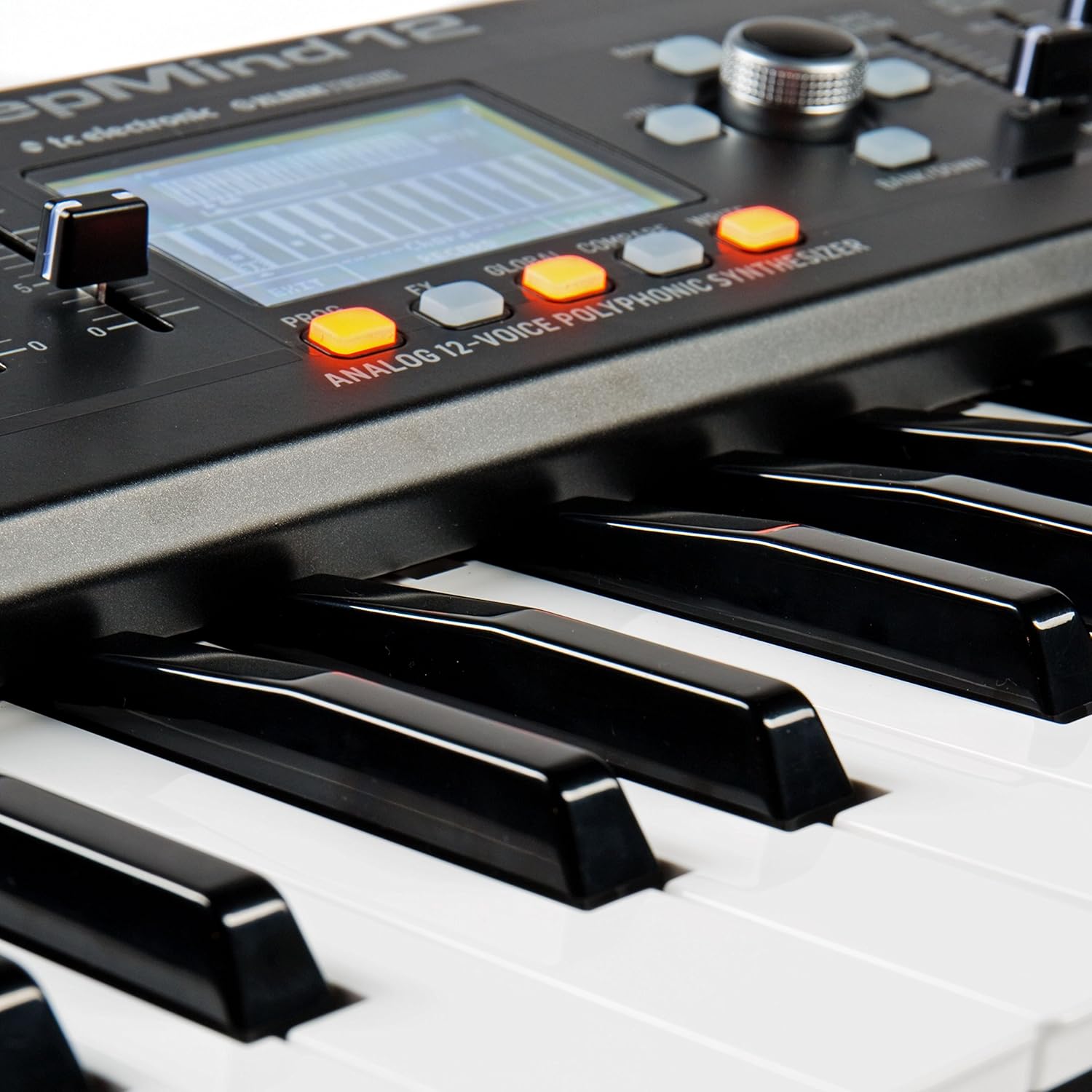
Figuur 5.3: Close-up of the DeepMind 12's LCD display and surrounding control buttons, used for navigation and parameter editing.
6. Onderhoud
6.1 Skoonmaak
To clean your DeepMind 12, use a soft, dry cloth. Do not use abrasive cleaners, solvents, or waxes, as these can damage the finish and controls. Keep the ventilation openings clear of dust.
6.2 Berging
When not in use, store the synthesizer in a dry, dust-free environment. Avoid extreme temperatures and humidity. If transporting the unit, use appropriate protective casing.
7. Probleemoplossing
- Geen klankuitset nie:
- Check that the power cable is securely connected and the unit is powered on.
- Ensure audio cables are correctly connected to the outputs and to your sound system.
- Verify that the master volume knob on the DeepMind 12 is turned up.
- Check the volume levels on your mixer or audio interface.
- Ensure that a patch is selected and not muted.
- MIDI reageer nie:
- Check MIDI cable connections (IN/OUT).
- Verify MIDI settings on both the DeepMind 12 and your external device/software.
- For USB MIDI, ensure the USB cable is connected and drivers (if required) are installed.
- WiFi-verbindingskwessies:
- Ensure your WiFi network is active and within range.
- Double-check the WiFi password and network settings on the DeepMind 12.
- Restart both the DeepMind 12 and your router.
8. Spesifikasies
| Model Naam | DeepMind 12 |
| Tik | Analog Polyphonic Synthesizer |
| Sleutelbord | 49 semi-weighted keys with velocity and aftertouch |
| Stemme | 12 |
| Ossillators | 2 DCOs per voice (24 total) |
| LFO's | 2 LFOs per voice |
| Koeverte | 3 ADSR generators per voice |
| Filters | Switchable Low-Pass and High-Pass filters |
| Effekte | 4 integrated effects engines (TC Electronic & Klark Teknik) |
| Modulasie Matriks | 8-kanaal |
| sequencer | 32-step control sequencer |
| Konnektiwiteit | MIDI In/Out/Thru, USB MIDI, WiFi |
| Afstandbeheer | iPad/PC/Mac/Android App |
| Afmetings (LxBxH) | 91.8 x 36.1 x 20.5 cm (36.1 x 14.2 x 8.1 duim) |
| Gewig | 8.4 kg (18.5 lbs) |
| Materiaal | Plastiek |
9. Waarborg en Ondersteuning
Vir gedetailleerde waarborginligting en tegniese ondersteuning, verwys asseblief na die amptelike Behringer-diens. webwebwerf of kontak u plaaslike Behringer-verspreider. Bewaar u aankoopbewys as bewys van aankoop vir enige waarborgeise.