
Logitech MK275
Logitech MK275 Draadlose Sleutelbord en Muis Stel Gebruikershandleiding
Model: MK275
1. Inleiding
Thank you for choosing the Logitech MK275 Wireless Keyboard and Mouse Set. This combo provides a reliable 2.4 GHz wireless connection, offering convenience and efficiency for your computing needs. The full-size keyboard features quiet, low-profile keys and dedicated multimedia controls, while the compact mouse ensures comfortable and precise navigation. This manual will guide you through the setup, operation, and maintenance of your new wireless set.

Image: The Logitech MK275 Wireless Keyboard and Mouse Set, showcasing both devices.
2. Pakketinhoud
Maak seker dat alle items in jou pakket teenwoordig is:
- Logitech MK275 Draadlose Sleutelbord
- Logitech draadlose muis
- USB Nano -ontvanger
- Gebruikersdokumentasie
- AA and AAA Batteries (pre-installed or included)

Image: The USB Nano Receiver, typically found within the product packaging or a dedicated slot.
3. Opstelgids
3.1. Battery Installasie
The keyboard requires two AAA batteries, and the mouse requires one AA battery. Batteries are typically included with the product. If not already installed, open the battery compartments on the underside of both the keyboard and mouse, insert the batteries according to the polarity indicators (+/-), and close the compartments. Remove any plastic pull tabs if present.
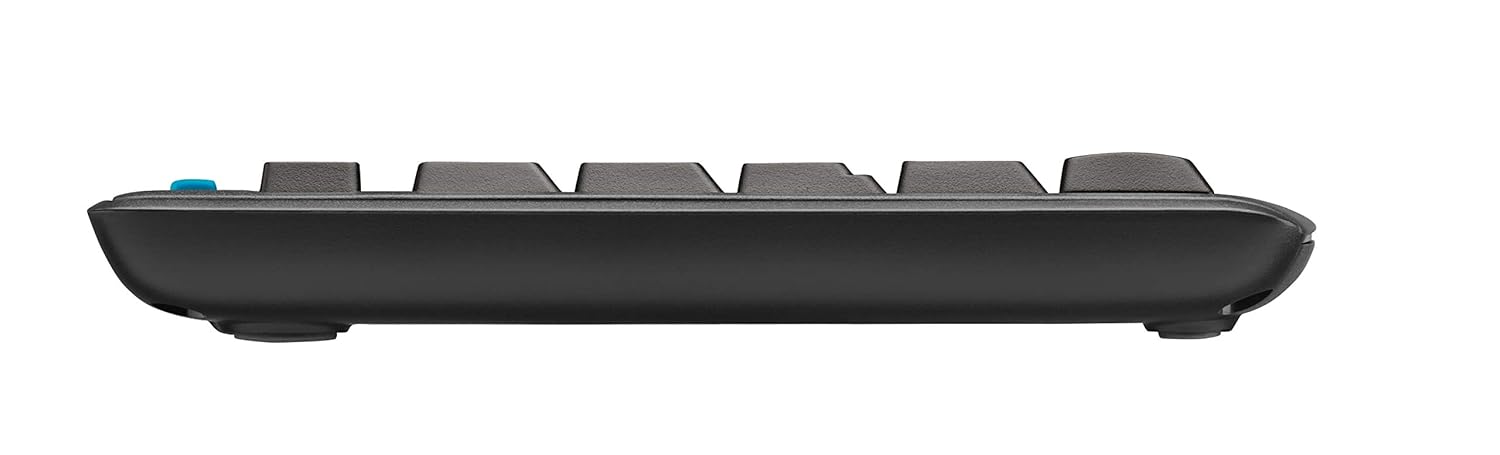
Beeld: Syprofile of the keyboard, showing its slim design and indicating the location of the battery compartment on the underside.
3.2. Koppel die ontvanger
The Logitech MK275 uses a single USB Nano Receiver for both the keyboard and mouse. This allows you to use only one USB port on your computer.
- Locate the USB Nano Receiver. It is small and designed to be left in your computer.
- Plug the USB Nano Receiver into an available USB port on your desktop PC or laptop.
- Turn on the keyboard and mouse using their respective On/Off switches, usually located on the underside of each device.
- Your computer should automatically detect and install the necessary drivers. No software installation is typically required for Windows XP, Vista, Windows 7, and Windows 8.
4. Bedryfsinstruksies
4.1. Basiese gebruik
Once the USB Nano Receiver is connected and the devices are powered on, your keyboard and mouse are ready for immediate use. The 2.4 GHz wireless connection provides a strong and reliable signal, minimizing lag and interference.
4.2. Multimedia and Shortcut Keys
The Logitech MK275 keyboard features 8 convenient multimedia and shortcut keys located above the function keys (F1-F12). These keys provide quick access to frequently used functions:
- Tuis: Maak jou verstek oop web browser's home page.
- E-pos: Launches your default email client.
- PC Sleep: Puts your computer into sleep mode.
- Demp: Demp of ontdemp klank.
- Volume af: Verlaag klankvolume.
- Volume op: Verhoog klankvolume.
- Speel/pouse: Beheer die afspeel van media.
- sakrekenaar: Opens the calculator application.

Image: The Logitech MK275 keyboard, highlighting the dedicated multimedia and shortcut keys for quick access to common functions.
5. Onderhoud en versorging
To ensure the longevity and optimal performance of your Logitech MK275 set, follow these maintenance guidelines:
- Skoonmaak: Gebruik 'n sagte, pluisvrye lap effens dampened with water or a mild cleaning solution to clean the surfaces of the keyboard and mouse. Avoid harsh chemicals or abrasive materials.
- Stortweerstand: The keyboard is designed to be spill-resistant. In case of accidental spills, immediately turn off the keyboard, disconnect it, and allow it to dry completely before reuse. Do not immerse the keyboard in liquid.
- Batterylewe: The keyboard offers up to 24 months of battery life, and the mouse up to 12 months. Battery life may vary based on usage. Replace batteries when performance degrades.
- Berging: When not in use for extended periods, turn off both the keyboard and mouse to conserve battery life. Store the USB Nano Receiver in the dedicated slot within the mouse (if available) or in a safe place to prevent loss.
- Omgewing: Vermy die blootstelling van die toestelle aan uiterste temperature, direkte sonlig of hoë humiditeit.
6. Probleemoplossing
If you encounter issues with your Logitech MK275 set, try the following solutions:
- Geen verbinding/vertraging:
- Ensure the USB Nano Receiver is securely plugged into a working USB port.
- Verify that both the keyboard and mouse are turned on.
- Replace the batteries in both devices. Low battery can cause connection issues.
- Move the keyboard and mouse closer to the receiver. The effective range is approximately 10 meters (33 feet).
- Try plugging the receiver into a different USB port or a different computer to rule out port issues.
- Avoid placing the receiver near other electrical devices that might cause interference (e.g., cordless phones, Wi-Fi routers).
- Sleutels reageer nie:
- Gaan batteryvlakke na.
- Maak seker dat die sleutelbord aangeskakel is.
- If specific keys are not working, check for debris under the keycaps.
- Muiswyser spring of is wisselvallig:
- Maak die optiese sensor aan die onderkant van die muis skoon.
- Gebruik die muis op 'n skoon, nie-reflektiewe oppervlak.
- Gaan batteryvlakke na.
7. Tegniese spesifikasies
| Kenmerk | Detail |
|---|---|
| Model | MK275 |
| Konnektiwiteit | 2.4 GHz Draadloos (USB Nano Ontvanger) |
| Wireless Range | Tot 10 meter (33 voet) |
| Sleutelbordbatteryleeftyd | Tot 24 maande |
| Muisbatteryleeftyd | Tot 12 maande |
| Sleutelbordbatterytipe | 2 x AAA (Alkaline) |
| Muisbatterytipe | 1 x AA (Alkaline) |
| Versoenbare bedryfstelsels | Windows XP, Windows Vista, Windows 7, Windows 8, Windows 10, Windows 11 |
| Sleutelbordafmetings (LxBxH) | Ongeveer 50 x 15.6 x 4.4 cm |
| Item gewig | Ongeveer. 726 g |
| Kleur | Swart |
8. Waarborg en Ondersteuning
Logitech products are manufactured to the highest quality standards. For detailed warranty information and technical support, please visit the official Logitech webwebwerf:
Op die website, you can find product registration, FAQs, driver downloads, and contact information for customer service.