
Inleiding
The Brookstone Pure-Ion Pro Air Purifier is designed to help improve indoor air quality by removing common airborne irritants. This unit effectively filters pollen, mold, pet dander, dust mites, bacteria, and smoke from the air that passes through its system. It features a user-friendly design with multiple cleaning speeds and a built-in timer for convenient operation.
The Pure-Ion Pro also incorporates an Ion Boost feature, which generates negative ions to mimic natural environments rich in these ions. This feature is intended to enhance the user experience. Please note, this product is not a medical device and meets voluntary UL867 guidelines for ozone emission, maintaining levels below 50 ppb.
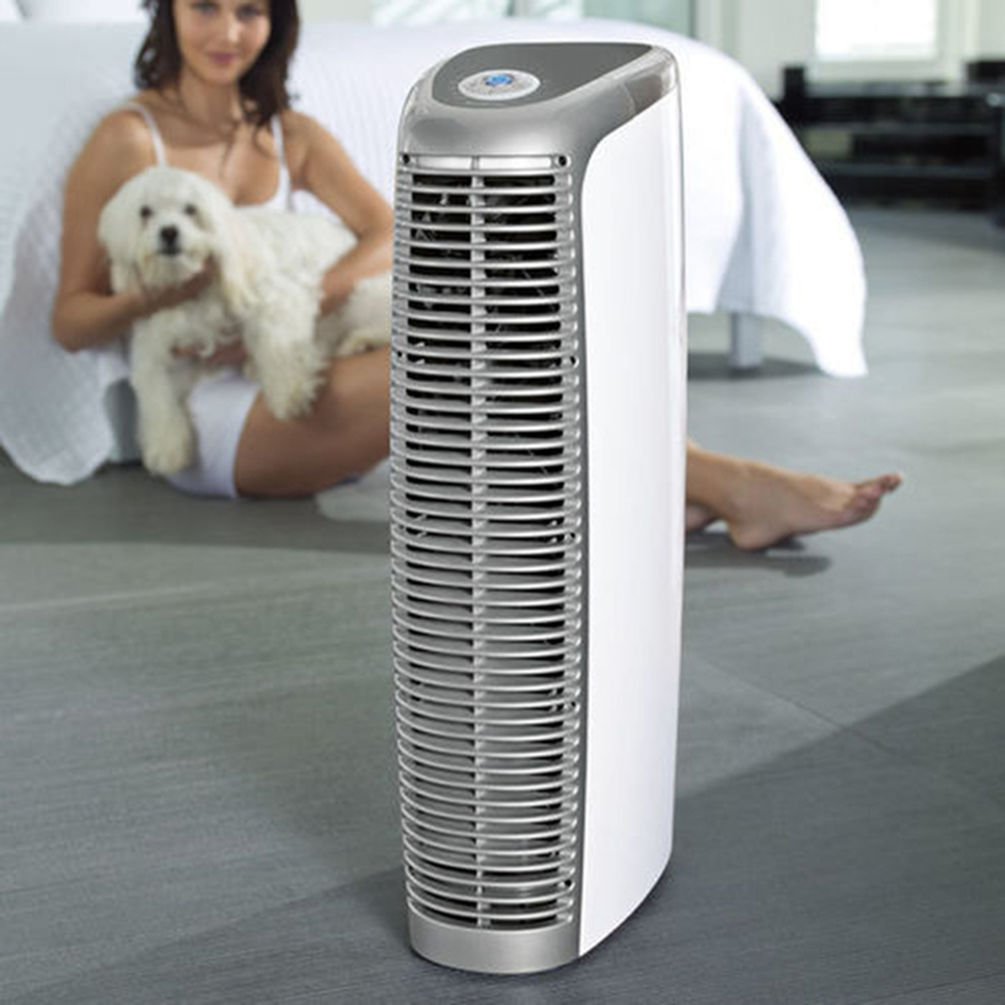
Image: The Brookstone Pure-Ion Pro Air Purifier, a tall, sleek white and silver unit designed for air purification.
Belangrike veiligheidsinstruksies
Om die risiko van brand, elektriese skok of besering te verminder, volg altyd hierdie basiese veiligheidsmaatreëls:
- Lees alle instruksies deeglik deur voordat u die toestel gebruik.
- Do not operate any appliance with a damaged cord or plug. If the cord or plug is damaged, contact customer service immediately.
- Do not use the air purifier near water or in damp environments, such as bathrooms or laundry areas.
- Hou die toestel weg van hittebronne, direkte sonlig en vlambare materiale.
- Always unplug the air purifier from the electrical outlet before cleaning, performing any maintenance, or when not in use for extended periods.
- Ensure that air vents are not blocked. Maintain adequate clearance around the unit for proper airflow.
- Gebruik hierdie toestel slegs vir die beoogde doel soos beskryf in hierdie handleiding.
- This product is not a medical device. Consult a healthcare professional for any medical conditions.
- Moenie voorwerpe in enige openinge steek nie.
- Hou toesig oor kinders wanneer die toestel in gebruik is.
Produk verbyview
Familiarize yourself with the components and controls of your Pure-Ion Pro Air Purifier.
Beheerpaneel

Beeld: 'n Gedetailleerde view of the control panel, showing the central power button, fan speed settings (Whisper, Low, Med, High, Turbo), timer settings (2, 4, 6, 8, 12 hours), and the ION button.
- Kragknoppie: Located at the center, turns the unit on or off.
- Fanspoedinstellings: Select from Whisper, Low, Med, High, or Turbo for varying levels of air purification and noise.
- Tydinstellings: Set the unit to operate for 2, 4, 6, 8, or 12 hours before automatically shutting off.
- ION Button: Activates or deactivates the Ion Boost feature.
Interne komponente

Image: An internal diagram illustrating the airflow path through the air purifier, highlighting the multiple fans and the filter system.
- Washable Aluminum Filter: The primary filtration component that captures airborne particles. This filter is designed for repeated cleaning and does not require replacement.
- Aanhangers: Four powerful, quiet fans draw air into the unit and circulate purified air back into the room.
Opstelling
- Pak die eenheid uit: Carefully remove the air purifier and all packaging materials from the box. Retain packaging for future storage or transport.
- Kies 'n ligging: Place the air purifier on a firm, level surface. Ensure there is at least 6 inches (15 cm) of clearance around all sides of the unit to allow for proper air intake and output. Avoid placing it directly against walls or furniture that could obstruct airflow.
- Inprop: Steek die kragkabel in 'n standaard 120V WS-aansluiting.

Image: The Brookstone Pure-Ion Pro Air Purifier positioned upright, ready for use in a room.
Bedryfsinstruksies
- Krag aan/af: Press the central Power Button on the control panel to turn the unit on. Press it again to turn the unit off.
- Kies waaierspoed: Once powered on, use the fan speed buttons (Whisper, Low, Med, High, Turbo) to adjust the airflow and purification intensity. The Whisper setting provides the quietest operation, while Turbo offers maximum air circulation.
- Stel timer (opsioneel): To set an automatic shut-off time, press the Timer button repeatedly to cycle through the available options: 2, 4, 6, 8, or 12 hours. The corresponding indicator light will illuminate. The unit will operate for the selected duration and then power off automatically.
- Activate Ion Boost (Optional): Press the ION button to activate the Ion Boost feature. An indicator light will confirm activation. Press the button again to deactivate it.

Image: A visual representation of the air purification process, with arrows showing dirty air entering the unit and clean air being expelled.
Onderhoud
Regular cleaning of your Pure-Ion Pro Air Purifier ensures optimal performance and extends the life of the unit. Always unplug the unit before performing any maintenance.
Filter skoonmaak
The Pure-Ion Pro features a washable aluminum filter that never needs replacement. A crackling sound from the unit or an illuminated indicator light on the control panel will signal when the filter requires cleaning.
- Verwyder die filter: Gently open the filter access panel and carefully pull out the aluminum filter assembly.
- Maak die filter skoon: The aluminum filter can be cleaned manually or in a dishwasher.
- Handmatige skoonmaak: Rinse the filter under warm running water until clean. For stubborn dirt, use a soft brush and mild detergent.
- Skottelgoedwasser skoonmaak: Place the filter in the dishwasher on a gentle cycle.
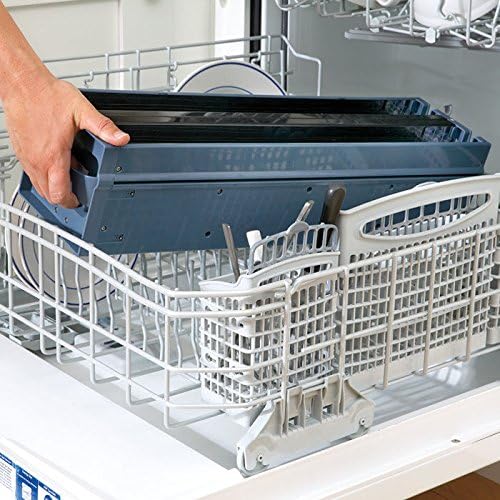
Image: The washable aluminum filter assembly placed inside a dishwasher rack for cleaning.
- Dry the Filter: Allow the filter to air dry completely before reinserting it into the unit. Ensure no moisture remains.
- Installeer die filter weer: Carefully slide the dry filter assembly back into its compartment until it clicks securely into place. Close the access panel.

Image: A hand demonstrating the removal of the filter assembly from the top of the air purifier unit.
Buitenste skoonmaak
Vee die buitekant van die lugsuiweraar af met 'n sagte, damp lap. Moenie skuurmiddels of oplosmiddels gebruik nie, aangesien dit die afwerking kan beskadig.
Probleemoplossing
Verwys na hierdie afdeling vir algemene probleme en hul oplossings.
| Probleem | Moontlike oorsaak | Oplossing |
|---|---|---|
| Eenheid skakel nie aan nie. | No power supply; unit unplugged. | Ensure the power cord is securely plugged into a working electrical outlet. Check the power button. |
| Crackling sound from the unit. | Filter moet skoongemaak word. | Unplug the unit and clean the washable aluminum filter as described in the Maintenance section. |
| Reduced airflow or purification effectiveness. | Blocked air vents; dirty filter. | Check that air intake and output vents are not obstructed. Clean the aluminum filter. |
| Unusual noises (e.g., sparking, loud buzzing) or burning smell. | Internal malfunction; electrical issue. | Immediately unplug the unit. Do not attempt to operate or repair. Contact Brookstone customer service for assistance. |
Spesifikasies
- Handelsmerk: Brookstone
- Model: PUREIONPRO
- UPC: 883594054440
- CADR (Clean Air Delivery Rate):
- Pollen: 153.7 (average)
- Smoke: 179.5 (average)
- Dust: 144.2 (average)
- Kragverbruik: As little as 10 watts per hour
- Ozone Emission: Meets UL867 guidelines (less than 50 ppb)
- Kleur: Veelkleurig

Image: The AHAM Certified Clean Air Delivery Rate badge, indicating independent performance testing.
Waarborg en Ondersteuning
For warranty information, please refer to the documentation included with your product at the time of purchase or visit the official Brookstone website. If you require technical support or have questions not covered in this manual, please contact Brookstone customer service.
Kontakinligting: Please refer to the Brookstone official website or your purchase receipt for the most current customer service contact details.