
MIDAS DM16
MIDAS DM16 Gebruikershandleiding
16 Invoer Analoog Live en Studio Mixer
1. Inleiding
This manual provides comprehensive instructions for the operation and maintenance of your MIDAS DM16 16 Input Analogue Live and Studio Mixer. The DM16 is designed for both live performance and studio recording environments, featuring award-winning MIDAS microphone preamplifiers and robust construction.
Lees asseblief hierdie handleiding deeglik deur voordat u die toestel gebruik om behoorlike gebruik te verseker en die lewensduur daarvan te maksimeer.
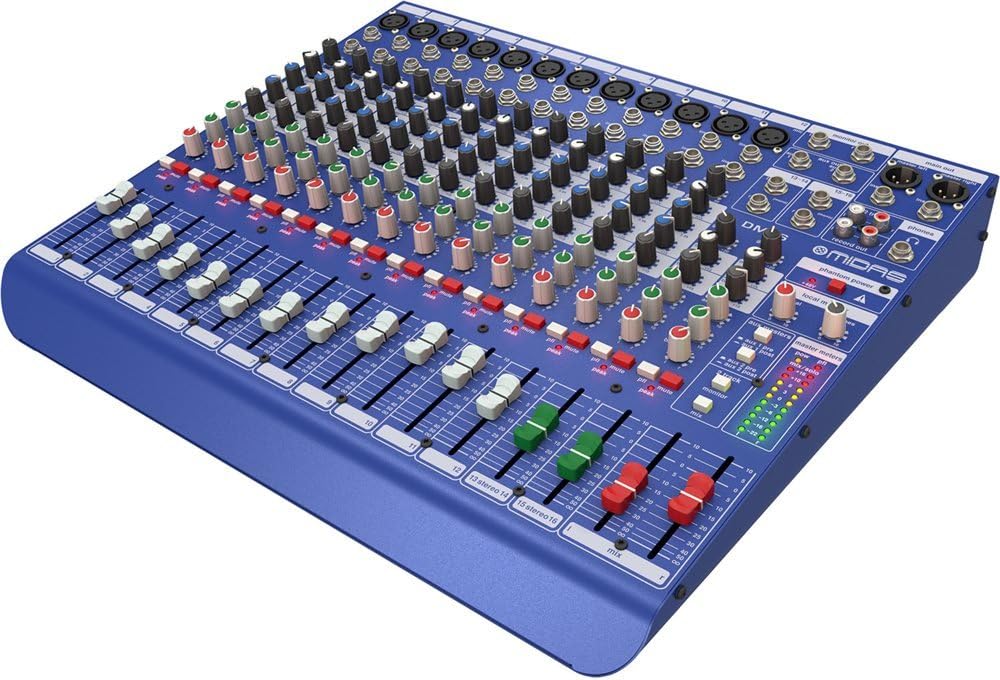
Figuur 1.1: Voorhoekig view of the MIDAS DM16 mixer.
2. Opstelling
2.1 Uitpak en inspeksie
Upon receiving your MIDAS DM16, carefully unpack the unit and inspect it for any signs of damage that may have occurred during transit. Retain the original packaging materials for future transport or storage.
Ingesluit in die boks:
- MIDAS DM16 16-invoer Analoog Live en Studio Mixer
- Kragkoord
- Gebruikershandleiding (hierdie dokument)
2.2 Kragverbinding
The DM16 operates on a standard AC power supply. Connect the provided power cord to the AC inlet on the rear panel of the mixer and then to a suitable power outlet. Ensure the power switch is in the 'Off' position before connecting to power.
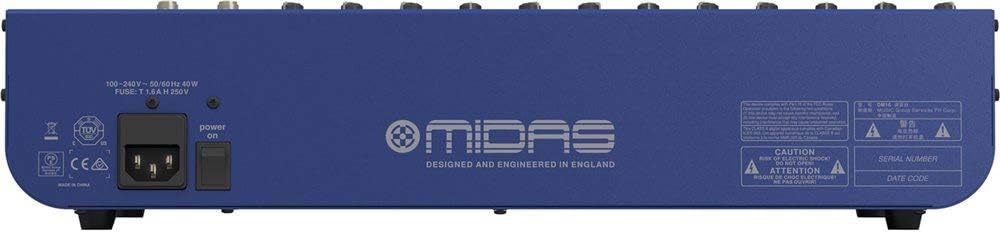
Figure 2.1: Rear panel of the MIDAS DM16 showing power input and warnings.
2.3 Invoer- en afvoerverbindings
The DM16 features a variety of input and output options for connecting microphones, instruments, and other audio devices.
- Mikrofoon-insette: 12 mono input channels with XLR connectors for microphones. These channels feature MIDAS microphone preamplewendes.
- Lyninvoer: 2 electronically-balanced stereo line input channels on 1/4" TRS connectors for instruments or line-level devices.
- Belangrikste uitsette: Koppel aan jou hoof PA-stelsel of opname-koppelvlak.
- Aux-stuur: For monitor mixes or effects sends.
- Koptelefoon uitset: For monitoring audio.
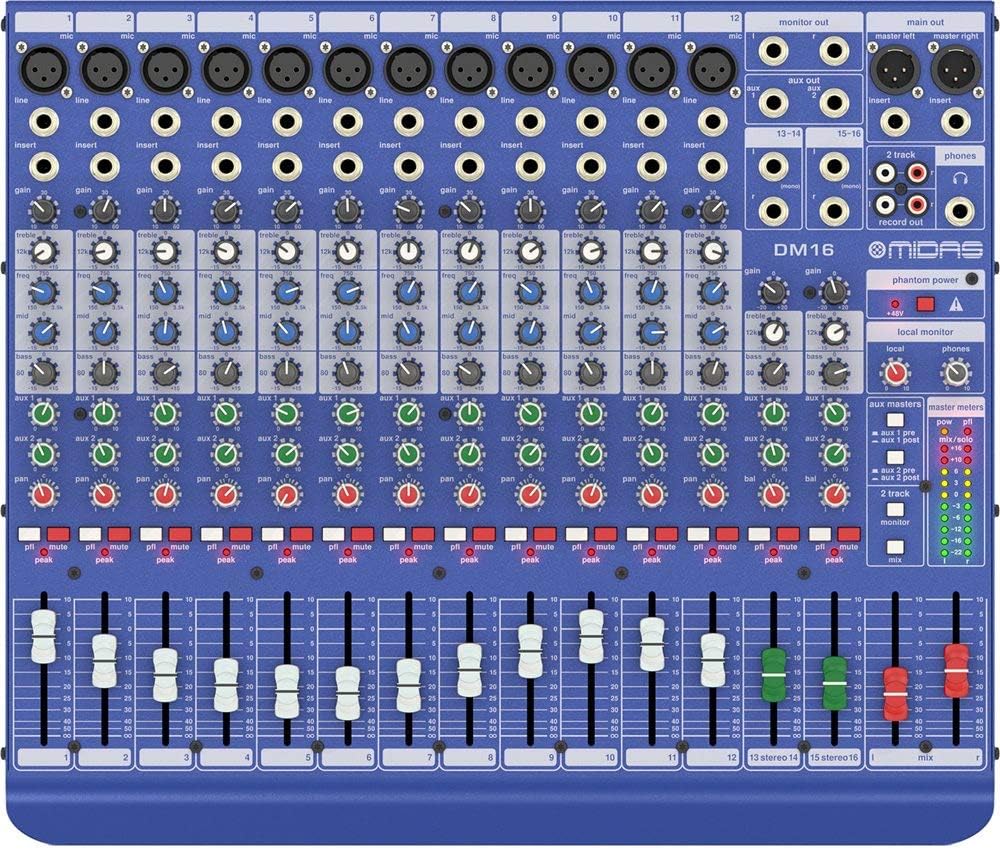
Figuur 2.2: Bo view of the MIDAS DM16 showing all input/output connections and controls.
3. Bedryfsinstruksies
3.1 Kanaalkontroles
Each mono input channel on the DM16 features the following controls:
- WINS: Adjusts the input sensitivity for the microphone preamplewendiger.
- EQ: A 3-band equalizer with a swept mid-band for precise tone shaping.

Figuur 3.1: Gedetailleerd view of the 3-band EQ section on a mono channel.
- AUX 1/2: Controls the level sent to the auxiliary outputs. These can be switched pre/post fader.

Figure 3.2: Aux masters section with pre/post fader switching.
- PAN: Verstel die stereoposisie van die kanaal.
- DEMPEL: Maak die kanaal stil.
- PEAK LED: Indicates when the input signal is clipping.
- FADER: Controls the output level of the channel to the main mix.

Figure 3.3: Channel faders for precise level control.
3.2 Spookkrag
The DM16 provides +48V phantom power for condenser microphones. This is a global switch, meaning it applies to all microphone inputs simultaneously. Ensure all connections are made before activating phantom power to prevent damage to non-phantom powered devices.

Figure 3.4: Phantom power switch.
3.3 Monitering
Use the headphone output and monitor controls to listen to the main mix or specific auxiliary sends. The monitor section includes controls for local monitor and phones output levels.

Figure 3.5: Monitor and headphone controls.
4. Onderhoud
Proper maintenance ensures the longevity and optimal performance of your MIDAS DM16 mixer.
- Skoonmaak: Use a soft, dry cloth to clean the exterior of the mixer. Avoid abrasive cleaners or solvents that could damage the finish or controls.
- Stofbeskerming: Keep the mixer covered when not in use to prevent dust accumulation, especially around faders and knobs.
- Ventilasie: Verseker voldoende lugvloei rondom die eenheid om oorverhitting te voorkom. Moenie ventilasie-openinge blokkeer nie.
- Berging: Bêre die menger in 'n koel, droë omgewing weg van direkte sonlig en uiterste temperature.
5. Probleemoplossing
This section addresses common issues you might encounter with your DM16 mixer.
- Geen krag:
- Check if the power cord is securely connected to both the mixer and the power outlet.
- Verifieer dat die kragaansluiting funksioneel is.
- Maak seker dat die kragskakelaar op die agterpaneel in die 'Aan'-posisie is.
- Geen klankuitset nie:
- Kontroleer alle invoer- en uitvoerkabelverbindings.
- Ensure channel faders and the main mix fader are raised.
- Verify that the MUTE buttons on active channels are not engaged.
- Check the gain settings for each channel.
- Confirm that your connected speakers or monitoring system are powered on and functioning correctly.
- Verwronge klank:
- Reduce the GAIN setting on the input channel if the PEAK LED is frequently illuminating.
- Lower the output level of the connected source device.
- Kontroleer vir foutiewe kabels.
- Gegons of geraas:
- Maak seker dat alle kabels behoorlik afgeskerm en in 'n goeie toestand is.
- Check for ground loops; try connecting all audio equipment to the same power strip.
- Hou oudiokabels weg van kragkabels.
Indien u probleme ondervind wat nie hier gedek word nie, verwys asseblief na die ondersteuningsafdeling.
6. Spesifikasies
| Kenmerk | Detail |
|---|---|
| Produk Tipe | Analogue Live en Studio Mixer |
| Insette kanale | 16 (12 mono, 2 stereo) |
| Mikrofoon voorafamplewensredders | Award-winning MIDAS preamplewensredders |
| EQ on Mono Channels | 3-band with swept mid band |
| Aux stuur | 2 (with pre/post fader switching) |
| Kragbron | Elektries met koord |
| Item gewig | 11.02 pond (5.0 kg) |
| Produkafmetings (L x B x H) | 17.24 x 14.57 x 3.74 duim (438 x 370 x 95 mm) |
| Land van oorsprong | China |
| Modelnommer | DM16 |
| Verbindingstegnologie | Hulp |
7. Waarborg en Ondersteuning
7.1 Waarborginligting
Your MIDAS DM16 mixer is covered by a limited warranty against defects in materials and workmanship. Please refer to the warranty card included with your product or visit the official MIDAS webwebwerf vir gedetailleerde waarborgbepalings en -voorwaardes.
Let wel: The warranty may not cover damage caused by improper use, unauthorized modifications, or natural disasters.
7.2 Kliëntediens
For technical assistance, troubleshooting, or service inquiries, please contact MIDAS customer support through their official webwebwerf of die kontakinligting wat in u produkdokumentasie verskaf word.
Aanlyn hulpbronne:
- Official MIDAS Webwebwerf: www.midasconsoles.com
- Product Support Page: (Specific link if available, otherwise general webwerf)
When contacting support, please have your product model number (DM16) and serial number ready.