
Logitech M221
Logitech M221 Wireless Muis Gebruikershandleiding
Model: M221 | Handelsmerk: Logitech
Inleiding
This manual provides detailed instructions for the Logitech M221 Wireless Mouse. Designed for quiet operation and reliable performance, the M221 offers a comfortable, ambidextrous design with an 18-month battery life. Please read this manual thoroughly to ensure proper setup and optimal use of your device.
Opstelgids
Volg hierdie stappe om jou Logitech M221 draadlose muis op te stel:
- Installeer die battery:
Locate the battery compartment on the underside of the mouse. Slide the battery cover off. Insert the included AA battery, ensuring correct polarity. Replace the battery cover.

Beeld: Onderkant view of the Logitech M221 mouse, showing the battery compartment and the location of the USB receiver.
- Vind die USB-ontvanger:
The tiny USB receiver is stored inside the battery compartment for convenience during transport. Carefully remove it from its slot.
- Connect the Receiver to Your Computer:
Plug the USB receiver into an available USB port on your computer (PC or Mac). The mouse will automatically connect to your computer.
- Skakel die muis aan:
Ensure the power switch on the underside of the mouse is in the "ON" position. The mouse is now ready for use.
Bedryfsinstruksies
The Logitech M221 is designed for intuitive and comfortable use:
- Stil klik: The M221 features 90% reduced click sound, providing a quiet working environment without sacrificing the familiar click feel.
- Ambidekstrous ontwerp: Its comfortable, contoured shape is suitable for both left and right-handed users.
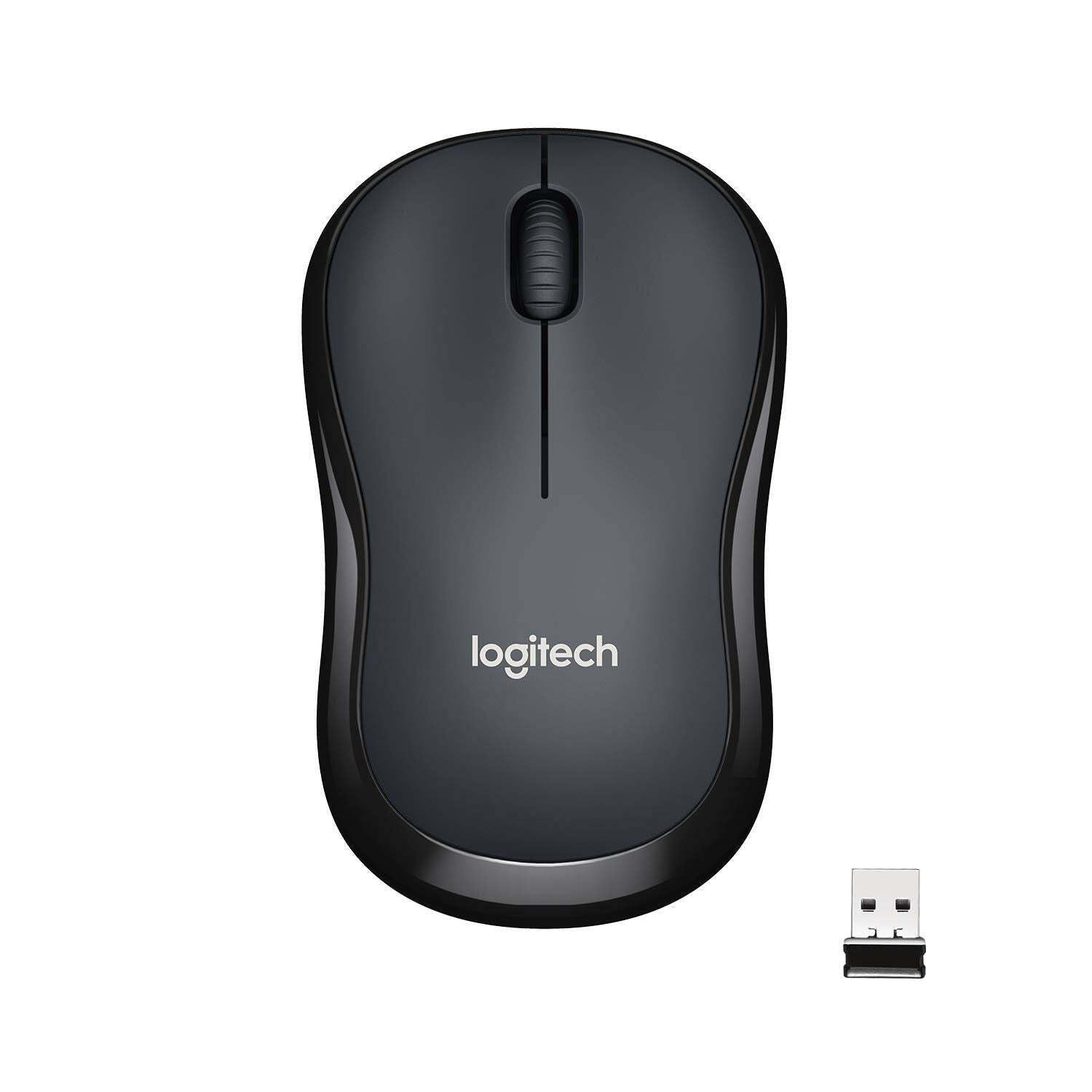
Beeld: Bo view of the Logitech M221 Wireless Mouse in charcoal, alongside its compact USB receiver.
- Optiese dophou: The mouse uses 1000 DPI optical tracking for smooth and precise cursor control.
- Draadlose reeks: Enjoy reliable wireless connectivity up to 10 meters (33 feet) from your computer. Actual range may vary based on environmental conditions.
- Outomatiese Slaapfunksie: To conserve battery life, the mouse automatically enters a sleep mode when not in use. Move the mouse or click a button to wake it up.
Onderhoud
Proper maintenance ensures the longevity and optimal performance of your M221 mouse.
- Battery vervanging: The M221 mouse boasts an 18-month battery life. When the mouse performance degrades or the indicator light (if present) signals low battery, replace the AA battery. Refer to the "Install the Battery" step in the Setup Guide.
- Skoonmaak: Use a soft, dry cloth to clean the mouse. Avoid abrasive cleaners or solvents.
- Berging: When not in use for extended periods, turn off the mouse using the power switch on the underside to further conserve battery life. Store the USB receiver inside the battery compartment to prevent loss.
Probleemoplossing
As jy probleme met jou Logitech M221-muis ondervind, probeer die volgende oplossings:
- Muis reageer nie:
- Maak seker dat die muis aangeskakel is.
- Kontroleer die battery. Vervang dit indien nodig.
- Verifieer dat die USB-ontvanger stewig in 'n werkende USB-poort op jou rekenaar ingeprop is. Probeer 'n ander USB-poort.
- Beweeg die muis nader aan die USB-ontvanger om reikwydteprobleme uit te sluit.
- Onreëlmatige wyserbeweging:
- Maak die optiese sensor aan die onderkant van die muis skoon met 'n sagte, droë lap.
- Maak seker dat jy die muis op 'n geskikte oppervlak gebruik. Vermy hoogs weerkaatsende of deursigtige oppervlaktes.
- Kyk vir steuring van ander draadlose toestelle.
- Knoppies of Scrollwiel Werk Nie:
- Herbegin jou rekenaar.
- Re-insert the USB receiver.
- If the issue persists, the mouse may require replacement.
Spesifikasies
| Kenmerk | Detail |
|---|---|
| Handelsmerk | Logitech |
| Model | M221 (Item model number: 910-004882) |
| Verbindingstegnologie | 2.4 GHz Draadloos (USB Ontvanger) |
| Bewegingsopsporing | Optiese (1000 DPI) |
| Silent Buttons | Yes (90% reduced click sound) |
| Battery Tipe | 1 x AA-battery (ingesluit) |
| Gemiddelde batterylewe | 18 Maande |
| Ambidextrous ontwerp | Ja |
| Versoenbare bedryfstelsels | Windows 10 or later, Windows 8, Windows RT, Windows 7, Mac OS X 10.5 or later, Chrome OS, Linux Kernel 2.6+2 |
| Produk afmetings | 6 x 4 x 10 cm (L x B x H) |
| Item gewig | 77 g |
| Ingesluit komponente | Mouse, Nano Receiver, 1 AA Battery, User Documentation |

Image: Diagram showing the dimensions of the Logitech M221 Wireless Mouse: 99mm length, 60mm width, 39mm height, and 75g weight.
Waarborg en Ondersteuning
Vir waarborginligting en tegniese ondersteuning, verwys asseblief na die amptelike Logitech-webwerf. website or the documentation included with your product. Logitech provides customer support for product inquiries and assistance.
You can typically find support resources, FAQs, and contact information by visiting www.logitech.com/support.