
Inleiding
This manual provides essential information for the safe and efficient operation of your Amazon Basics 15-Sheet Cross-Cut Paper, CD, and Credit Card Shredder. Please read all instructions carefully before use and retain this manual for future reference.
Veiligheidsinligting
Om veilige werking te verseker, moet u altyd die volgende riglyne volg:
- Hou hande, hare en los klere weg van die papierinvoergleuf.
- Moenie enige aërosolprodukte in of om die versnipperaar spuit of hou nie.
- Do not shred items like metallic credit cards, adhesive labels, or continuous forms.
- Ontkoppel die versnipperaar wanneer dit nie gebruik word nie of voor skoonmaak.
- Keep the shredder out of reach of children and pets.
- Moenie die versnipperaar gebruik as die kragkabel beskadig is nie.
Produk verbyview
The Amazon Basics 15-Sheet Cross-Cut Shredder is designed for efficient document destruction, offering a high level of security for personal and office use.

Figuur 1: Voorkant view of the Amazon Basics 15-Sheet Cross-Cut Shredder.
Sleutel kenmerke:
- 15-vel kapasiteit: Shreds up to 15 sheets of 20 lb. paper at once.
- Dwarsgesnyde versnippering: Shreds paper into 3/16" x 1-7/32" (4.7 x 31mm) particles for enhanced security (Security Level P-4).
- Multi-materiaal versnippering: Also destroys CD/DVDs, credit cards, staples, and small paper clips.
- Verlengde looptyd: Features a 20-minute continuous run time.
- Veiligheidskenmerke: Includes Overheat / Overload protection.
- LED-aanwysers: Provides visual alerts for Standby, Overheat, Overload, Door open, and Bin full status.
- Large Capacity Bin: Equipped with a 6-gallon pull-out basket for easy waste disposal.
- Mobiliteit: Casters included for convenient movement.
- 4-Mode Switch: Auto/Off/Forward/Reverse settings for versatile control.
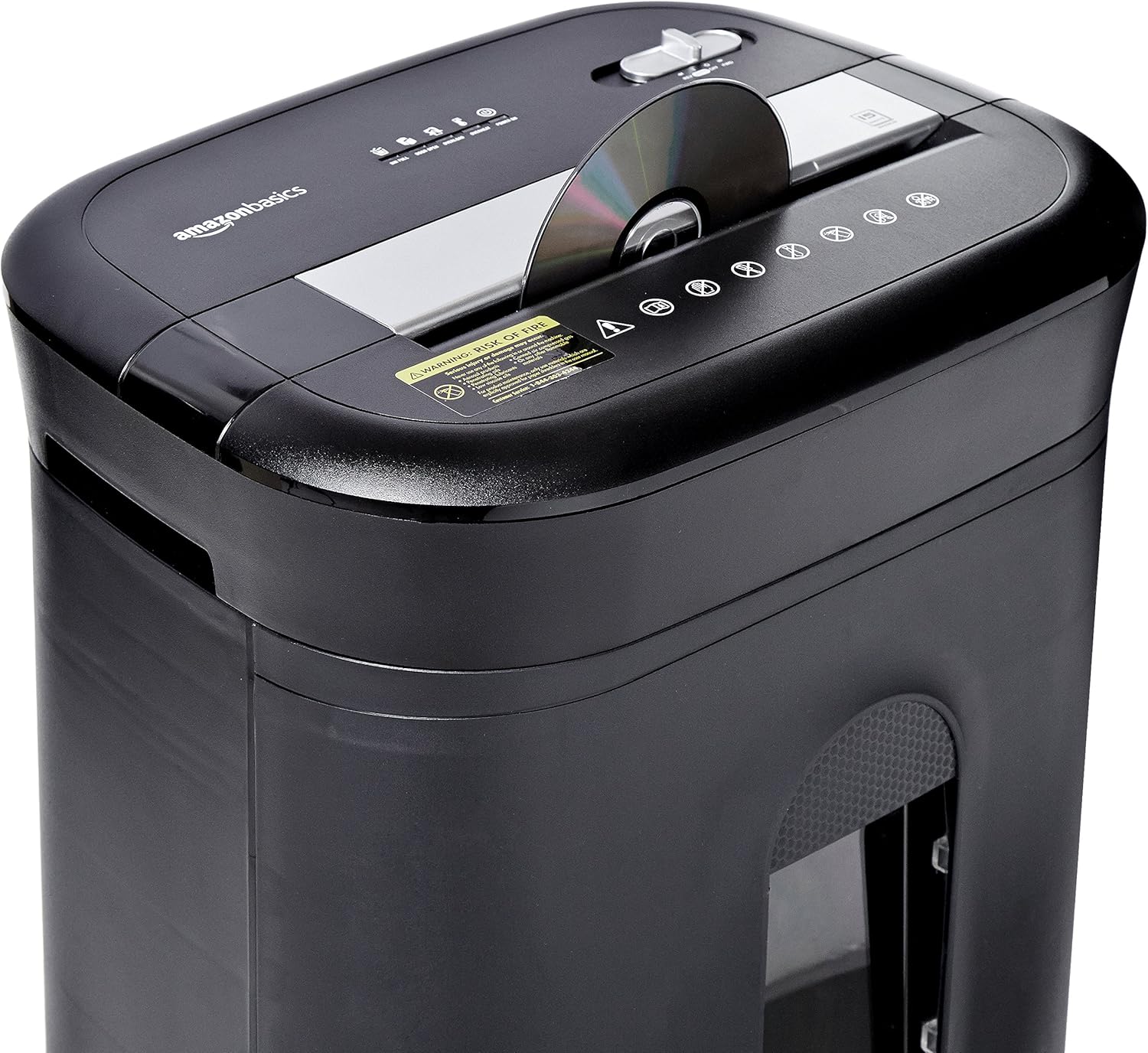
Figure 2: Diagram illustrating key features of the shredder.
Opstelling
Volg hierdie stappe om jou versnipperaar op te stel:
- Pak uit: Verwyder alle komponente versigtig uit die verpakking.
- Posisie: Place the shredder on a flat, stable surface. Ensure the waste bin is securely closed and properly inserted into the main unit.
- Koppel krag: Plug the power cord into a standard 120-volt AC outlet.
Video 1: Official product video demonstrating the setup and basic operation of the Amazon Basics 15-Sheet Cross-Cut Shredder.
Bedryfsinstruksies
Skakelaar vir kragmodus:
The shredder features a 4-mode slide switch located on the top panel:
- AUTO (I): The shredder will automatically start when paper is inserted and stop when shredding is complete. This is the recommended setting for normal use.
- AF (O): Turns off all shredder functions. Always select this setting when emptying the waste bin or when the shredder is not in use.
- FORWARD (▶▶): Manually activates the shredder to continuously cut. Useful for clearing minor jams.
- REVERSE (◀◀): Reverses the shredder mechanism to help clear paper jams.

Figure 3: Close-up of the control panel with the 4-mode switch.
Versnipperpapier:
- Ensure the power mode switch is set to AUTO (I).
- Insert up to 15 sheets of paper (20 lb. bond) straight into the paper entry slot. The shredder will automatically start and stop.
- Do not force paper into the shredder. If the shredder struggles, reduce the number of sheets.

Figure 4: Inserting paper into the shredder.
Shredding Credit Cards and CDs/DVDs:
- Ensure the power mode switch is set to AUTO (I).
- Plaas een kredietkaart of CD/DVD op 'n slag in die toegewyde gleuf.
- Die versnipperaar sal outomaties begin en stop.

Figure 5: Shredding a credit card.
Onderhoud
Emptying the Shredder Bin:
Regularly empty the waste bin to prevent paper jams and ensure optimal performance.
- Set the power mode switch to UIT (O) en ontkoppel die versnipperaar.
- Pull out the waste bin from the front of the shredder.
- Gooi die gesnipperde materiaal weg.
- Slide the waste bin back into the shredder until it clicks securely into place.

Figure 6: Pull-out waste bin for easy emptying.
Olie van die versnipperaar:
To maintain the shredder's performance and longevity, it is recommended to oil the cutting blades periodically, especially after emptying the bin multiple times or if performance decreases.
- Apply shredder oil (or vegetable oil) in a zigzag pattern across the paper entry slot.
- Set the power mode switch to FORWARD (▶▶) vir 2-3 sekondes om die olie te versprei.
- Then, set the switch to REVERSE (◀◀) vir 2-3 sekondes.
- Shred a few sheets of paper to remove any excess oil.
Probleemoplossing
The shredder is equipped with LED indicators to help diagnose common issues:
- Standby (Green): Dui aan dat die versnipperaar aangeskakel en gereed is vir gebruik.
- Overheat (Red): The shredder has exceeded its maximum operating temperature. Allow it to cool down for approximately 20-30 minutes before resuming use.
- Overload (Red): Too much material has been inserted. Use the REVERSE (◀◀) function to clear the jam, then reduce the amount of material.
- Door Open (Red): The waste bin is not properly closed or inserted. Ensure the bin is fully pushed in.
- Bin Full (Red): The waste bin is full and needs to be emptied.
| Probleem | Moontlike oorsaak | Oplossing |
|---|---|---|
| Die versnipperaar skakel nie aan nie. | Not plugged in; Power switch in OFF position; Waste bin not properly inserted. | Check power connection; Set switch to AUTO; Re-insert waste bin securely. |
| Die versnipperaar stop tydens werking. | Overheat protection activated; Overload protection activated; Bin full. | Allow to cool down; Clear jam using REVERSE, then reduce material; Empty bin. |
| Papier konfyt. | Too much paper inserted; Paper inserted at an angle. | Use REVERSE function; Reduce paper quantity; Insert paper straight. |
Spesifikasies
| Kenmerk | Spesifikasie |
|---|---|
| Handelsmerk | Amazon Basics |
| Modelnommer | PBH-49976 |
| Sny tipe | Kruissny |
| Versnippergrootte | 3/16" x 1-7/32" (4.7 x 31mm) |
| Veiligheidsvlak | P-4 |
| Bladkapasiteit | 15 sheets (20 lb. paper) |
| Deurlopende looptyd | 20 minute |
| Afkoeltyd | 30 minute |
| Afvalbak kapasiteit | 6 liter |
| Item gewig | 22 pond |
| Produk afmetings | 11 x 14.4 x 20.9 duim |
| Kleur | Swart |
Waarborg en Ondersteuning
For warranty information or technical support, please refer to the documentation included with your product or contact Amazon Basics customer service.
Kliëntediens: 1-844-303-4244
Vir bykomende hulpbronne, besoek die Amazon Basics Winkel.