
One For All WM2251
One For All Volbeweging TV-beugel WM2251 Gebruikershandleiding
Model: WM2251 | Brand: One For All
Inleiding
This manual provides comprehensive instructions for the installation, operation, and maintenance of your One For All Full Motion TV Bracket, model WM2251. This bracket is designed to securely mount televisions ranging from 13 to 40 inches, offering flexible viewing angles with its swivel and tilt capabilities.

Image: The One For All Full Motion TV Bracket, model WM2251, showcasing its robust design and articulating arm.
Veiligheidsinligting
Please read all safety warnings and instructions carefully before installation and use. Failure to do so may result in property damage, serious injury, or death.
- Ensure the mounting surface can safely support the combined weight of the bracket and the television.
- Gebruik gepaste gereedskap en volg alle boor- en monteringsinstruksies noukeurig.
- Do not exceed the maximum weight capacity of 30kgs (66 lbs).
- Verify VESA compatibility (75x75, 100x100, 200x100, 200x200) with your TV before installation.
- Hou kinders en troeteldiere weg tydens installasie.
- If unsure about any part of the installation, consult a qualified professional.
Pakketinhoud
Verifieer dat alle komponente teenwoordig is voordat u met die installasie begin.
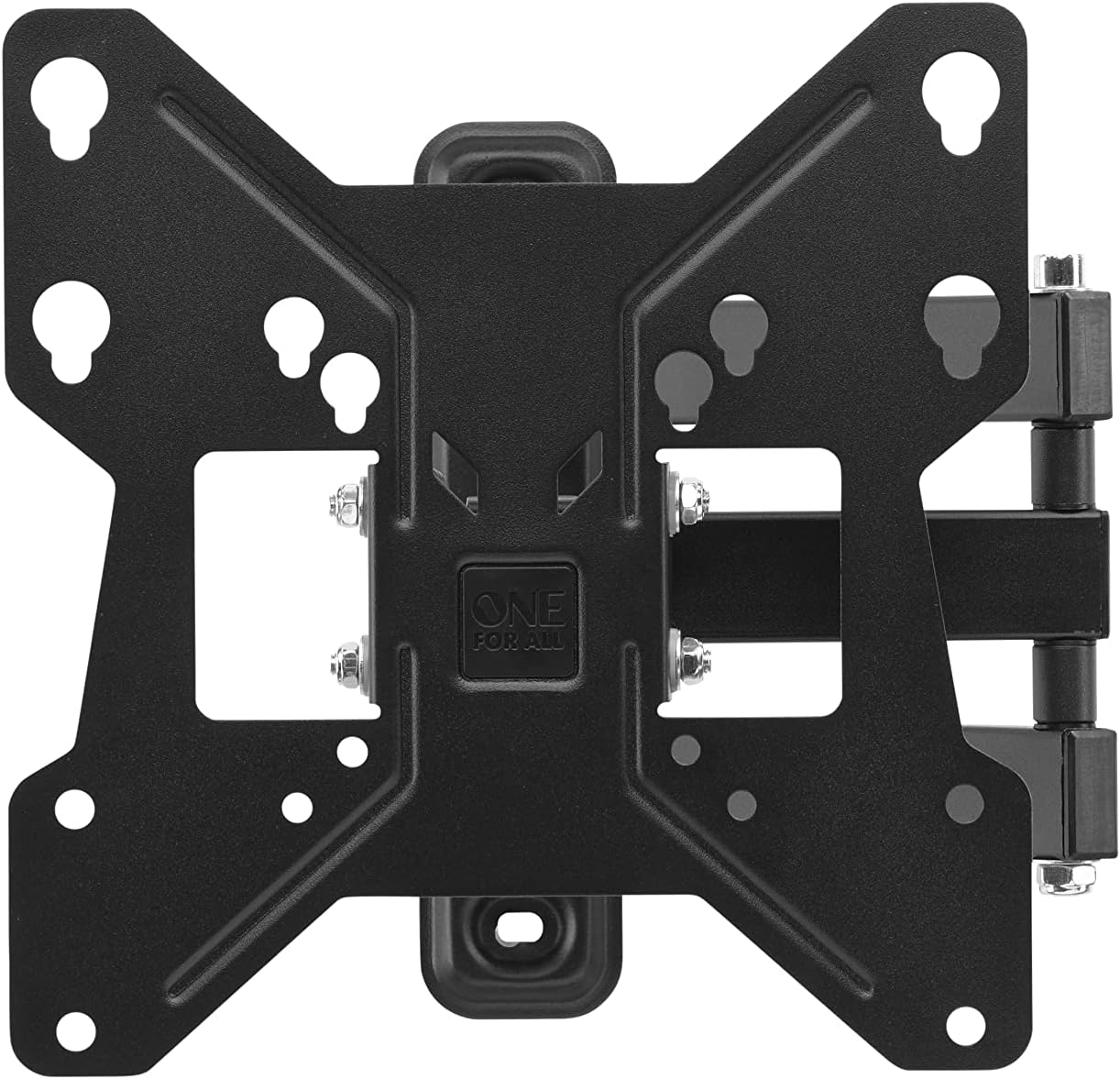
Beeld: Bo-onder view of the One For All TV Bracket, showing the main mounting plate and articulating arm.
- TV Wall Mount Bracket Assembly
- Mounting Hardware (screws, concrete anchors, spacers)
- Instruksie Handleiding
Opstelling en installasie
Voorinstallasiekontrolelys
- Confirm your TV's screen size is between 13 and 40 inches.
- Check your TV's VESA mounting pattern: 75x75, 100x100, 200x100, or 200x200.
- Ensure your TV's weight does not exceed 30kgs.
- Identify the type of wall (wood stud, concrete, brick) and use appropriate anchors.
Installasie stappe
- Heg die hakie aan die TV vas: Secure the TV-side bracket components to the back of your television using the provided screws that match your TV's VESA pattern. Ensure a snug fit.
- Mark Wall Position: Determine the desired height for your TV. Hold the wall plate against the wall and mark the drilling points. Use a spirit level to ensure it is perfectly horizontal.
- Boorgate: Drill pilot holes at the marked locations. For wood studs, drill directly. For concrete or brick, insert the provided concrete anchors.
- Monteer muurplaat: Secure the wall plate to the wall using the appropriate screws. Ensure it is firmly attached and stable.
- Hang TV op: Carefully lift the TV with the attached bracket and hook it onto the wall plate. Ensure it is securely seated.
- Veilige TV om te monteer: Tighten any safety screws or locking mechanisms to prevent accidental dislodging of the TV from the mount.

Beeld: 'n Eksample of the TV bracket installed on a wall, demonstrating its discreet presence above a living space.
For additional assistance, you can download the One For All Toolbox app (available for iOS and Android), which includes tools like a spirit level and flashlight to aid installation.
Operating the TV Bracket
The One For All Full Motion TV Bracket allows for flexible adjustment of your television's viewing hoek.
- Swivel (180°): Gently push or pull the TV to rotate it horizontally up to 180 degrees (90 degrees left or right from center). This is ideal for viewvanuit verskillende areas van 'n kamer.
- Tilt (15°): Adjust the vertical angle of the TV up to 15 degrees (up or down). This feature helps reduce glare and optimize viewing from various heights.
- Kabelbestuur: Utilize the integrated cable management system to route and conceal cables for a tidy appearance.
Onderhoud
To ensure the longevity and proper function of your TV bracket:
- Kontroleer gereeld alle skroewe en boute om te verseker dat hulle styf bly.
- Clean the bracket with a soft, dry cloth. Avoid abrasive cleaners or solvents.
- Do not hang objects from the bracket or apply excessive force when adjusting the TV.
Probleemoplossing
| Probleem | Moontlike oorsaak | Oplossing |
|---|---|---|
| TV not level | Wall plate not level during installation | Re-adjust wall plate using a spirit level. |
| Bracket feels loose | Screws are not tightened sufficiently or wall anchors are inadequate | Re-tighten all mounting screws. Ensure correct wall anchors were used for your wall type. |
| TV pas nie op monteerstuk nie | Incorrect VESA size or TV size/weight | Verify your TV's VESA pattern and ensure it is within the 13-40 inch screen size and 30kg weight limit. |
Spesifikasies
- Model: WM2251
- Skermgrootte verenigbaarheid: 13-40 duim
- Maksimum gewig kapasiteit: 30 kg (66 pond)
- VESA-versoenbaarheid: 75x75, 100x100, 200x100, 200x200
- Draaihoek: Tot 180°
- Kantelhoek: Tot 15°
- Kleur: Swart
- Materiaal: Plastiek
- Produk afmetings: 9.45 x 1.93 x 9.8 duim
Waarborg en Ondersteuning
For warranty information and technical support, please refer to the official One For All webwebwerf of kontak hul kliëntediens. Bewaar u aankoopbewys as bewys van aankoop.
You can also visit the One For All Store on Amazon for more products and information: One For All Store.
Ask a question about this manual
Ask about setup, troubleshooting, compatibility, parts, safety, or missing instructions. Manuals+ will review the question and use this page’s manual context to help answer it.