
Inleiding
The HyperGear Rave Wireless Stereo Speaker delivers high-fidelity sound with an interactive multi-colored LED light show. It features Bluetooth connectivity, a built-in speakerphone, and an FM radio, making it suitable for various audio needs.
Pakketinhoud
- Rave Wireless Speaker
- 3.5mm Stereo Auxiliary Cable
- Mikro USB-laaikabel
- Gebruikershandleiding (hierdie dokument)

Produk verbyview
Familiarize yourself with the speaker's controls and ports.

Beheer knoppies
- Kragknoppie: Druk en hou in om die luidspreker aan of af te skakel.
- Modusknoppie (M): Druk om tussen Bluetooth-, FM-radio- en AUX-modusse te wissel.
- Play/Pause Button (►/∕): Press to play or pause audio. In call mode, press to answer/end calls.
- Volume Down / Previous Track (-/◀◀): Druk om die volume te verlaag. Druk en hou in om na die vorige snit te gaan.
- Volume Up / Next Track (+/►►): Druk om die volume te verhoog. Druk en hou om na die volgende snit te gaan.
- Light Mode Button (*): Press to cycle through different LED light patterns or turn off the light show.
Hawens
- Micro USB -laaipoort: Vir die laai van die luidspreker se interne battery.
- 3.5 mm AUX-invoer: For connecting external audio devices via the auxiliary cable.
Opstelling
Laai die luidspreker
Before first use, fully charge the speaker. Connect the Micro USB charging cable to the speaker's charging port and the other end to a USB power adapter (not included) or a computer's USB port. The charging indicator light will illuminate during charging and turn off when fully charged. A full charge takes approximately 3-4 hours and provides up to 8 hours of playback.
Skakel aan/af
Druk en hou die Kragknoppie for approximately 3 seconds to turn the speaker on or off. A voice prompt will indicate the power status.
Bedryfsinstruksies
Bluetooth-koppeling
- Maak seker dat die luidspreker aangeskakel en in Bluetooth-modus is. Indien nie, druk die Modusknoppie (M) until you hear the Bluetooth pairing prompt. The LED indicator will flash, indicating it is ready to pair.
- Aktiveer Bluetooth op jou mobiele toestel en soek vir beskikbare toestelle.
- Select "HyperGear Rave" from the list of devices.
- Sodra dit gekoppel is, sal die luidspreker 'n bevestigingstoon uitstraal, en die LED-aanwyser sal ophou flikker.

Speel Musiek
Bluetooth modus
After successful pairing, you can play music from your connected device. Use the speaker's Speel / Pouse, Volume op/volgende snit, en Laer volume/vorige snit buttons to control playback, or control directly from your device.
AUX-modus
Connect one end of the 3.5mm auxiliary cable to the speaker's AUX input and the other end to the audio output of your external device. Press the Modusknoppie (M) to switch to AUX mode. Audio will play directly from your connected device.
Handvrye oproepe
When connected via Bluetooth, the speaker can be used as a speakerphone. When a call comes in, the music will pause. Press the Speel/Pause-knoppie to answer an incoming call. Press it again to end the call. Press and hold the Speel/Pause-knoppie om 'n inkomende oproep te verwerp.
FM-radio werking
Druk die Modusknoppie (M) to switch to FM Radio mode. The speaker will automatically scan and save available stations. Use the Volume op/volgende snit en Laer volume/vorige snit buttons to navigate between saved stations. Press and hold these buttons to fine-tune the frequency.
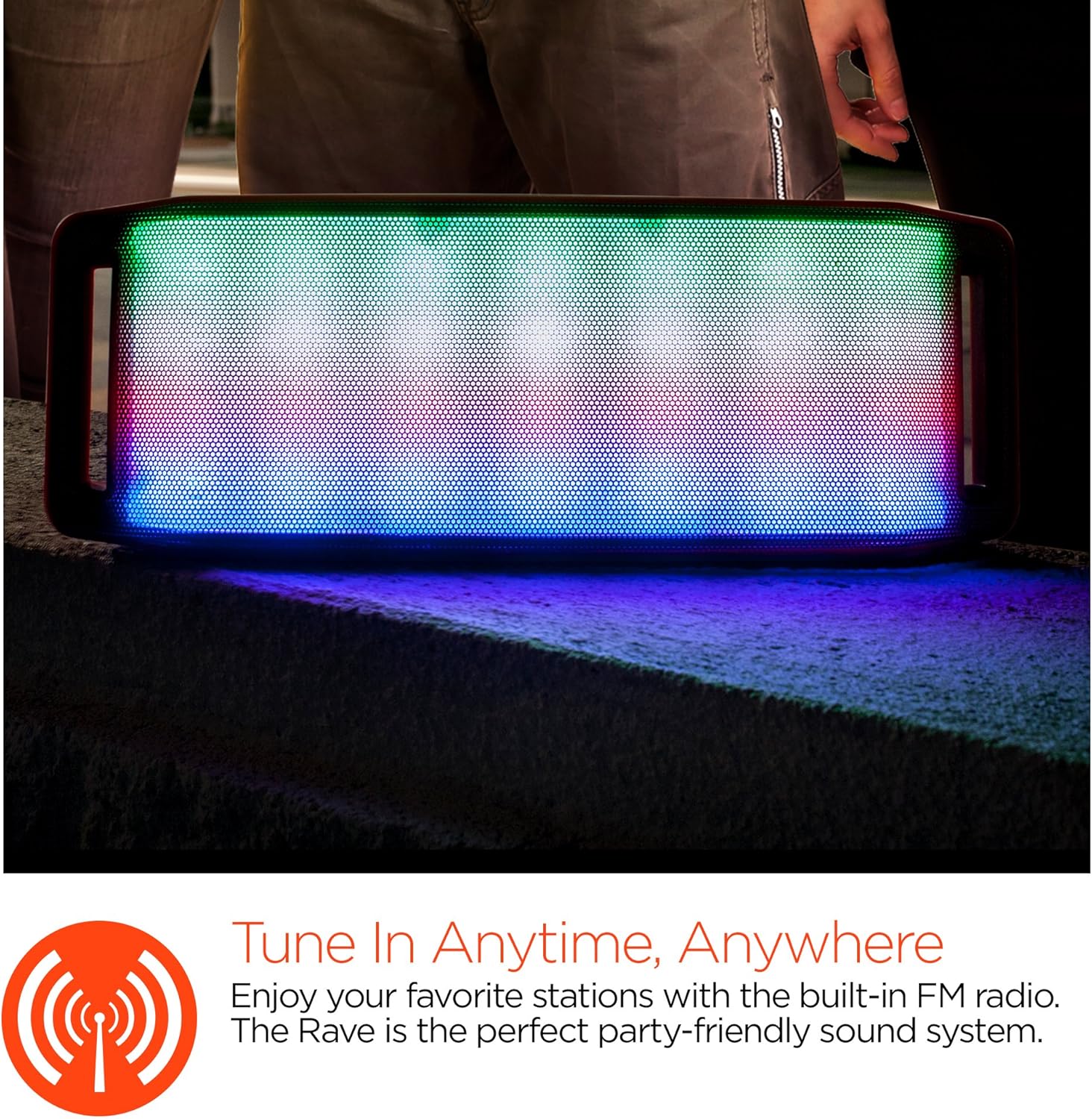
LED-ligskou
The speaker features an interactive multi-colored LED light show. Press the Light Mode Button (*) to cycle through different light patterns or to turn the light show off.

Onderhoud
Skoonmaak
Wipe the speaker with a soft, dry cloth. Do not use abrasive cleaners or solvents. Avoid exposing the speaker to excessive moisture.
Berging
Bêre die luidspreker op 'n koel, droë plek weg van direkte sonlig en uiterste temperature. As dit vir 'n lang tydperk gebêre word, laai die battery gereeld om die lewensduur daarvan te behou.
Battery sorg
To prolong battery life, avoid fully discharging the speaker frequently. Charge the speaker regularly, even if not in use, to prevent deep discharge.
Probleemoplossing
| Probleem | Moontlike oorsaak | Oplossing |
|---|---|---|
| Luidspreker skakel nie aan nie. | Battery is leeg. | Laai die luidspreker met die mikro-USB-kabel. |
| Kan nie via Bluetooth koppel nie. | Luidspreker is nie in paringsmodus nie; Bluetooth is af op toestel; toestel is te ver. | Ensure speaker is in Bluetooth pairing mode (flashing LED). Turn on Bluetooth on your device. Move device closer to speaker (within 10 meters). |
| Geen klank nie. | Volume is too low; incorrect mode selected; device not playing. | Increase volume on both speaker and connected device. Ensure correct mode (Bluetooth/AUX/FM) is selected. Verify audio is playing on the source device. |
| Klank vervorming. | Volume te hoog; lae battery; steuring. | Reduce volume. Charge the speaker. Move speaker away from other electronic devices. |
| FM-radio-ontvangs is swak. | Swak sein; omgewingsinmenging. | Relocate the speaker to an area with better reception. Extend the charging cable (if connected) as it can act as an antenna. |
Spesifikasies
| Kenmerk | Detail |
|---|---|
| Modelnommer | 13604 |
| Bluetooth weergawe | 3.0 ± EDR |
| Luidspreker uitset krag | 2 x 5W (Totaal 10W) |
| Sein-tot-geraas-verhouding (S/N) | 80dB |
| Battery kapasiteit | 1500mAh |
| Speel Tyd | Tot 8 ure |
| Bluetooth-reeks | Tot 33ft / 10m |
| Verbindingstegnologie | Bluetooth, Draadloos |
| Klankuitvoermodus | Stereo |
| Beheer metode | Raak |
| Gewig | 2.25 pond |
| Spesiale kenmerke | Bass Boost, Display, Multi-colored LED Light Show, Built-in Speakerphone, FM Radio |
Waarborg en Ondersteuning
For warranty information or technical support, please refer to the contact details provided on the product packaging or visit the official HYPERGEAR webwebwerf. Bewaar u aankoopbewys as bewys van aankoop.