
Amazon Basics L6LMF014-CS-R
Amazon Basics Nylon Braided Lightning to USB-A Cable User Manual
Model: L6LMF014-CS-R | Handelsmerk: Amazon Basics
1. Inleiding
This user manual provides essential information for the proper use, setup, and maintenance of your Amazon Basics Nylon Braided Lightning to USB-A Cable. This MFi certified cable is designed to provide reliable charging and data synchronization for your Apple devices.
2. Produk verbyview
The Amazon Basics Nylon Braided Lightning to USB-A Cable features a durable design for enhanced longevity and performance.
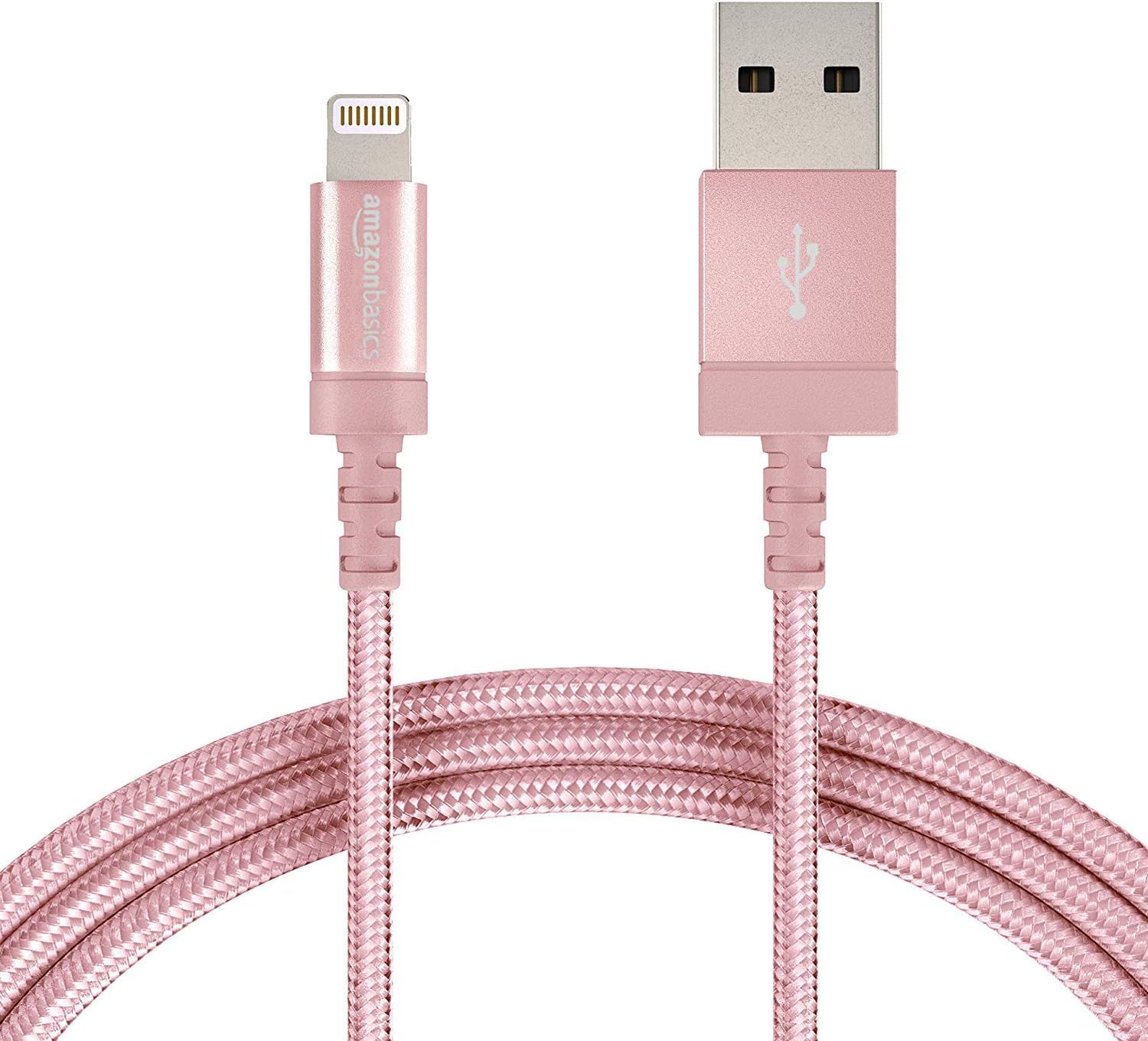
Figure 2.1: The Amazon Basics Nylon Braided Lightning to USB-A Cable, showcasing its rose gold color and braided exterior.

Figuur 2.2: Gedetailleerd view of the Lightning connector (left) and USB-A connector (right) of the cable.

Figure 2.3: Cross-section diagram illustrating the cable's internal components, including copper wires for signal quality, high-resistance insulation, aluminum foil, Mylar shielding, and a durable nylon braided outer jacket.

Figure 2.4: A close-up of the MFi certified Lightning connector, designed for secure and reliable connection to Apple devices.
3. Opstelling
To set up your Amazon Basics Lightning to USB-A Cable for charging or data transfer, follow these simple steps:
- Koppel aan kragbron: Insert the USB-A end of the cable into a compatible USB wall charger, car charger, or a USB port on your computer.
- Koppel aan toestel: Insert the Lightning connector end of the cable into the Lightning port of your Apple iPhone, iPad, or iPod.
- Verifieer verbinding: Ensure both ends are securely connected. Your device should indicate that it is charging or connected for data transfer.

Figure 3.1: The cable connected to a wall charger and an iPad, demonstrating a typical charging setup.
4. Bedryf
This cable is designed for both charging and data synchronization with MFi certified Apple devices. Its MFi certification ensures complete compatibility and safe operation.
- Laai: When connected to a power source, the cable will charge your compatible Apple device. The charging speed depends on the power output of your charger.
- Datasinkronisering: When connected to a computer, the cable allows for data transfer, such as syncing music, photos, and other files between your device and computer.
5. Onderhoud
To ensure the longevity and optimal performance of your cable, please follow these maintenance guidelines:
- Vermy uiterste buiging: While the nylon braided design offers enhanced durability, avoid sharp or excessive bending, especially near the connectors, to prevent internal wire damage.
- Stoor behoorlik: When not in use, coil the cable loosely and secure it with the included Velcro strap to prevent tangling and kinking.
- Hou skoon: Keep the connectors free from dust, lint, and debris. Use a soft, dry cloth to gently wipe them if necessary.
- Hanteer versigtig: Trek altyd aan die koppelstukkop, nie die kabel self nie, wanneer jy van 'n toestel of kragbron ontkoppel.
6. Probleemoplossing
As jy probleme met jou kabel ondervind, raadpleeg die volgende algemene probleme en oplossings:
| Probleem | Moontlike oorsaak | Oplossing |
|---|---|---|
| Toestel laai nie. | Loose connection, faulty power source, dirty port. | Ensure cable is securely plugged into both device and power source. Try a different USB port or wall adapter. Clean the device's Lightning port gently. |
| Device not syncing data. | Loose connection, software issue, computer port issue. | Check all connections. Restart your computer and device. Try a different USB port on your computer. Ensure iTunes or Finder is updated. |
| "Toebehore word nie ondersteun nie"-boodskap. | Device software outdated, dirty port, rare cable defect. | Ensure your Apple device's iOS/iPadOS is up to date. Clean the device's Lightning port. As this cable is MFi certified, this message is unlikely unless there's a specific device or port issue. |
| Kabel lyk beskadig. | Physical stress, improper handling. | Discontinue use immediately to prevent potential damage to your device. Replace the cable. |
7. Spesifikasies
| Kenmerk | Detail |
|---|---|
| Handelsmerk | Amazon Basics |
| Model Naam | MFi Certified Charger for Apple iPhone - Nylon obs |
| Item Modelnommer | L6LMF014-CS-R |
| Connector Tipe | Weerlig, USB-A |
| Kabel tipe | Lightning to USB |
| Lengte | 6-Foot (1.8 meters) |
| Kleur | Roosgoud |
| Buite materiaal | Nylon |
| Spesiale kenmerk | Braided, MFi Certified |
| Versoenbare toestelle | Tablet, Smartphone (iPhone X / 8 Plus / 8 / 7 Plus / 7 / 6s Plus / 6s / 6 Plus / 6 / 5s / 5c / 5 / iPad Pro / iPad Air / Air 2 / iPad mini / mini 2 / mini 4 / iPad 4th gen / iPod Touch 5th gen / iPod nano 7th gen and Beats Pill+) |
| Item gewig | 1.73 onse |
| Produk afmetings | 4.72 x 1.96 x 0.7 duim |
| UPC | 841710140323 |
| Datum Eerste Beskikbaar | 1 Augustus 2016 |
8. Waarborg en ondersteuning
Specific warranty information for this product is not available in the provided data. For detailed warranty terms, technical support, or customer service, please refer to the official Amazon Basics website or contact Amazon customer support directly.
Ask a question about this manual
Ask about setup, troubleshooting, compatibility, parts, safety, or missing instructions. Manuals+ will review the question and use this page’s manual context to help answer it.