
iOttie HLMPIO120WH
iOttie MiGo Mini Selfie Stick User Manual
Model: HLMPIO120WH
Inleiding
Dankie vir die aankoopasing the iOttie MiGo Mini Selfie Stick. This compact and versatile accessory is designed to enhance your mobile photography and videography experience, allowing you to capture wider angles and group shots with ease. Featuring a detachable Bluetooth remote and compatibility with both smartphones and GoPro cameras, the MiGo Mini is an ideal companion for your adventures. Please read this manual thoroughly to ensure proper use and maintenance of your device.
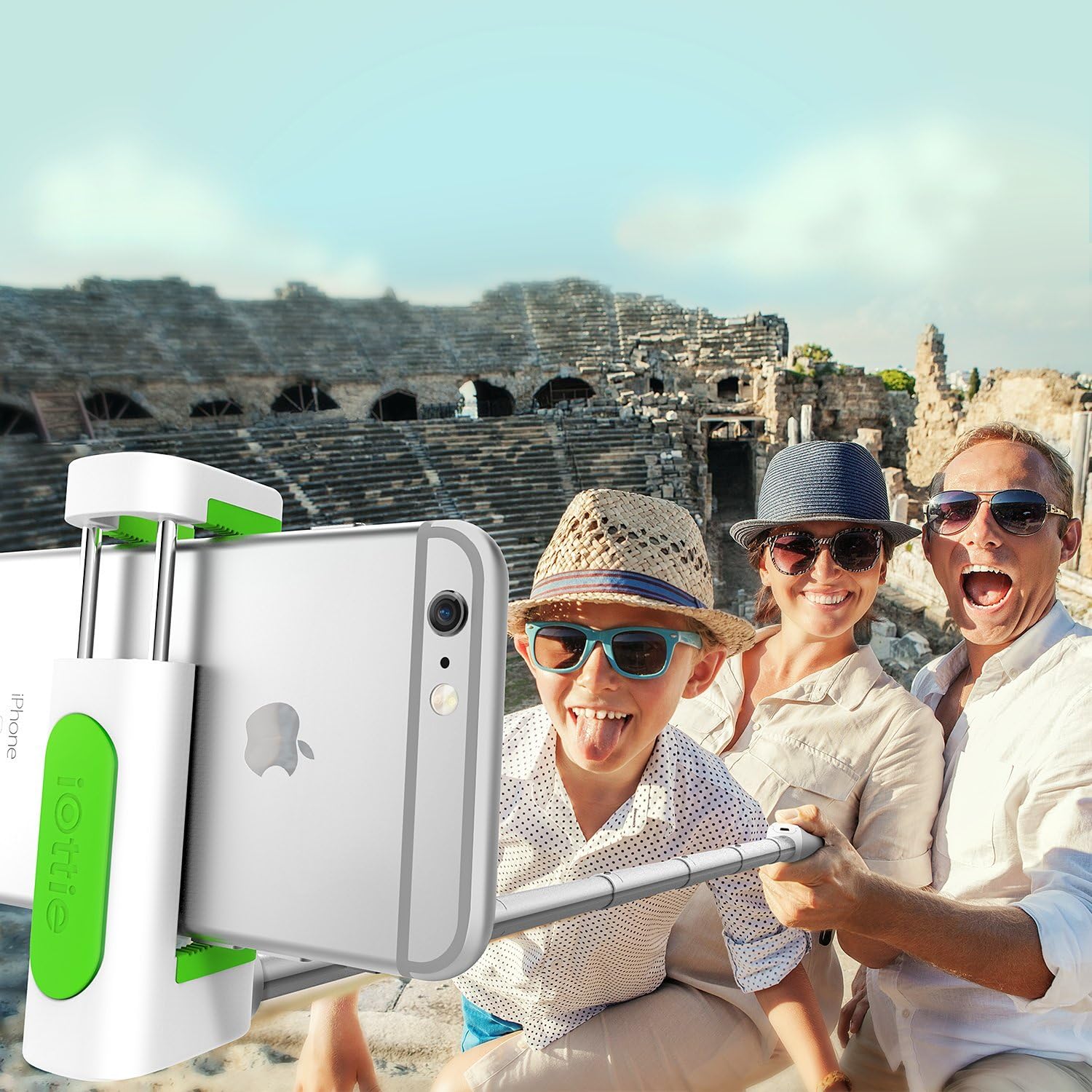
The iOttie MiGo Mini Selfie Stick in use, capturing a wide-angle group photo.
Veiligheidsinligting
- Moenie die toestel blootstel aan uiterste temperature, direkte sonlig of hoë humiditeit nie.
- Hou die toestel weg van water en ander vloeistowwe.
- Moenie probeer om die toestel uitmekaar te haal of te wysig nie. Dit sal die waarborg ongeldig maak.
- Use only the provided charging cable or a certified micro USB cable for charging.
- Hou buite bereik van kinders.
Pakketinhoud
Merk asseblief die blokkie vir die volgende items:
- iOttie MiGo Mini Selfie Stick
- Mikro USB-laaikabel
- Gebruikershandleiding
Produk verbyview
Familiarize yourself with the components of your iOttie MiGo Mini Selfie Stick.

verbyview of the iOttie MiGo Mini Selfie Stick in its collapsed state.
The MiGo Mini features a compact design for portability. When collapsed, it measures approximately 7.36 inches in length and weighs around 4.08 ounces (100 grams).

Compact and lightweight design of the MiGo Mini Selfie Stick.
The adjustable cradle can securely hold devices ranging from 1.8 inches to 3.5 inches in width. The extendable rod allows the selfie stick to reach a maximum length of 28 inches.

Cradle and rod extension dimensions.
Opstelling
1. Charging the Bluetooth Remote
The detachable Bluetooth remote comes with a built-in rechargeable Lithium Ion battery. Before first use, ensure the remote is fully charged.
- Locate the Micro USB charging port on the side of the remote.
- Connect the provided Micro USB cable to the remote and plug the other end into a USB power source (e.g., computer USB port, wall adapter).
- The indicator light on the remote will illuminate during charging and turn off when fully charged.
2. Koppel die Bluetooth-afstandbeheerder
The remote uses Bluetooth 3.0 for connection and has an effective range of up to 32.8 feet (10 meters).

Bluetooth 3.0 connection with a range of 32.8 feet.
- Maak seker dat die afstandbeheerder gelaai is.
- Turn on the Bluetooth remote by pressing and holding the power button until the indicator light flashes.
- On your smartphone (Android or iOS), go to your Bluetooth settings.
- Soek vir available devices. The remote should appear as "iOttie MiGo Mini" or similar.
- Select the device to pair. Once paired, the indicator light on the remote will stop flashing and remain solid or turn off, depending on the model.
- The remote will automatically reconnect to the last paired device when turned on, if Bluetooth is enabled on your phone.
3. Attaching a Smartphone
- Gently pull open the adjustable cradle at the top of the selfie stick.
- Carefully insert your smartphone into the cradle, ensuring it is held securely. The cradle can accommodate devices from 1.8 inches to 3.5 inches wide.
- Adjust the angle of the cradle as needed.

Smartphone attached to the MiGo Mini Selfie Stick.
4. Uitbreiding van die Selfie-stok
To extend the selfie stick, simply pull the rod upwards from the base. It can extend from its compact 9-inch length to a maximum of 28 inches.
5. GoPro and Tripod Compatibility
The MiGo Mini is designed with versatility in mind, offering compatibility with GoPro cameras and standard tripods.
- GoPro-versoenbaarheid: The selfie stick includes a GoPro connector. To attach your GoPro (e.g., HERO4 Black), remove the smartphone cradle and secure your GoPro using its standard mount.
- Driepoot-versoenbaarheid: The base of the selfie stick features a standard 1/4-inch screw thread, allowing it to be mounted on most tripods for stable shots.

GoPro and Tripod compatibility features.
Bedryf
Neem foto's/video's
- Ensure your smartphone or GoPro is securely attached and the selfie stick is extended to your desired length.
- Open your camera application on your smartphone or prepare your GoPro for recording.
- Position the camera for your shot.
- Press the button on the detachable Bluetooth remote to capture a photo or start/stop video recording.
Onderhoud
- Clean the selfie stick with a soft, dry cloth. Do not use abrasive cleaners or solvents.
- Berg die toestel op 'n koel, droë plek weg van direkte sonlig wanneer dit nie gebruik word nie.
- Ensure the remote is fully charged before long-term storage to preserve battery life.
Probleemoplossing
| Probleem | Moontlike Oplossing |
|---|---|
| Afstandbeheer koppel/verbind nie. |
|
| Remote not taking photos/videos. |
|
| Smartphone not fitting in cradle. |
|
Spesifikasies
| Modelnommer | HLMPIO120WH |
| Produk Dimensies (Ingevou) | 9.25 x 3.18 x 1.88 duim |
| Item gewig | 3.53 onse (100 gram) |
| Max. Extended Length | 28 duim |
| Cradle Compatibility | Devices 1.8 to 3.5 inches wide |
| Bluetooth weergawe | 3.0 |
| Bluetooth-reeks | Tot 32.8 voet (10 meter) |
| Battery Tipe | 1 Litium-ioonbattery (ingesluit) |
| Versoenbare bedryfstelsel | Android, iOS |
| GoPro Compatibility | GoPro HERO4 Black and similar models with standard mount |
| Driepoot Mount | Standard 1/4-inch screw thread |
| Kleur | Wit |
| UPC | 852306006282 |
Waarborg en Ondersteuning
For warranty information or technical support, please refer to the official iOttie webwebwerf of kontak hul kliëntediens direk. Bewaar u aankoopbewys as bewys van aankoop vir enige waarborgeise.
Vir verdere hulp kan u die iOttie Store on Amazon.