
Fitfiu Fitness BESP-22
FITFIU BESP-22 binnenshuise fiets gebruikershandleiding
Model: BESP-22 | Brand: Fitfiu Fitness
1. Inleiding
Thank you for choosing the FITFIU BESP-22 Indoor Bike. This manual provides essential information for the safe assembly, operation, and maintenance of your new fitness equipment. Please read it thoroughly before first use and keep it for future reference.
Produk verbyview
The FITFIU BESP-22 is a robust indoor cycling bike designed for home training. It features a 24kg inertia flywheel, adjustable resistance levels, and a comfortable, adjustable saddle and handlebars. The integrated monitor tracks key workout metrics.

Beeld 1.1: Hoof view of the FITFIU BESP-22 Indoor Bike. This image displays the complete assembled bike from a slight angle, highlighting its black and red design, the flywheel, pedals, saddle, and handlebars with the integrated monitor.
Veiligheidsinligting
- Raadpleeg 'n dokter voordat u enige oefenprogram begin.
- Maak seker dat alle dele stewig vasgedraai is voor elke gebruik.
- Hou kinders en troeteldiere weg van die toerusting tydens gebruik.
- Plaas die fiets op 'n plat, stabiele oppervlak.
- Dra gepaste oefenklere en -skoene.
- The maximum user weight for this bike is 120 kg.
2. Opstelling en samestelling
The FITFIU BESP-22 Indoor Bike requires assembly. Please follow these instructions carefully. Tools for assembly are typically included.
Unpacking and Initial Checks
- Verwyder alle komponente versigtig uit die verpakking.
- Verify that all parts listed in the assembly diagram (not provided in this text, refer to physical manual) are present.
- Belangrik: Locate and remove any transport stoppers or protective materials from the flywheel and other moving parts. Failure to remove these stoppers will prevent the bike from functioning correctly and may cause damage. These are typically found underneath the flywheel.
Monteringsstappe (Algemene Riglyne)
While specific diagrams are not available here, typical assembly involves:
- Attaching the front and rear stabilizers to the main frame.
- Mounting the pedals to the crank arms (note left and right pedal threading).
- Inserting and securing the saddle post and saddle.
- Inserting and securing the handlebar post and handlebars.
- Connecting any sensor cables for the monitor.
Ensure all bolts and nuts are tightened securely after assembly. Periodically check for tightness during use.
3. Operasie
This section details how to use your FITFIU BESP-22 Indoor Bike effectively and safely.
Adjusting Saddle and Handlebars
Proper adjustment is crucial for comfort and injury prevention.
- Saddle Height: Loosen the adjustment knob on the saddle post. Adjust the saddle so that when your foot is at the bottom of the pedal stroke, your leg is almost fully extended with a slight bend in the knee. Tighten the knob securely.
- Saddle Position (Fore/Aft): Loosen the adjustment knob beneath the saddle. Adjust the saddle forward or backward to align your knee with the ball of your foot when the pedals are horizontal. Tighten the knob securely.
- Stuurhoogte: Loosen the adjustment knob on the handlebar post. Adjust the handlebars to a comfortable height that allows for a slight bend in your elbows and a relaxed upper body posture. Tighten the knob securely.
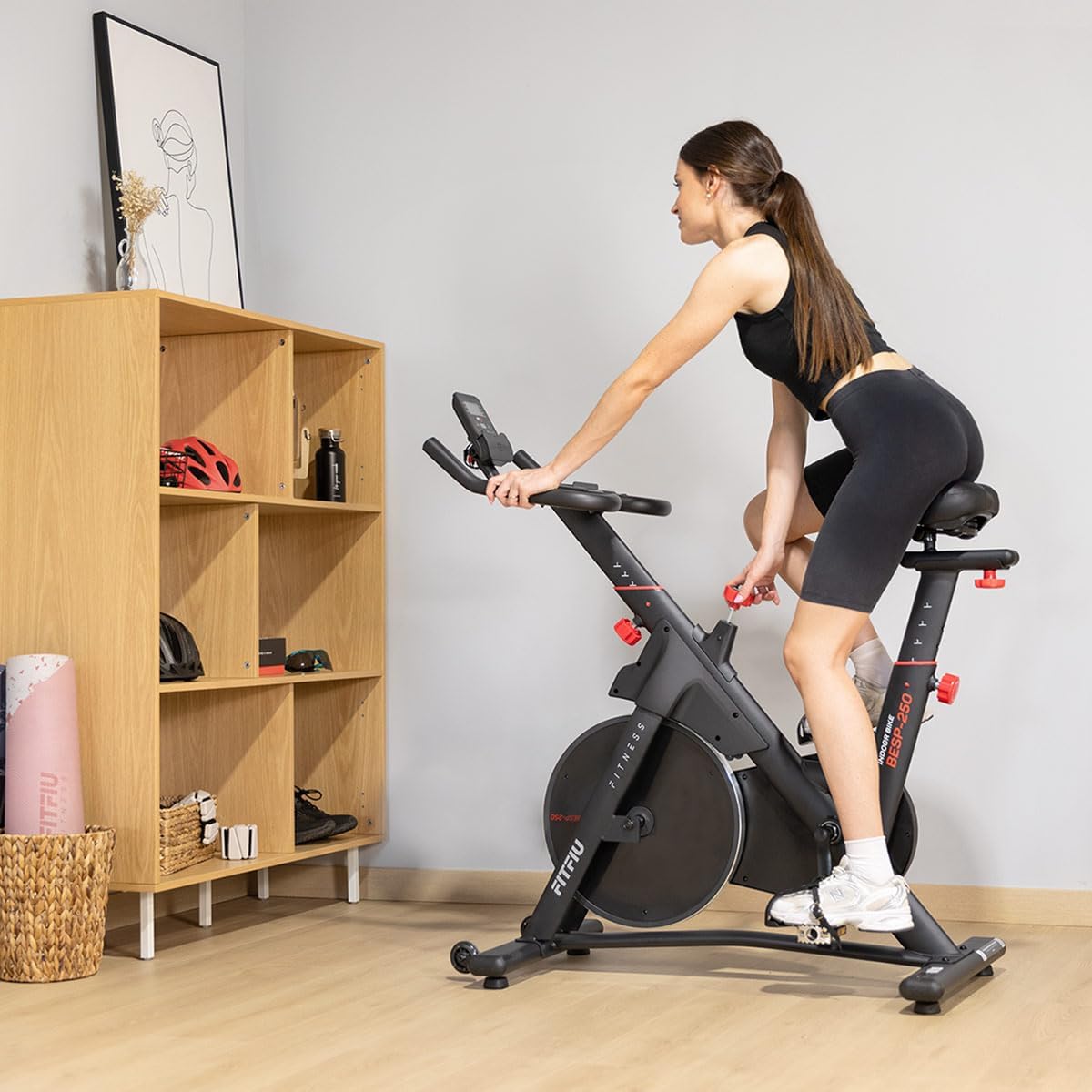
Image 3.1: A user seated on the FITFIU BESP-22 Indoor Bike, demonstrating proper saddle and handlebar positioning for a comfortable ride. The image shows a woman in athletic wear, seated on the bike, with her hands on the handlebars.
Weerstand aanpas
The bike features a friction-based resistance system.
- Verhoog weerstand: Turn the red resistance knob clockwise (+). This applies more pressure to the flywheel, making pedaling harder.
- Verminder weerstand: Turn the red resistance knob counter-clockwise (-). This reduces pressure, making pedaling easier.
- Noodstop: Press down firmly on the resistance knob to quickly stop the flywheel.
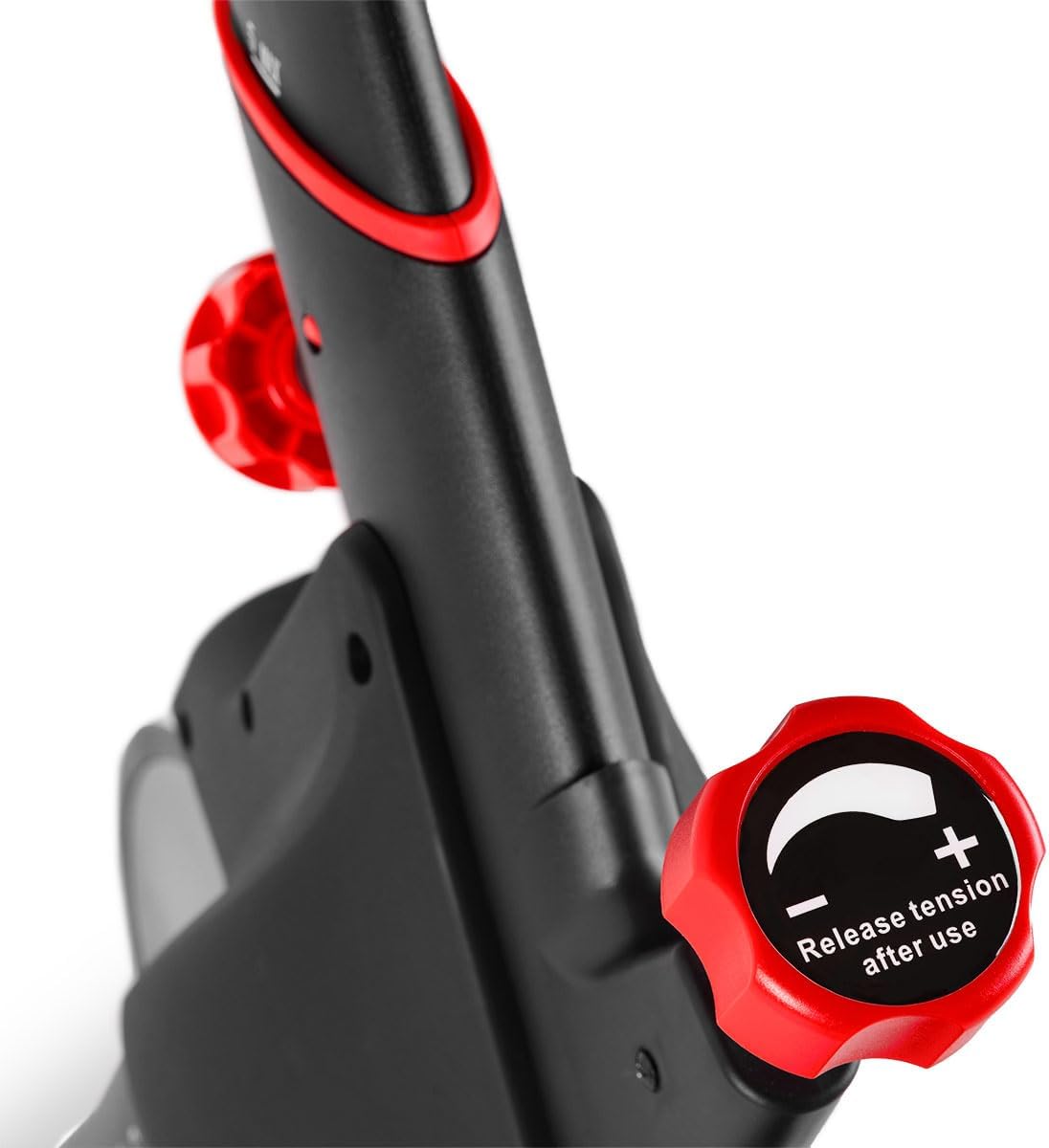
Beeld 3.2: 'n Nabyskoot view of the red resistance adjustment knob on the FITFIU BESP-22 Indoor Bike. The knob is clearly labeled with '+' and '-' indicators for increasing en dekreetasing tension, and instructions to release tension after use.
Die gebruik van die monitor
The integrated monitor displays various workout metrics. It is battery-powered.
- Funksies: The monitor typically displays Time, Speed, Distance, Calories, and Pulse (heart rate) via handlebar sensors.
- Operasie: Press the "MODE" button to cycle through display functions. Press "RESET" to clear current workout data.
- Hartslagmonitering: Place both hands firmly on the handlebar sensors to activate the pulse reading. Note that readings may vary and are for reference only.
- Battery: If the monitor is not functioning, check or replace the batteries (usually AAA).
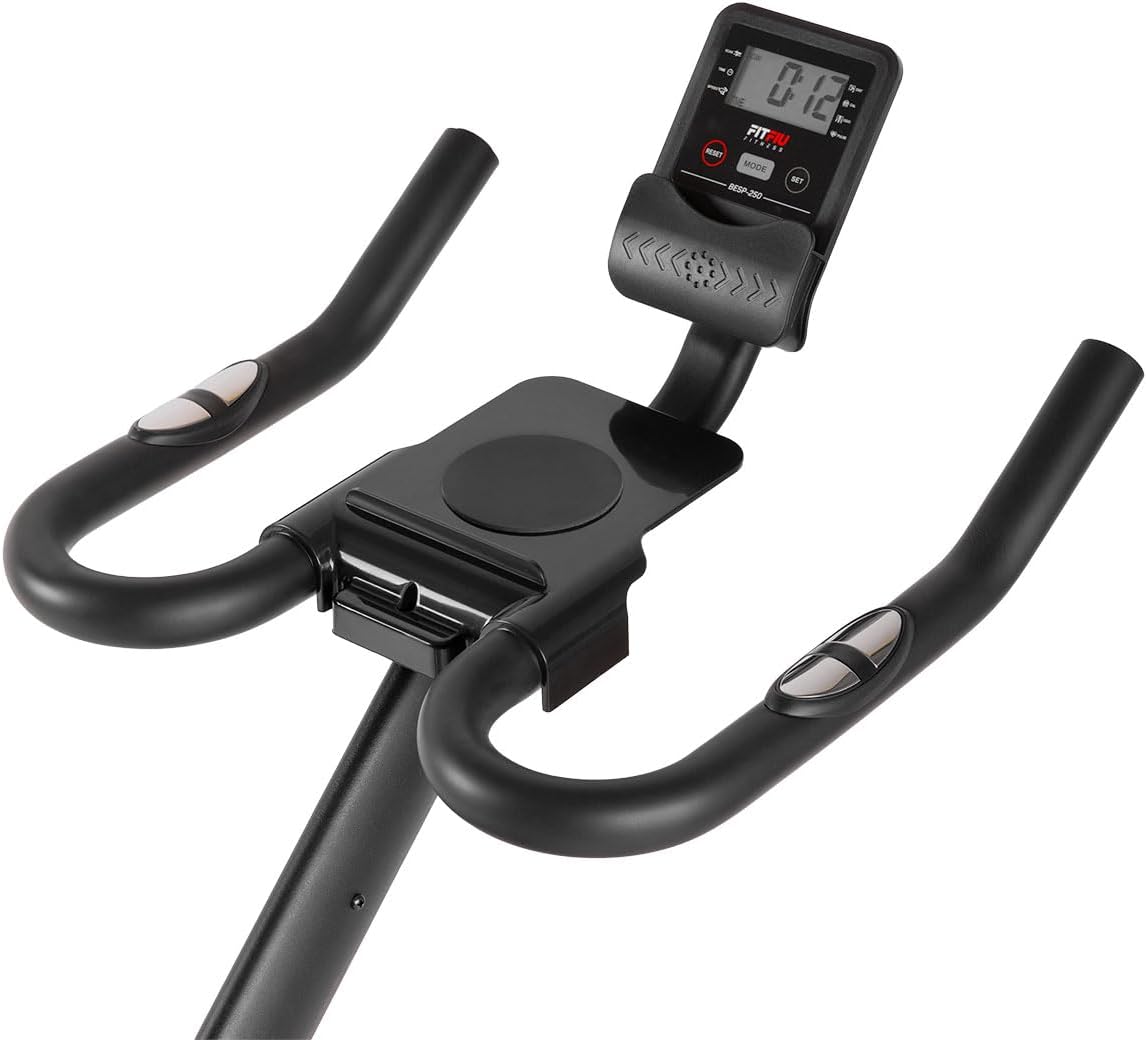
Beeld 3.3: 'n Nabyskoot view of the FITFIU BESP-22 Indoor Bike's monitor and handlebars. The digital display shows workout metrics, and the handlebars feature integrated pulse sensors and a tablet/phone holder.
Pedals with Toe Clips
The pedals are equipped with toe clips to secure your feet during exercise, providing better power transfer and safety.
- Adjust the straps to ensure a snug fit over your athletic shoes.
4. Onderhoud
Regular maintenance ensures the longevity and safe operation of your indoor bike.
Skoonmaak
- Vee die fiets af met advertensieamp lap na elke gebruik om sweet en stof te verwyder.
- Avoid using abrasive cleaners or solvents that could damage the finish or electronic components.
Inspeksies
- Weekliks: Check all bolts, nuts, and moving parts for tightness. Re-tighten if necessary.
- Maandeliks: Inspekteer die dryfband vir enige tekens van slytasie of skade.
- Periodiek: Check the friction pads for wear. If they become excessively worn, they may need replacement.
Smering
- Apply a small amount of silicone-based lubricant to the saddle and handlebar posts if they become difficult to adjust.
- The belt drive system is generally maintenance-free and does not require lubrication.
5. Probleemoplossing
This section addresses common issues you might encounter with your FITFIU BESP-22 Indoor Bike.
| Probleem | Moontlike oorsaak | Oplossing |
|---|---|---|
| Bike makes squeaking/creaking noises (e.g., from saddle). | Loose connections; friction between parts; new equipment settling. | Check and tighten all bolts and nuts, especially around the saddle post. Apply a small amount of silicone lubricant to contact points if noise persists. |
| Monitor is not displaying data or is blank. | Dooie batterye; los sensorverbinding. | Replace the batteries (typically AAA) in the monitor. Ensure all sensor cables are securely connected. |
| Resistance lever feels loose or detaches. | Internal mechanism issue; improper assembly. | Check the assembly of the resistance mechanism. If the issue persists, contact customer support. |
| Heart rate monitor not reading or inaccurate. | Improper hand placement; dry hands; sensor malfunction. | Ensure both hands are firmly and completely on the sensors. Lightly moisten hands if they are too dry. Note that integrated pulse sensors can be basic and may not provide medical-grade accuracy. |
| Pedals are difficult to turn or stuck. | Transport stoppers not removed; resistance too high; mechanical issue. | Ensure all transport stoppers have been removed from the flywheel. Reduce resistance. Check for any obstructions around the flywheel or pedals. |
6. Spesifikasies
| Kenmerk | Detail |
|---|---|
| Handelsmerk | Fitfiu Fitness |
| Model Naam | BESP-22 |
| Modelnommer | 1100007 |
| Vliegwielgewig | 24 kg |
| Weerstandmeganisme | Wrywing |
| Ry stelsel | Gordel |
| Maksimum gebruikersgewig | 120 kg |
| Produkafmetings (L x B x H) | 108 x 49 x 119 cm |
| Produk Gewig | 27 kg |
| Hoofmateriaal | Allooi staal |
| Kragbron (Monitor) | Battery aangedrewe |
| Spesiale kenmerke | Speedometer, Distance, Speed Monitor, Adjustable Saddle, Adjustable Seat (Fore/Aft), Heart Rate Monitor (integrated) |
| Aanbevole gebruik | Indoor Home Training |