
Inleiding
Dankie vir die aankoopasing the OttLite CY4009-FFP LED Desk LampHierdie handleiding verskaf belangrike inligting rakende die opstelling, werking, onderhoud en probleemoplossing van u nuwe lessenaar.ampLees asseblief hierdie instruksies sorgvuldig deur voor gebruik en bewaar dit vir toekomstige verwysing.
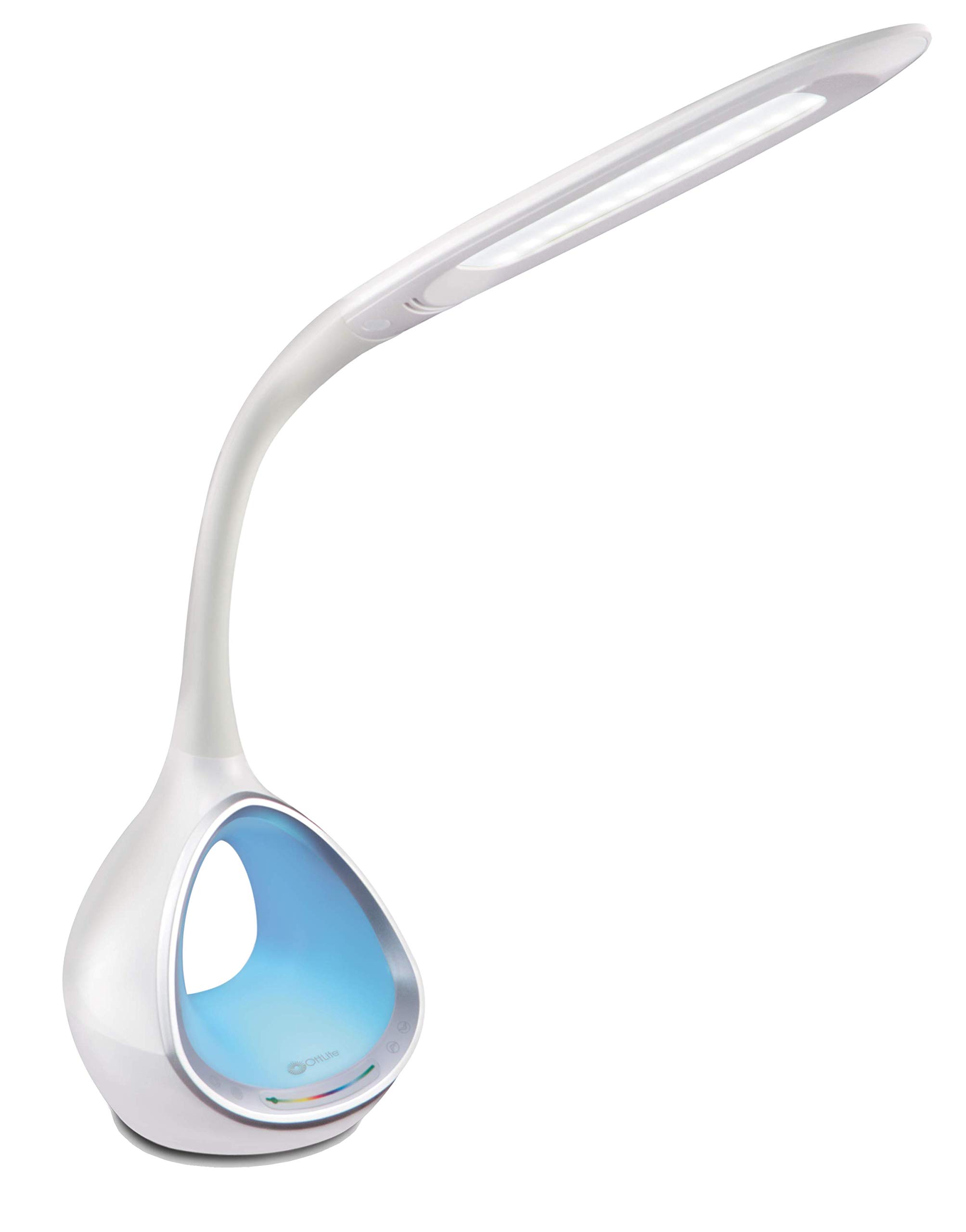
Image: The OttLite CY4009-FFP LED Desk Lamp, wysasing its sleek white design and flexible neck.
Veiligheidsinstruksies
Om veilige werking te verseker, neem asseblief die volgende voorsorgmaatreëls in ag:
- Moenie die lamp met 'n beskadigde koord of prop.
- Moenie die l verander nieamp of sy komponente.
- Hou die lamp away from water or other liquids. This product is not water resistant.
- Verseker die lamp word op 'n stabiele, plat oppervlak geplaas.
- Ontkoppel die lamp voor skoonmaak of enige instandhouding uitgevoer word.
- Hierdie lamp is slegs vir binnenshuise gebruik.
Pakketinhoud
Verifieer dat alle items in die pakket teenwoordig is:
- OttLite CY4009-FFP LED Desk Lamp
- AC/DC kragadapter
Produk verbyview
Familiarize yourself with the main components of your desk lamp:
- Buigsame nek: Allows adjustment of the light head position.
- LED Light Head: Provides natural daylight illumination with adjustable brightness and color temperature.
- Beheerpaneel: Touch-sensitive buttons for power, brightness, color temperature, and color-changing base.
- Color Changing Tunnel Base: Illuminates with a choice of colors or cycles through the spectrum.
- USB-laaipoort: Located on the side of the base for charging devices.

Image: The OttLite CY4009-FFP LED Desk Lamp illustrating its adjustable height (11.75 to 16 inches) and base diameter (4.375 inches).
Opstelling
- Verwyder die l versigtigamp en alle komponente uit die verpakking.
- Plaas die lamp op 'n stabiele, plat oppervlak.
- Connect the AC/DC power adapter to the power input port located at the back of the lamp basis.
- Steek die kragadapter in 'n standaard elektriese aansluiting.
- Die lamp is nou gereed vir operasie.
Bedryfsinstruksies
Hooflig werking

Beeld: Nabyskoot van die lamp base showing touch-activated controls for brightness and color settings.
- Krag aan/af: Raak die Kragknoppie on the control panel to turn the main light on or off.
- Pas Helderheid aan: Die lamp features 4 brightness settings. Repeatedly touch the Helderheid knoppie om deur die helderheidsvlakke te blaai.
- Verander kleurtemperatuur: Die lamp offers 3 color temperature modes. Repeatedly touch the Modusknoppie to switch between different light temperatures (e.g., warm white, bright white, cool white).

Image: Three different light outputs from the lamp head, demonstrating the warm, neutral, and cool color temperature settings.
Color Changing Tunnel Base Operation

Beeld: Vier eksamples of the lamp's base glowing in different colors: blue, red, purple, and green.
- Activate Color Base: Raak die Kleurknoppie on the control panel to turn on the color-changing base.
- Kies 'n kleur: Once activated, touch the color spectrum bar on the base to select a specific color.
- Sikluskleure: To have the base continuously cycle through the entire color spectrum, touch and hold the Kleurknoppie until the colors begin to transition automatically.
- Turn Off Color Base: Raak die Kleurknoppie again to turn off the color-changing base.
USB-laaipoort
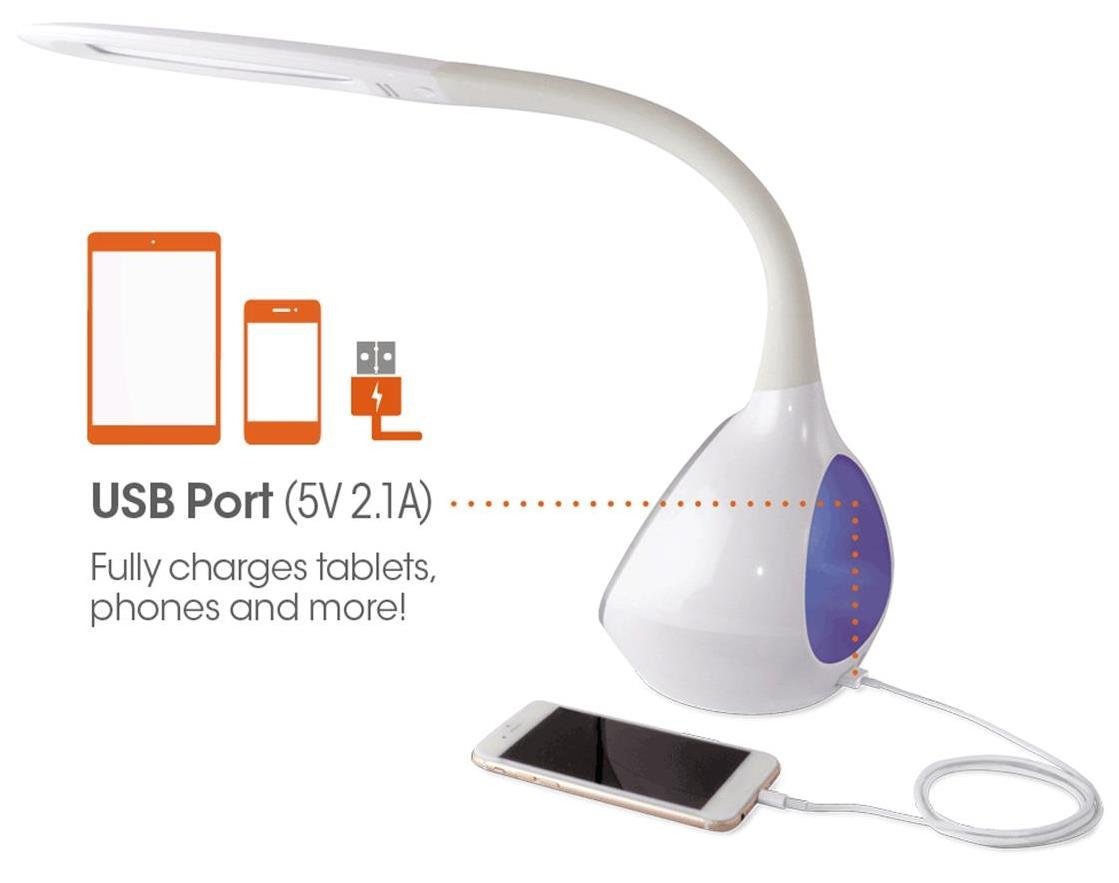
Beeld: Die lamp's base with a smartphone connected to the 5V 2.1A USB charging port, illustrating its charging capability for phones and tablets.
Die lamp includes a 5V, 2.1A USB charging port located on the side of the base. This port can be used to charge smartphones, tablets, and other USB-powered devices. Simply connect your device's USB charging cable to the port.
Onderhoud
- Skoonmaak: Verseker die lamp word ontkoppel voor skoonmaak. Gebruik 'n sagte, droë lap om die l af te veeamp. Moenie skuur skoonmaakmiddels of oplosmiddels gebruik nie.
- LEDs: The integrated LEDs are designed to last up to 40,000 hours and are not replaceable.
- Berging: As die lamp vir 'n lang tydperk, ontkoppel dit en bêre dit op 'n koel, droë plek.
Probleemoplossing
| Probleem | Moontlike oorsaak | Oplossing |
|---|---|---|
| Lamp skakel nie aan nie. | Kragadapter nie behoorlik gekoppel nie of geen krag uit die stopcontact nie. | Kontroleer of die kragadapter stewig in beide die l ingeprop is.amp and the wall outlet. Test the outlet with another device. |
| Main light works, but color-changing base does not. | Color button not activated. | Ensure the Color button on the control panel has been touched to activate the base light. |
| USB-laaipoort werk nie. | Toestel nie versoenbaar nie of kabel foutief. | Ensure your device is compatible with 5V, 2.1A charging. Try a different USB cable. |
| Raakkontroles reageer nie. | Temporary electrical interference or power issue. | Ontkoppel die lamp from the power outlet for 30 seconds, then plug it back in. |
Spesifikasies
| Modelnommer: | CY4009-FFP |
| Handelsmerk: | OttLite |
| Ligbrontipe: | LED |
| Wattage: | 10 Watt |
| Helderheidinstellings: | 4 (up to 500 lumens) |
| Kleurtemperature: | 3 |
| USB-poort uitset: | 5V, 2.1A |
| LED-leeftyd: | Tot 40,000 uur |
| Produkafmetings (LxBxH): | 24.1D x 7B x 29.8H Sentimeter |
| Item gewig: | 1.32 kg (2.91 lbs) |
| Kragbron: | Elektries met koord |
| Skakelaar tipe: | Raak |
| Kleur: | Wit |
| Waterweerstand: | Nie waterbestand nie |
| UPC: | 761712012346 |
Waarborg en Ondersteuning
For warranty information or technical support, please refer to the documentation provided with your purchase or visit the official OttLite webwebwerf. Bewaar u bewys van aankoop vir waarborgeise.
Vervaardiger: Environmental Lighting Concepts