
1. Inleiding
The DNP DS620A is a professional dye-sublimation photo printer designed for high-quality, rapid photo production. It is capable of producing up to 400 prints per hour, with a print speed of approximately 8.3 seconds for a 4x6 inch print. This printer supports various print formats, including 2x6 inch photobooth strips, 4x6 inch, 5x7 inch, and 6x8 inch enlargements. It also features a unique watermark option for the back of photos and produces prints with high gloss and vivid colors. The DS620A incorporates energy-saving features, including a standby mode, and is compatible with Hot Folder Print (HFP) Utility version 2.1 and mini photobook software. Mac users can utilize a specific driver for square photo prints (6x6 inch and 5x5 inch).
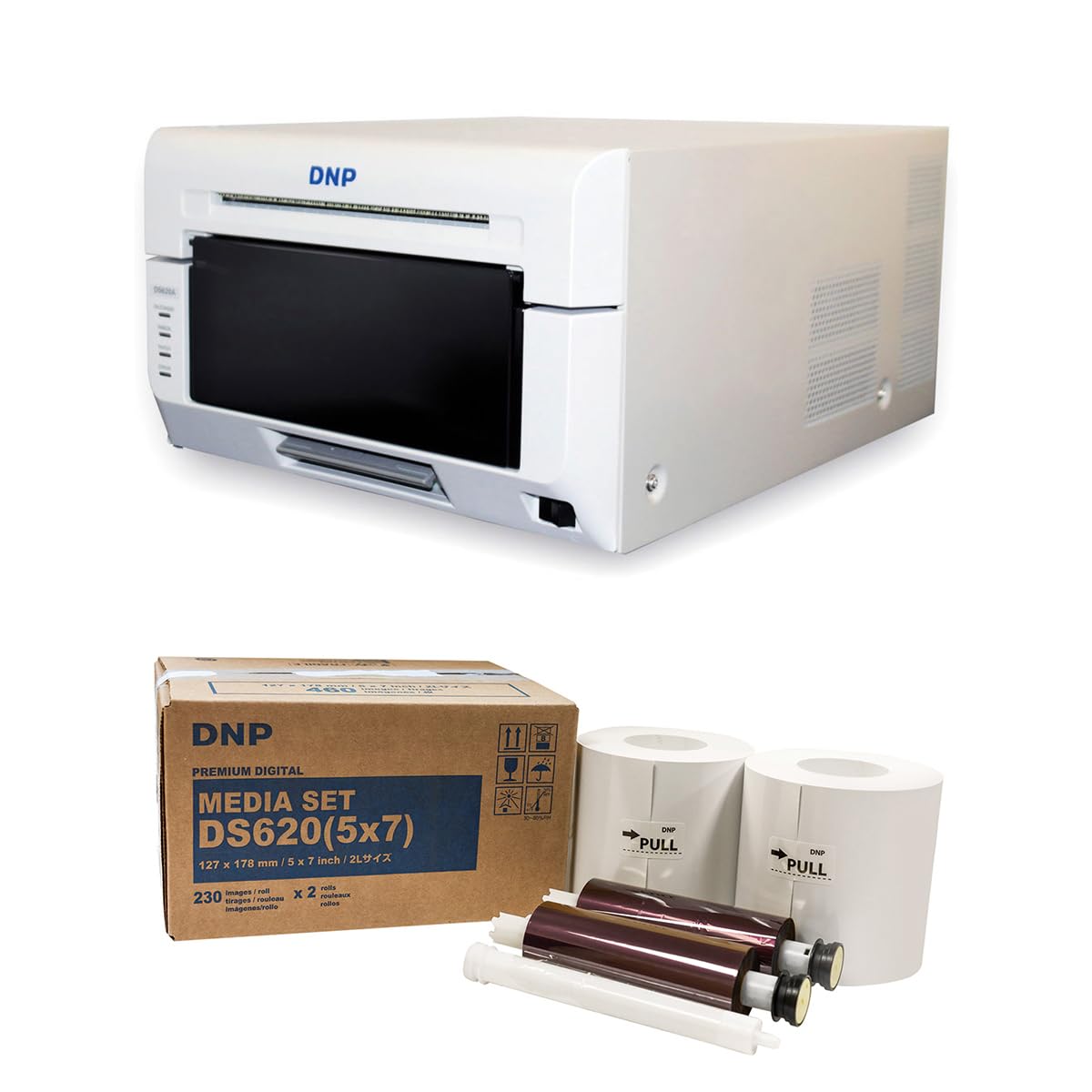
Beeld 1.1: Voorkant view of the DNP DS620A Professional Photo Printer. The printer is white with a black front panel where prints exit.
2. Pakketinhoud
Verifieer dat al die items wat hieronder gelys word, in jou pakket ingesluit is:
- DNP DS620A Printer Unit
- 4x6 inch Print Catcher
- 5x7 inch Spacer
- USB kabel
- Kragkoord
- Bestuurder-CD
- DNP 5x7 inch Dye Sub Media (for initial use)

Image 2.1: DNP 5x7 inch Dye Sub Media Set, including paper rolls and ribbon cartridges, packaged in a brown box.
3. Opstelling
3.1 Uitpak en plasing
- Verwyder die drukker en alle bykomstighede versigtig uit die verpakking.
- Place the printer on a stable, level surface with adequate ventilation. Ensure sufficient space around the printer for media loading and print output.
3.2 Aansluitkrag
- Koppel die kragkabel aan die drukker se kragtoevoer en dan aan 'n geaarde elektriese aansluiting.
- Do not power on the printer until all other connections are made.
3.3 Koppel aan 'n rekenaar
- Connect the provided USB cable from the printer to an available USB port on your computer.
3.4 Bestuurderinstallasie
- Insert the Driver CD into your computer's optical drive and follow the on-screen instructions to install the printer drivers.
- Alternatively, download the latest drivers from the official DNP website for your operating system.
- For Mac users, ensure you install the specific Mac driver to enable features like square photo prints.
3.5 Laai media
- Open the printer's front cover.
- Carefully load the DNP dye-sublimation paper roll and ribbon cartridge according to the instructions provided inside the printer or in the quick start guide.
- Ensure the media is correctly seated to prevent jams or print errors.
4. Bedryfsinstruksies
4.1 Aan- en afskakel
- To power on, press the power button located on the printer. The indicator light will illuminate.
- To power off, press and hold the power button until the printer shuts down.
4.2 Foto's druk
- Maak seker dat die drukker aangeskakel en aan jou rekenaar gekoppel is.
- Open the image you wish to print using your preferred photo editing or printing software.
- Select the DNP DS620A as your printer.
- In the printer settings, choose your desired print size (e.g., 4x6 inch, 5x7 inch, 6x8 inch, 2x6 inch strips).
- For square prints (6x6 inch or 5x5 inch), ensure you are using the appropriate media pack (6x8 inch for 6x6 inch, 5x7 inch for 5x5 inch) and that the Mac driver is correctly configured.
- Initiate the print command. The printer will process and output the photo.

Image 4.1: The DNP DS620A printer in operation, with a photo emerging from the output slot.
4.3 Gevorderde kenmerke
- Watermark Feature: The printer can apply a unique watermark to the back of your photos. Refer to the driver settings for configuration.
- Hot Folder Print (HFP) Utility: Utilize HFP Utility version 2.1 for multi-cut support for 4x6 inch and additional sizes.
- Mini Photobook Software: The printer supports the mini photobook software application for creative projects.
- Bystandmodus: The printer features a standby mode to reduce energy consumption when not actively printing.
5. Onderhoud
5.1 Maak die drukker skoon
- Maak die buitekant van die drukker gereeld skoon met 'n sagte, droë lap.
- Vermy die gebruik van skuur skoonmakers of oplosmiddels.
- Refer to the detailed cleaning instructions in the full manual for internal components.
5.2 Media Handling and Storage
- Store dye-sublimation media in a cool, dry place away from direct sunlight.
- Handle media by the edges to avoid fingerprints or damage to the printing surface.
- Replace media rolls and ribbon cartridges as instructed by the printer or when print quality degrades.
6. Probleemoplossing
This section provides general guidance for common issues. For detailed troubleshooting, consult the comprehensive DNP DS620A service manual or contact customer support.
6.1 Drukker reageer nie
- Maak seker dat die drukker aangeskakel is en dat die kragkabel stewig gekoppel is.
- Verify the USB cable is firmly connected to both the printer and the computer.
- Check the printer's status lights for any error indicators.
- Herbegin beide die drukker en die rekenaar.
6.2 Probleme met drukkwaliteit
- Ensure the correct media type is loaded and that it is not damaged or expired.
- Check for any dust or debris inside the printer that might affect print quality.
- Verify that the printer drivers are up to date.
- Perform a test print to diagnose specific quality issues.
6.3 Media Jams
- Skakel die drukker onmiddellik af.
- Carefully open the printer cover and remove any jammed media following the instructions in the full manual. Avoid tearing the paper.
- Ensure media is loaded correctly and not overfilled.
7. Spesifikasies
| Kenmerk | Spesifikasie |
|---|---|
| Handelsmerk | DNP |
| Model Naam | DS620A |
| Druk tegnologie | Kleurstof sublimasie |
| Verbindingstegnologie | USB |
| Drukker Uitset | Kleur |
| Maksimum drukspoed (kleur) | 1 ppm (approx. 8.3 seconds for 4x6") |
| Resolusie | 300 x 300 dpi |
| Ink Kleur | CMYK |
| Druk Media | Glansende fotopapier |
| Papiergroottes ondersteun | 3.5x5, 4x6, 5x7, 6x8, 8x10 inches (and multi-cut options like 2x6, 5x5, 6x6) |
| Maksimum velkapasiteit | 400 (4x6 inch prints per roll) |
| Item gewig | 37.65 pond |
| Spesiale kenmerk | Wireless (via optional accessory), Standby Mode |
| Tipe beheerder | iOS (via App) |
8. Waarborg en Ondersteuning
8.1 Waarborginligting
The DNP DS620A Professional Photo Printer typically includes a 3-jaar beperkte waarborg. This warranty covers defects in materials and workmanship under normal use. Please refer to the warranty card included with your product or visit the official DNP webwebwerf vir volledige bepalings en voorwaardes.

Image 8.1: The DNP DS620A printer alongside a badge indicating a 3-Year Advance Exchange Extended Warranty.
8.2 Kliëntediens
For technical assistance, troubleshooting beyond this manual, or warranty claims, please contact DNP customer support. Contact information can typically be found on the DNP official webwebwerf of in die dokumentasie wat saam met jou drukker ingesluit is.