
1. Inleiding
This manual provides detailed instructions for the setup, operation, and maintenance of your Cobra ACXT360 Water Resistant Walkie Talkies. These two-way radios are designed for reliable communication in various environments, featuring water resistance, multiple channels, and NOAA weather alerts.

Beeld: Voorkant view of a Cobra ACXT360 Walkie Talkie, displaying its screen and control buttons.
2. Pakketinhoud
Verifieer dat al die items wat hieronder gelys word, in jou pakket ingesluit is:
- 3 x Cobra ACXT360 Walkie Talkies
- 9 x AAA Rechargeable NiMH Batteries
- 3 x gordelklemme
- 1 x USB-Y Cable for charging
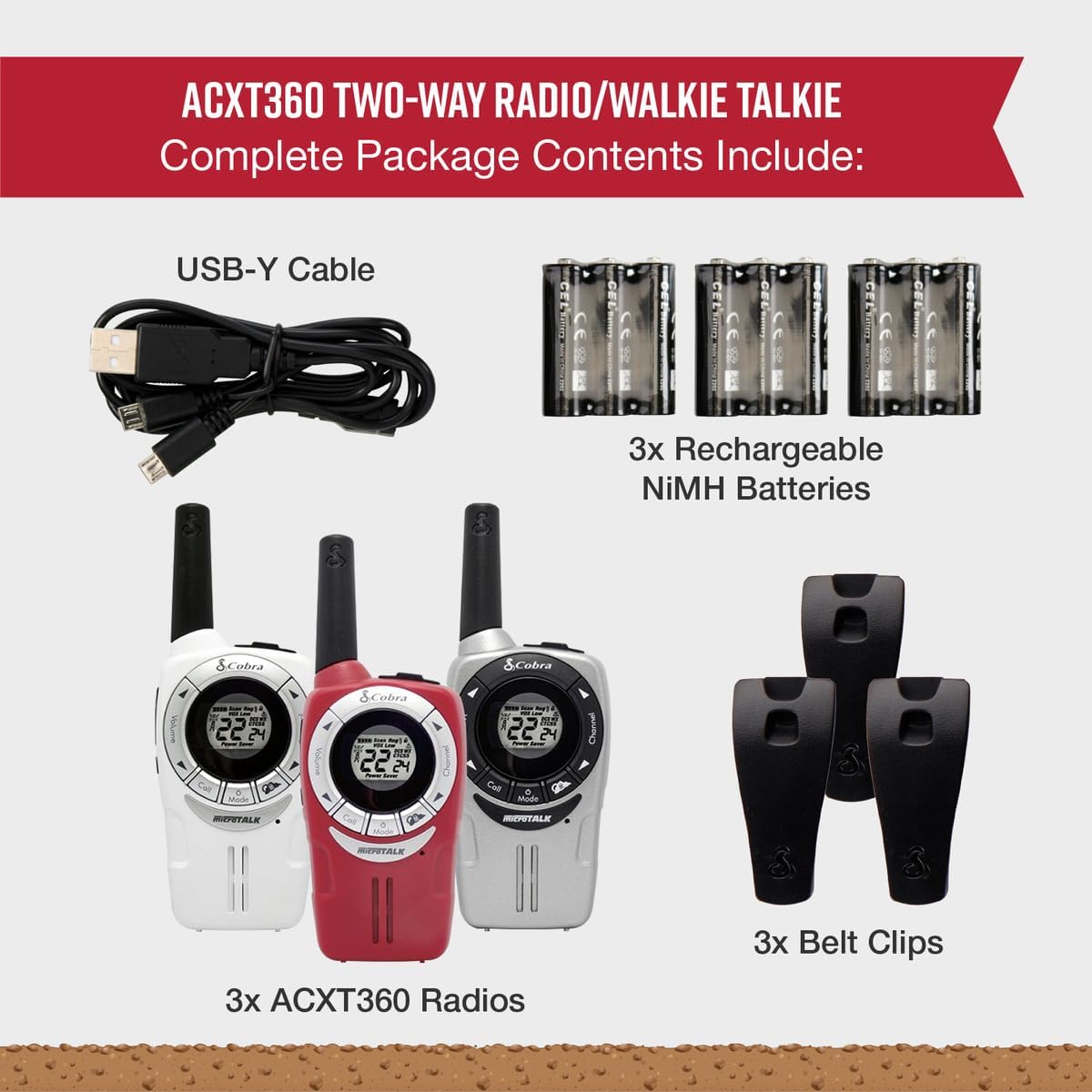
Image: A visual representation of the Cobra ACXT360 package contents, showing three radios, batteries, belt clips, and the charging cable.
3. Opstelling
3.1 Battery installasie
- Maak seker dat die radio afgeskakel is.
- Vind die batteryklep aan die agterkant van die radio.
- Press down on the latch and slide the cover off.
- Insert 3 AAA rechargeable NiMH batteries into each radio, observing the polarity markings (+/-).
- Plaas die batteryklepdeksel terug en maak seker dat dit stewig vasklik.
3.2 Laai die batterye
The included NiMH batteries are rechargeable. For optimal performance, fully charge the batteries before first use.
- Connect the USB-Y cable to the charging port on the radio.
- Connect the other end of the USB-Y cable to a compatible USB power source (e.g., computer USB port, USB wall adapter).
- The battery indicator on the radio display will show charging status.
- Charging time may vary. Disconnect the cable once charging is complete.
4. Bedryfsinstruksies
4.1 Krag aan/af
- Om aan te skakel: Druk en hou die Krag/spyskaart knoppie totdat die skerm aanskakel.
- Om af te skakel: Druk en hou die Krag/spyskaart knoppie totdat die skerm afskakel.
4.2 Volume-aanpassing
- Gebruik die Volume op en Volume af buttons (typically located on the side or front) to adjust the listening volume.
4.3 Kanaalkeuse
Your ACXT360 radios operate on 22 FRS/GMRS channels.
- Druk die Kanaal op or Kanaal af buttons to cycle through available channels.
- The selected channel number will be displayed on the screen.
4.4 Versend en Ontvangs
- Om te oordra: Druk en hou die Druk-om-te-praat (PTT) button. Speak clearly into the microphone. Release the PTT button to stop transmitting.
- To receive: Ensure the PTT button is not pressed. The radio will automatically receive transmissions on the selected channel.
4.5 Privaatheidskodes (CTCSS/DCS)
The radios support 121 privacy codes (38 CTCSS and 83 DCS) to help reduce interference from other users on the same channel.
- To set a privacy code: With the radio on, press the Spyskaart button until the privacy code setting flashes. Use the Kanaal op/af knoppies om 'n kode te kies. Druk Spyskaart weer om te bevestig.
- Beide radio's moet op dieselfde kanaal en privaatheidskode ingestel wees om te kommunikeer.
4.6 VOX (Voice-Activated Transmission)
VOX allows for hands-free operation, transmitting automatically when you speak.
- To enable/disable VOX: Press the Spyskaart button until the VOX icon flashes. Use the Kanaal op/af buttons to select a VOX sensitivity level (1-5) or turn it off. Press Spyskaart te bevestig.
4.7 Oproeptone
You can select from 5 different call tones to alert other users.
- To select a call tone: Press the Spyskaart button until the call tone setting flashes. Use the Kanaal op/af knoppies om voorafview and select a tone. Press Spyskaart te bevestig.
- To send a call tone: Briefly press the Bel knoppie.
4.8 NOAA-weerkanale
Access 24/7 NOAA weather channels for alerts and updates.
- To access NOAA channels: Refer to your radio's specific menu options for weather channel access. This is typically a dedicated button or a menu option.
4.9 Kanaalskandering
The scan feature allows you to automatically scan all 22 channels for activity.
- Om skandering te aktiveer: Druk die Skandeer button (often labeled 'S' or integrated with another button). The radio will scan channels until activity is detected.
- Om skandering te stop: Druk die Skandeer button again or the PTT button.
5. Kenmerke verbyview
The Cobra ACXT360 radios offer several features for enhanced communication:
- Weather-Resistant (IPX2): Designed to withstand light splashes and rain, ensuring reliable operation in various outdoor conditions.
- 22 Kanale en 121 Privaatheidskodes: Verskaf ample communication options and helps minimize interference.
- NOAA Weerwaarskuwings: Keeps you informed of changing weather conditions.
- VOX Transmission: Maak handvrye kommunikasie moontlik.
- Aanpasbare oproeptone: Allows for distinct alerts from different callers.
- Kanaalskandering: Vind vinnig aktiewe kanale.
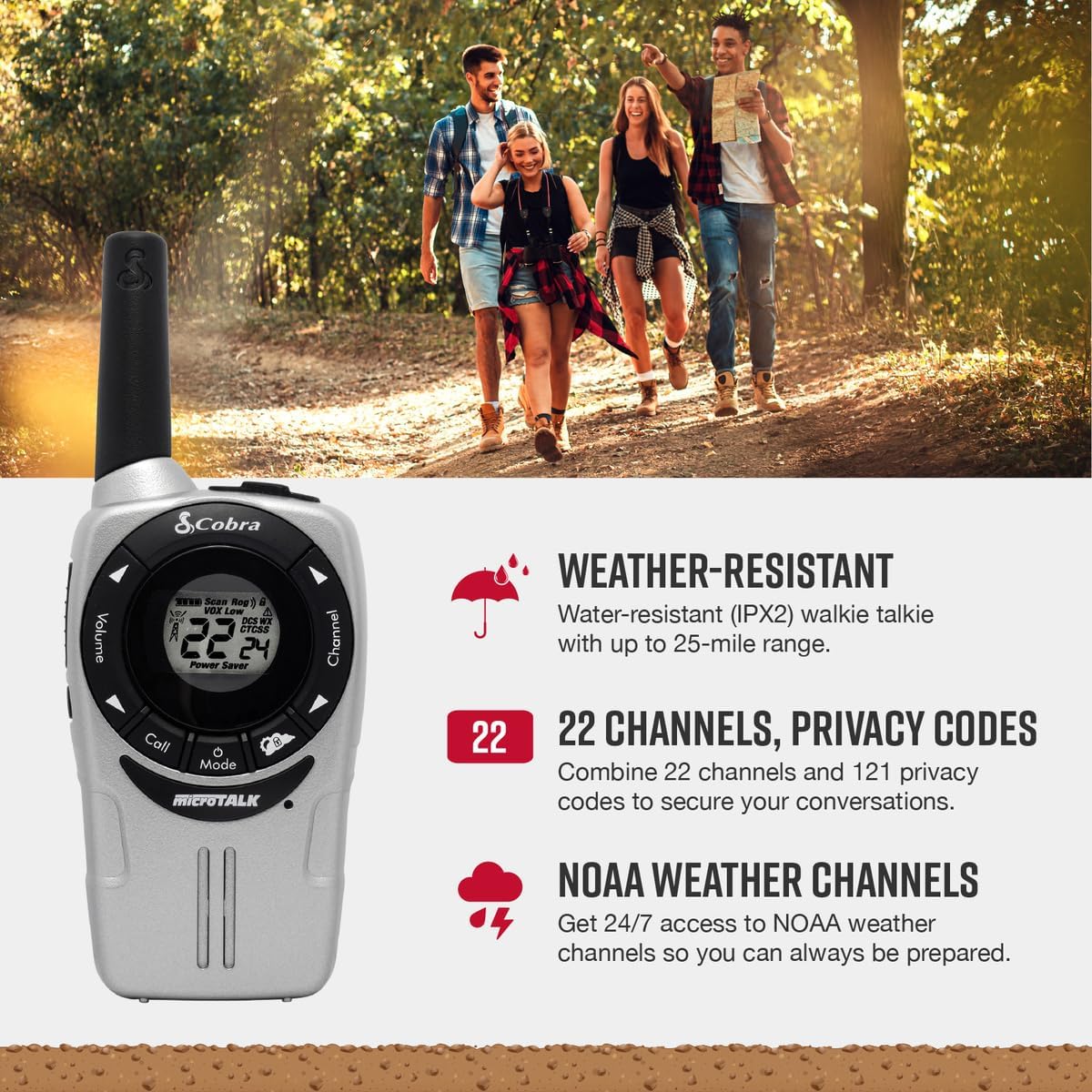
Image: A Cobra ACXT360 radio with icons indicating weather resistance, 22 channels, and NOAA weather alerts.

Image: A Cobra ACXT360 radio with icons indicating VOX transmission, call tones, and channel scan features.
5.1 Understanding Range
The maximum range of a walkie talkie is tested under ideal conditions, such as flat, open terrain with a clear line of sight and no obstructions. The actual usable range can be significantly affected by environmental factors.
- Maksimum reikwydte: Achieved in optimal conditions with no obstructions.
- Usable Range: Influenced by weather, landscape (hills, valleys), radio signals, elevation, and physical obstructions like trees, foliage, buildings, and mountains.

Image: An illustration explaining the difference between maximum theoretical range and actual usable range for walkie talkies, listing influencing factors.
6. Onderhoud
6.1 Algemene sorg
- Avoid exposing the radios to extreme temperatures, direct sunlight for prolonged periods, or excessive moisture beyond their IPX2 rating.
- Do not drop or subject the radios to severe impacts.
6.2 Skoonmaak
- Vee die radio se oppervlaktes af met 'n sagte, damp lap. Moenie skuur skoonmaakmiddels of oplosmiddels gebruik nie.
- Maak seker dat die laaipoort skoon en vry van puin is.
6.3 Batterysorg
- Use only the specified AAA rechargeable NiMH batteries.
- If storing the radios for an extended period, remove the batteries to prevent leakage.
- Gooi ou batterye weg volgens plaaslike regulasies.
7. Probleemoplossing
| Probleem | Moontlike Oplossing |
|---|---|
| Radio skakel nie aan nie. | Check battery installation and ensure batteries are charged. Replace batteries if necessary. |
| Kan nie oordra of ontvang nie. | Ensure both radios are on the same channel and privacy code. Check battery level. Verify PTT button is functioning. |
| Swak klankgehalte of statiese klank. | Move closer to the other radio. Check for obstructions. Adjust volume. Ensure antenna is not obstructed. |
| Beperkte reeks. | Range is affected by terrain, weather, and obstructions. Try moving to a higher or more open area. |
| VOX aktiveer nie. | Adjust VOX sensitivity level in the menu. Speak louder or closer to the microphone. |
8. Spesifikasies
| Kenmerk | Detail |
|---|---|
| Modelnommer | ACXT360 |
| Produk afmetings | 1.25 x 2 x 5 duim (3.18 x 5.08 x 12.7 cm) |
| Item gewig | 3.76 onse (106.6 gram) |
| Batterye | 6 AAA NiMH rechargeable batteries (3 per radio) |
| Aantal kanale | 22 FRS/GMRS-kanale |
| Privaatheidskodes | 121 (38 CTCSS, 83 DCS) |
| Frekwensiereeks | 400-512 MHz (estimated) |
| Maksimum praatbereik | Up to 25 Miles (under ideal conditions) |
| Waterweerstandvlak | IPX2 (Waterbestand) |
| Spesiale kenmerke | Battery Strength Indicator, Dust Proof, Long Range, Rechargeable |
9. Waarborginligting
Cobra products are designed and manufactured to high standards. For specific warranty details, including coverage period and terms, please refer to the warranty card included with your product or visit the official Cobra webwebwerf. Bewaar u bewys van aankoop vir waarborgeise.
10. Ondersteuning
If you encounter any issues or have questions not covered in this manual, please refer to the following resources:
- Aanlyn ondersteuning: Visit the official Cobra website for FAQs, product registration, and additional support documentation.
- Kliëntediens: Contact Cobra customer service directly for technical assistance. Contact information can typically be found on the manufacturer's webwebwerf of produkverpakking.