
1. Inleiding
This manual provides comprehensive instructions for the safe installation, operation, and maintenance of your Broan-NuTone A70L Ventilation Fan with Light. This unit is designed to effectively remove moisture and odors from bathrooms up to 65 sq. ft., ensuring a comfortable and healthy indoor environment. Please read all instructions carefully before beginning installation or operation.

Figure 1: Broan-NuTone A70L Ventilation Fan with Light
2. Veiligheidsinligting
WAARSKUWING: Om die risiko van brand, elektriese skok of besering van persone te verminder, let op die volgende:
- Gebruik hierdie eenheid slegs op die wyse wat deur die vervaardiger bedoel is. As jy vrae het, kontak die vervaardiger.
- Voordat u die eenheid versien of skoonmaak, skakel krag by dienspaneel af en sluit die diensontkoppelmiddel om te verhoed dat krag per ongeluk aangeskakel word. Wanneer die diensontkoppelmiddel nie gesluit kan word nie, maak 'n prominente waarskuwingstoestel, soos a tag, na die dienspaneel.
- Installasiewerk en elektriese bedrading moet deur gekwalifiseerde persoon(e) gedoen word in ooreenstemming met alle toepaslike kodes en standaarde, insluitend brandgegradeerde konstruksiekodes en -standaarde.
- Voldoende lug is nodig vir behoorlike verbranding en uitlaat van gasse deur die skoorsteen van brandstofverbrandingstoerusting om terugslag te voorkom. Volg die vervaardiger van die verwarmingstoerusting se riglyne en veiligheidsstandaarde soos dié wat gepubliseer is deur die National Fire Protection Association (NFPA), die American Society for Heating, Refrigeration and Air Conditioning Engineers (ASHRAE), en die plaaslike kode-owerhede.
- Wanneer jy in muur of plafon sny of boor, moenie elektriese bedrading en ander versteekte hulpmiddels beskadig nie.
- Kanaalwaaiers moet altyd na die buitelug geventileer word.
- This unit is UL Listed for use over bathtubs and showers with a GFCI circuit.
3. Pakketinhoud
Verifieer dat alle komponente teenwoordig is voordat u met die installasie begin:
- Ventilation Fan Housing
- Grille with Light Assembly
- Duct Connector (4-inch polymeric)
- Installasiehardeware (skroewe, draadmoere)
- Instruksie Handleiding

Figure 2: Internal components of the fan unit
4. Spesifikasies
| Kenmerk | Spesifikasie |
|---|---|
| Modelnommer | A70L |
| Lugvloeikapasiteit | 70 kubieke voet per minuut (CFM) |
| Geraasvlak | 2.0 Sone |
| Kamergrootte (Maksimum) | 65 vk. vt. |
| Ligte tipe | 100-Watt max. incandescent A19 type bulb or energy efficient equivalent (bulb not included) |
| Voltage | 120 V |
| Wattage | 42.3 watt |
| Produk Afmetings (D x B x H) | 5.75" D x 10" B x 9.25" H |
| Montage tipe | Plafon Mount |
| Materiaal | Alloy Steel (housing), Plastic (blade) |
| Sertifisering | Energy Star, UL gelys |

Figure 3: Product dimensions and components
5. Installasie
The Broan-NuTone A70L fan is designed for versatile installation, accommodating both new construction and room-side retrofit applications. Always ensure power is disconnected before installation.
5.1. New Construction Installation
- Position the fan housing between ceiling joists.
- Utilize the fold-out mounting ears to secure the housing directly to the ceiling structure using appropriate fasteners.
- Connect the 4-inch ductwork to the polymeric duct connector.
- Complete electrical wiring according to local codes.
5.2. Room-Side Retrofit Installation
This fan features room-side installation, eliminating the need for attic access.
- Carefully cut an opening in the ceiling to accommodate the fan housing.
- Fold back the mounting ears on the fan housing.
- Slide the fan housing into the ceiling opening.
- Secure the housing to the ceiling structure through the housing walls using screws.
- Attach the 4-inch duct connector and connect the ductwork from the room side. The TrueSeal damper technology helps reduce air leakage.
- Perform electrical connections.
Video 1: Broan Flex Installation Guide. This video demonstrates the installation process for Broan Flex series fans, including both new construction and room-side retrofit methods, highlighting the flexible mounting options and duct connector features.
5.3. Finale Vergadering
- Install a 100-watt maximum incandescent A19 type bulb or energy-efficient equivalent (M.O.L. of 4.4" or less) into the light socket.
- Attach the grille with light assembly to the fan housing.
- Herstel die kragtoevoer en toets die waaier- en ligfunksies.
6. Bedryfsinstruksies
The Broan-NuTone A70L operates with a simple button control switch (not included). It features a single speed for ventilation.
- Ventilator werking: Activate the fan by pressing the designated switch. The fan will begin to exhaust air from the room.
- Ligte werking: Activate the light by pressing its designated switch. The light provides illumination for the bathroom area.
- For optimal moisture removal, operate the fan during and after showering or bathing until excess humidity is cleared from the room.
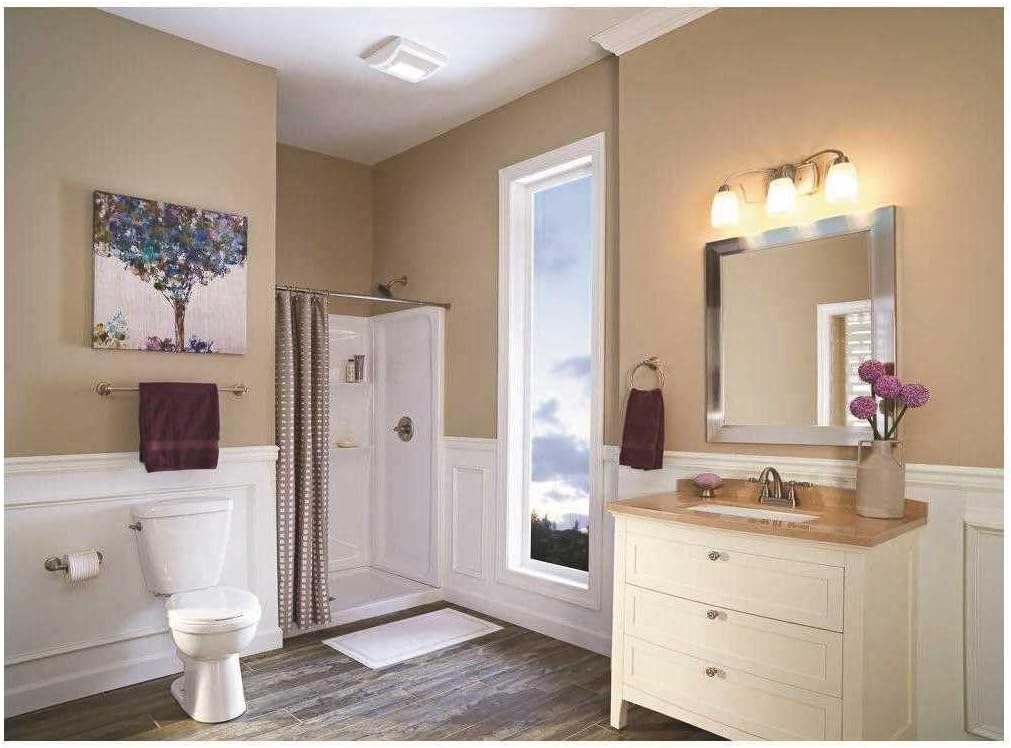
Figure 4: Broan-NuTone A70L installed in a bathroom
7. Onderhoud
Regular maintenance ensures optimal performance and longevity of your ventilation fan. Always disconnect power before performing any maintenance.
7.1. Cleaning the Grille
- Skakel krag by die dienspaneel af.
- Trek die rooster liggies af om dit van die behuising los te maak.
- Wash the grille in warm, soapy water. Rinse thoroughly and dry completely before reattaching.
- Wipe the fan housing clean with a damp lap.
7.2. Replacing the Light Bulb
- Skakel krag by die dienspaneel af.
- Verwyder die rooster.
- Carefully unscrew the old bulb and replace it with a new 100-watt maximum incandescent A19 type bulb or energy-efficient equivalent (M.O.L. of 4.4" or less).
- Bevestig die rooster weer en herstel die krag.
8. Probleemoplossing
If your fan is not operating correctly, consult the following table for common issues and solutions:
| Probleem | Moontlike oorsaak | Oplossing |
|---|---|---|
| Waaier werk nie | No power to the unit; tripped circuit breaker; loose wiring connection. | Kontroleer kragtoevoer; herstel stroombreker; verifieer bedradingsverbindings. |
| Lig gaan nie aan nie | Burned out bulb; loose wiring connection to light. | Replace bulb; check light wiring. |
| Oormatige geraas | Loose mounting screws; debris in fan blade; motor issue. | Tighten mounting screws; clean fan blade; contact support if motor issue persists. |
| Swak ventilasie | Blocked ductwork; dirty grille; fan undersized for room. | Check and clear ductwork; clean grille; ensure fan CFM matches room size requirements. |
9. Waarborg en Ondersteuning
This Broan-NuTone A70L Ventilation Fan with Light comes with a 1-jaar beperkte waarborg vanaf die aankoopdatum. Hierdie waarborg dek defekte in materiaal en vakmanskap onder normale gebruik.
For warranty claims, technical assistance, or to purchase replacement parts, please contact Broan-NuTone customer support. Keep your proof of purchase for warranty validation.
Vervaardiger: Broan-NuTone
Webwebwerf: www.broan-nutone.com
Vir bykomende inligting en hulpbronne, kan u die Broan-NuTone Winkel op Amazon.