
Inleiding
The Master Lock LFW082FTC electronic combination safe is engineered to safeguard your valuable documents, digital media, and other cherished items such as jewelry, cash, and external hard drives from fire, flood, and theft. Constructed from durable steel and certified by UL/ETL, this safe offers robust protection. It provides 60 minutes of fire resistance at temperatures up to 927 °C (1700 °F) and is water-resistant against flooding. The safe's design incorporates advanced security features to deter forced entry, including three 2.5 cm (1 inch) diameter steel locking bolts and a pry-resistant hinge. Access is managed via a programmable electronic combination lock with a backlit numeric keypad (requires 4 AAA batteries, not included). For convenience, it includes interior lighting, an adjustable shelf, and a door organizer with key hooks. A kit for floor mounting is supplied, though it is important to note that floor mounting will compromise the safe's water resistance. In the event of fire damage, Master Lock offers a lifetime fire replacement guarantee. Additionally, the product is covered by a 2-year warranty against material and manufacturing defects.

Image: The Master Lock LFW082FTC safe, closed, highlighting its secure and compact design.
Opstelling
1. Uitpak
- Verwyder die kluis versigtig uit sy verpakking.
- Ensure all packing materials are removed from inside and outside the safe.
- Verify that all included components (safe, adjustable shelf, floor mounting kit) are present.
2. Battery Installasie
- Locate the battery compartment, typically found on the inside of the safe door or behind the keypad.
- Maak die batteryvakdeksel oop.
- Insert 4 new AAA alkaline batteries (not included), ensuring correct polarity (+/-).
- Maak die batterykompartement se deksel stewig toe.
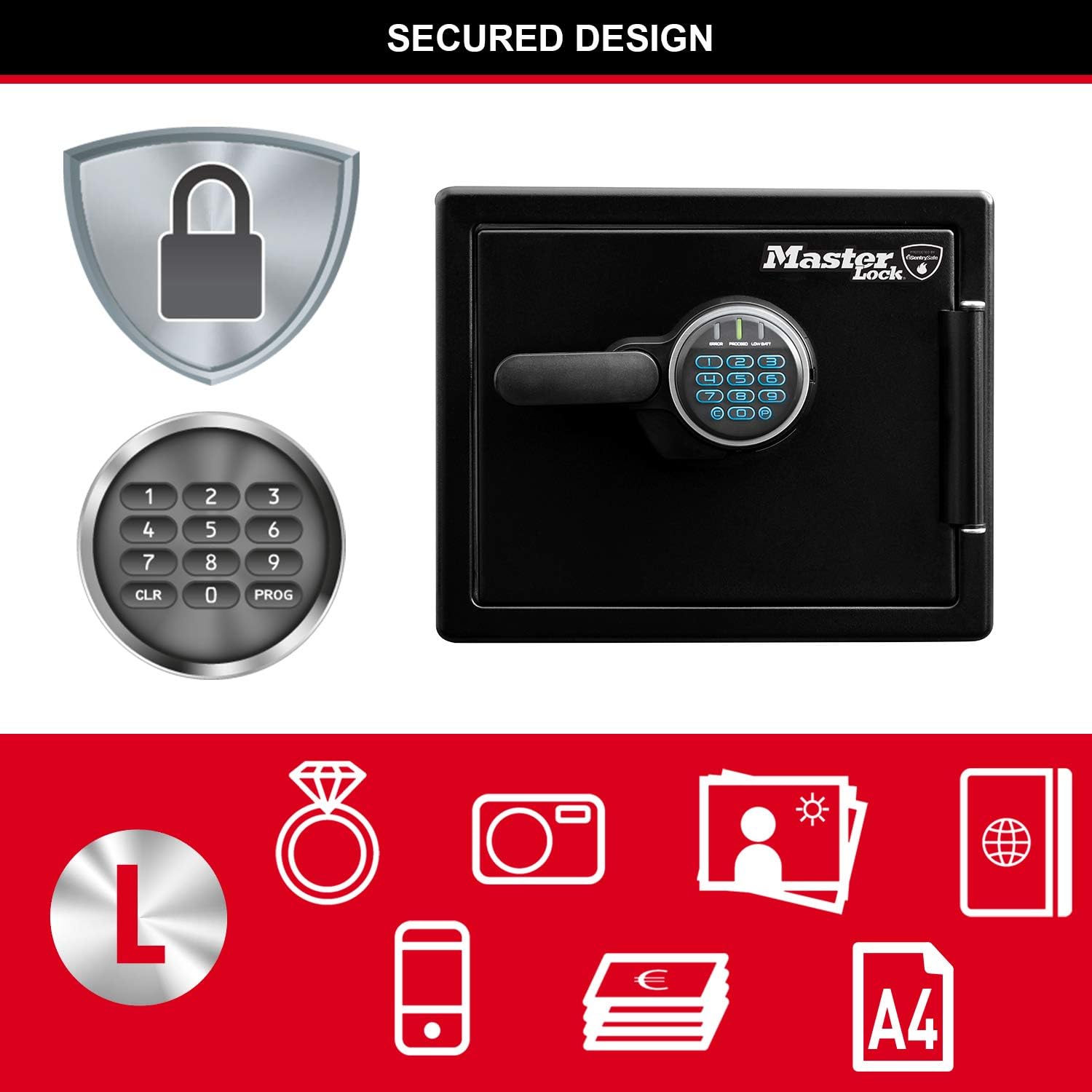
Beeld: 'n Nabyskoot view of the electronic keypad and handle, indicating the area for battery access.
3. Aanvanklike Kode-instelling
- With the door open, press the 'Program' button located inside the safe.
- Enter your desired new 4-8 digit combination on the keypad.
- Press the 'Program' button again to confirm.
- Test the new combination with the door open before closing it.
4. Adjusting the Interior Shelf
- The safe includes an adjustable shelf for organizing contents.
- To reposition, gently lift the shelf and slide it out of its current supports.
- Place the shelf into the desired set of support grooves.

Image: The interior of the safe showing the adjustable shelf and internal storage options.
5. Floor Mounting (Optional)
- A floor mounting kit is provided to secure the safe to the floor for added theft deterrence.
- Follow the instructions included with the mounting kit for proper installation.
- Belangrike waarskuwing: Securing the safe to the floor will compromise its water resistance. If water resistance is critical, do not floor mount the safe.
Bedryfsinstruksies
1. Die kluis oopmaak
- Enter your programmed 4-8 digit combination on the electronic keypad.
- The keypad will illuminate, and a confirmation tone will sound if the code is correct.
- Within 5 seconds, turn the handle clockwise to open the door.
2. Die kluis toemaak en sluit
- Maak die kluisdeur stewig toe.
- Turn the handle counter-clockwise to the locked position.
- The electronic locking mechanism will automatically engage, securing the safe.
3. Changing the Combination
- With the safe door open, press the 'Program' button located inside the safe.
- Enter your current 4-8 digit combination.
- Press the 'Program' button again.
- Enter your new 4-8 digit combination.
- Press the 'Program' button one last time to confirm the new code.
- Test the new combination several times with the door open before closing it.
4. Using the Interior Light
- The safe is equipped with an interior light that automatically illuminates when the door is opened, providing visibility to your contents.
Onderhoud
1. Battery vervanging
- Replace the AAA batteries when the low battery indicator appears on the keypad or if the keypad becomes unresponsive.
- Always use new, high-quality alkaline batteries for optimal performance.
2. Skoonmaak
- Vee die buitekant van die kluis af met 'n sagte, damp lap.
- Vermy die gebruik van skuurmiddels of oplosmiddels, aangesien dit die afwerking kan beskadig.
3. Gereelde tjeks
- Periodically inspect the door seal for any signs of damage or wear to ensure continued water resistance.
- Ensure the locking bolts move freely and are not obstructed.
Probleemoplossing
Safe Will Not Open
- Dead Batteries: Vervang al 4 AAA-batterye met nuwes.
- Incorrect Code: Ensure you are entering the correct 4-8 digit combination. Double-check for any stuck keys or incorrect button presses.
- Forgotten Code: If you have forgotten your combination, you may need to use the emergency override key (if provided with your model) or contact Master Lock customer support for assistance.
Keypad Unresponsive
- Low/Dead Batteries: Vervang die batterye.
- Loose Battery Connection: Ensure the batteries are correctly seated in their compartment and the cover is secure.
Door Will Not Close/Lock
- Obstruksie: Check for any items inside the safe or around the door frame that might be preventing the door from closing completely.
- Bolts Extended: Ensure the locking bolts are fully retracted before attempting to close the door.
Spesifikasies
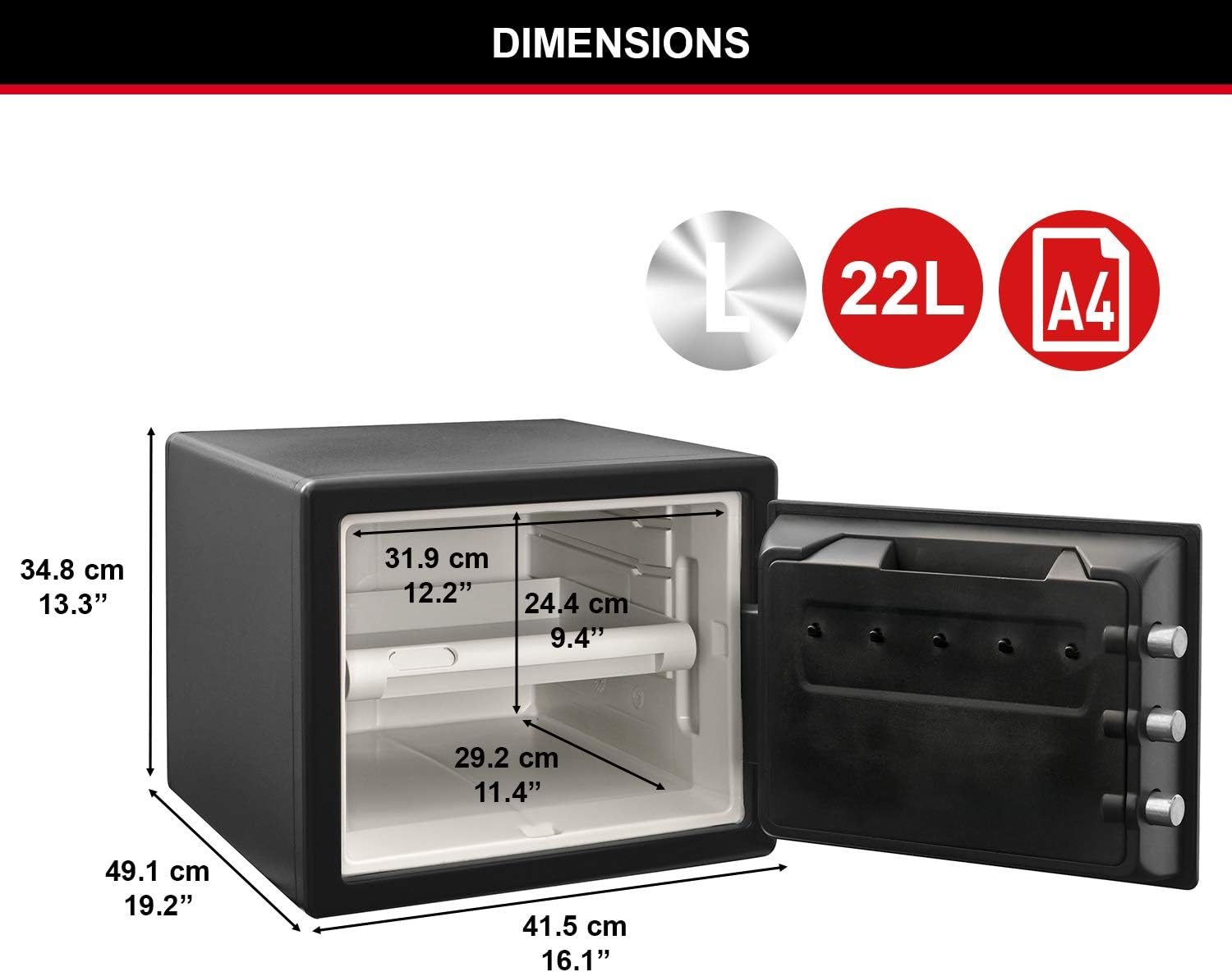
Image: Detailed diagram illustrating the external and internal dimensions of the safe.
- Vervaardiger:
- Meesterslot
- Modelnommer:
- LFW082FTC
- Kapasiteit:
- 22 liter
- Exterior Dimensions (H x W x D):
- 34.8 cm x 41.5 cm x 49.1 cm (13.7 duim x 16.3 duim x 19.3 duim)
- Interior Dimensions (H x W x D):
- 24.4 cm x 31.9 cm x 29.2 cm (9.6 duim x 12.6 duim x 11.5 duim)
- Gewig:
- 34.46 kg (76 lbs)
- Materiaal:
- Allooi staal
- Slot tipe:
- Electronic Combination, Key
- Batterye benodig:
- 4 AAA (nie ingesluit nie)
- Brandweerstand:
- UL Classified for 1 hour at 927 °C (1700 °F)
- Impak weerstand:
- ETL Verified to withstand a 4.5-meter (15 ft) drop during fire and remain closed.
- Waterweerstand:
- ETL Verified for water submersion up to 12 cm (5 in) for 24 hours (when not floor mounted).
- Sekuriteitskenmerke:
- Three 2.5 cm (1 inch) steel locking bolts, pry-resistant hinge bar.
- Interne kenmerke:
- Adjustable shelf, door storage compartment, key hooks, interior lighting.

Image: Certifications for fire resistance, including UL and ETL, highlighting the safe's protective capabilities.

Image: Certifications for water resistance, including ETL, with a visual showing the safe's ability to withstand water.
Waarborg inligting
Lewenslange brandvervangingswaarborg
Master Lock offers a lifetime fire replacement guarantee. In the unfortunate event that your Master Lock safe is damaged by fire, the company will replace your product with a new one of the same model.
2-jaar beperkte waarborg
This product is covered by a 2-year limited warranty against defects in material and workmanship from the date of purchase. Please retain your proof of purchase for warranty claims.
Ondersteuning
For further assistance, technical support, or warranty claims, please contact Master Lock Customer Service. You can find contact information and additional resources on the official Master Lock webwebwerf: www.masterlock.com.