
1. Inleiding
The Elgato HD60 Pro is an internal PCIe capture card designed for high-quality gameplay capture and streaming. This device allows users to record and stream console gameplay in 1080p resolution at 60 frames per second (1080p60) with ultra-low-latency passthrough. It integrates directly into your PC, providing a dedicated hardware encoder for efficient performance.
2. Sleutel kenmerke
- 1080p60 Capture: Share your gameplay in superb viewing kwaliteit.
- True Passthrough: Play your console games with zero lag.
- Instant Gameview: Power your workflow with ultra-low-latency technology.
- Unlimited Capture: Rekordure se kostage directly to your hard drive.
- Flashback Recording: Slide back in time to save epic moments retroactively.

Image: The Elgato HD60 Pro highlights its 1080p60 capture capability, enabling high-quality recording and streaming.
3. Opstelgids
3.1. Fisiese installasie
- Berei jou rekenaar voor: Skakel jou rekenaar af en ontkoppel alle kabels. Maak jou rekenaar se kas oop.
- Locate a PCIe slot: Find an available PCIe x1 slot on your motherboard.
- Insert the HD60 Pro: Carefully align the HD60 Pro card with the PCIe slot and firmly press it down until it is securely seated.
- Beveilig die kaart: Use a screw to fasten the HD60 Pro bracket to your PC case.
- Close PC case: Reattach your PC case cover and reconnect all cables.

Image: The Elgato HD60 Pro PCIe Capture Card, ready for installation into a computer's motherboard.

Image: A hand carefully inserting the Elgato HD60 Pro into an available PCIe slot on a motherboard.
3.2. Sagteware-installasie
- Laai sagteware af: Visit the official Elgato website (elgato.com/download) to download the latest Elgato Game Capture HD software and drivers for your operating system (Windows or macOS).
- Installeer sagteware: Volg die instruksies op die skerm om die sagteware te installeer.
- Alternative Software: The HD60 Pro is compatible with popular streaming software such as OBS Studio, Streamlabs OBS, and XSplit.
3.3. Verbind toestelle
- HDMI-ingang: Connect an HDMI cable from your gaming console's HDMI output (e.g., PS5, PS4, Xbox Series X/S, Xbox One) to the HDMI-IN port on the Elgato HD60 Pro.
- HDMI -uitgang: Connect another HDMI cable from the HDMI UIT port on the Elgato HD60 Pro to your TV or gaming monitor's HDMI input. This provides zero-lag passthrough for your gameplay.

Beeld: Nabyskoot view of the Elgato HD60 Pro's HDMI IN and HDMI OUT ports for connecting gaming consoles and displays.
4. Operating the HD60 Pro
4.1. Recording Gameplay
- Begin sagteware: Open the Elgato Game Capture HD software or your preferred streaming application (OBS Studio, etc.).
- Kies Toestel: In the software, select the Elgato HD60 Pro as your video capture device.
- Stel instellings op: Set your desired resolution (e.g., 1080p) and frame rate (60 fps).
- Begin opname: Click the record button within the software to begin capturing your gameplay.
4.2. Kitsspeletjieview and Passthrough
The HD60 Pro features Instant Gameview, providing ultra-low-latency passthrough directly to your TV or monitor. This allows you to play your games without any noticeable delay, ensuring a seamless gaming experience while simultaneously capturing footage on your PC.

Image: The Instant Gameview feature of the Elgato HD60 Pro ensures ultra-low latency for real-time broadcasting and gaming.
4.3. Terugflits-opname
Never miss an epic moment. With Flashback Recording, you can retroactively save gameplay even if you didn't hit the record button. The software continuously buffers your gameplay, allowing you to scroll back in time and capture past events.
4.4. Live Commentary
Add your voice to your streams and recordings. The software allows you to integrate live commentary as a separate audio track, providing flexibility for post-production and enhancing viewer verlowing.
Video: Elgato Gaming Curated Scenes - This video showcases various features and use cases for Elgato gaming products, including recording and streaming.
Video: Elgato Gaming Instant Gameview for HD60 S and HD60 Pro - Demonstrates the low-latency Instant Gameview feature, crucial for a smooth gaming and streaming experience.
Video: Elgato Game Capture HD60 Pro - Stream and record in 1080p60, superior low latency technology, H.264 - An official product video highlighting the core capabilities of the HD60 Pro.
5. Onderhoud
The Elgato HD60 Pro is designed for durability and requires minimal maintenance. Ensure your PC case has adequate airflow to prevent overheating. Periodically clean your PC's interior to prevent dust buildup on the capture card and other components.
6. Probleemoplossing
- Geen sein/swart skerm:
- Verify all HDMI cables are securely connected to the correct IN/OUT ports.
- Ensure your gaming console's HDCP (High-bandwidth Digital Content Protection) is disabled. Refer to your console's settings for instructions.
- Check your software settings to ensure the HD60 Pro is selected as the input device and the resolution/frame rate are correctly configured.
- Oudio-kwessies:
- Confirm audio input/output settings within your capture software.
- Ensure any external audio devices (headsets, microphones) are properly connected and selected.
- Performance/Lag:
- Ensure your PC meets the minimum system requirements for the HD60 Pro and your chosen capture software.
- Update your graphics card drivers and Elgato software to the latest versions.
- Close unnecessary background applications to free up system resources.
7. Spesifikasies
| Handelsmerk | Elgato |
| Reeks | Elgato Game Capture HD60 Pro |
| Modelnommer | 1GC109901002 |
| Hardeware Platform | PlayStation 4, Xbox Series X/S, Xbox One, PS5 |
| Bedryfstelsel | Windows, macOS |
| Item gewig | 0.634 onse |
| Produk afmetings | 4.8 x 0.55 x 2.2 duim |
| Hardeware-koppelvlak | PCI-Express x1 |
| Video-opname-resolusie | 1080p |
8. Wat is in die boks
- Elgato HD60 Pro Capture Card
- Installasiegids
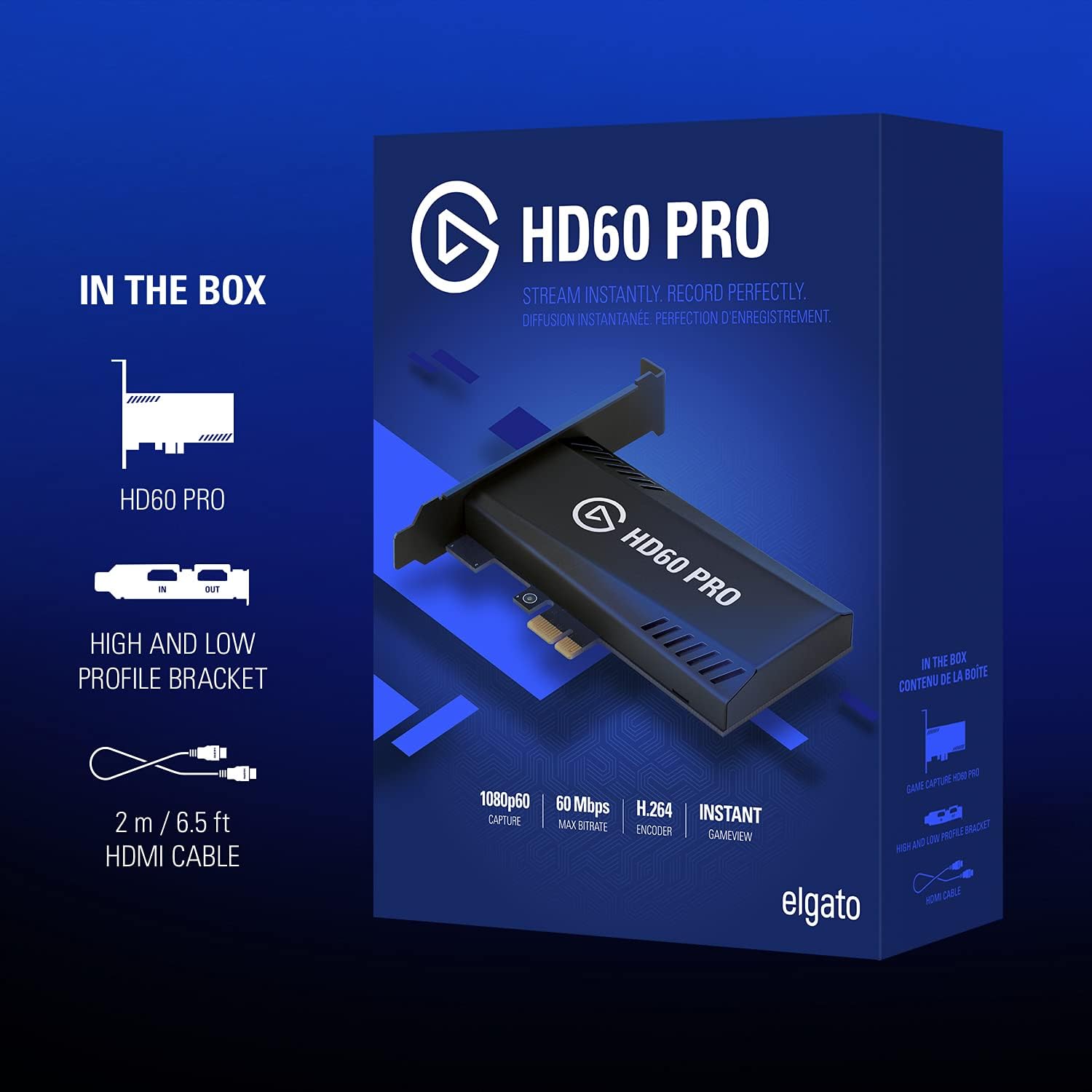
Image: The retail box for the Elgato HD60 Pro, illustrating the included capture card and HDMI cable.
9. Waarborg en Ondersteuning
For detailed warranty information and technical support, please refer to the official Elgato website. You can find drivers, software updates, and troubleshooting resources at elgato.com/download.