
Inleiding
Dankie vir die aankoopasing the Madison FREESOUND-VR40R Vintage Portable Radio. This device combines a classic retro design with modern audio technology, offering versatile listening options. This manual provides detailed instructions on how to set up, operate, and maintain your radio to ensure optimal performance and longevity.
The FREESOUND-VR40R is a portable, USB-rechargeable radio designed for those who appreciate a vintage aesthetic combined with modern audio technologies. It features an analog dial tuner, Bluetooth, USB, AUX, and FM connectivity, bass enhancement, and a convenient dual metal handle for portability.
Veiligheidsinstruksies
Please read these safety instructions carefully before using the device and keep them for future reference. Incorrect use may result in electric shock, fire, or other hazards.
- Moenie die toestel aan reën of vog blootstel om brand of elektriese skok te voorkom nie.
- Moenie die toestel aan direkte sonlig of uiterste temperature blootstel nie.
- Moenie die c oopmaak nieasing. Daar is geen onderdele binne wat deur die gebruiker onderhou kan word nie. Verwys alle onderhoud na gekwalifiseerde personeel.
- Use only the specified power adapter/charging cable.
- Hou die toestel weg van sterk magnetiese velde.
- Clean the device only with a dry, soft cloth. Do not use liquid cleaners.
- Ensure proper ventilation around the device. Do not block any ventilation openings.
Produk verbyview
Familiarize yourself with the components and features of your Madison FREESOUND-VR40R radio.

Figuur 1: Voorkant View. Shows the analog dial tuner, speaker grille, Madison logo, and control knobs for volume and source selection.
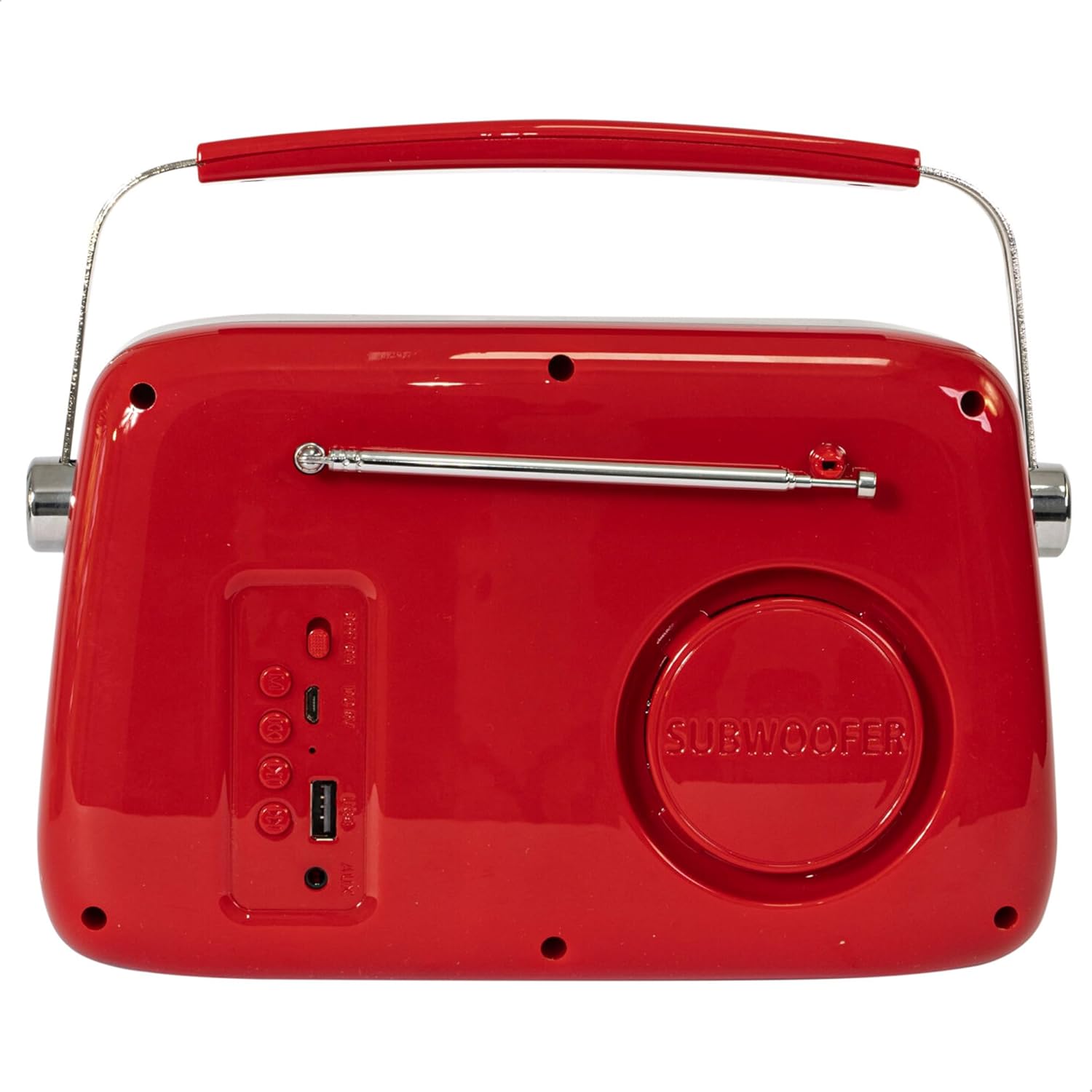
Figuur 2: Agter View. Displays the subwoofer, USB port, AUX input, and power/mode buttons.
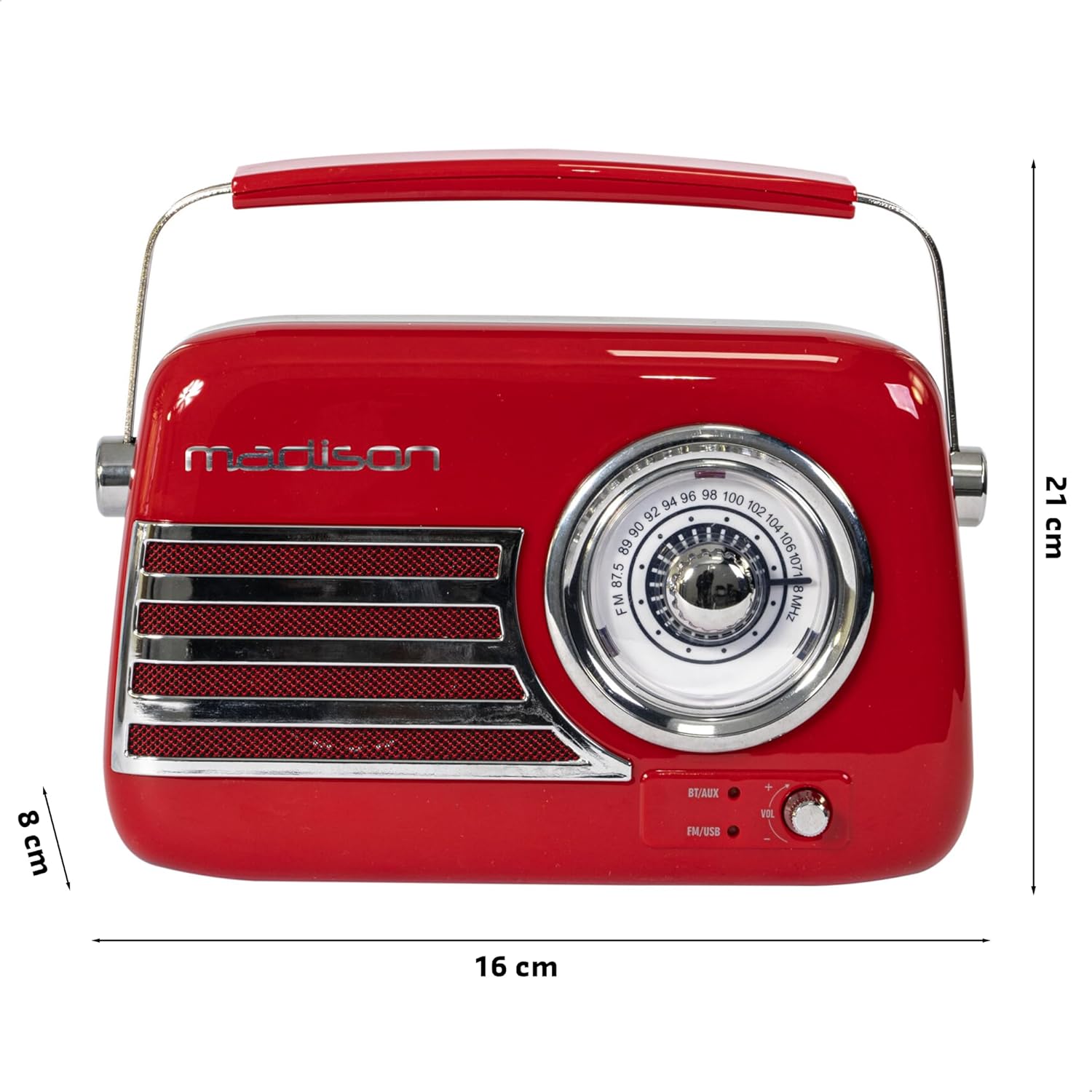
Figuur 3: Produkdimensies. Illustrates the radio's approximate dimensions: 21 cm length, 8 cm width, and 16 cm height.

Figuur 4: Agter View met Antenna Verleng. Shows the telescopic antenna fully extended for improved FM reception.
Sleutel kenmerke:
- Analog Dial Tuner: For classic FM radio tuning.
- Bluetooth-verbinding: Stroom klank draadloos vanaf jou slimfoon of tablet.
- USB-weergawe: Play music directly from a USB drive.
- AUX-invoer: Koppel eksterne oudiotoestelle via 'n 3.5 mm-oudiokabel.
- FM Radio: Enjoy your favorite FM stations with the retractable antenna.
- Basversterking: Integrated subwoofer for richer bass sound.
- Herlaaibare battery: Built-in long-lasting battery for portable use.
- Draagbare ontwerp: Lightweight with a dual metal handle for easy carrying.
Opstelling
Laai die battery:
- Locate the USB charging port on the rear of the radio.
- Connect the provided USB charging cable to the radio's USB port.
- Koppel die ander kant van die USB-kabel aan 'n versoenbare USB-kragadapter (nie ingesluit nie) of 'n rekenaar se USB-poort.
- Die laai-aanwyserliggie sal brand. Sodra dit volledig gelaai is, kan die liggie van kleur verander of afskakel, afhangende van die model.
- 'n Volle lading neem gewoonlik 'n paar uur.
Aanvanklike krag aan:
- Ensure the radio is sufficiently charged.
- Press and hold the Power/Mode button (usually located on the rear or front panel) to turn on the radio.
- The front indicator lights will show the currently selected source.
Bedryfsinstruksies
Volumebeheer:
Draai die Volume knob (VOL) on the front panel to adjust the sound level. Turn clockwise to increase volume, counter-clockwise to decrease.
Selecting a Source:
Druk die Bron/modus button (often labeled BT/AUX or FM/USB) repeatedly to cycle through the available input modes: Bluetooth, AUX, FM Radio, and USB.
- Bluetooth-modus:
- Switch the radio to Bluetooth mode. The Bluetooth indicator light will blink, indicating it's ready for pairing.
- Aktiveer Bluetooth op jou slimfoon of tablet en soek vir beskikbare toestelle.
- Select "FREESOUND-VR40R" (or similar name) from the list.
- Once paired, the Bluetooth indicator light will become solid, and you can stream audio from your device.
- FM -radiomodus:
- Switch the radio to FM mode.
- Trek die teleskopiese antenna volledig uit vir optimale ontvangs.
- Draai die Instelknop on the front panel to manually select your desired FM radio station.
- USB-terugspeelmodus:
- Plaas 'n USB-geheuestokkie wat MP3-klank bevat files into the USB port on the rear of the radio.
- Switch the radio to USB mode. The radio will automatically begin playing the audio files.
- Use the playback controls (if available, usually on the rear panel) to skip tracks or pause/play.
- AUX-invoermodus:
- Connect one end of a 3.5mm audio cable (not included) to the AUX input port on the rear of the radio.
- Connect the other end of the cable to the headphone jack or audio output of your external device (e.g., MP3 player, CD player).
- Switch the radio to AUX mode. Audio from your external device will now play through the radio.
Onderhoud
Skoonmaak:
Om die voorkoms en funksionaliteit van jou radio te behou:
- Vee die buite-oppervlaktes af met 'n sagte, droë, pluisvrye lap.
- Moenie skuurmiddels, wasse of oplosmiddels gebruik nie, aangesien dit die afwerking kan beskadig.
- Avoid spraying liquids directly onto the radio.
Berging:
If you plan to store the radio for an extended period:
- Laai die battery volledig voor berging.
- Bêre die radio op 'n koel, droë plek, weg van direkte sonlig en uiterste temperature.
- For optimal battery health, recharge the battery every 3-6 months, even if not in use.
Probleemoplossing
| Probleem | Moontlike oorsaak | Oplossing |
|---|---|---|
| Geen krag / Radio skakel nie aan nie. | Battery is leeg. | Laai die radio met die meegeleverde USB-kabel. |
| Geen klank nie. | Volume is too low or muted. Incorrect source selected. | Increase the volume. Ensure the correct input source (Bluetooth, FM, USB, AUX) is selected. |
| Swak FM-ontvangs. | Antenna nie uitgestrek nie. Swak sein. | Trek die teleskopiese antenna volledig uit. Probeer om die radio te herposisioneer vir beter sein. |
| Bluetooth-toestel kan nie koppel nie. | Radio not in pairing mode. Device too far. Bluetooth disabled on source device. | Ensure radio is in Bluetooth pairing mode (blinking light). Move device closer. Enable Bluetooth on your smartphone/tablet. |
| USB-terugspeel werk nie. | USB drive not inserted correctly. Unsupported file formaat. | Ensure USB drive is fully inserted. Check if audio files is in MP3 -formaat. |
Spesifikasies
| Modelnommer: | 10-5567MA |
| Produkafmetings (L x B x H): | 21 x 8 x 16 cm |
| Gewig: | 635 gram |
| Kleur: | Rooi |
| Materiaal: | Plastiek |
| Kragbron: | Internal Rechargeable Battery (via USB) |
| Battery tipe: | 1 Litiumpolimeer (ingesluit) |
| Verbinding: | Bluetooth, USB, Auxiliary (AUX) |
| Radio Bands: | FM |
| Spesiale kenmerke: | Telescopic antenna, Analog dial tuner, Bass enhancement |
| Ingesluit komponente: | USB-laaikabel |
| Vervaardiger: | Lotronic S.A. |
| Land van oorsprong: | China |
Waarborg en Ondersteuning
For warranty information and customer support, please refer to the warranty card included with your product or visit the official Madison webwebwerf. Bewaar u bewys van aankoop vir enige waarborgeise.
For technical assistance or troubleshooting beyond this manual, please contact Madison customer service.
Note: Availability of spare parts is not specified in the product information.