
Inleiding
Thank you for choosing the Altec Lansing iMW475 Mini Life Jacket Bluetooth Speaker. This speaker is designed for portability and durability, featuring a rugged, compact, waterproof, dustproof, and shockproof design. It also floats, making it ideal for outdoor and water-related activities. This manual provides essential information for setting up, operating, and maintaining your speaker.
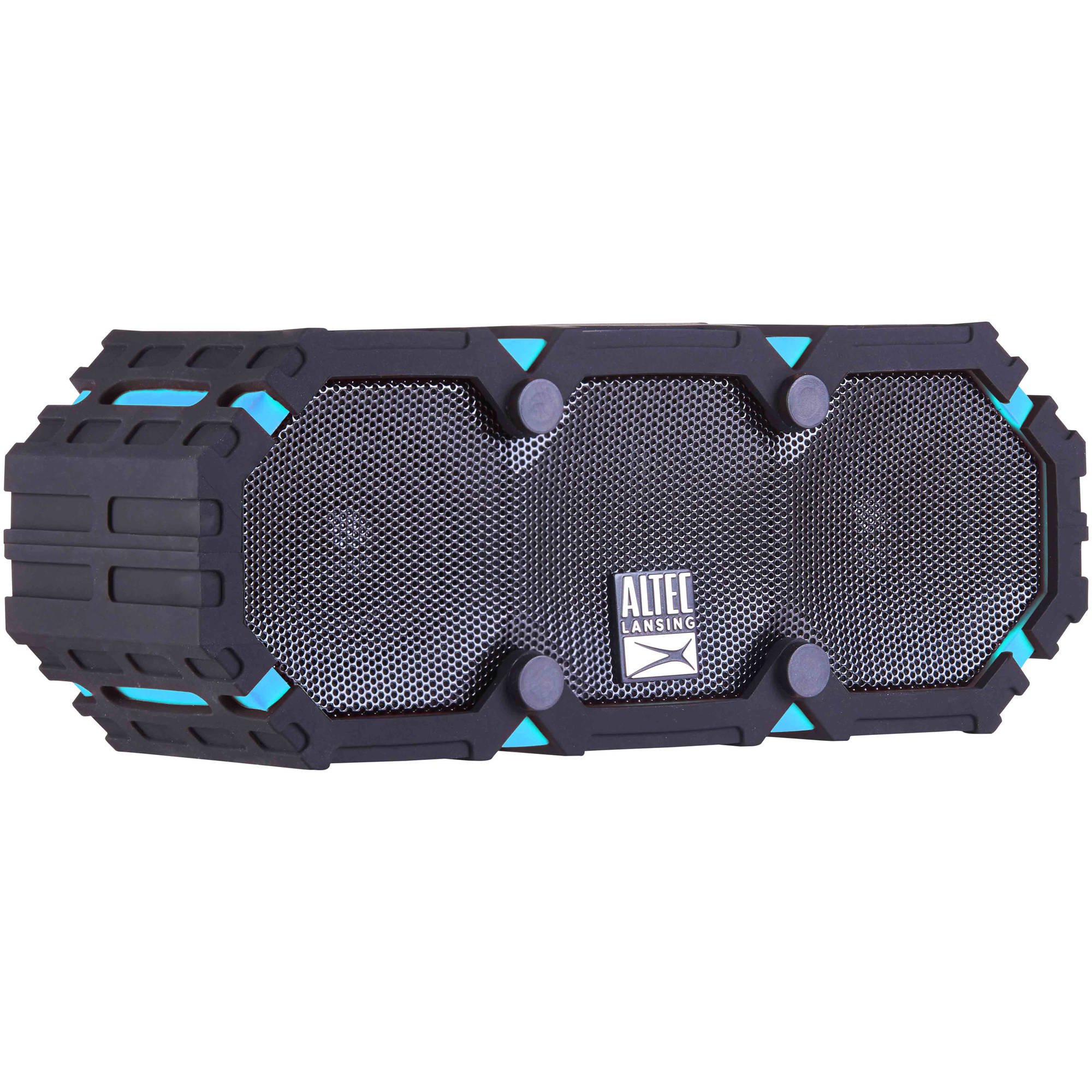
Image: The Altec Lansing iMW475 Mini Life Jacket Bluetooth Speaker, showcasing its compact, rugged design in black and blue.
Pakketinhoud
- Altec Lansing iMW475 Mini Life Jacket Bluetooth Speaker
- Montagebeugel
- USB Charging Cable (Note: Specific cable type not detailed in product data, typically Micro-USB or USB-C)
- Auxiliary Cable (Note: Not explicitly listed but common for such speakers)
- Vinnige begingids (Not explicitly listed but common)
Please ensure all items are present before proceeding with setup.
Kontroles en aanwysers
The speaker features intuitive controls for power, volume, and Bluetooth pairing. Specific button layouts may vary slightly, but common functions include:
- Kragknoppie: Druk en hou in om die luidspreker aan of af te skakel.
- Volume op/Volgende snit-knoppie: Press to increase volume. Hold to skip to the next track.
- Volume Verlaag/Vorige Liedjie Knoppie: Press to decrease volume. Hold to go to the previous track.
- Speel/Pouseer/Oproep-knoppie: Press to play or pause audio. Press to answer or end a phone call. Hold to activate voice assistant (if supported by your device).
- Bluetooth-paringsknoppie: Druk en hou om Bluetooth-paringmodus te betree.
- LED-aanwyser: Displays power status, charging status, and Bluetooth connection status.
Refer to the quick start guide included with your product for a detailed diagram of button placement.
Opstelling
1. Laai die luidspreker op
Before first use, fully charge your Altec Lansing iMW475 speaker. A full charge provides approximately 10 hours of battery life.
- Locate the charging port, usually protected by a waterproof flap.
- Koppel die meegeleverde USB-laaikabel aan die luidspreker se laaipoort.
- Koppel die ander kant van die USB-kabel aan 'n USB-kragadapter (nie ingesluit nie) of 'n rekenaar se USB-poort.
- The LED indicator will show the charging status (e.g., solid red while charging, off or green when fully charged).
- Once fully charged, disconnect the cable and ensure the waterproof flap is securely closed.
2. Bluetooth-koppeling
Om jou luidspreker aan 'n Bluetooth-geaktiveerde toestel te koppel:
- Maak seker dat die luidspreker gelaai en afgeskakel is.
- Press and hold the Power button to turn on the speaker. The LED indicator will flash, indicating it's in pairing mode.
- On your mobile device (smartphone, tablet, laptop), go to the Bluetooth settings.
- Soek vir available devices. You should see "iMW475" or a similar name in the list.
- Select "iMW475" to connect. The LED indicator will turn solid when successfully paired.
- A voice prompt may confirm "You are now connected."
- Once paired, the speaker will automatically connect to the last paired device when turned on, if the device is within range (up to 30 feet or 9.14 meters).
Bedryfsinstruksies
Speel oudio
- After successful Bluetooth pairing, open your preferred music application on your connected device.
- Start playing audio. The sound will be routed through your Altec Lansing iMW475 speaker.
- Use the Volume Up/Down buttons on the speaker or your connected device to adjust the audio level.
- Druk die Speel/Pauseer-knoppie om die terugspeel te onderbreek of te hervat.
- Hold the Volume Up/Down buttons to skip tracks forward or backward.
Handvrye oproepe
The speaker features an onboard microphone for hands-free communication.
- When a call comes in, the music will pause, and you will hear a ringtone through the speaker.
- Press the Play/Pause/Call button once to answer the incoming call.
- Speak clearly into the speaker's microphone.
- To end the call, press the Play/Pause/Call button once again.
- To reject an incoming call, press and hold the Play/Pause/Call button.
Gebruik die hulp-invoer
For devices without Bluetooth, you can connect via the auxiliary input.
- Locate the auxiliary input port, usually protected by a waterproof flap.
- Connect one end of a 3.5mm auxiliary cable (not included) to the speaker's AUX port.
- Verbind die ander punt met die koptelefoonaansluiting van u klanktoestel.
- The speaker will automatically switch to AUX mode, or you may need to press the Mode button (if available).
- Beheer terugspeel en volume vanaf jou gekoppelde klanktoestel.
Onderhoud
- Skoonmaak: Vee die luidspreker af met 'n sagte, damp lap. Moenie skuur skoonmaakmiddels of oplosmiddels gebruik nie.
- Waterdigte sorg: Ensure all port covers are securely closed before exposing the speaker to water to maintain its waterproof integrity. After exposure to saltwater or chlorinated water, rinse the speaker with fresh water and allow it to air dry completely.
- Berging: Bêre die luidspreker op 'n koel, droë plek weg van direkte sonlig en uiterste temperature.
- Batterysorg: Om die batterylewe te verleng, vermy om die battery gereeld heeltemal te ontlaai. Laai die luidspreker gereeld, selfs al word dit nie vir lang tye gebruik nie.
Probleemoplossing
| Probleem | Oplossing |
|---|---|
| Luidspreker skakel nie aan nie. | Maak seker dat die battery gelaai is. Koppel die luidspreker aan 'n kragbron met behulp van die USB-laaikabel. |
| Geen geluid van die luidspreker nie. |
|
| Bluetooth-saambinding misluk. |
|
| Poor audio quality or distortion. |
|
Spesifikasies
- Model Naam: iMW475 Mini Life Jacket
- Tipe luidspreker: Buitelug
- Spesiale kenmerke: Waterproof, Dustproof, Shockproof, Floats
- Verbinding: Bluetooth
- Bluetooth-reeks: Tot 30 voet (9.14 meter)
- Batterylewe: Tot 10 uur
- Kragbron: Battery and AC (via USB charging)
- Klankuitsetmodus: Stereo
- Luidspreker maksimum uitsetkrag: 10 Watt
- Beheer metode: Stem, Knoppies
- Ingesluit komponente: Montagebeugel
- Produk afmetings: 7 x 3 x 4.5 duim
- Item gewig: 1 pond (16 onse)
- Waterweerstandvlak: Waterdig
- UPC: 021331205841
Waarborg en Ondersteuning
Altec Lansing products are designed for reliability and performance. For specific warranty information regarding your iMW475 Mini Life Jacket Bluetooth Speaker, please refer to the warranty card included with your purchase or visit the official Altec Lansing webwebwerf.
For technical support, frequently asked questions, or to register your product, please visit the Altec Lansing support page or contact their customer service directly. Contact details are typically available on the manufacturer's webwebwerf.
Let wel: Waarborgbepalings en -voorwaardes kan per streek en kleinhandelaar verskil. Bewaar u bewys van aankoop vir waarborgeise.