
1. Inleiding
The ASUS Z170-DELUXE is a high-performance desktop motherboard designed for Intel Z170 chipset and LGA 1151 socket processors. It offers advanced features for enhanced speed, stability, and connectivity, making it suitable for demanding computing tasks and gaming. This manual provides essential information for setting up, operating, and maintaining your motherboard.
Sleutel kenmerke sluit in:
- 5-rigting optimalisering: Dynamic system tuning for performance, efficiency, digital power, fan control, and networking.
- ASUS PRO Clock Technology: Dedicated base-clock generator for extended overclocking margins.
- Kristalklank 3: Advanced audio solution for clear and immersive sound.
- 3x3 Dual-Band 802.11ac Wi-Fi + BT4.0: Integrated high-speed wireless connectivity.
- NVME U.2 Device Support and Hyper M.2 x4 Mini Card Support: Next-generation storage options for ultra-fast data transfer.
- USB 3.1 Type-A and Type-C Ports: High-speed USB connectivity with reversible Type-C.
- 5X Beskerming II: Hardware-level safeguards for long-term durability and reliability.
- Intel Ethernet: Optimized network performance with reduced CPU overhead.
2. Opstelling en installering
This section guides you through the physical installation of the ASUS Z170-DELUXE motherboard and its components.
2.1. Voorbereiding van u stelsel
- Ensure your power supply is disconnected from the wall outlet.
- Prepare your computer case and ensure adequate space for installation.
- Gather necessary tools, including a Phillips head screwdriver.
2.2. Moederbord Installasie
- Carefully place the motherboard into your computer case, aligning it with the standoffs.
- Bevestig die moederbord met skroewe.
- Install the CPU (Intel LGA 1151) into the socket, ensuring correct orientation.
- Wend termiese pasta aan en installeer die SVE-verkoeler.
- Install DDR4 RAM modules into the designated slots (4 available). For optimal performance, refer to your CPU and RAM manufacturer's guidelines for dual-channel configuration.
- Connect the 24-Pin main power connector and the 8-Pin CPU power connector from your power supply to the motherboard.
- Connect front panel headers (power button, reset button, USB ports, audio jacks) using the provided Q-Connector for easier installation.

Figure 1: ASUS Z170-DELUXE Motherboard layout.
2.3. Storage and Expansion Card Installation
- SATA-toestelle: Connect SATA storage drives (HDDs/SSDs) to the available SATA 3 ports (6 total).
- M.2/U.2 Devices: For NVMe M.2 SSDs, insert the module into the M.2 slot and secure it. The motherboard supports NVMe U.2 devices via an adapter (sold separately).
- PCIe Cards: Install graphics cards or other expansion cards into the appropriate PCIe slots (7 total).
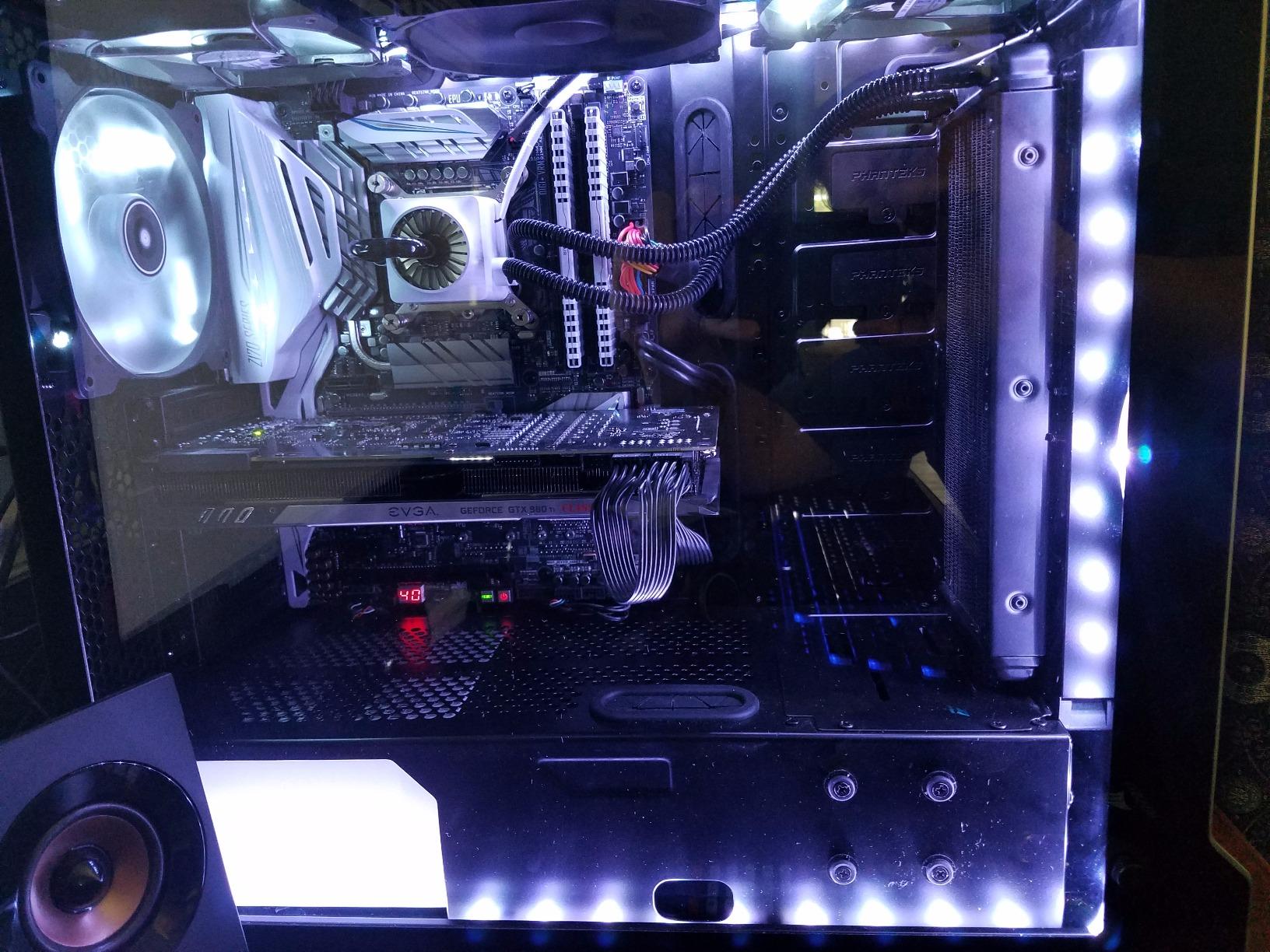
Figure 2: ASUS Z170-DELUXE Motherboard installed in a system, showcasing component layout.
3. Bedryfsinstruksies
This section covers the basic operation and key features of your ASUS Z170-DELUXE motherboard.
3.1. Aanvanklike opstart en BIOS-opstelling
- After connecting all components and peripherals, power on your system.
- Druk die DEL or F2 sleutel tydens opstart om die UEFI BIOS te betree.
- In the BIOS, you can configure boot order, enable XMP for RAM, adjust fan speeds, and manage other system settings.
- The ASUS UEFI BIOS provides an intuitive interface for easy navigation and configuration.
3.2. Sagteware en drywer installasie
- Install your operating system (e.g., Windows 10).
- Install the latest drivers for the Z170 chipset, audio, LAN, Wi-Fi, and other integrated components from the ASUS support website or the provided driver disc.
- Utilize ASUS utilities like AI Suite 3, wat insluit FAN Expert for advanced fan control and 5-Way Optimization for system tuning.
3.3. Konnektiwiteitskenmerke
- USB 3.1: Utilize the high-speed USB 3.1 Type-A and reversible Type-C ports for fast data transfer with compatible devices.
- Wi-Fi en Bluetooth: Connect to wireless networks using the integrated 3x3 Dual-Band 802.11ac Wi-Fi. Bluetooth 4.0 allows connection to wireless peripherals.
- Intel Ethernet: Benefit from stable and high-throughput wired network connections.
4. Onderhoud
Behoorlike onderhoud verseker die lang lewensduur en optimale werkverrigting van jou moederbord.
- Hou skoon: Regularly clean dust from the motherboard and case interior using compressed air. Ensure fans are free of obstructions.
- BIOS-opdaterings: Kontroleer gereeld die ASUS-ondersteuning website for BIOS updates. Updating the BIOS can improve compatibility, stability, and performance. Use the ASUS EZ Flash utility for safe BIOS updates.
- Bestuurderopdaterings: Keep all drivers (chipset, audio, LAN, etc.) updated to their latest versions for optimal performance and security.
- Kragtoevoer: Ensure your power supply provides stable and sufficient power to all components. Unstable power can lead to system instability.
5. Probleemoplossing
This section addresses common issues you might encounter with your ASUS Z170-DELUXE motherboard.
- No POST (Power-On Self-Test) / Error Code 55:
- Error code 55 typically indicates a memory issue.
- Maak seker dat RAM-modules volledig in hul gleuwe geplaas is.
- Try booting with only one RAM stick, testing each slot and module individually to identify a faulty stick or slot.
- Verify RAM compatibility with the motherboard's QVL (Qualified Vendor List) on the ASUS webwebwerf.
- Update the BIOS to the latest version, as this often includes memory compatibility improvements.
- Geen video-uitvoer nie:
- Ensure your monitor is connected to the correct video output (integrated graphics or dedicated graphics card).
- If using integrated graphics with a 4K display at 60Hz via HDMI, you might experience a blank screen. The integrated HDMI port on the Z170 chipset may be limited to 30Hz at 4K resolution. Consider using a DisplayPort connection or a dedicated graphics card for 4K 60Hz output.
- Reseat your graphics card if applicable.
- Kontroleer die monitor se invoerkeuse.
- Stelselonstabiliteit / Ineenstortings:
- Ensure all power connectors are securely attached.
- Kontroleer die SVE- en GPU-temperature. Oorverhitting kan onstabiliteit veroorsaak.
- Verifieer RAM-stabiliteit met behulp van geheuediagnostiese gereedskap.
- If using RAID, ensure Intel Rapid Storage Technology (IRST) drivers are compatible. Some IRST driver versions (e.g., 14.8.1.1042 or 15.2.0.1020) have been reported to cause issues with certain configurations. Try using an older stable version (e.g., 14.0.0.1143 or 14.5.0.1081) or uninstall IRST if not using RAID.
- Ensure your power supply is sufficient for your components.
- Randapparatuur nie opgespoor nie:
- Check physical connections.
- Installeer of werk relevante drywers op.
- Test the peripheral on another port or system.
6. Spesifikasies
| Kenmerk | Detail |
|---|---|
| Handelsmerk | ASUS |
| Model Naam | Z170-DELUXE |
| CPU-sok | LGA 1151 |
| Chipset Tipe | Intel Z170 |
| Versoenbare verwerkers | Intel Celeron, Core i7 (and other LGA 1151 compatible CPUs) |
| RAM geheue tegnologie | DDR4 |
| Geheue Klokspoed | 2133 MHz (Basis, ondersteun hoër via XMP) |
| Geheuegleuwe beskikbaar | 4 |
| RAM Geheue Maksimum Grootte | 64 GB |
| Total SATA Ports | 6 |
| Totale USB-poorte | 15 (including USB 3.1 Type-A and Type-C) |
| Aantal Ethernet-poorte | 2 (Intel Ethernet) |
| Total Number of HDMI Ports | 1 |
| Total PCIe Ports | 7 |
| Grafiese kaart koppelvlak | Integrated, PCI Express |
| Item gewig | 0.8 kilogram |
7. Waarborg en Ondersteuning
Vir gedetailleerde waarborginligting, verwys asseblief na die waarborgkaart wat by u produk ingesluit is of besoek die amptelike ASUS-ondersteuningsentrum website. ASUS provides technical support and resources to assist with any product-related inquiries.
- ASUS Ondersteuning Webwebwerf: www.asus.com/support/
- Kontakinligting: Verwys na die ASUS website for regional contact details and customer service options.
Let wel: Waarborgbepalings en -voorwaardes kan per streek verskil. Bewaar asseblief u bewys van aankoop vir waarborgeise.