
1. Inleiding
This manual provides detailed instructions for the proper use and maintenance of your Baseus H08 Immersive Virtual 3D Gaming Headset. Please read this manual thoroughly before using the product to ensure optimal performance and safety. Keep this manual for future reference.
2. Veiligheidsinligting
- Gehoorbeskerming: Avoid using the headset at high volume levels for extended periods to prevent hearing damage.
- Omgewingstoestande: Moenie die oorfone aan uiterste temperature, humiditeit of direkte sonlig blootstel nie.
- Skoonmaak: Use a soft, dry cloth for cleaning. Avoid liquid cleaners or abrasive materials.
- demontage: Moenie probeer om die oorfone uitmekaar te haal of te wysig nie. Dit kan die waarborg ongeldig maak en skade veroorsaak.
- Kinders: Keep the headset and its accessories out of reach of small children to prevent choking hazards.
3. Pakketinhoud
Verifieer dat alle items in die pakket teenwoordig is:
- Baseus H08 Immersive Virtual 3D Gaming Headset
- 3.5 mm oudio kabel
- Dratas
- Gebruikershandleiding (hierdie dokument)
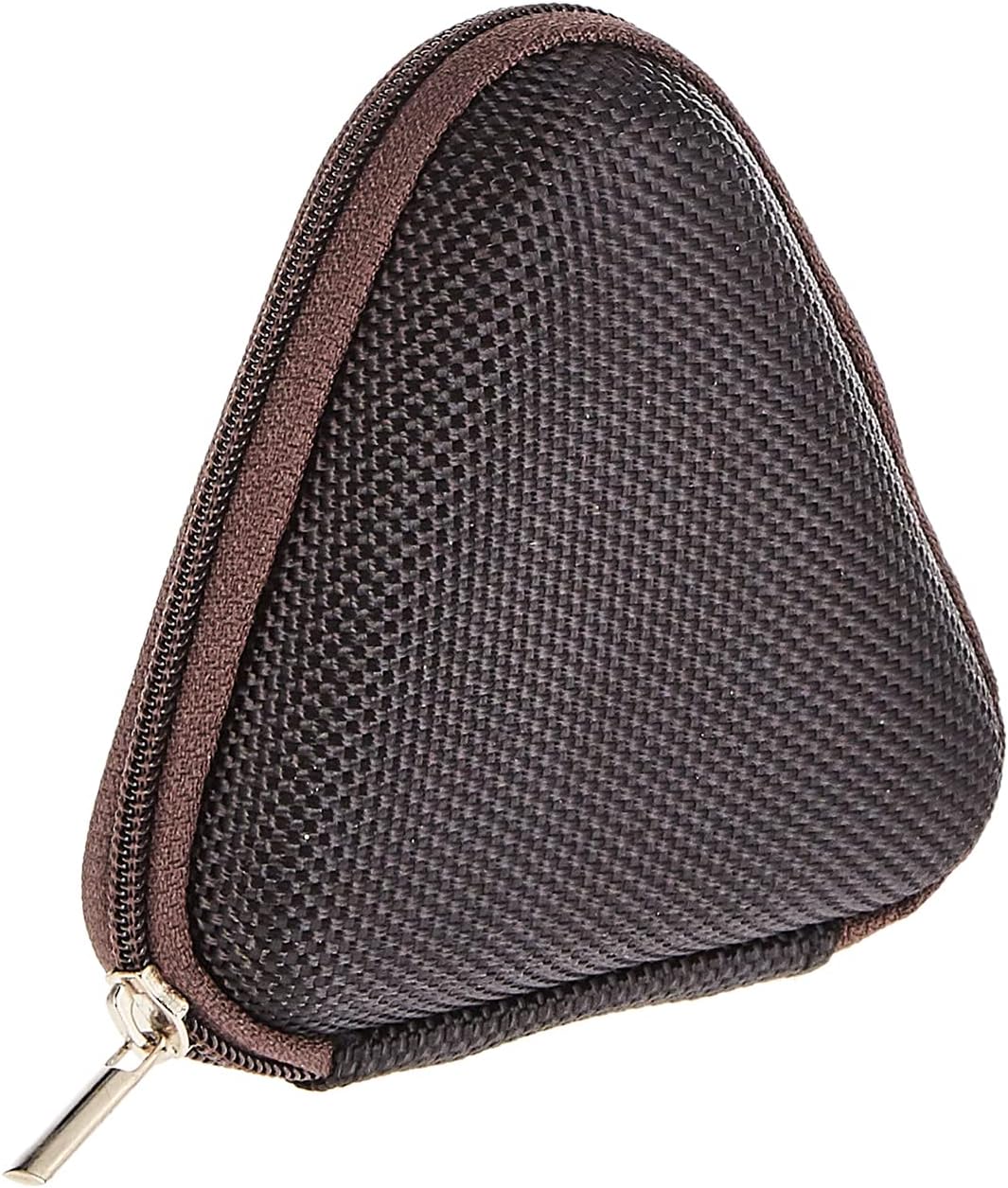
Image: The included triangular carrying case, designed for protecting and transporting the headset.
4. Produk verbyview
The Baseus H08 headset is designed for an immersive gaming audio experience. It features a comfortable over-ear design and integrated controls.

Image: The Baseus H08 Immersive Virtual 3D Gaming Headset, showcasing die ontwerp en komponente daarvan.
Komponente:
- Oorkopies: Gewatteerde oorskelpe vir gemak en klankisolasie.
- Hoofband: Verstelbare kopband vir 'n veilige pasvorm.
- Mikrofoon: Integrated microphone for communication.
- Oudiokabel: Detachable 3.5mm audio cable for connection to devices.
- Volumebeheer: In-line or earcup-mounted volume adjustment.
5. Opstelling
- Pak uit: Verwyder die oorfone en alle bykomstighede versigtig uit die verpakking.
- Koppel die klankkabel: Insert the 3.5mm audio jack into the corresponding port on your gaming device (PC, console controller, smartphone, etc.). Ensure the connection is secure.
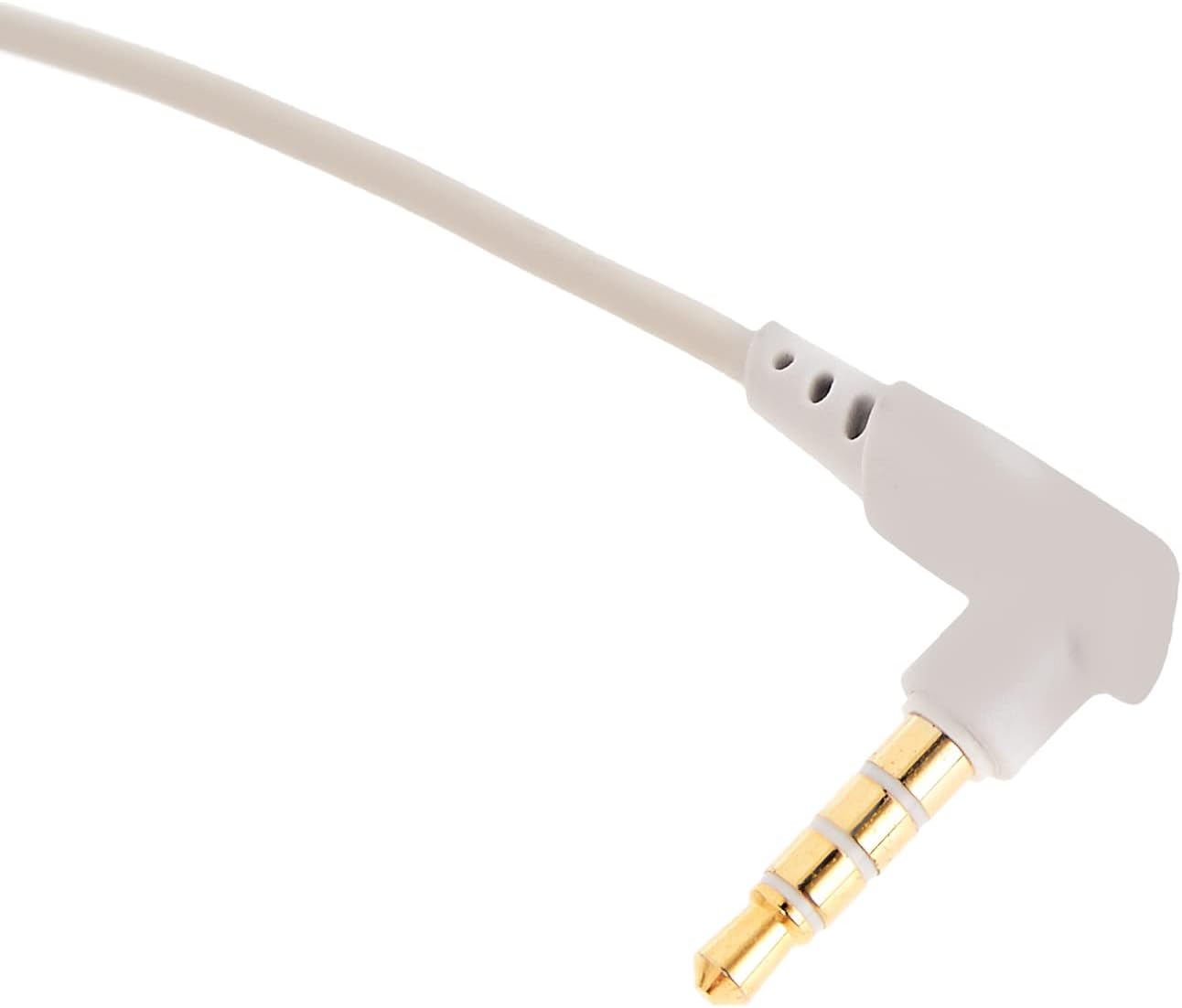
Beeld: 'n Nabyskoot view of the 3.5mm audio jack, used for connecting the headset to compatible devices.
- Pas koptelefoon aan: Place the headset on your head and adjust the headband for a comfortable and secure fit. Position the earcups over your ears.
- Mikrofoonposisionering: If the microphone is adjustable, position it appropriately for clear voice capture, typically near the corner of your mouth.
6. Bedryfsinstruksies
- Volumebeheer: Use the integrated volume control (if present on the cable or earcup) to adjust the audio output level. Rotate or slide the control to increase or decrease volume.
- Mikrofoondemp: If your headset features a microphone mute switch, use it to toggle the microphone on or off as needed during gameplay or calls.
- Virtual 3D Sound: The headset provides an immersive virtual 3D sound experience. This feature is typically active upon connection and enhances spatial audio cues in compatible games. No specific activation is usually required unless indicated by your device's audio settings.
7. Onderhoud
- Skoonmaak: Wipe the headset with a soft, dry, lint-free cloth. Do not use harsh chemicals, cleaning solvents, or strong detergents.
- Berging: When not in use, store the headset in its carrying case to protect it from dust, scratches, and physical damage. Keep it in a cool, dry place.
- Kabelversorging: Avoid sharp bends or excessive pulling on the audio cable to prevent internal damage.
8. Probleemoplossing
Algemene kwessies en oplossings:
- Geen klank:
- Ensure the 3.5mm audio cable is fully plugged into both the headset and your device.
- Check the volume control on the headset and your device to ensure it is not muted or set too low.
- Verifieer dat die korrekte oudio-uitvoertoestel in jou toestel se klankinstellings gekies is.
- Swak klankgehalte:
- Kyk vir los verbindings.
- Toets die oorfone met 'n ander toestel om 'n toestelspesifieke probleem uit te sluit.
- Maak seker dat die klankbron van goeie gehalte is.
- Mikrofoon werk nie:
- Maak seker dat die mikrofoon nie gedemp is nie (indien van toepassing).
- Gaan jou toestel se klankinstellings na om te verseker dat die headset se mikrofoon as die invoertoestel gekies is.
- Toets die mikrofoon met 'n ander toepassing of toestel.
- Ongemak tydens gebruik:
- Adjust the headband and earcup positions for a better fit.
- Take breaks during long gaming sessions.
9. Spesifikasies
| Kenmerk | Detail |
|---|---|
| Handelsmerk | Baseus |
| Model Naam | NGH08-2G |
| Item Modelnommer | B012LZLE1U |
| Produk afmetings | 5 x 3 x 10 cm |
| Item gewig | 200 gram |
| Kleur | Wit + Grys |
| Tipe beheer | Volumebeheer |
| Aantal items | 1 |
| Spesifieke Produkgebruike | Nie beskikbaar nie |
| Koptelefoonvormfaktor | Nie beskikbaar nie |
| Koptelefoonaansluiting | Nie beskikbaar nie |
| Verbindingstegnologie | Nie beskikbaar nie |
| Draadlose kommunikasietegnologie | Nie beskikbaar nie |
| Ingesluit komponente | Nie beskikbaar nie |
| Ouderdomsreeks (beskrywing) | Nie beskikbaar nie |
| Materiaal | Nie beskikbaar nie |
10. Waarborg en Ondersteuning
For warranty information and technical support, please refer to the warranty card included with your product or visit the official Baseus webwebwerf. Jy kan ook die kleinhandelaar kontak waar jy die produk gekoop het vir hulp.
Baseus Amptelik Webwebwerf: www.baseus.com