
1. Inleiding
The BSS BLU-103 is a high-performance conferencing processor designed for professional audio installations. It features Acoustic Echo Cancellation (AEC) and Voice over IP (VoIP) capabilities, making it suitable for a wide range of conferencing applications. This manual provides essential information for the proper setup, operation, and maintenance of your BLU-103 unit.
2. Veiligheidsinligting
WARNING: THIS EQUIPMENT MUST BE EARTHED.
Om veilige werking te verseker en skade te voorkom, neem asseblief die volgende veiligheidsmaatreëls in ag:
- Kragtoevoer: Connect the unit only to an AC power source within the specified voltage range (100-240V, 50/60Hz, 50W). Ensure the power cord is properly grounded.
- Ventilasie: Moenie ventilasie-openinge blokkeer nie. Verseker voldoende lugvloei rondom die eenheid om oorverhitting te voorkom.
- Vog: Moenie die eenheid aan reën of vog blootstel nie. Moenie voorwerpe gevul met vloeistowwe op die eenheid plaas nie.
- Diens: Verwys alle diens na gekwalifiseerde dienspersoneel. Moenie probeer om hierdie produk self te diens nie.
- Installasie: Install the unit in a stable environment, away from excessive heat sources, vibrations, or dust.
3. Produk verbyview
3.1. Produkbeskrywing
Die Klankweb London BLU-103 offers a fixed configuration of 8 analog inputs and 8 analog outputs, a Voice over IP (VoIP) interface, configurable signal processing, AEC processing, and a high bandwidth, fault tolerant digital audio bus. The VoIP port enables the BLU-103 to interface with two VoIP (SIP v2.0 or later) lines. The BLU-103 contains dedicated AEC processing for up to 8 independent AEC algorithms. The AEC algorithm can be applied to signals coming from the local analog inputs or from the digital audio bus. 8 individual AEC references (one per algorithm) allow the user to provide a solution for multiple conferencing spaces using a single device. The BLU-103 and the other members of the Soundweb London family provide the building blocks of the perfectly tailored system solution.
3.2. Sleutel kenmerke
- 8 Analog Inputs (with 48V Phantom Power per Channel)
- 8 analoog uitsette
- VoIP Port for SIP v2.0 or later
- Dedicated AEC processing for up to 8 independent algorithms
- Rich Palette of Processing and Logic Objects
- Klankweb London Interface Kit for Third Party Control System Integration
- High bandwidth, fault tolerant digital audio bus (BLU link)
4. Opstelling
4.1. Rear Panel Connections Overview
The following image illustrates the rear panel of the BSS BLU-103, detailing all available connections for power, audio, and control.
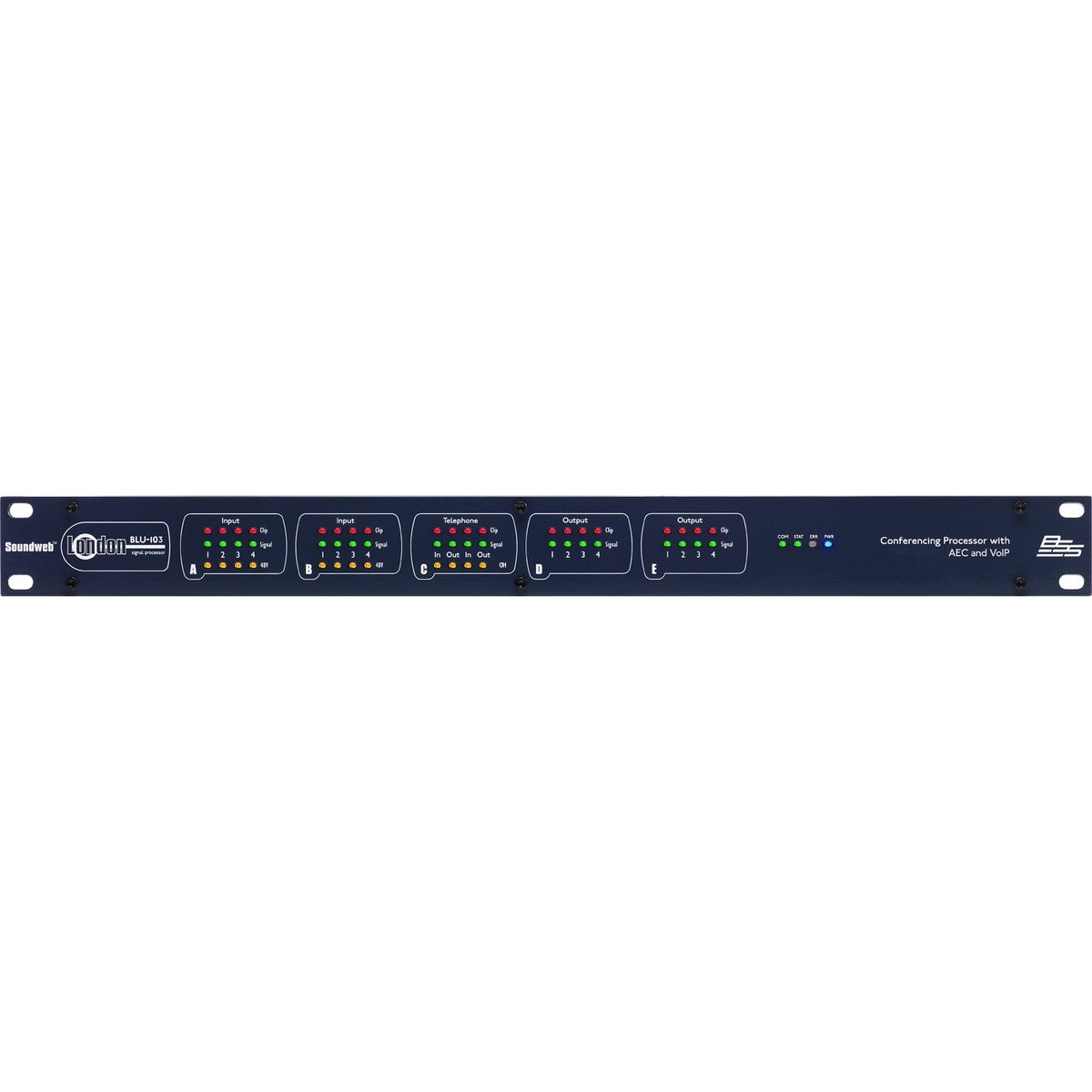
Figure 1: Rear panel of the BSS BLU-103 Conferencing Processor. From left to right: AC power inlet, RS232, Ethernet, BLU Link (IN/OUT), Control Inputs/Outputs, VoIP, Analog Outputs (D, C), Analog Inputs (B, A).
4.2. Kragverbinding
Connect the supplied IEC power cable to the AC inlet on the far left of the rear panel. Ensure the power source is within the 100-240V, 50/60Hz range. The unit consumes 50W. Always ensure the equipment is properly earthed.
4.3. BLU Link Connection
The BLU Link ports (IN and OUT) are used for connecting the BLU-103 to other Soundweb London devices, forming a high-bandwidth digital audio bus. Use standard CAT5e or higher Ethernet cables for these connections.
4.4. Ethernet-verbinding
The Ethernet port provides network connectivity for control and configuration of the BLU-103 using the Soundweb London Architect software. Connect this port to your network switch or router using a standard Ethernet cable.
4.5. RS232 Verbinding
The RS232 serial port allows for integration with third-party control systems. Refer to the Soundweb London Interface Kit documentation for detailed protocol information.
4.6. Control Inputs and Logic Outputs
The Control section features terminals for external control inputs (1-12) and logic outputs (1-6). These can be configured within the Soundweb London Architect software to interface with various external devices and triggers.
4.7. VoIP Connection
The VoIP port allows the BLU-103 to connect to two Voice over IP (SIP v2.0 or later) lines, enabling direct integration into IP-based telephony systems for conferencing.
4.8. Analoog uitsette
The BLU-103 provides 8 analog outputs, labeled D (1-4) and C (1-4). These are balanced outputs, typically connected to amplifiers or other audio distribution equipment using appropriate cabling.
4.9. Analoog insette
The unit features 8 analog inputs, labeled B (1-4) and A (1-4). These inputs support 48V phantom power per channel, suitable for connecting condenser microphones. Ensure proper gain staging for optimal audio quality.
5. Bedryfsinstruksies
The BSS BLU-103 is primarily configured and controlled using the Klankweb London Architect software, which runs on a personal computer (Windows operating system). This software allows for:
- Designing and loading audio signal processing configurations.
- Setting up AEC algorithms for each input.
- Configuring VoIP lines and parameters.
- Monitoring system status and audio levels.
- Integrating with third-party control systems via RS232 or network commands.
Refer to the Soundweb London Architect software documentation for detailed instructions on creating and deploying configurations.
6. Onderhoud
The BSS BLU-103 is designed for reliable operation with minimal maintenance. Follow these guidelines:
- Skoonmaak: Gebruik 'n sagte, droë lap om die buitekant van die eenheid skoon te maak. Vermy skuurmiddels of oplosmiddels.
- Ventilasie: Periodically check that ventilation openings are clear of dust and debris.
- Firmware -opdaterings: Gaan die vervaardiger na webbesoek die webwerf gereeld vir firmware-opdaterings om optimale werkverrigting en toegang tot nuwe funksies te verseker.
- Omgewingstoestande: Operate the unit within specified temperature and humidity ranges.
7. Probleemoplossing
If you encounter issues with your BLU-103, consider the following basic troubleshooting steps:
- Geen krag: Ensure the power cable is securely connected and the power outlet is active. Check the power switch on the unit.
- Geen netwerkverbinding: Verify Ethernet cable connections. Check network settings on the BLU-103 and your computer. Ensure the unit's IP address is correctly configured and accessible on the network.
- Geen klankinvoer/-uitvoer: Check all analog and digital audio cable connections. Verify gain settings and routing within the Soundweb London Architect software. Ensure phantom power is enabled for condenser microphones if required.
- VoIP Issues: Confirm network connectivity and correct SIP account settings within the software. Check firewall settings if applicable.
- System Lock-up: If the unit becomes unresponsive, power cycle the device by disconnecting and reconnecting the power cable.
For persistent issues, consult the Soundweb London Architect software documentation or contact BSS customer support.
8. Spesifikasies
The following table details the technical specifications of the BSS BLU-103 Conferencing Processor:
| Spesifikasie | Waarde |
|---|---|
| Produk afmetings | 25 x 5.98 x 17.01 duim |
| Item gewig | 16 pond |
| Item Modelnommer | BLU-103 |
| Vervaardiger | BSS |
| Versoenbare toestelle | Persoonlike rekenaar |
| Verbindingstegnologie | Ethernet, USB (for service/firmware) |
| Aantal kanale | 8 Analog Inputs, 8 Analog Outputs |
| Operating System (for control software) | Vensters |
| Kragvereistes | 100-240V, 50/60Hz, 50W |
| Datum Eerste Beskikbaar | 12 Junie 2015 |
9. Waarborg en Ondersteuning
9.1. Waarborginligting
This product is covered by a manufacturer's warranty. Please refer to the warranty card included with your product or visit the official BSS webwebwerf vir gedetailleerde bepalings en voorwaardes rakende waarborgdekking en duur.
9.2. Kliëntediens
For technical assistance, product inquiries, or service requests, please contact BSS customer support through their official website or authorized distributors. Ensure you have your product model number (BLU-103) and serial number available when contacting support.