
1. Inleiding
The Flexson Analog to Digital Converter is designed to bridge the gap between audio devices with analog outputs and modern audio systems that primarily use digital inputs, such as the SONOS PLAYBAR. This device allows you to connect older televisions, CD players, or other audio sources with analog audio outputs (e.g., RCA or 3.5mm headphone jack) to a digital audio input (optical TOSLINK) on your sound system. It ensures reliable and lossless audio signal transmission, integrating your existing equipment with digital-only setups.
2. Veiligheidsinligting
- Kragtoevoer: Gebruik slegs die meegeleverde kragadapter. Maak seker die volume istage pas by jou plaaslike kragtoevoer.
- Vog: Do not expose the device to water, rain, or excessive humidity. Avoid placing liquids near the unit.
- Ventilasie: Verseker voldoende ventilasie rondom die eenheid. Moenie enige ventilasie-openinge blokkeer nie.
- Hitte: Hou die toestel weg van hittebronne soos verkoelers, hitteregisters, stowe of ander hitteproduserende toestelle.
- Skoonmaak: Ontkoppel die kragtoevoer voor skoonmaak. Gebruik 'n droë, sagte lap. Moenie vloeibare skoonmaakmiddels of aërosolskoonmakers gebruik nie.
- Diens: Moenie probeer om hierdie produk self te onderhou nie. Verwys alle diens na gekwalifiseerde dienspersoneel.
3. Pakketinhoud
Merk asseblief die blokkie vir die volgende items:
- Flexson Analog to Digital Converter Unit
- Kragadapter
- Gebruikershandleiding (hierdie dokument)
- Note: Audio cables (RCA, 3.5mm, Optical) are typically sold separately.
4. Opstelling
Follow these steps to connect your Flexson Analog to Digital Converter:
- Connect Analog Audio Source: Connect an analog audio cable (e.g., 3.5mm stereo jack or RCA stereo cables) from your source device (e.g., TV headphone output, CD player RCA output) to the corresponding analog input port on the Flexson converter.
- Connect Digital Audio Output: Connect an optical TOSLINK cable from the 'Optical Out' port on the Flexson converter to the digital optical input on your SONOS PLAYBAR or other digital audio system.
- Koppel krag: Plug the provided power adapter into the 'DC 5V' input on the Flexson converter, then plug the adapter into a wall outlet. The converter will power on automatically.
- Select Input on Audio System: On your SONOS PLAYBAR or digital audio system, select the optical input as the audio source.
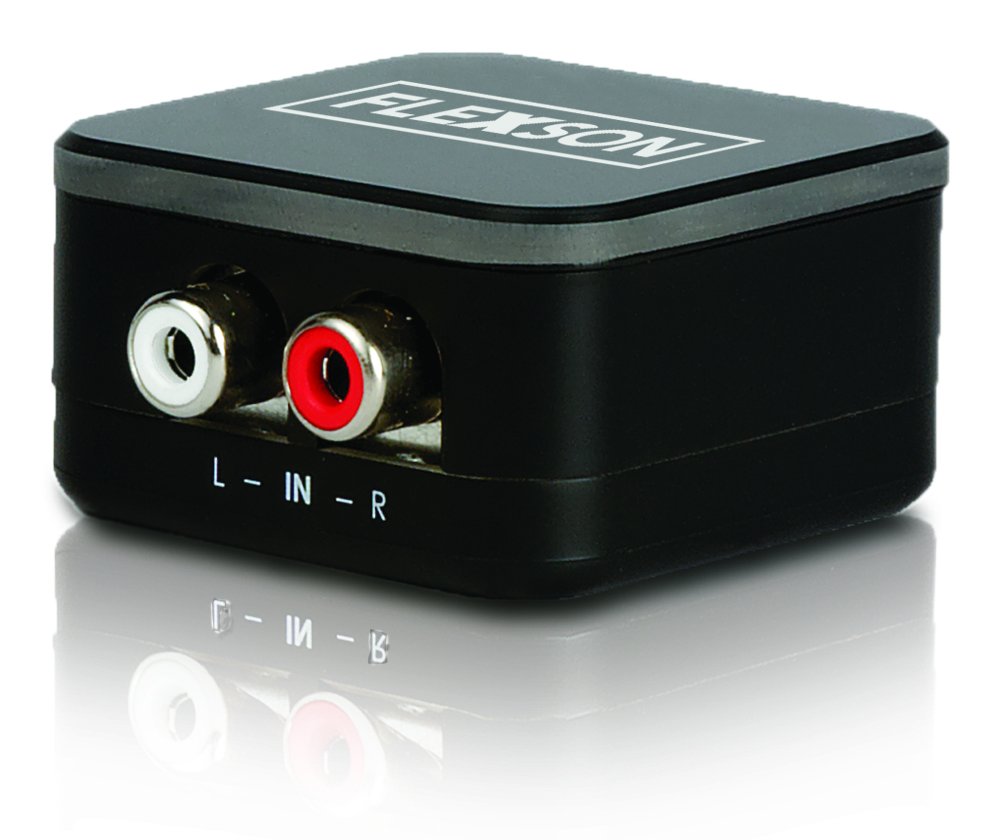
Image showing the compact Flexson Analog to Digital Converter unit with its various ports for analog input and digital optical output.
5. Bedryf
Once properly connected and powered, the Flexson Analog to Digital Converter operates automatically. It converts the incoming analog audio signal into a digital optical signal without requiring any user interaction. Ensure your source device is playing audio and your digital audio system is set to the correct input to hear sound.
6. Onderhoud
- Skoonmaak: Use a soft, dry cloth to wipe the exterior of the converter. Do not use abrasive cleaners or solvents.
- Berging: Indien die toestel vir 'n lang tydperk gestoor word, ontkoppel dit van die krag en bêre dit op 'n koel, droë plek weg van direkte sonlig.
- Kabelbestuur: Ensure all cables are connected securely and are not under strain or bent sharply.
7. Probleemoplossing
Geen klankuitset nie
- Kontroleer krag: Ensure the power adapter is securely connected to the converter and a working power outlet.
- Verifieer verbindings: Double-check that all analog and digital audio cables are firmly connected to their respective ports on the source, converter, and audio system.
- Source Device Output: Confirm that your analog source device (e.g., TV) is outputting audio through the connected port and its volume is turned up.
- Audio System Input: Ensure your SONOS PLAYBAR or digital audio system is set to the correct optical input.
- Kabelintegriteit: Test with different audio cables if possible, to rule out faulty cables.
Swak klankgehalte / Vervorming
- Bronvolume: Ensure the analog source device's volume is not set too high, which could cause distortion before conversion.
- Kabelgehalte: Use high-quality audio cables to minimize interference.
- Inmenging: Keep the converter and audio cables away from strong electromagnetic fields or other electronic devices that might cause interference.
8. Spesifikasies
| Handelsmerk | Flexson |
| Model | FLXA2D1021 |
| insette Interface | Analog (e.g., 3.5mm, RCA stereo) |
| Uitset-koppelvlak | Opties (TOSLINK) |
| Item gewig | 0.16 kilogram |
| Kragtoevoer | DC 5V (via included adapter) |
9. Waarborg en Ondersteuning
This Flexson product comes with a standard manufacturer's warranty. Please refer to the warranty card included with your purchase or visit the official Flexson website for detailed warranty terms and conditions. For technical support, troubleshooting assistance, or to inquire about replacement parts, please contact Flexson customer support through their official channels.