
Inleiding en oorview
The Comfort Zone CZ6CBK 6-Inch Corded Clip-On Personal Fan is designed to provide targeted airflow in various indoor settings. Its compact size and versatile clip-on design allow for flexible placement on desks, shelves, or other surfaces. This fan features a 2-speed rotary control, 360-degree swivel, and adjustable vertical tilt for customized air direction. The corded electric operation ensures continuous cooling without the need for batteries.
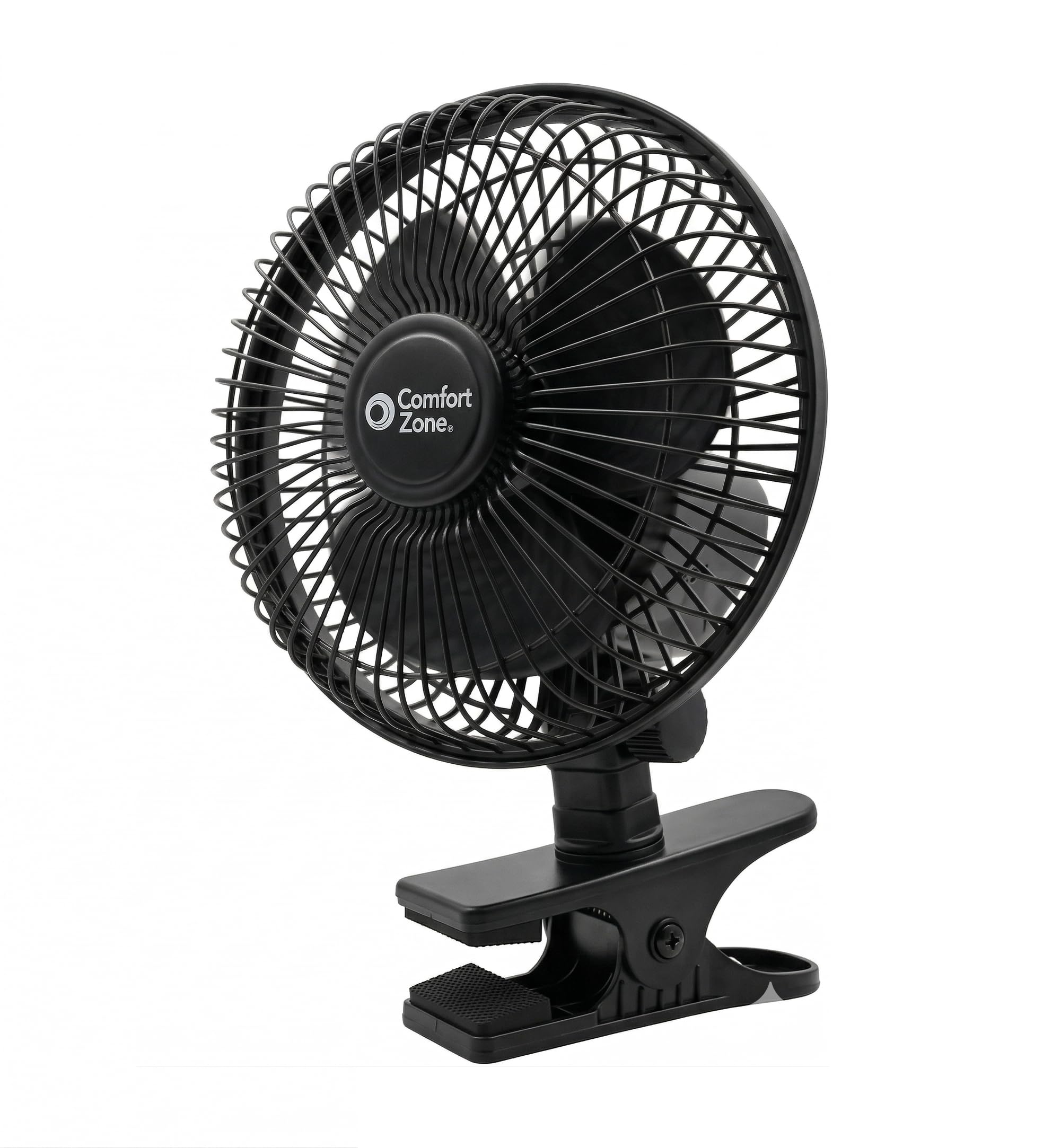
Image: The Comfort Zone CZ6CBK 6-Inch Corded Clip-On Personal Fan in black, showcasing its compact design and clip base.
Belangrike veiligheidsinstruksies
Please read and save these important safety instructions before using this fan. Failure to follow these instructions may result in electric shock, fire, or injury.
- Ontkoppel altyd die waaier voordat u skoonmaak of diens doen.
- Do not operate the fan with a damaged cord or plug. If the cord or plug is damaged, contact a qualified electrician for repair or replacement.
- Keep fingers and other objects away from the fan blades and grille during operation.
- Moenie die waaier in water of ander vloeistowwe dompel nie.
- Ensure the fan is placed on a stable, level surface or securely clipped to a sturdy object to prevent tipping.
- Hierdie waaier is slegs vir binnenshuise gebruik. Moenie buite of in nat plekke gebruik nie.
- Moenie koord onder die matte dra nie. Moenie koord bedek met matte, lopers of soortgelyke bedekkings nie. Rangskik koord weg van die verkeersarea en waar dit nie gestruikel sal word nie.
- This product is ETL safety certified, indicating it meets strict global safety standards for residential and office use.

Image: An icon representing safety, highlighting the fan's protective features.
Produk Kenmerke
- Veilige Clamp-On Design: Swaardiens clamp for stable attachment to desks, bed frames, shelves, or ledges.
- Corded Plug-In Power: Standard 120V grounded power cord for continuous operation.
- 360-Degree Rotation & Tilt: Full swivel and adjustable vertical tilt for precise airflow direction.
- Fluisterstil prestasie: Low decibel motor for quiet operation.
- Versatile 2-Speed Control: Low and High-velocity settings for customized comfort.
- Enhanced Safety Grille: Poly-coated metal safety grille protects ABS blades.
- Break-Resistant ABS Blades: Durable 6-inch plastic blades for high-performance air movement.
- Kompak en ruimtebesparend: Klein profile fits in tight spaces.

Image: Diagram showing the fan head's 360-degree rotation capability.

Image: Close-up of the fan's adjustable tilt knob and the strong clamp with a 2-inch opening.
Opstelling en samestelling
- Pak die waaier uit: Carefully remove the fan and all packaging materials from the box. Ensure all components are present and undamaged.
- Heg die Clamp: The fan comes with an integrated heavy-duty clamp. Verseker die clamp is securely attached to the fan body.
- Plaas die waaier:
- Identify a stable surface such as a desk edge, shelf, or headboard.
- Maak die cl oopamp by pressing the handles together.
- Heg die clamp to the desired surface. The clamp features padding to protect furniture.
- Pas hoek aan: Use the adjustable tilt knob to set the vertical angle of the fan head. The fan head can also be manually rotated 360 degrees to direct airflow.
- Inprop: Insert the standard 120V grounded power cord into a suitable wall outlet.

Image: A white Comfort Zone clip-on fan demonstrating secure attachment to a table edge.
Bedryfsinstruksies
- Krag aan/af: Locate the 2-speed rotary control switch on the back of the fan. Slide the switch to the "LO" position for low speed or "HI" for high speed. To turn off the fan, slide the switch to the "OFF" position.
- Pas lugvloeirigting aan:
- To adjust the vertical angle, loosen the adjustable tilt knob, position the fan head as desired, and then tighten the knob.
- To adjust the horizontal direction, manually rotate the entire fan head 360 degrees.

Beeld: Voorkant en sykant views of the fan, highlighting the 2-speed slider switch for operation.

Image: A visual representation of the fan's two speed settings: Low and High.
Onderhoud
Regular maintenance helps ensure optimal performance and longevity of your fan.
- Skoonmaak:
- Ontkoppel altyd die waaier voordat dit skoongemaak word.
- Gebruik 'n sagte, damp lap om die buite-oppervlaktes van die waaier af te vee.
- To clean the fan blades, carefully remove the front grille (if detachable, refer to specific model instructions for removal). Wipe blades with a soft cloth. Reattach the grille securely before use.
- Do not use abrasive cleaners or solvents as they may damage the fan's finish.
- Berging: When not in use for extended periods, store the fan in a cool, dry place. It is recommended to cover the fan to protect it from dust.
Probleemoplossing
| Probleem | Moontlike oorsaak | Oplossing |
|---|---|---|
| Waaier werk nie. | Geen kragtoevoer. Fan switch is in "OFF" position. | Ensure the fan is plugged into a live electrical outlet. Slide the switch to "LO" or "HI". |
| Verminderde lugvloei. | Stofophoping op lemme/rooster. Fan is on low speed. | Maak die waaierlemme en roosters skoon volgens die onderhoudsinstruksies. Switch to "HI" speed setting. |
| Die waaier maak ongewone geluid. | Los dele of obstruksie. | Unplug the fan and check for any loose parts or foreign objects. Ensure the fan is securely clipped. |
Spesifikasies
- Model Naam: CZ6CBK
- Handelsmerk: Geriefsone
- Produk afmetings: 7.25" D x 7.5" B x 10" H
- Bladlengte: 6 duim
- Aantal snelhede: 2 (Laag, Hoog)
- Kragbron: Koord Elektries (120V)
- Wattage: 12 watt
- Lugvloeikapasiteit: 55 kubieke voet per minuut (CFM)
- Geraasvlak: 44 Desibel
- Materiaal: Plastic (ABS Blades)
- Beheer metode: Dial Control (Slider Switch)
- Veiligheidsertifisering: ETL gelys
- Koordlengte: Approximately 6 feet (as per Aplus media image description)
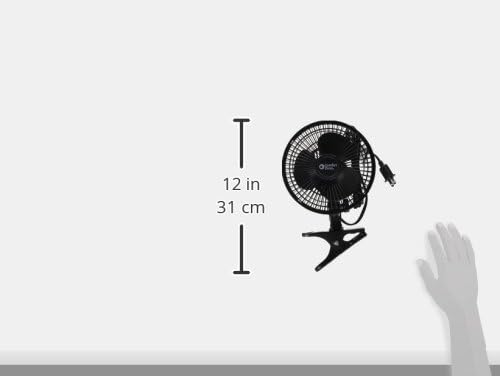
Image: Visual representation of the fan's dimensions.

Image: An icon indicating the fan's corded electric power source.
Waarborg en Ondersteuning
This Comfort Zone fan comes with a 1 Jaar Waarborg Teen Vervaardigerdefekte. For warranty claims or technical support, please contact Comfort Zone customer service. Keep your purchase receipt as proof of purchase.
For further assistance, visit the official Comfort Zone webwebwerf of kontak hul kliëntedienslyn.