
Inleiding
This manual provides essential instructions for the safe and effective use of your Toorx AHF-064 Pedometer. Please read this manual thoroughly before using the device and retain it for future reference.
Veiligheidsinligting
- Moenie die toestel vir lang tye aan uiterste temperature of direkte sonlig blootstel nie.
- Hou die toestel weg van water en vog.
- Moenie probeer om die toestel self uitmekaar te haal of te herstel nie. Kontak gekwalifiseerde dienspersoneel.
- Gooi batterye weg volgens plaaslike regulasies.
Pakketinhoud
Verifieer dat alle items in die pakket teenwoordig is:
- Toorx AHF-064 Pedometer
- Gebruikershandleiding (hierdie dokument)
Produk verbyview
The Toorx AHF-064 is a compact pedometer designed to track your steps. It features a clear display for easy reading of your activity data.
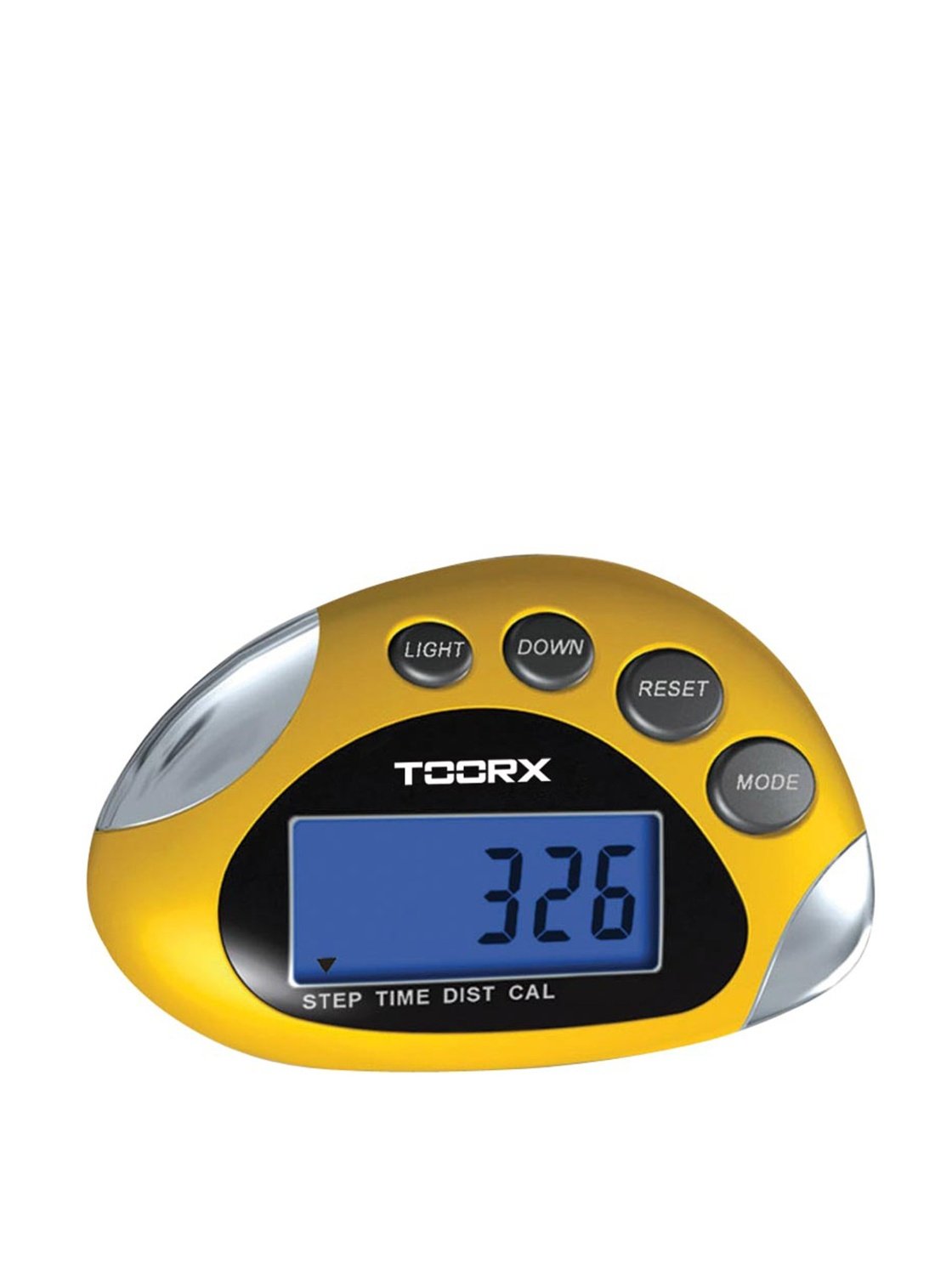
Beeld: Voorkant view of the Toorx AHF-064 Pedometer, showing the display and control buttons.
Opstelling
Battery installasie
The Toorx AHF-064 Pedometer requires batteries for operation. Batteries are not included in the package.
- Locate the battery compartment cover on the back of the pedometer.
- Gently slide or unclip the cover to open it.
- Insert the required batteries (e.g., 1x CR2032 coin cell) ensuring correct polarity (+ and -).
- Plaas die batteryklepdeksel terug totdat dit stewig vasklik.
Aanvanklike instellings
Before first use, configure the following settings for accurate tracking:
- Eenheid van mate: Select between metric (cm/kg) or imperial (inches/lbs) units.
- Loplengte: Measure your average stride length and input the value. This is crucial for accurate distance calculation.
- Gewig: Enter your body weight.
- Tyd: Stel die huidige tyd in.
Refer to the on-screen prompts and device buttons to navigate through the settings menu.
Bedryfsinstruksies
Wearing the Pedometer
For optimal accuracy, wear the Toorx AHF-064 Pedometer securely on your waistband or belt, close to your hip. Ensure it is positioned vertically.
Viewing Data
Press the mode button to cycle through different display modes:
- Stappe: Wys die totale aantal stappe wat geneem is.
- Afstand: Shows the estimated distance walked.
- Kalorieë: Dui die beraamde kalorieëverbranding aan.
- Tyd: Vertoon die huidige tyd.
Herstel van data
To clear your daily activity data and start a new tracking session, press and hold the reset button for approximately 3 seconds. The display will show "0" for all activity metrics.
Onderhoud
Skoonmaak
Wipe the pedometer with a soft, dry cloth. Do not use abrasive cleaners or solvents, as these may damage the device.
Berging
When not in use for extended periods, remove the batteries to prevent leakage. Store the device in a cool, dry place, away from direct sunlight.
Probleemoplossing
| Probleem | Moontlike oorsaak | Oplossing |
|---|---|---|
| Toestel kan nie aangeskakel word nie. | Batterye is leeg of verkeerd geïnstalleer. | Vervang batterye of kontroleer polariteit. |
| Inaccurate step count. | Incorrect stride length setting or improper wearing position. | Verify stride length in settings. Ensure pedometer is worn securely and vertically on the hip. |
| Die skerm is leeg of flikker. | Lae batterykrag. | Vervang batterye. |
Spesifikasies
| Kenmerk | Detail |
|---|---|
| Modelnommer | AHF-064 |
| Afmetings (produk) | 8 x 10 x 4 cm |
| Gewig (item) | 80 g |
| Kleur | Silwer / Swart |
| Soort sensor | Stapmeter |
| Batterye Ingesluit | Nee |
Waarborg en Ondersteuning
For warranty information and customer support, please refer to the documentation provided at the point of purchase or contact Toorx customer service. Keep your proof of purchase for warranty claims.