
1. Inleiding
This manual provides detailed instructions for the Edifier X5 True Wireless Stereo Earbuds. The Edifier X5 earbuds offer a high-fidelity audio experience with advanced features designed for convenience and durability.
Sleutel kenmerke sluit in:
- High-Fidelity AptX Audio: Delivers CD-quality sound with deep bass and balanced tri-frequency.
- Bluetooth V5.0-konnektiwiteit: Ensures faster, more stable signal transmission and lower power consumption.
- CVC 8.0 Noise Canceling Microphone: Reduces background noise for clear calls.
- IP55 Stofdig en Waterdig: Provides protection against dust, rain, and sweat, suitable for outdoor activities.
- Eenstap-paring: Automatic connection with the last paired device after initial setup.
- Kompakte en liggewig ontwerp: Comfortable for extended wear.

Image 1.1: Edifier X5 True Wireless Stereo Earbuds and Charging Case.
Video 1.1: Oorview of Edifier X5 True Wireless Stereo Earbuds features.
2. Opstelling
2.1. Pakketinhoud
Kontroleer asseblief die pakket vir die volgende items:
- Edifier X5 True Wireless Stereo Earbuds (Left and Right)
- Laaikas
- USB-laaikabel
- Verskeie groottes van oorpunte
- Gebruikershandleiding
2.2. Laai die oordopjes en houer
Laai die oordopjes en laaikassie volledig voor die eerste gebruik.
- Plaas die oorfone in die laaikas. Maak seker dat hulle korrek geplaas is.
- Connect the USB charging cable to the charging port on the case and to a USB power adapter (not included).
- Die aanwyserliggie op die laaikas sal die laaistatus wys. Sodra dit volledig gelaai is, sal die aanwyser verander of afskakel.
A full charge provides approximately 6 hours of playback time for the earbuds, with an additional 18 hours available from the charging case.
2.3. Koppel met 'n Toestel
The Edifier X5 earbuds feature one-step pairing for convenience.

Image 2.1: Edifier X5 Earbuds demonstrating seamless connection.
- Eerste keer saamparing: Maak die laaikas oop. Die oorfone sal outomaties aanskakel en in paringsmodus gaan. Die aanwyserliggie op die oorfone sal flikker.
- Aktiveer Bluetooth op jou toestel (slimfoon, tablet, ens.) en soek vir beskikbare toestelle.
- Select "EDIFIER X5" from the list of devices. Once connected, the earbud indicator lights will turn off or show a steady light.
- Opvolgende paring: Na die aanvanklike paring sal die oordopjes outomaties aan die laaste gekoppelde toestel koppel wanneer dit uit die laaikas gehaal word.

Image 2.2: Edifier X5 Earbuds powered by Qualcomm Bluetooth 5.0 for stable connection.
3. Bediening van die oordopjes
3.1. Dra van die oordopjes
Select the appropriate ear tips for a comfortable and secure fit. Insert the earbuds into your ears and gently twist them to ensure a snug seal for optimal sound quality and noise isolation.
3.2. Raak Kontroles
The Edifier X5 earbuds feature intuitive touch controls on each earbud.
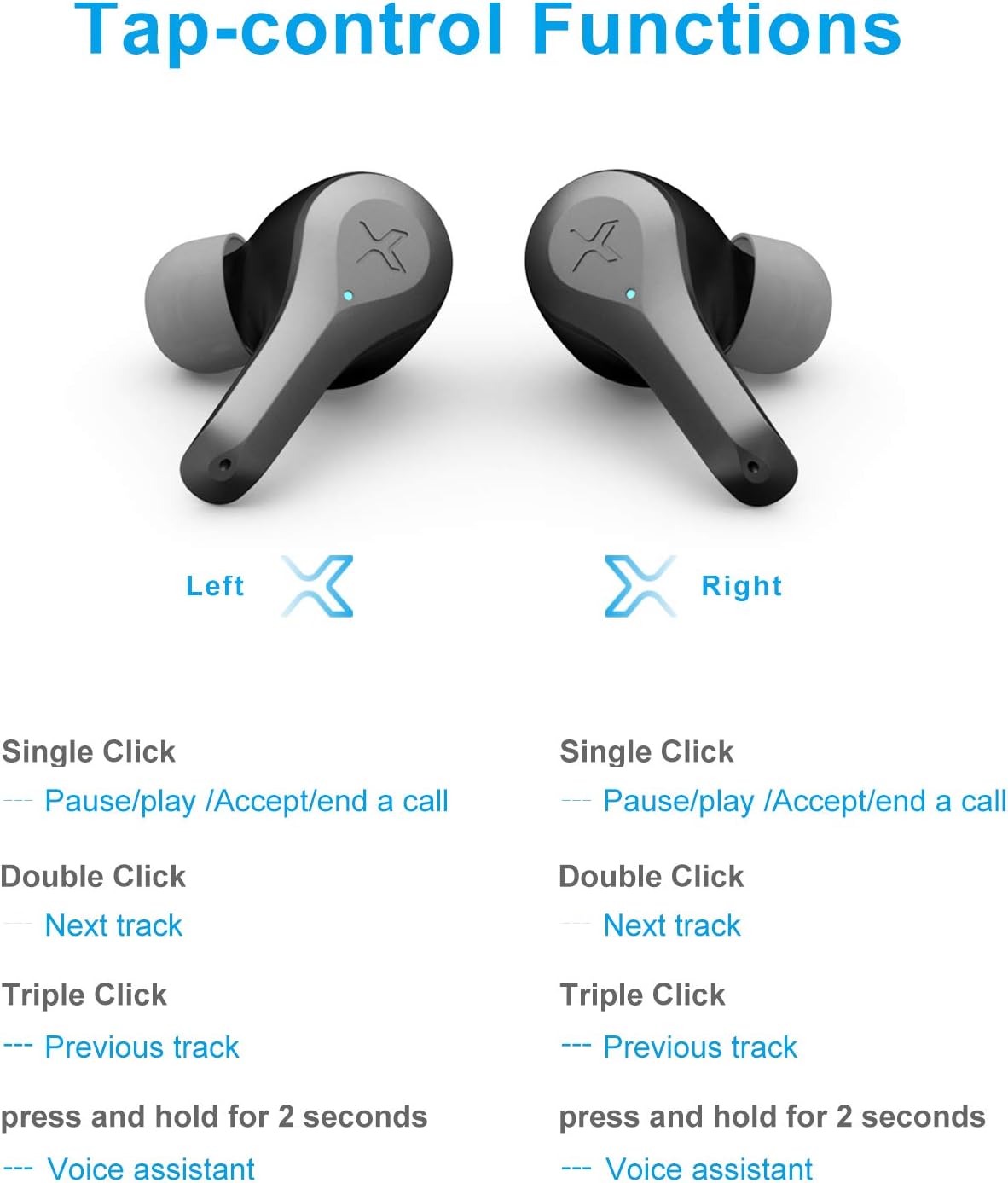
Image 3.1: Detailed diagram of Edifier X5 Earbuds touch control functions.
| Aksie | Linker oorknoppie | Regter Oordop |
|---|---|---|
| Enkele klik | Pause/Play, Accept/End a Call | Pause/Play, Accept/End a Call |
| Dubbelklik | Volgende Snit | Volgende Snit |
| Drievoudige klik | Vorige Snit | Vorige Snit |
| Druk en hou (2 sekondes) | Stemassistent | Stemassistent |
3.3. Maak en Ontvang Oproepe
The CVC 8.0 noise canceling microphone ensures clear communication during calls.
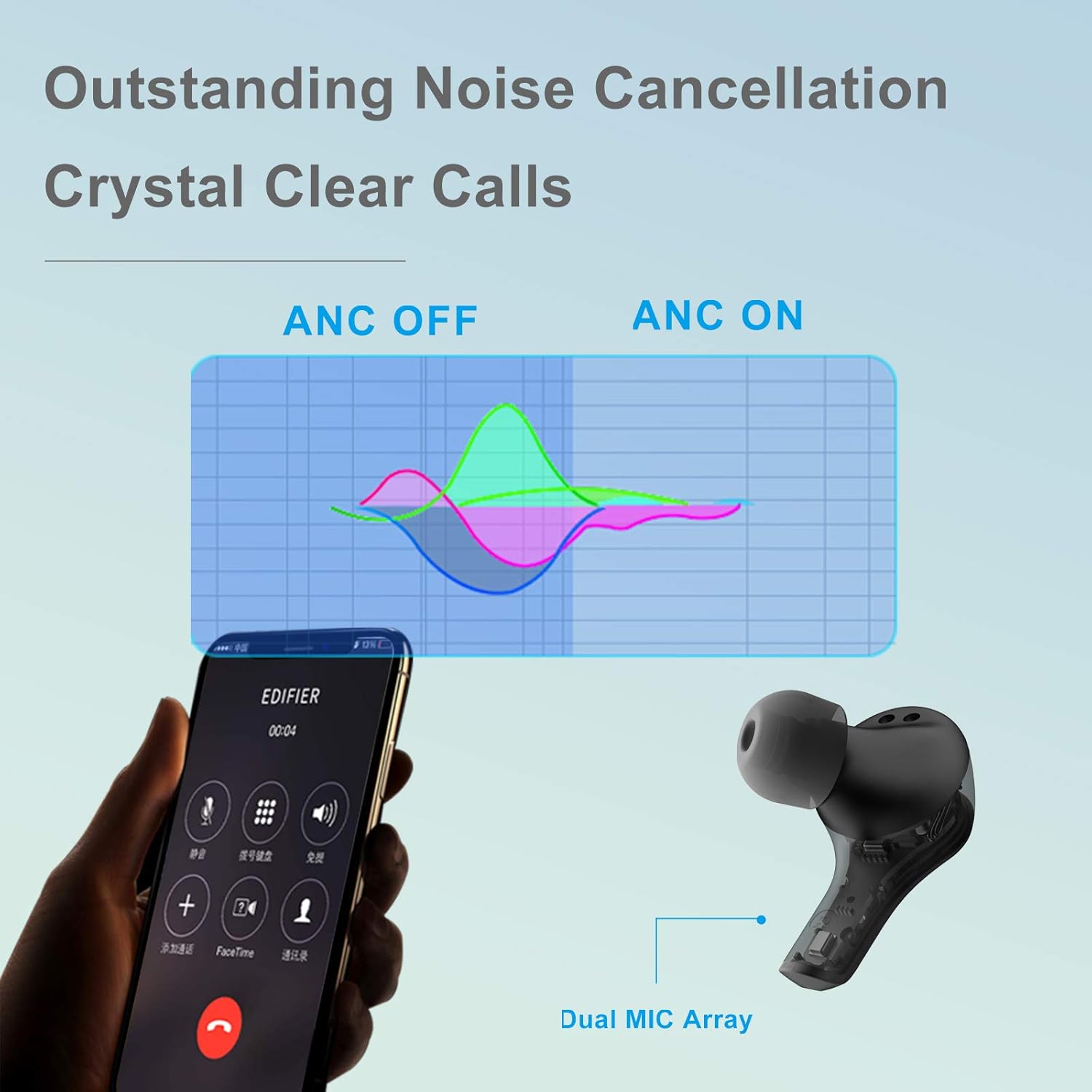
Image 3.2: Edifier X5 Earbuds featuring outstanding noise cancellation for clear calls.
- Beantwoord/beëindig oproep: Klik eenvoudig op enige oordopje.
- Verwerp oproep: Druk en hou enige oordopjes vir 2 sekondes.
3.4. Musiekweergawe
Enjoy high-quality audio with AptX decoding.

Image 3.3: Edifier X5 Earbuds featuring AptX decoding for enhanced audio quality.
- Speel/pouse: Klik eenvoudig op enige oordopje.
- Volgende snit: Dubbelklik op enige oordopje.
- Vorige snit: Triple click either earbud.
4. Onderhoud
4.1. Skoonmaak
Gereelde skoonmaak help om optimale prestasie en higiëne te handhaaf.
- Gebruik 'n sagte, droë, pluisvrye lap om die oorfone en laaikas af te vee.
- Verwyder die oordoppe en maak dit skoon met sagte seep en water, droog dit dan deeglik af voordat jy dit weer vasmaak.
- Maak die laaikontakte op beide die oordopjes en die omhulsel versigtig skoon met 'n droë wattestokkie.
4.2. Water- en stofbestandheid (IP55)
The Edifier X5 earbuds are rated IP55, meaning they are protected against limited dust ingress and low-pressure water jets from any direction. This makes them suitable for workouts and light rain.

Image 4.1: Edifier X5 Earbuds demonstrating water and dust resistance.
Belangrik:
- Moenie die oorfone in water dompel nie.
- Maak seker dat die oordopjes droog is voordat jy dit terug in die laaikas sit om skade te voorkom.
- Die laaikas is nie waterbestand nie.
4.3. Berging
Wanneer dit nie gebruik word nie, bêre die oordopjes in hul laaikassie om hulle te beskerm en gelaai te hou.

Image 4.2: Edifier X5 Earbuds designed for comfort and durability during outdoor activities.
5. Probleemoplossing
If you encounter issues with your Edifier X5 earbuds, refer to the following common problems and solutions:
- Earbuds do not power on:
Ensure the earbuds are charged. Place them in the charging case and check the charging indicator. - Kan nie met toestel koppel nie:
Make sure Bluetooth is enabled on your device. Ensure the earbuds are in pairing mode (indicator flashing). Try forgetting "EDIFIER X5" from your device's Bluetooth list and re-pairing. - Geen klank of swak klankgehalte:
Check the volume level on both your device and the earbuds. Ensure the earbuds are properly seated in your ears. Try cleaning the ear tips and speaker mesh. - Een oordoppie werk nie:
Place both earbuds back into the charging case, close the lid, wait a few seconds, then take them out again. This can reset the connection between the two earbuds. - Call quality is poor:
Ensure the microphone is not obstructed. Move closer to your device to improve signal strength.
6. Spesifikasies
| Kenmerk | Detail |
|---|---|
| Model Naam | X5 |
| Handelsmerk | Opbouer |
| Verbindingstegnologie | Draadloos |
| Draadlose kommunikasietegnologie | Bluetooth V5.0 |
| Oorplasing | In Oor |
| Vormfaktor | In Oor |
| Geraasbeheer | Sound Isolation, CVC 8.0 Noise Cancellation |
| Beheer metode | Raak |
| Waterweerstandvlak | IP55 (Stofdig en Waterdig) |
| Item gewig | 1.5 ons |
| Pakket afmetings | 4.92 x 2.95 x 1.34 duim |
| Batterye | 3 Litium-ioon batterye (ingesluit) |
| Materiaal | Plastiek |
| Kleur | Swart |
7. Waarborg en ondersteuning
7.1. Waarborginligting
The Edifier X5 True Wireless Stereo Earbuds come with a manufacturer's warranty. Please refer to the warranty card included in your package or visit the official Edifier webwebwerf vir gedetailleerde waarborgbepalings en -voorwaardes spesifiek vir u streek.
7.2. Kliëntediens
For further assistance, technical support, or inquiries regarding your Edifier X5 earbuds, please contact Edifier customer service through their official webwebwerf of die kontakinligting wat in u produkdokumentasie verskaf word.