
Ansmann 1001-0018
ANSMANN Powerline 5 Pro Charger Gebruikershandleiding
Model: 1001-0018
Inleiding
Thank you for choosing the ANSMANN Powerline 5 Pro Charger. This advanced microprocessor-controlled charger is designed for NiMH/NiCd rechargeable batteries, offering multiple charging programs and comprehensive safety features. Please read this manual carefully before using the device to ensure safe and optimal performance.
Veiligheidsinstruksies
- Use the charger only for NiMH/NiCd rechargeable batteries. Do not attempt to charge primary (non-rechargeable) batteries.
- Moenie die laaier aan reën of vog blootstel nie.
- Moenie die laaier uitmekaar haal of wysig nie. Verwys alle diens na gekwalifiseerde personeel.
- Verseker behoorlike ventilasie tydens laai.
- Hou buite bereik van kinders.
- Vermy kortsluiting van die batterykontakte.
- Ontkoppel die laaier van die kragtoevoer wanneer dit nie gebruik word nie.
Produk verbyview
The ANSMANN Powerline 5 Pro is a versatile battery charger featuring an LCD display and individual charging slots. It supports various battery sizes and offers multiple operational modes.

Figuur 1: Voorkant view of the ANSMANN Powerline 5 Pro Charger, showing the LCD display, control buttons (Current, Display, Mode), and four charging slots for cylindrical batteries, plus a dedicated slot for a 9V E-block battery.
Sleutel kenmerke:
- Veelsydige toepassing: Charges 1-4 NiMH/NiCd batteries of sizes Micro AAA, Mignon AA, Baby C, Mono D, and one 9V E-block battery.
- Intelligente laai tegnologie: Four charging programs (Charge, Discharge, Refresh, Test) individually adjustable per charging station.
- High Safety: Features reverse polarity protection, short circuit protection, overcharge protection, and automatic shut-off.
- Easy-to-read Display: Large illuminated LCD shows capacity, voltage, charging/discharging current, and charging time for each slot.
- Gerieflike gebruik: Includes wide-range power supply for worldwide use and a 12V car adapter.
Pakketinhoud
Nadat u die verpakking oopgemaak het, maak asseblief seker dat alle komponente teenwoordig en onbeskadig is:
- ANSMANN Powerline 5 Pro Charger Unit
- AC Power Adapter (Wide-range)
- 12V motoradapter
- Gebruikershandleiding (hierdie dokument)
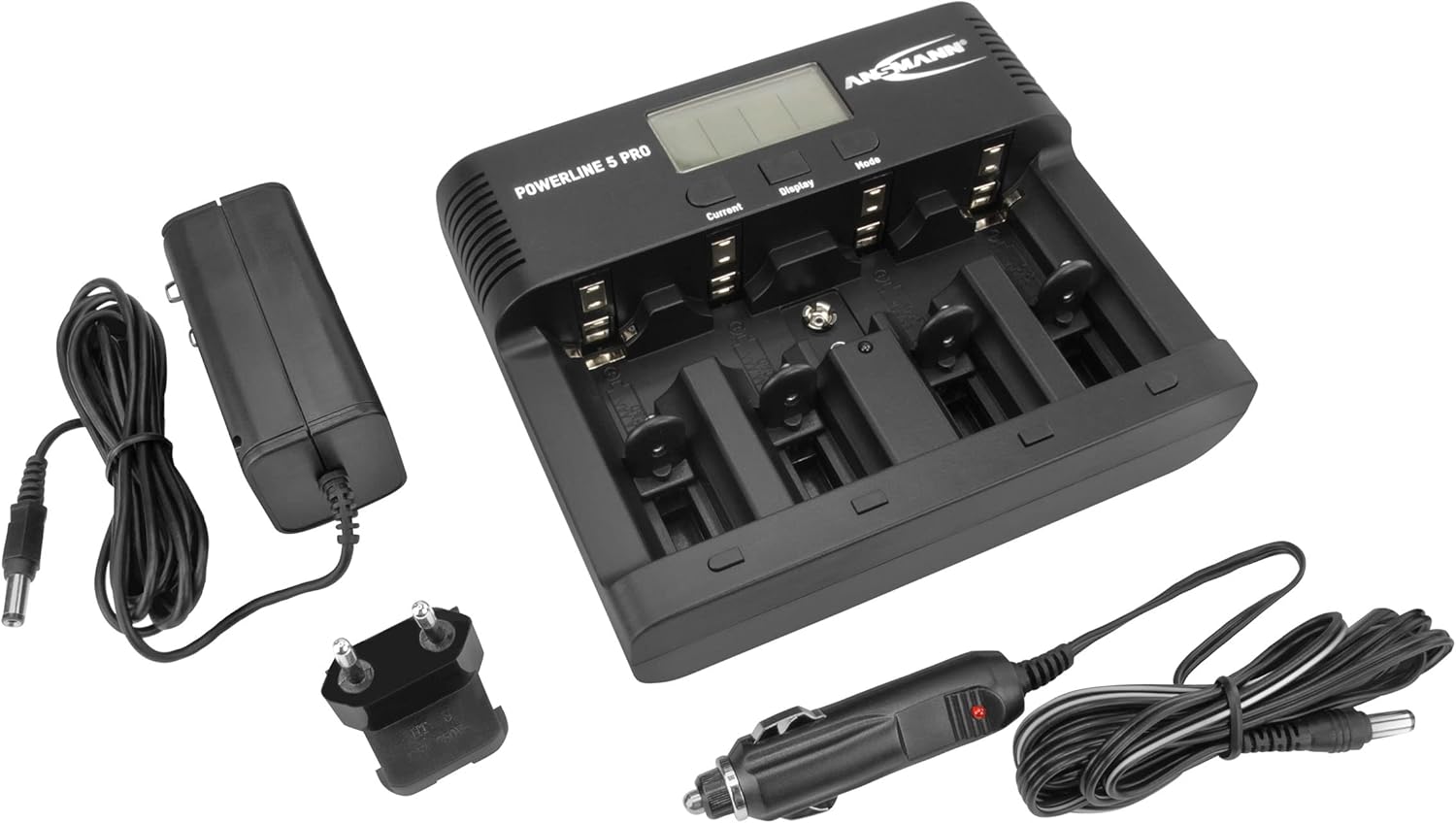
Figure 2: The Powerline 5 Pro charger shown with its included accessories: the AC power adapter and the 12V car adapter.
Opstelling
Aansluiting van die kragtoevoer:
- Locate the DC 12V 1.5A input port on the rear of the charger.
- Connect the provided AC power adapter or 12V car adapter to this input port.
- Plug the other end of the AC power adapter into a suitable wall outlet, or the car adapter into your vehicle's 12V socket.
- The charger's LCD display will illuminate, indicating it is powered on and ready for use.
Figuur 3: Agter view of the Powerline 5 Pro charger highlighting the 12V 1.5A DC input port for connecting the power adapter.
Bedryfsinstruksies
Insit van batterye:
The charger supports various battery sizes. Ensure correct polarity when inserting batteries into the charging slots. The 9V E-block battery has a dedicated slot.

Figure 4: Illustration showing the various battery types suitable for the Powerline 5 Pro charger, including Micro AAA, Mignon AA, Baby C, Mono D, and 9V E-Block.
Understanding the Display and Controls:
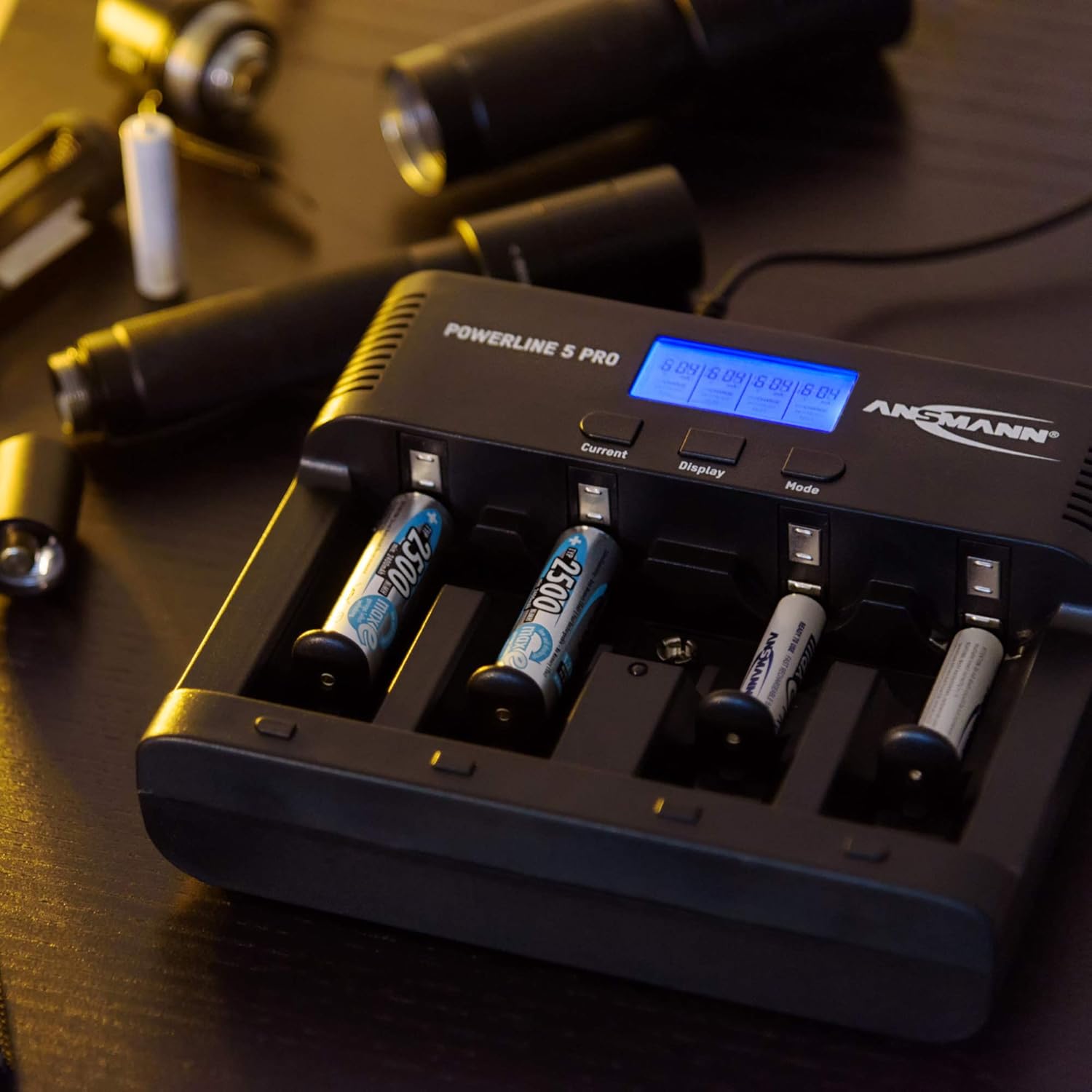
The LCD display provides real-time information for each charging slot. The three buttons (Current, Display, Mode) allow you to control the charging process.
- Current Button: Adjusts the charging/discharging current.
- Vertoon knoppie: Toggles through different display parameters (e.g., voltage, capacity, time).
- Modusknoppie: Selects the desired operating program (Charge, Discharge, Refresh, Test).

Figure 5: The Powerline 5 Pro charger with batteries inserted, demonstrating the individual monitoring and automatic shutdown features. The LCD shows charging status.
Charging Programs:
Each charging slot can operate independently with its own program.
- Heffing: Standard charging mode. Insert battery, select desired current with "Current" button, then press "Mode" to start. The charger automatically detects full charge and switches to trickle charge.
- Ontslag: Discharges the battery before recharging it. Useful for reducing memory effect in NiCd batteries. Select "Discharge" mode with "Mode" button, then set discharge current with "Current" button. After discharge, the charger will automatically begin charging.
- Herlaai: Repeatedly discharges and charges the battery to optimize its capacity and rejuvenate older batteries. This process can take several hours or even days depending on battery condition. Select "Refresh" mode with "Mode" button.
- Toets: Charges the battery fully, then discharges it to measure its actual capacity, and finally recharges it. This provides an accurate reading of the battery's health. Select "Test" mode with "Mode" button.
To select a program for a specific slot, first select the slot by pressing the "Display" button until the desired slot is highlighted, then use the "Mode" button to cycle through programs. Use the "Current" button to adjust current settings if applicable.
Onderhoud
- Clean the charger regularly with a soft, dry cloth. Do not use abrasive cleaners or solvents.
- Ensure the charging contacts are free of dust and debris for optimal connection.
- Berg die laaier op 'n koel, droë plek wanneer dit nie gebruik word nie.
- Vermy om die laaier te laat val of dit aan harde impakte bloot te stel.
Probleemoplossing
| Probleem | Moontlike oorsaak | Oplossing |
|---|---|---|
| Laaier skakel nie aan nie. | Geen kragtoevoer nie; foutiewe adapter; los verbinding. | Check power outlet; ensure adapter is securely connected to charger and wall/car socket; try a different outlet. |
| Battery not charging (display shows "ERR"). | Incorrect battery type (non-rechargeable); faulty battery; incorrect polarity; poor contact. | Ensure battery is NiMH/NiCd; try a different battery; reinsert battery with correct polarity; clean battery and charger contacts. |
| Charging process takes too long. | High capacity battery; low charging current selected; battery in "Refresh" or "Test" mode. | This is normal for high capacity batteries; increase charging current if possible; "Refresh" and "Test" modes are designed to take longer. |
| Die skerm is dof of flikker. | Onstabiele kragtoevoer. | Ensure stable power source; try a different outlet or adapter. |
Spesifikasies
| Kenmerk | Detail |
|---|---|
| Modelnommer | 1001-0018 |
| Versoenbare batterytipes | NiMH / NiCd (Micro AAA, Mignon AA, Baby C, Mono D, 9V E-block) |
| Invoer Voltage | 12V DC, 1.5A (via included AC adapter or car adapter) |
| Charging Programs | Charge, Discharge, Refresh, Test |
| Vertoon | LCD met agtergrond |
| Veiligheidskenmerke | Reverse polarity protection, short circuit protection, overcharge protection, automatic shut-off |
| Produk afmetings | 5.59 x 6.67 x 1.56 duim (14.2 x 17.0 x 3.96 cm) |
| Item gewig | 1.21 pond (0.55 kg) |
| Vervaardiger | ANSMANN |

Figure 6: Dimensions of the Powerline 5 Pro charger, indicating a width of 17.0 cm and a height of 14.2 cm.
Waarborg en Ondersteuning
ANSMANN products are manufactured with high quality standards. For warranty information and technical support, please refer to the official ANSMANN webwebwerf of kontak hul kliëntediens direk. Bewaar u aankoopbewys as bewys van aankoop.
Vir verdere hulp kan u die Ansmann Winkel op Amazon.
Ask a question about this manual
Ask about setup, troubleshooting, compatibility, parts, safety, or missing instructions. Manuals+ will review the question and use this page’s manual context to help answer it.