
Inleiding
Thank you for choosing the Bowers & Wilkins T7 Portable Bluetooth Speaker. This manual provides essential information for setting up, operating, and maintaining your speaker to ensure optimal performance and longevity. Please read these instructions carefully before use.

Beeld: Voorkant view of the Bowers & Wilkins T7 Portable Bluetooth Speaker, showcasing sy kompakte ontwerp en luidsprekerrooster.
Pakketinhoud
Maak seker dat alle items in die pakket teenwoordig is:
- Bowers & Wilkins T7 Portable Bluetooth Speaker
- Power Supply Unit with regional adapters
- Vinnige Begingids (nie ingesluit in hierdie digitale handleiding nie)
- Safety and Warranty Information (refer to separate documentation)
Opstelling
1. Laai die battery
Before first use, fully charge the T7 speaker. Connect the provided power supply unit to the speaker's power input port and then to a wall outlet. The battery indicator light will show charging status.
- 'n Volle lading neem gewoonlik ongeveer 4 uur.
- The battery provides up to 18 hours of playback depending on volume and content.

Beeld: Agter view of the T7 speaker, showing the power input, AUX input, and service port.
2. Skakel aan/af
- Om aan te skakel, hou die Krag button located on the rear panel until the indicator light illuminates.
- Druk en hou die. In om uit te skakel Krag button again until the indicator light turns off.
3. Bluetooth-koppeling
The T7 uses Bluetooth for wireless audio streaming. To pair with a new device:
- Maak seker dat die T7 aangeskakel is.
- Druk en hou die Bluetooth button (usually indicated by a Bluetooth symbol) on the top panel until the Bluetooth indicator light flashes blue rapidly. This indicates pairing mode.
- Aktiveer Bluetooth op jou oudiotoestel (slimfoon, tablet, rekenaar) en soek vir beskikbare toestelle.
- Select "Bowers & Wilkins T7" from the list of found devices.
- Once paired, the Bluetooth indicator light on the T7 will glow solid blue.

Beeld: Bo view of the T7 speaker, showing the control buttons for Bluetooth, Play/Pause, Volume Down, and Volume Up.
4. Hulpverbinding
For devices without Bluetooth, use the 3.5mm auxiliary input:
- Connect one end of a 3.5mm audio cable (not included) to your audio device's headphone jack.
- Verbind die ander punt aan die AUX input port on the rear of the T7 speaker.
- The T7 will automatically switch to auxiliary input when a cable is detected.
Operating Your T7 Speaker
Kontroles
The T7 features intuitive controls on its top panel:
- Bluetooth-knoppie (Bluetooth simbool): Initiates Bluetooth pairing mode.
- Speel/Pause-knoppie (Play/Pause symbol): Press to play or pause audio playback.
- Deel-af-knop (Minus simbool): Decreases the volume.
- Volume omhoog-knoppie (Plus symbol): Increases the volume.
Bluetooth Connection Management
The T7 can remember multiple paired devices. To switch between previously paired devices, ensure Bluetooth is enabled on the desired device and select the T7 from its Bluetooth settings. The T7 will automatically connect to the last connected device if available.
Batterystatus-aanwyser
The LED indicator light provides information about the battery status:
- Vaste groen: Ten volle gelaai.
- Pulsing Amber: Laai.
- Vaste amber: Batteryvlak is laag.
- Vaste rooi: Battery is critically low and requires charging.
Onderhoud
Skoonmaak
To clean your T7 speaker:
- Vee die oppervlaktes af met 'n sagte, droë, pluisvrye lap.
- Do not use abrasive cleaners, alcohol, benzene, or other chemical solvents, as these may damage the finish.
- Vermy dat vog in enige openinge kom.
Berging
When storing the T7 for extended periods, ensure it is fully charged and stored in a cool, dry place. Periodically recharge the battery to maintain its health.
Probleemoplossing
| Probleem | Moontlike oorsaak | Oplossing |
|---|---|---|
| Geen krag nie | Battery depleted; Power cable not connected. | Charge the speaker; Ensure power cable is securely connected to both the speaker and a working outlet. |
| Geen klank nie | Volume too low; Incorrect input selected; Device not paired/connected. | Increase volume on both T7 and source device; Ensure Bluetooth is connected or AUX cable is properly inserted; Re-pair Bluetooth device. |
| Bluetooth-samestelling misluk | T7 not in pairing mode; Device too far; Interference. | Press and hold Bluetooth button until light flashes rapidly; Move device closer to T7; Turn off other Bluetooth devices nearby. |
| Poor sound quality via Bluetooth | Toestel te ver; Obstruksies; Lae battery. | Move device closer to T7; Ensure no large obstructions between devices; Charge the T7. |
| Speaker unresponsive | Sagtewarefout. | Perform a reset: Locate the small TERUGSTEL pinhole on the rear panel (next to the service port). Use a paperclip to gently press and hold the reset button for a few seconds. The speaker will power off and restart. |
Spesifikasies
- Model: T7
- Produk afmetings: 4.6 x 9.5 x 5.6 duim (11.7 x 24.1 x 14.2 cm)
- Item gewig: 2.07 pond (0.94 kg)
- Verbinding: Bluetooth, 3.5mm hulpinvoer
- Battery tipe: 1 Litium Polimeer battery (ingesluit)
- Batterylewe: Tot 18 uur (wissel na gelang van volume en inhoud)
- Vervaardiger: Bowers en Wilkins
- ASIN: B00OLE9606
- Eerste beskikbaar: 20 Oktober 2014
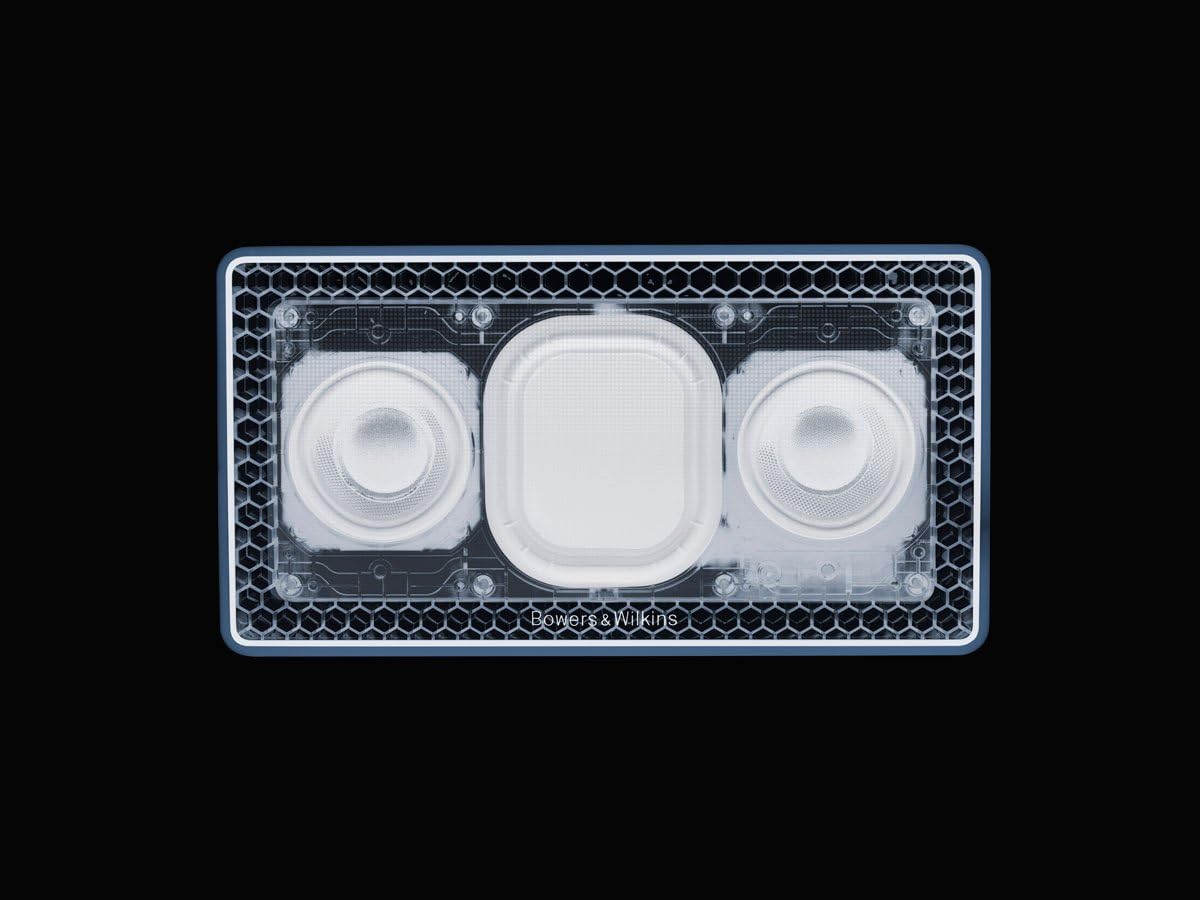
Beeld: Intern view of the T7 speaker, showing the dual drivers and passive bass radiators.
Waarborg inligting
The Bowers & Wilkins T7 Portable Bluetooth Speaker is covered by a manufacturer's warranty. Please refer to the separate warranty document included with your product or visit the official Bowers & Wilkins webwebwerf vir gedetailleerde bepalings en voorwaardes.
Kliënte ondersteuning
For technical assistance, troubleshooting beyond this manual, or service inquiries, please contact Bowers & Wilkins customer support. Contact information can be found on the official Bowers & Wilkins webwebwerf of in jou produk se dokumentasie.
Official Bowers & Wilkins Webwebwerf: www.bowerswilkins.com