
Inleiding
The Fellowes Saturn 125 Thermal Laminator is designed for efficient and reliable lamination of documents up to 12.5 inches wide. Featuring InstaHeat technology for rapid warm-up and a jam-free design, this machine is suitable for home, office, or classroom use. This manual provides essential information for safe operation, setup, maintenance, and troubleshooting.
Veiligheidsinligting
- Elektriese veiligheid: Always plug the laminator into a grounded outlet. Do not operate with a damaged power cord or plug. Keep the power cord away from heated surfaces.
- Waarskuwing: The laminator's rollers and surrounding areas become hot during operation. Avoid touching these surfaces to prevent burns. Allow the machine to cool completely before storing.
- Proper Pouch Use: Use only laminating pouches designed for thermal laminators. Do not attempt to laminate items thicker than the maximum recommended pouch thickness (5-mil).
- Ventilasie: Ensure adequate ventilation around the laminator during use. Do not block air vents.
- Kinders en Troeteldiere: Keep the laminator out of reach of children and pets. Adult supervision is required if children are operating the device.
- Vloeistofkontak: Do not expose the laminator to water or other liquids. If liquid spills on the device, unplug it immediately and contact customer support.
Pakketinhoud
Verifieer dat alle items in die pakket teenwoordig is:
- Fellowes Saturn 3i 125 Laminator
- Pouch Starter Kit (quantity may vary)
- Instruksie Handleiding
Opstelling
- Pak uit: Verwyder die lamineermasjien en alle bykomstighede versigtig uit die verpakking.
- Plasing: Place the laminator on a stable, flat surface with adequate space around it for proper ventilation and document feeding/exiting. Ensure it is away from heat sources and direct sunlight.
- Kragverbinding: Steek die kragsnoer in 'n standaard elektriese aansluiting.
- Krag aan: Locate the power switch on the back of the unit and turn it to the 'ON' position. The laminator will begin its warm-up cycle.
- Opwarming: The InstaHeat technology allows for a rapid warm-up time of approximately 60 seconds. The indicator light will change from red to green when the machine is ready for use.

Image: Fellowes Saturn 125 Thermal Laminator ready for use.

Image: The laminator features a quick 60-second warm-up time, indicated by a green light.
Bedryfsinstruksies
- Kies sakdikte: Choose the appropriate pouch thickness (3-mil, 4-mil, or 5-mil) using the control panel buttons. For self-adhesive pouches, select the 'COLD' setting (snowflake icon).
- Berei dokument voor: Place your document neatly inside the laminating pouch, ensuring it is centered and there is a small border around the edges.
- Plaas sakkie in: Feed the sealed edge of the pouch into the laminator's entry slot. The machine will automatically draw the pouch through.
- Lamineringsproses: The Saturn 125 laminates at a speed of 19 inches per minute. Allow the machine to complete the process without pulling or pushing the pouch.
- Kry gelamineerde dokument op: Once the pouch exits the rear of the machine, carefully remove it. The document will be warm; allow it to cool for a few moments before handling extensively.
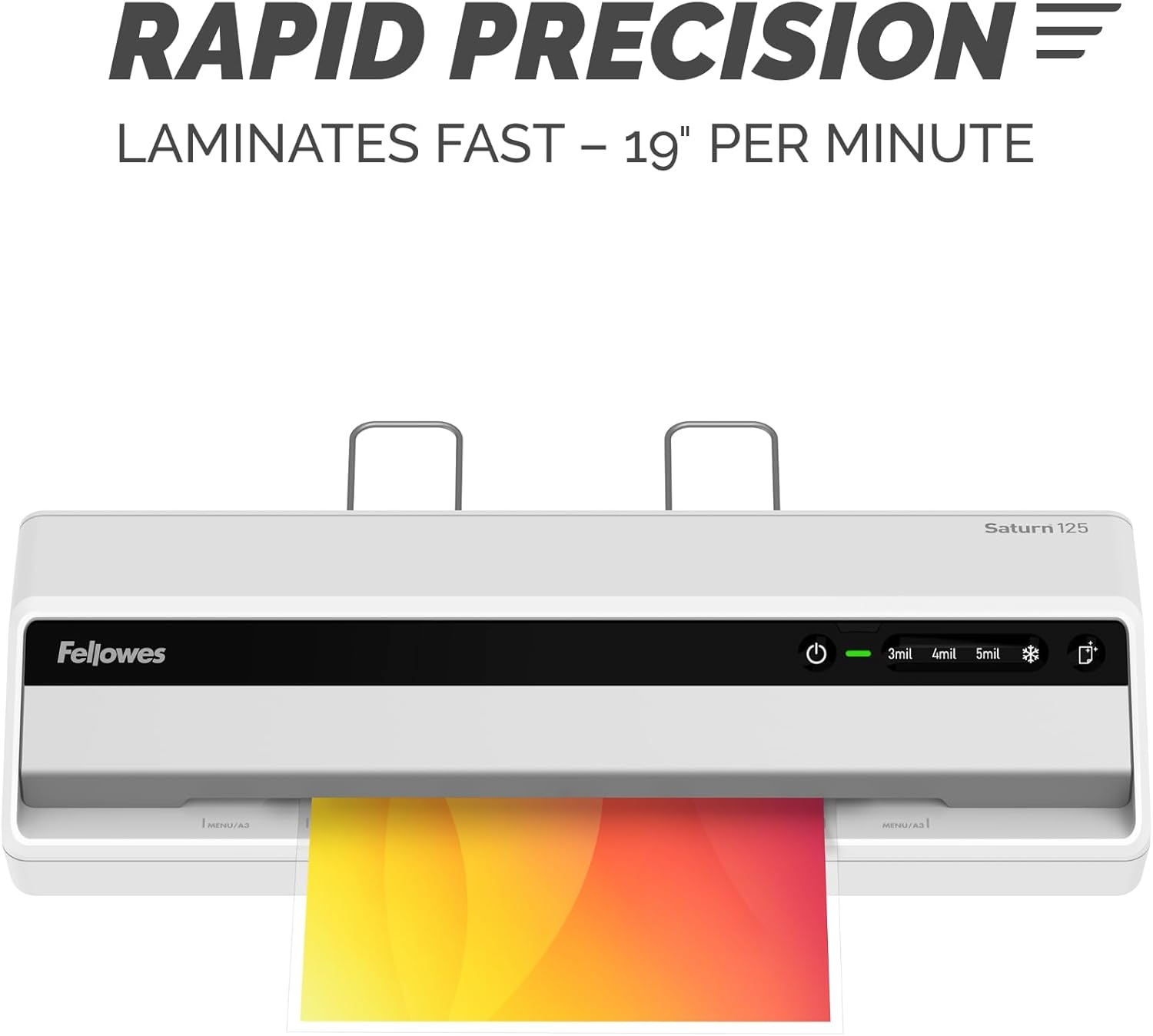
Image: The laminator processes documents quickly at 19 inches per minute.

Image: Choose from 3-mil, 4-mil, 5-mil, or cold settings for various pouch types.
Video: A quick demonstration of the Fellowes Saturn 3i 125 laminator in action, showing the ease of use and efficient lamination process.
Video: This video demonstrates how simple it is to laminate documents using the Fellowes Saturn 125, highlighting its user-friendly operation.
Onderhoud
- Skoonmaak: The laminator features a CleanAlert reminder system. When activated, run a cleaning sheet through the machine to remove adhesive residue and maintain optimal performance.
- Buitenste skoonmaak: Vee die buitekant van die lamineerder af met 'n sagte, droë lap. Moenie skuurmiddels of oplosmiddels gebruik nie.

Image: The CleanAlert system provides reminders for cleaning to ensure longevity.
Probleemoplossing
- Document Jam: The Saturn 125 includes jam detection technology. If a jam occurs, use the quick release lever to free the pouch. Re-center or remove the pouch and attempt lamination again.
- Bubbles or Uneven Lamination: Ensure the correct pouch thickness setting is selected. For optimal results, use high-quality laminating pouches.
- Oorverhitting: The laminator is equipped with an automatic shut-off feature that activates after 30 minutes of non-use to prevent overheating and conserve energy. If the machine feels excessively hot, unplug it and allow it to cool.

Image: The jam release lever helps clear jammed pouches for continuous productivity.
Spesifikasies
| Kenmerk | Detail |
|---|---|
| Handelsmerk | Fellowes |
| Modelnommer | 5736601 |
| Item gewig | 5.1 pond |
| Produk afmetings | 5.75 x 20.94 x 4.13 duim |
| Materiaal tipe | Plastiek |
| Max Document Width | 12.5 duim |
| Bladgrootte | Brief |
| Opwarmingstyd | 60 seconds (InstaHeat) |
| Laminasiespoed | 19 duim per minuut |
| Pouch Thickness Settings | 3-mil, 4-mil, 5-mil, Cold |
| Outo-afskakel | Yes (after 30 minutes of non-use) |
Waarborg en Ondersteuning
For warranty information and customer support, please refer to the official Fellowes webwebwerf of kontak hul kliëntediensafdeling. Bewaar u aankoopbewys as bewys van aankoop vir enige waarborgeise.
Vervaardiger: Fellowes