
Prestasie-instrument W2977
Performance Tool W2977 CAN OBD II Scanner Tool User Manual
Model: W2977 | Handelsmerk: Prestasiegereedskap
Produk verbyview
The Performance Tool W2977 CAN OBD II Scanner Tool is an essential diagnostic device for vehicle owners and professionals. It provides a straightforward way to interact with your vehicle's On-Board Diagnostics (OBD-II) system, allowing you to quickly identify and resolve issues indicated by the Check Engine Light.
Sleutel kenmerke:
- Uitgebreide voertuigdekking: Compatible with most 1996 and newer American, European, and Asian vehicles.
- Powerful Scan Tool: Reads and erases Diagnostic Trouble Codes (DTCs) to pinpoint engine and emissions system problems.
- Gebruikersvriendelike koppelvlak: Simple operation with clear display and intuitive buttons.
- Emissions Readiness Check: Verifies your vehicle's emissions system status for compliance.
- Full OBD2 Protocol Support: Includes support for the Controller Area Network (CAN) protocol.
- Note: Does not work with 2007 Chevy Silverado models.
Opstelgids
Follow these steps to set up and begin using your W2977 CAN OBD II Scanner Tool:
- Vind die OBD-II-poort: Die OBD-II-poort is tipies onder die paneelbord aan die bestuurderskant van die voertuig geleë. Raadpleeg u voertuig se gebruikershandleiding as u dit nie kan vind nie.
- Koppel die skandeerder: Plug the scanner's cable connector firmly into the vehicle's OBD-II port. Ensure a secure connection.

Image: Connecting the scanner to the vehicle's OBD-II port.

Image: The W2977 scanner held in hand, connected and ready for use.
Once connected, the scanner will power on automatically. Ensure your vehicle's ignition is in the 'ON' position or the engine is running, as required for proper communication.
Bedryfsinstruksies
Lees van diagnostiese foutkodes (DTC's)
- With the scanner connected and powered on, the display will show 'C.A.N. OBD2'.
- Druk die ENTER button to initiate the scan. The display will show 'SCAN...' as it communicates with the vehicle.
- Once the scan is complete, the scanner will display 'Menu: 1. DTC'. Press ENTER aan view the Diagnostic Trouble Codes.
- If codes are present, they will be displayed. Use the Blaai button to navigate through multiple codes if applicable.
- If 'NO CODES' is displayed, it means no active Diagnostic Trouble Codes are currently stored in the vehicle's computer.

Image: Initial display screen of the scanner.

Image: Menu option to view DTC's.

Image: Display indicating no trouble codes found.
Erasing Diagnostiese Probleemkodes (DTC's)
Note: Erasing DTCs will turn off the Check Engine Light, but it will not fix the underlying problem. Ensure the issue has been resolved before clearing codes.
- From the main menu, use the Blaai button to navigate to 'Menu: 2. ERASE'.
- Druk die ENTER button. The scanner will ask 'ERASE? YES NO'.
- Druk ENTER again to confirm 'YES'. The display will show 'ERASE DONE!' indicating the codes have been cleared.
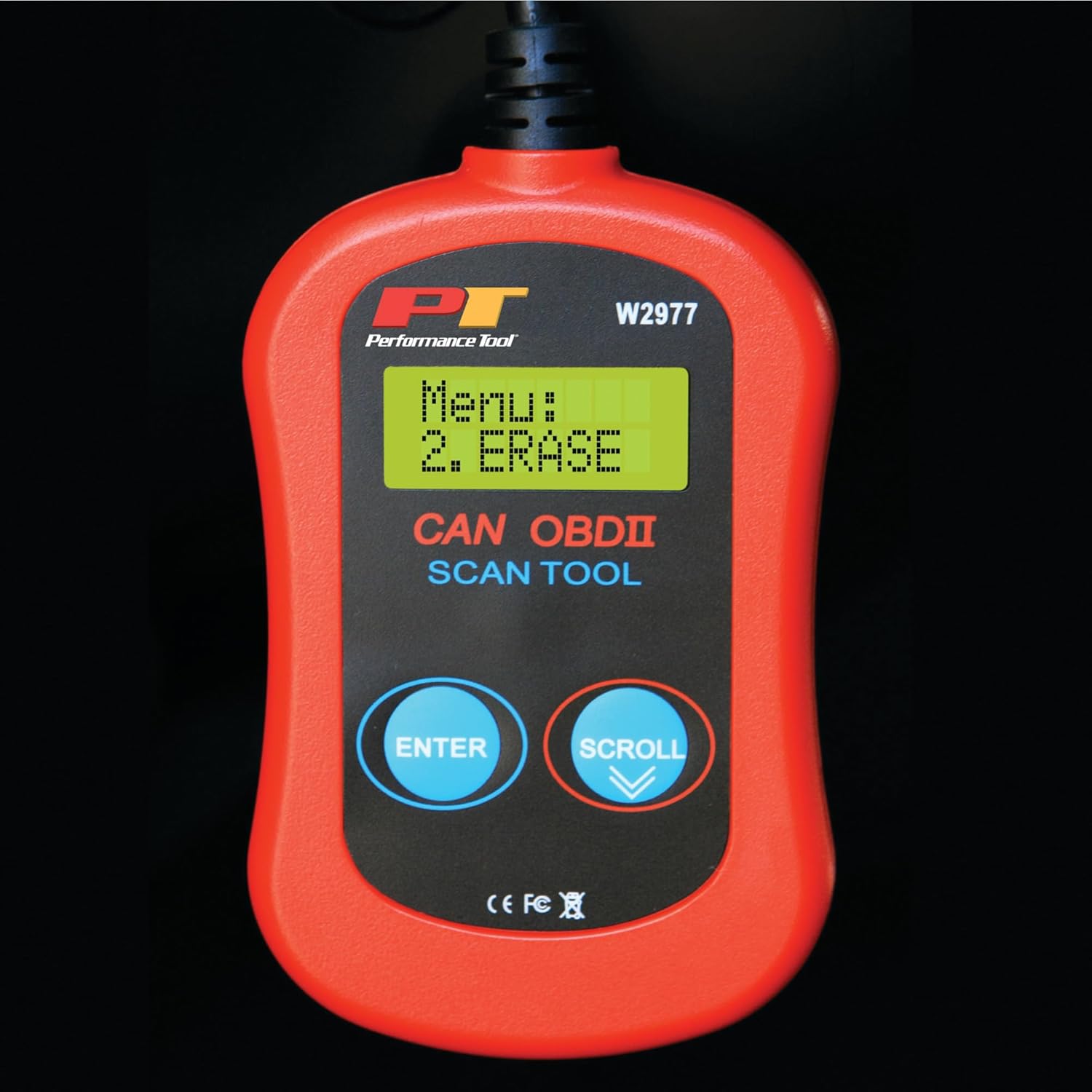
Image: Menu option to erase DTCs.
Onderhoud
To ensure the longevity and proper functioning of your Performance Tool W2977 scanner, follow these maintenance guidelines:
- Skoonmaak: Vee die toestel af met 'n sagte, droë lap. Moenie skuurmiddels of oplosmiddels gebruik nie.
- Berging: Bêre die skandeerder in 'n skoon, droë omgewing weg van uiterste temperature en direkte sonlig.
- Kabelversorging: Avoid kinking or sharply bending the cable. Store it neatly coiled to prevent damage.
Probleemoplossing
Algemene kwessies:
- 'LINK ERROR!' Displayed:
This indicates a communication issue between the scanner and the vehicle. - Ensure the scanner cable is securely connected to the OBD-II port.
- Verify the vehicle's ignition is in the 'ON' position or the engine is running.
- Check if your vehicle is compatible with OBD-II (most vehicles 1996 and newer).
- Try connecting the scanner to a different compatible vehicle to rule out a scanner issue.
- Skandeerder skakel nie aan nie:
- The scanner draws power from the vehicle's OBD-II port. Ensure the connection is secure.
- Check the vehicle's fuse for the OBD-II port (often labeled 'CIGAR' or 'AUX POWER').
- No Codes Found, But Check Engine Light is On:
- Some intermittent issues may not store a permanent code immediately. Drive the vehicle for a short period and re-scan.
- Ensure the vehicle's ignition is on or engine is running during the scan.

Image: Display indicating a communication error.
Tegniese spesifikasies
| Spesifikasie | Detail |
|---|---|
| Handelsmerk | Prestasie-instrument |
| Model | W2977 |
| Item gewig | 5.6 onse |
| Produk afmetings | 1.75 x 6.09 x 9.5 duim |
| Tipe motorpas | Universal Fit (1996 and later OBD-II compliant vehicles) |
| UPC | 039564106811 |
| Vervaardiger | Prestasie-instrument |
Waarborg en Ondersteuning
The Performance Tool W2977 CAN OBD II Scanner Tool comes with a 1-year limited warranty. For detailed warranty information and terms, please refer to the official documentation.
For further assistance, troubleshooting, or to access the complete user manual, please refer to the official PDF document:
Laai gebruikershandleiding af (PDF)
U kan ook die Prestasiegereedskapwinkel op Amazon vir meer produkinligting en ondersteuningsbronne.
Verwante Dokumente - W2977
 |
Prestasie-instrument W2977 Diagnostiese skanderingsinstrument CAN OBDII Eienaar se handleiding Hierdie gebruikershandleiding verskaf omvattende instruksies vir die Performance Tool W2977 Diagnostiese Skandeerinstrument. Leer meer oor OBD II-stelsels, diagnostiese foutkodes (DTC's), gereedheidsmonitors en bedryfsprosedures vir die lees en skoonmaak van kodes. |
 |
Performance Tool W2977 Meertalige Diagnostiese Skandeerder Eienaar se Handleiding Gebruikershandleiding vir die Performance Tool W2977 Meertalige Diagnostiese Skandeerder. Leer hoe om OBD II diagnostiese foutkodes (DTC's) te lees, emissiegereedheid te kontroleer en voertuigprobleme op te los met hierdie omvattende gids. |
 |
Foseal Car WIFI OBD2 Scanner User Manual: Diagnostic Tool for iOS & Android Comprehensive user manual for the Foseal Car WIFI OBD2 Scanner. Learn how to connect, use with iOS and Android apps, understand product specifications, and troubleshoot common issues for check engine diagnostics. |
 |
Elinz OBDBTSCAN Bluetooth 4.0 OBD-II Car Diagnostic Scanner User Manual Comprehensive user manual for the Elinz OBDBTSCAN, a Bluetooth 4.0 OBD-II car diagnostic scanner. Learn how to connect, use compatible apps, troubleshoot issues, and access vehicle sensor data for efficient car maintenance and diagnostics. |
 |
Veepeak OBD-II-skandeerder: Gereelde vrae en probleemoplossingsgids 'n Omvattende gids tot die Veepeak OBD-II-skandeerder, wat gereelde vrae oor toepassingsversoenbaarheid, voertuigondersteuning, diagnostiese vermoëns en algemene probleemoplossingstappe vir iOS- en Android-toestelle dek. |
 |
Streetwize CAN OBD II Scan Tool User Manual Comprehensive user manual for the Streetwize CAN OBD II Scan Tool, detailing its features, specifications, and operating instructions for reading and erasing diagnostic trouble codes in OBD II compliant vehicles. |
Ask a question about this manual
Ask about setup, troubleshooting, compatibility, parts, safety, or missing instructions. Manuals+ will review the question and use this page’s manual context to help answer it.