
Baseus NGW05-03
Baseus NGW05-03 True Wireless Earbuds User Manual
Model: NGW05-03 (W05)
Handelsmerk: Baseus
1. oorview
Thank you for choosing the Baseus NGW05-03 True Wireless Earbuds. This manual provides essential information on how to set up, operate, and maintain your new earbuds to ensure optimal performance and longevity.
Sleutel kenmerke:
- True Wireless Stereo (TWS) functionality
- Bluetooth 5.0 for stable and efficient connection
- Compact and portable charging case
- Long battery life with charging case (up to 30 hours)
- Tipe C-laai-koppelvlak
- Wide compatibility with wireless devices

Figure 1.1: Baseus NGW05-03 True Wireless Earbuds in their open charging case, showcasing the earbuds and the charging indicators.

Figure 1.2: A pair of Baseus NGW05-03 True Wireless Earbuds, highlighting their sleek design.
2. Opstelling
2.1 Laai die oordopjes en houer
Before first use, fully charge the earbuds and the charging case. The charging case has a battery capacity of 400mAh, and each earbud has a 30mAh battery.
- Bedraad laai: Connect the provided USB Type-C cable to the charging port on the case and a power source. The charging time for the case is approximately 1.5 hours.
- Draadlose laai: Place the charging case on a compatible wireless charging pad. Wireless charging takes approximately 2 hours.
The earbuds will charge automatically when placed inside the charging case, provided the case has power.
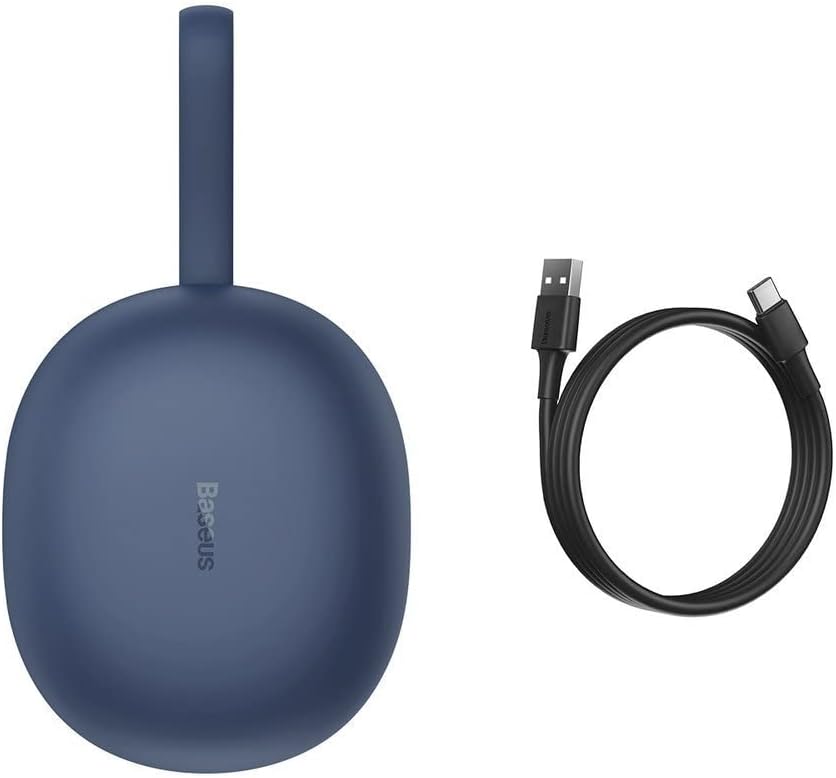
Figure 2.1: The Baseus NGW05-03 charging case alongside its USB Type-C charging cable.
2.2 Koppeling met 'n Toestel
- Maak seker dat die oorfone gelaai is en in die laaikas geplaas is.
- Maak die laaikas oop. Die oorfone sal outomaties in paringsmodus gaan.
- Aktiveer Bluetooth op jou toestel (slimfoon, tablet, ens.).
- Soek vir beskikbare Bluetooth-toestelle.
- Select "Baseus Encok W05" from the list of found devices.
- Sodra dit gekoppel is, sal jy 'n bevestigingstoon hoor, en die oorfone sal gereed wees vir gebruik.
The earbuds are compatible with all wireless devices that support Bluetooth connectivity.
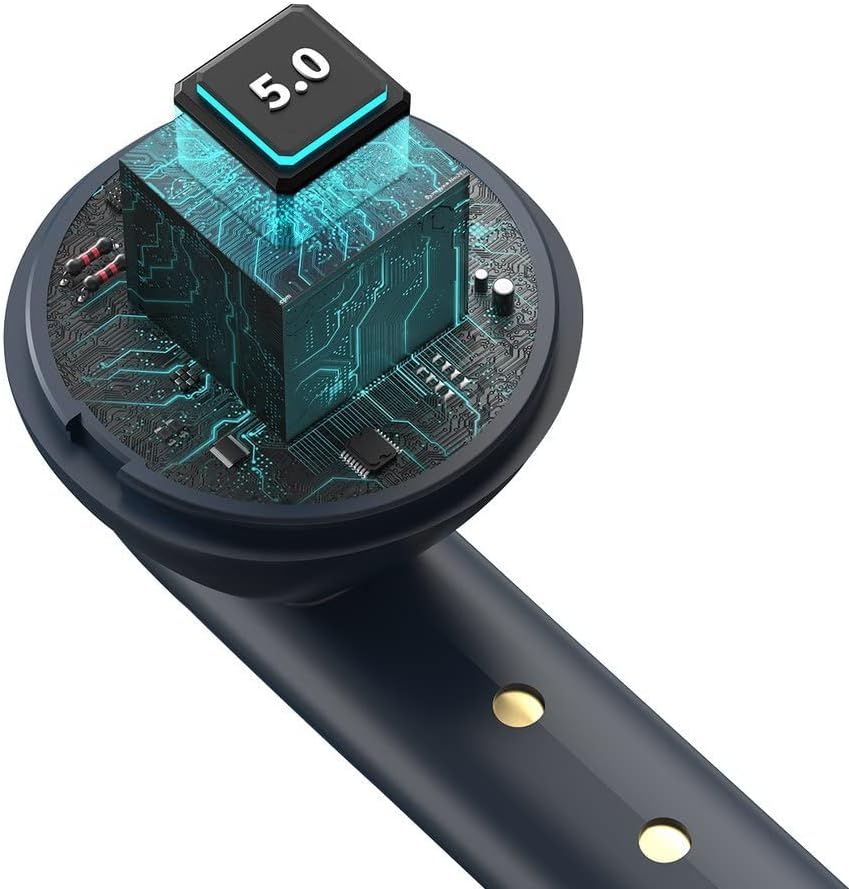
Figuur 2.2: 'n Interne view of the earbud, highlighting the integrated Bluetooth 5.0 chip for advanced connectivity.
3. Bediening van die oordopjes
3.1 Dra van die oordopjes
Gently insert the earbuds into your ears, ensuring a comfortable and secure fit. The ergonomic design helps them stay in place during various activities.

Figure 3.1: A user demonstrating the proper way to wear one of the Baseus NGW05-03 earbuds while holding the charging case.
3.2 Basiese kontroles
Specific touch or button controls for music playback, call management, and voice assistant activation are typically located on the earbuds. Please refer to the quick start guide included in your product packaging for detailed instructions on these functions, as they may vary.
3.3 Musiekweergawe
Once connected, you can play music from your device. The earbuds provide up to 4 hours of continuous music playback on a single charge (at 70% volume). With the charging case, total playback time extends to 25-30 hours.

Figure 3.2: A user enjoying audio with the Baseus NGW05-03 earbuds while interacting with their smartphone.
3.4 Oproepbestuur
When a call comes in, you can typically answer or end calls using the touch controls on the earbuds. Consult your quick start guide for precise instructions on call handling.
4. Onderhoud
4.1 Skoonmaak
- Maak die oordopjes en laaikas gereeld skoon met 'n sagte, droë, pluisvrye lap.
- Moenie skuurmiddels, alkohol of chemiese oplosmiddels gebruik nie.
- Hou die laaikontakte op beide die oordopjes en die houer skoon om behoorlike laai te verseker.
4.2 Berging
- Bêre die oordopjes in hul laaikas wanneer dit nie gebruik word nie om hulle te beskerm en gelaai te hou.
- Avoid exposing the earbuds and case to extreme temperatures, humidity, or dust.
- The product is not water resistant; avoid contact with liquids.

Figure 4.1: An exploded diagram showing the internal components of a Baseus NGW05-03 earbud, illustrating its intricate design.
5. Probleemoplossing
Algemene kwessies en oplossings:
- Oordopjes koppel nie: Ensure both earbuds are charged. Place them back in the case, close the lid, then open it again to re-enter pairing mode. Forget the device on your phone's Bluetooth settings and try pairing again.
- Slegs een oordoppie werk: Ensure both earbuds are charged. Try resetting the earbuds (refer to the quick start guide for specific reset instructions).
- Geen klank nie: Kontroleer die volumevlak op jou toestel en die oorfone. Maak seker dat die oorfone behoorlik aan jou toestel gekoppel is.
- Laai kwessies: Clean the charging contacts on both the earbuds and the case. Try a different charging cable or power adapter.
If you encounter persistent issues, please refer to the warranty and support section for further assistance.
6. Spesifikasies
| Kenmerk | Spesifikasie |
|---|---|
| Handelsmerk | Baseus |
| Model Naam | NGW05-03 (W05) |
| Verbindingstegnologie | Draadloos (Bluetooth 5.0) |
| Oorplasing | In Oor |
| Materiaal | ABS + Polikarbonaat |
| Kleur | Blou |
| Laaikas batterykapasiteit | 400mAh / 1.48Wh |
| Oordopjes se batterykapasiteit | 30mAh / 0.111Wh (each) |
| Musiekspeeltyd (Oorfone) | Ongeveer. 4 uur (teen 70% volume) |
| Totale speeltyd (met omhulsel) | Ongeveer. 25-30 uur |
| Bystandtyd | Ongeveer. 300 uur |
| Charging Time (Wired) | Ongeveer. 1.5 uur |
| Draadlose laai tyd | Ongeveer. 2 uur |
| Laai-koppelvlak | USB Tipe-C |
| Frekwensieresponsreeks | 20Hz - 20kHz |
| Item gewig | 50 gram |
| Produk afmetings | 10 x 2 x 3 cm |
| Waterweerstandvlak | Nie waterbestand nie |
| Versoenbare toestelle | All wireless devices |
7. Waarborg en Ondersteuning
Baseus products are designed with quality and reliability in mind. For information regarding warranty coverage, technical support, or service, please refer to the warranty card included with your product or visit the official Baseus webwebwerf. Bewaar u aankoopbewys as bewys van aankoop vir waarborgeise.

Figure 7.1: A user holding the compact Baseus NGW05-03 charging case, demonstrating its portability.
Ask a question about this manual
Ask about setup, troubleshooting, compatibility, parts, safety, or missing instructions. Manuals+ will review the question and use this page’s manual context to help answer it.