
1. Inleiding
This instruction manual provides essential information for the safe and efficient use of your Generic AC 100-240V to DC 12V 8A Power Supply with 4-Port Split Adaptor Cable. This power supply is designed to deliver stable 12V DC power, suitable for powering up to four CCTV cameras or other compatible electronic devices requiring a 12V DC input with a 2.1mm x 5.5mm barrel connector. Please read this manual thoroughly before installation and operation.
2. Pakketinhoud
Verifieer dat al die items wat hieronder gelys word, in u pakket teenwoordig is:
- 1 x DC 12V 8A Power Supply Adapter with integrated DC output cable
- 1 x AC Power Cord (country-specific, if applicable)
- 1 x 1-to-4 DC Splitter Connector Cable

Figuur 2.1: Contents of the product package, including the power supply, AC cord, and 4-port splitter.
3. Opstelinstruksies
Follow these steps to set up your power supply system:
- Koppel die AC-kragkabel: Insert the AC power cord into the input receptacle on the power supply adapter. Ensure it is firmly seated.
- Connect the DC Splitter Cable: Plug the female end of the 1-to-4 DC splitter connector cable into the male DC output plug of the power supply adapter.
- Koppel toestelle: Plug the male DC plugs of the splitter cable into the power input ports of your CCTV cameras or other compatible devices. Ensure the plug diameter (2.1mm inner, 5.5mm outer) matches your devices.
- Koppel aan muuraansluiting: Plug the AC power cord into a standard 100-240V AC wall outlet.
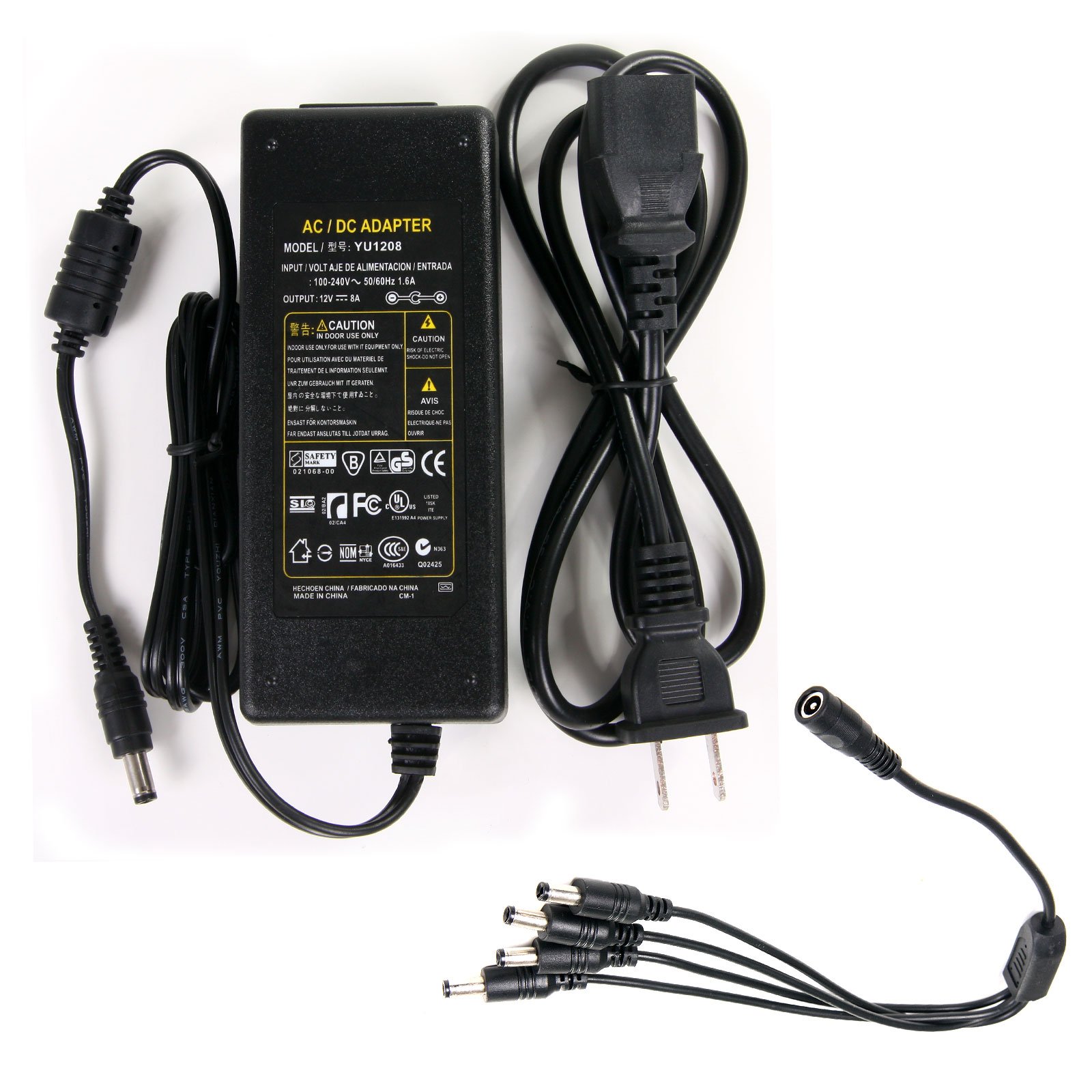
Figuur 3.1: Illustration of the power supply components and their connections.

Figuur 3.2: Detail of the AC input connection on the power supply.
4. Bedryfsinstruksies
Once all connections are securely made as described in the Setup section, the power supply will automatically begin providing 12V DC power to the connected devices. There are no user-adjustable settings or controls on this power supply. Ensure that the total current draw of all connected devices does not exceed 8 Amps om oorlading te voorkom.
5. Onderhoud
To ensure the longevity and proper functioning of your power supply, observe the following maintenance guidelines:
- Skoonmaak: Disconnect the power supply from the wall outlet before cleaning. Use a soft, dry cloth to wipe the exterior. Do not use liquid cleaners or solvents.
- Omgewing: Keep the power supply in a dry environment, away from moisture, direct sunlight, and extreme temperatures.
- Inspeksie: Periodically inspect the power supply unit and all cables for any signs of damage, such as cuts, fraying, or bent pins. Replace damaged components immediately.
- Ventilasie: Ensure adequate ventilation around the power supply to prevent overheating. Do not cover the unit.
6. Probleemoplossing
If you encounter issues with your power supply, refer to the following troubleshooting steps:
- Geen krag na toestelle nie:
- Ensure the AC power cord is securely plugged into both the power supply and a functional wall outlet.
- Verify that the wall outlet is receiving power by testing it with another device.
- Check all DC connections between the power supply, splitter cable, and devices for secure fit.
- Devices Malfunctioning or Flickering:
- Confirm that the total current draw of all connected devices does not exceed the power supply's 8A maximum output. Overloading can cause instability.
- Maak seker dat alle verbindings styf en vry van korrosie is.
- Verify that your devices are compatible with a 12V DC power input.
- Power Supply Overheating:
- Ontkoppel die kragtoevoer onmiddellik.
- Ensure the unit is in a well-ventilated area and not covered.
- Reduce the load by disconnecting some devices if the total current draw is too high.
7. Spesifikasies
Detailed technical specifications for the Generic AC 100-240V to DC 12V 8A Power Supply:
| Modelnommer | PSC8A2-S4C |
| Invoer Voltage | 100-240V AC |
| Invoerstroom | 1.6A |
| Invoerfrekwensie | 50-60Hz |
| Uitset Voltage | 12V GS |
| Uitsetstroom | 8A Maks |
| Tipe DC Connector | Barrel Connector (2.1mm inner, 5.5mm outer) |
| DC Splitter Ports | 4 |
| Power Cable Length (DC) | Ongeveer. 107 cm (42 duim) |
| Power Cord Length (AC) | Ongeveer. 109 cm (43 duim) |
| Versoenbare toestelle | Cameras, other 12V DC devices |
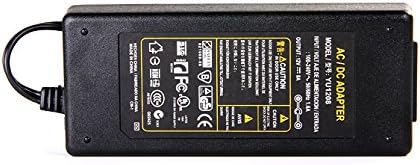
Figuur 7.1: Power supply label with detailed specifications.
8. Waarborg en Ondersteuning
For warranty information and technical support, please refer to the documentation provided by your retailer or contact the manufacturer directly. Keep your purchase receipt as proof of purchase.