
Belangrike veiligheidsinligting
Please read these instructions carefully before using the shredder. Keep this manual for future reference.
- Hou kinders en troeteldiere weg van die versnipperaar.
- Hou los klere, juweliersware, hare en ander vreemde voorwerpe weg van die versnipperaar se opening.
- Moenie vingers of hande in die versnipperaar se opening steek nie.
- Ontkoppel die versnipperaar wanneer dit nie gebruik word nie of voor skoonmaak.
- Do not shred metal objects, large paper clips, or hard plastic (except credit cards as specified).
- Moenie aërosolprodukte, petroleumgebaseerde smeermiddels of ander vlambare produkte op of naby die versnipperaar gebruik nie.
- Moenie die versnipperaar gebruik as die kragkabel beskadig is nie.
- The shredder is equipped with overheat protection. If it overheats, it will automatically shut off. Allow it to cool down before resuming operation.
Pakketinhoud
Maak seker dat alle items teenwoordig is:
- Amazon Basics AS665C Paper Shredder Unit
- Afvalbak
- Instructiehandleiding (hierdie dokument)
Opstelling
- Pak die versnipperaar uit: Verwyder alle komponente versigtig uit die verpakking.
-
Posisioneer die vullisdrom: Place the shredder head securely on top of the provided waste bin. Ensure it is properly seated.
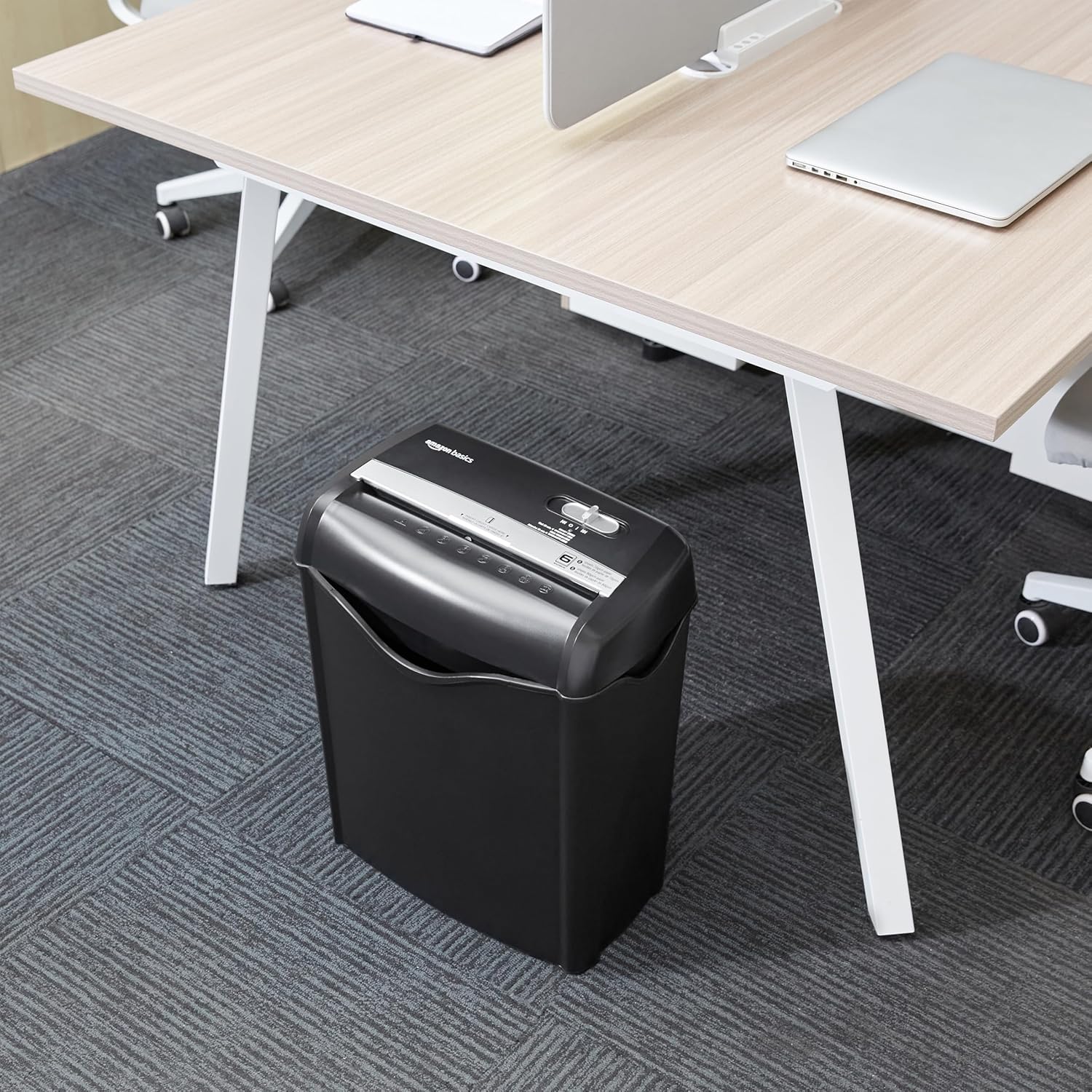
Image: The Amazon Basics AS665C Paper Shredder positioned under a desk, demonstrating its compact size and ease of placement in an office or home environment.
- Koppel krag: Steek die kragsnoer in 'n standaard elektriese aansluiting.
Bedryfsinstruksies
Beheerskakelaar
The shredder features a slide switch with three positions:
- AUTO (I): Die papierversnipperaar sal outomaties begin wanneer papier ingesit word en stop wanneer die versnippering voltooi is.
- AF (O): Die versnipperaar is afgeskakel.
- REV (<<): Activates the reverse function to clear paper jams.

Beeld: 'n Gedetailleerde view of the shredder's control switch, showing the "AUTO", "OFF", and "REV" settings, along with the "READY" (green) and "OVERHEAT" (red) indicator lights.
Versnippering van Dokumente
- Kies modus: Stel die beheerskakelaar op die AUTO (I) position. The "READY" indicator light (green) will illuminate.
-
Voeg papier in: Insert up to 6 sheets of 70gsm paper (or 5 sheets of 80gsm paper) straight into the paper entry slot. The shredder will automatically start and stop.
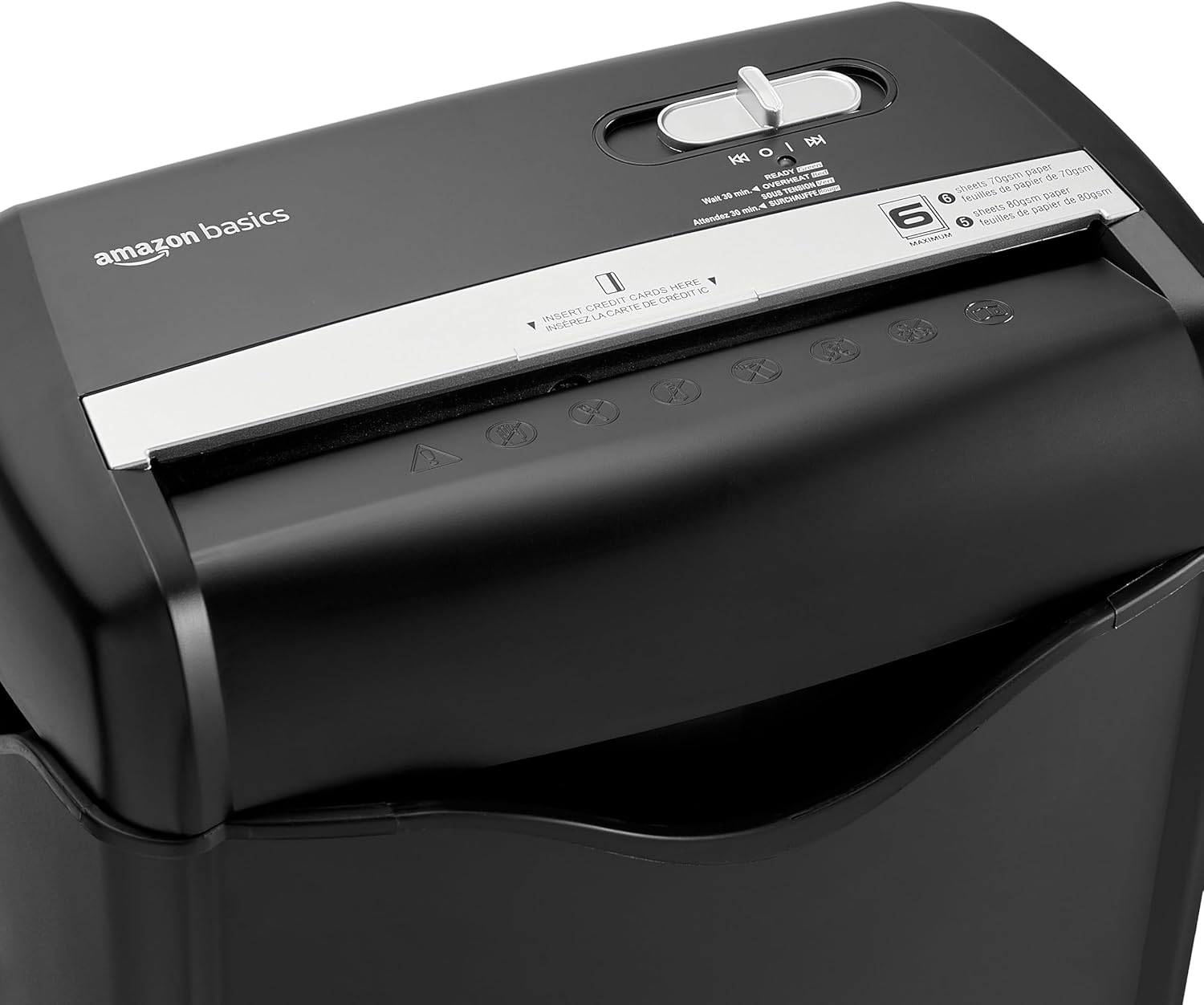
Beeld: Bo view of the shredder, highlighting the paper entry slot, the control switch, and the "MAXIMUM" sheet capacity label.

Image: A close-up of the shredder's label indicating the maximum sheet capacity: 6 sheets of 70gsm paper or 5 sheets of 80gsm paper.
-
Versnippering van kredietkaarte: Insert one credit card at a time into the dedicated credit card slot.

Beeld: 'n Nabyskoot view of the shredder's dedicated slot for inserting credit cards, clearly labeled "INSERT CREDIT CARDS HERE".
- Oorverhittingbeskerming: The shredder will automatically shut off if it runs continuously for too long or if the motor overheats. The "OVERHEAT" indicator light (red) will illuminate. Allow the shredder to cool down for approximately 30 minutes before resuming operation.

Image: A pile of cross-cut shredded paper, demonstrating the small particle size for enhanced security. A quarter coin is placed next to it for scale.
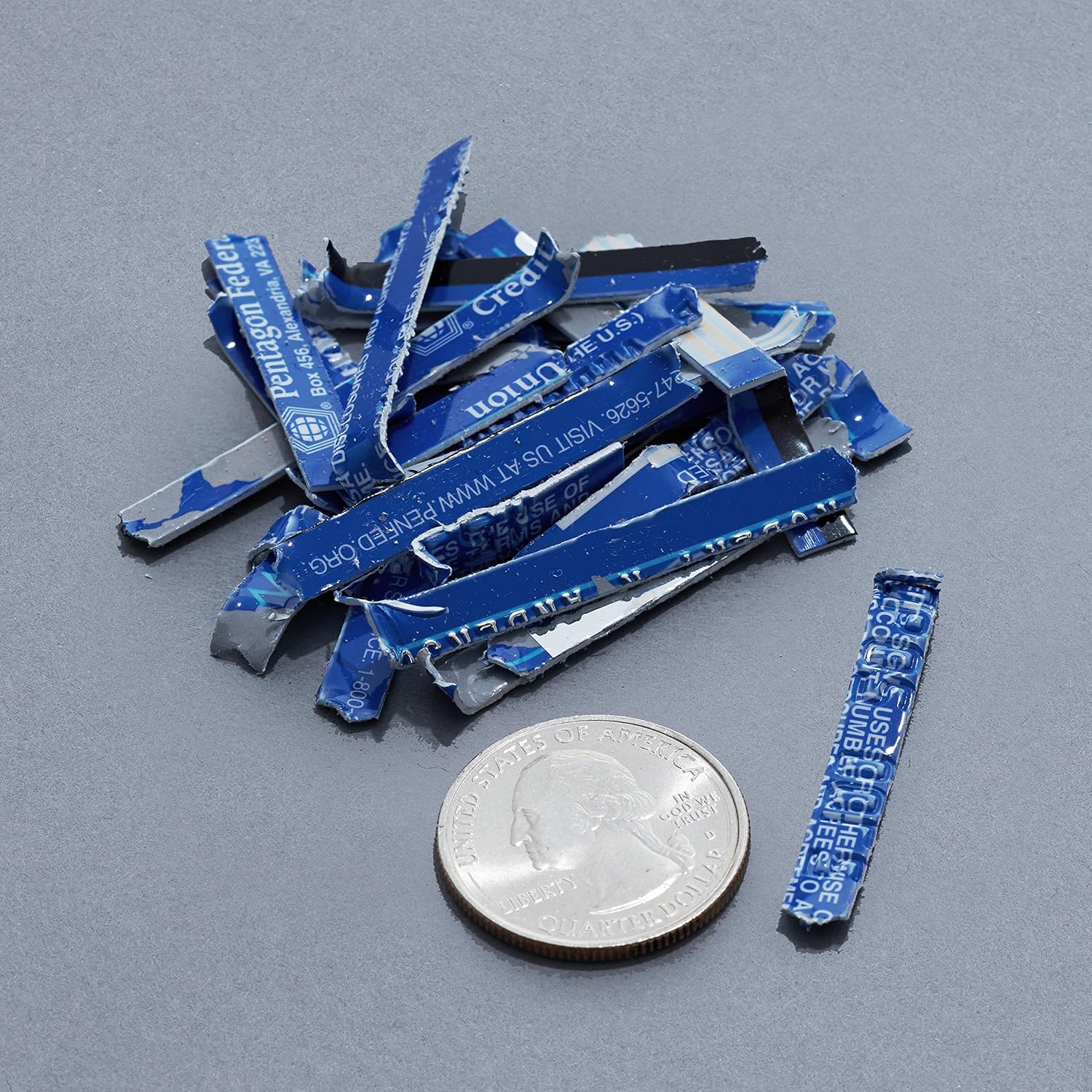
Image: A collection of shredded credit card pieces, illustrating the secure destruction of plastic cards. A quarter coin is included for size reference.
Onderhoud
Maak die afvalbak leeg
Regularly empty the waste bin to prevent paper jams and ensure optimal performance. Unplug the shredder before removing the head to empty the bin.
Skoonmaak
- Ontkoppel die versnipperaar voordat u dit skoonmaak.
- Wipe the exterior of the shredder with a soft, dry cloth.
- Moenie skuur skoonmaakmiddels of oplosmiddels gebruik nie.
- For optimal performance, periodically oil the shredder blades with shredder oil sheets or liquid shredder oil. Follow the oil product's instructions.
Probleemoplossing
| Probleem | Moontlike oorsaak | Oplossing |
|---|---|---|
| Die versnipperaar begin nie. |
|
|
| Papier konfyt. |
|
|
| Die versnipperaar stop tydens werking. |
|
|
Spesifikasies
| Kenmerk | Detail |
|---|---|
| Handelsmerk | Amazon Basics |
| Modelnommer | AS665C (Manufacturer Model: AS662C-EU) |
| Sny tipe | Dwarsgesny |
| Bladkapasiteit | 6 sheets (70gsm paper) / 5 sheets (80gsm paper) |
| Stukkies | Papier, Kredietkaarte |
| Kragbron | Elektries met koord |
| Spesiale kenmerke | Portable, Overheat Protection, Manual Reverse |
| Produkafmetings (L x B x H) | 30.7 x 19.6 x 38.1 cm (12.1 x 7.7 x 15 duim) |
| Produk Gewig | 3.72 kg (8.2 lbs) |
| Materiaal | Plastiek en metaal |
Waarborg en Ondersteuning
For warranty information and customer support, please refer to the Amazon Basics webwebwerf of kontak Amazon-kliëntediens direk. Bewaar u aankoopbewys vir waarborgeise.