
Inleiding
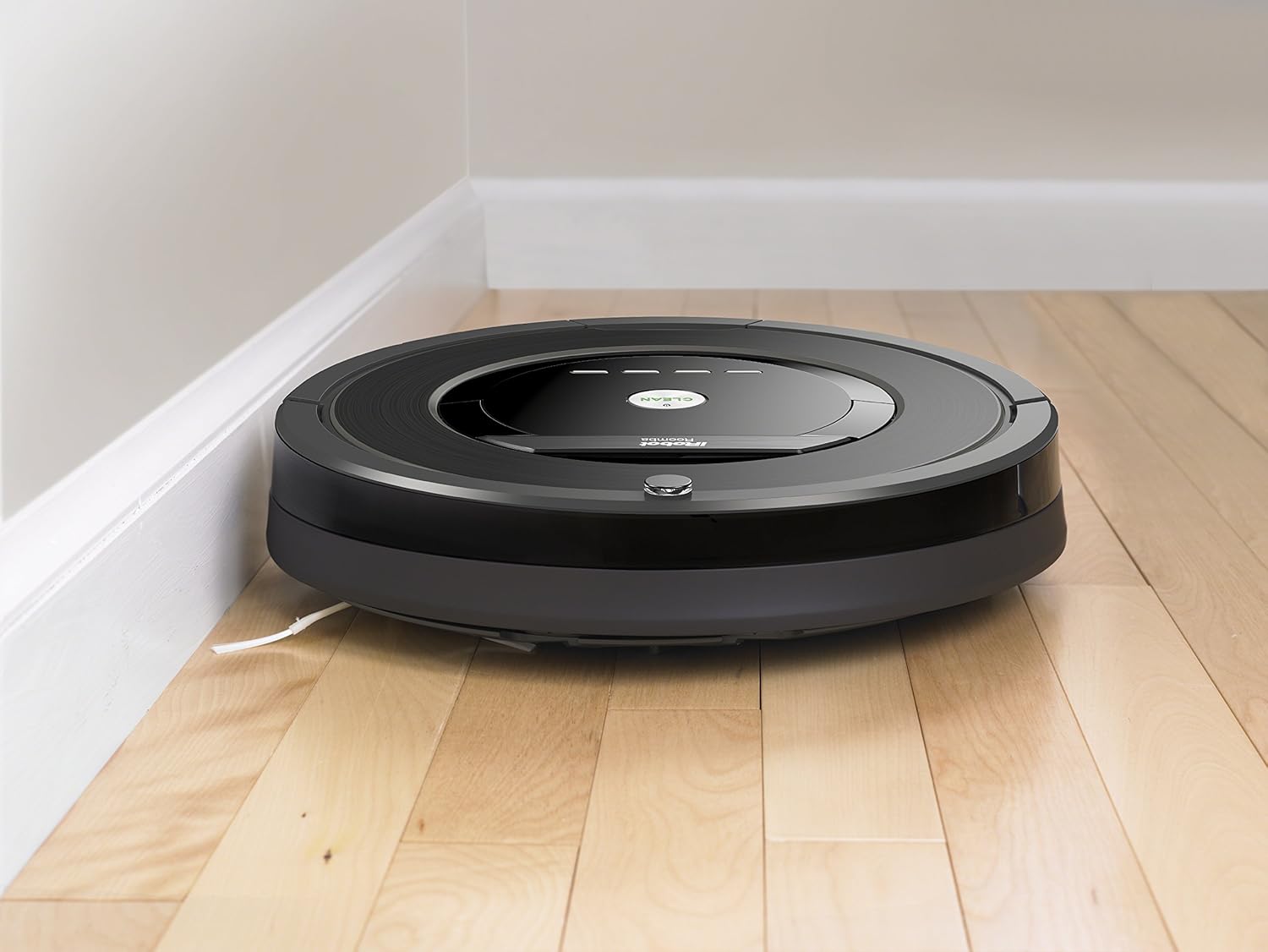
The iRobot Roomba 880 Robot Vacuum is designed to provide a deeper, multi-room clean daily. It features the revolutionary AeroForce Cleaning System, delivering up to 5x the air power and requiring less maintenance compared to previous models. With guided room-to-room cleaning, the Roomba 880 efficiently tackles multiple areas of your home. It operates on all floor types and its compact 3.6-inch height allows it to clean under most furniture, beds, and kickboards.
Sleutel kenmerke
- iAdapt Multi-Room Navigation: Utilizes a full suite of sensors to navigate and adapt to your home's changing environment.
- Room-to-Room Cleaning: Capable of cleaning up to 3 rooms with the included Virtual Wall Lighthouse beacons.
- AeroForce 3-Stage Skoonmaakstelsel: Delivers up to 50% more cleaning performance for thorough dirt and debris removal.
- Tangle-Free Extractors: Designed to prevent hair and debris clogs, reducing maintenance.
- AeroForce High-Efficiency Filter: Traps fine dirt and dust particles, improving air quality.
Opstelling
- Pak uit en plaas: Remove the Roomba 880 and its charging station from the packaging. Place the Home Base charging station against a wall in an open, uncluttered area, ensuring at least 1.5 feet of clearance on either side and 4 feet in front.
- Koppel krag: Plug the Home Base power cord into a wall outlet.
- Aanvanklike heffing: Place your Roomba onto the Home Base. The battery indicator will pulse amber during charging. A full charge can take up to 3 hours.
- Aktiveer Battery: Remove the yellow battery pull tab from the bottom of the robot.
- Laai die app af: Download the iRobot HOME App on your smartphone or tablet to connect your Roomba to your home Wi-Fi network and access advanced features like scheduling and cleaning preferences.

Opstelling verbyview Video
'n verbyview of the iRobot Roomba 880, demonstrating its features and basic setup. This video is provided by the merchant.
Bedryf
- Begin skoonmaak: Press the large CLEAN button on the top of the robot to start a cleaning cycle. Roomba will automatically navigate and clean your floors.
- Skeduleer: Use the iRobot HOME App to set a cleaning schedule for your Roomba. You can schedule it to clean up to 7 times per week.
- Room-to-Room Cleaning: Deploy Virtual Wall Lighthouse beacons to guide Roomba for sequential room-to-room cleaning in up to three rooms.
- Outomatiese Dokking: When the cleaning cycle is complete or the battery is low, Roomba will automatically return to its Home Base to recharge.
- Soorte vloer: The Roomba 880 is designed to work effectively on all floor types, including hardwood, tile, and carpet.
Onderhoud
Gereelde onderhoud verseker optimale werkverrigting van jou Roomba 880.
- Maak die stofblik leeg: Empty the dust bin after each cleaning cycle. The iRobot HOME App will notify you when the bin is full.
- Clean Brushes/Extractors: Periodically remove and clean the tangle-free extractors to remove any wrapped hair or debris.
- Maak filters skoon: Tap the AeroForce High-Efficiency Filter to dislodge debris. Replace the filter every 2-3 months, or more frequently if you have pets.
- Maak sensors skoon: Wipe the charging contacts and cliff sensors with a clean, dry cloth to ensure proper operation.
Probleemoplossing
If your Roomba encounters an issue, the iRobot HOME App will often provide specific guidance. Here are some common troubleshooting tips:
- Robot vasgevang: If the robot stops and alerts you, check for obstructions around the wheels, brushes, or under the bumper. Clear any debris.
- Bin Full Alert: Empty the dust bin and clean the filter. Ensure the bin is properly reinserted.
- Laai kwessies: Maak seker dat die tuisbasis ingeprop is en dat die laaikontakte op beide die robot en die tuisbasis skoon is.
- Swak skoonmaakprestasie: Check and clean the brushes/extractors and filter. Replace the filter if it's old or heavily soiled.
Spesifikasies
| Handelsmerk | iRobot |
| Modelnommer | R880060 |
| Spesiale kenmerk | Tangle-free and Efficient filter |
| Kleur | Swart |
| Ingesluit komponente | Instruksiegids |
| Filter tipe | Skyf |
| Batterylewe | 730 ure |
| Kragbron | Battery aangedrewe |
| Batterye Ingesluit | Yes (2 AA batteries required for Virtual Wall Lighthouse, included) |
| Beheer metode | Toep |
| Versoenbare toestelle | Amazon Echo |
| Vormfaktor | Robotagtig |
| Produk afmetings | 13.9 x 13.9 x 3.6 duim |
| Item gewig | 8.4 pond |
| Oppervlak-aanbeveling | Vloere |
Waarborg en Ondersteuning
Die iRobot Roomba 880 kom met 'n 1-jaar beperkte waarborg. For detailed warranty information, technical support, or service inquiries, please refer to the full instruction guide included with your product or visit the official iRobot support webwebwerf.