
1. Inleiding
The Divoom Voombox Outdoor Speaker is a rugged, water-resistant portable audio device designed for outdoor use. It offers advanced audio performance and a long-lasting rechargeable battery, providing a full-range listening experience. This manual provides detailed instructions for setting up, operating, maintaining, and troubleshooting your Voombox Outdoor Speaker.

Figure 1: Divoom Voombox Outdoor Speaker, showcasing sy robuuste ontwerp.
2. Wat is in die boks
Kontroleer asseblief die inhoud van die pakket om seker te maak dat alle items teenwoordig is:
- (1) Divoom Voombox Outdoor Speaker
- (1) Polsband
- (1) Auxiliary Connection Cable
- (1) Micro-USB Charging Cable
3. Produkkenmerke
The Divoom Voombox Outdoor Speaker is equipped with several features for an enhanced audio experience:
- Booming Dual Speakers: Delivers powerful and clear audio output.
- Draadlose afspeel: Connects wirelessly via Bluetooth 4.0 from up to 10 meters away.
- Ingeboude mikrofoon: Enables hands-free calls and conference calls.
- Langdurige battery: Features a 3200 mAh rechargeable battery providing up to 12 hours of playback.
- Sturdy and Weather-Resistant Design: Built to withstand outdoor conditions with an IP44 rating.

Figuur 2: Bo view of the Voombox Outdoor Speaker, highlighting its control panel.

Figure 3: The Voombox Outdoor Speaker demonstrating its IP44 weather resistance against splashes.
4. Opstelling
4.1 Laai die luidspreker
- Locate the Micro-USB charging port on the speaker.
- Connect the Micro-USB charging cable to the speaker and the other end to a USB power source (e.g., computer USB port, USB wall adapter).
- The charging indicator light will illuminate. A full charge typically takes 3 to 4 hours.
- Once fully charged, the indicator light will change or turn off, depending on the model.

Figure 4: Visual representation of the Voombox Outdoor Speaker's 12-hour battery life.
5. Bedryfsinstruksies
5.1 Aan-/afskakel
- To power on, press and hold the Power button until you hear an audible cue or see the indicator light.
- Om af te skakel, druk en hou die aan/af-knoppie weer in totdat die toestel afskakel.
5.2 Bluetooth -koppeling
- Maak seker dat die luidspreker aangeskakel is en binne 10 meter van jou Bluetooth-toestel is.
- The speaker will automatically enter pairing mode (indicated by a flashing LED).
- Aktiveer Bluetooth op jou slimfoon, tablet of ander Bluetooth-toestel en soek vir beskikbare toestelle.
- Select "Voombox Outdoor" from the list of devices.
- Once paired, the speaker will provide an audible confirmation, and the LED indicator will become solid.
- Die luidspreker sal outomaties weer aan die laaste gekoppelde toestel koppel wanneer dit aangeskakel word, indien die toestel binne bereik is.
5.3 Oudio-terugspeel
- Speel/pouse: Druk die Speel/Pause-knoppie.
- Volume op: Druk die "+"-knoppie.
- Volume af: Druk die "-" knoppie.
- Volgende snit: Druk en hou die "+" knoppie in.
- Vorige snit: Druk en hou die "-" knoppie in.
5.4 Handvrye oproepe
- Beantwoord oproep: Press the Call button (often the Play/Pause button) when a call comes in.
- Beëindig oproep: Druk weer die Oproep-knoppie om die oproep te beëindig.
- Verwerp oproep: Druk en hou die Oproep-knoppie in om 'n inkomende oproep te verwerp.
- Herbel laaste nommer: Dubbeldruk die Oproep-knoppie.
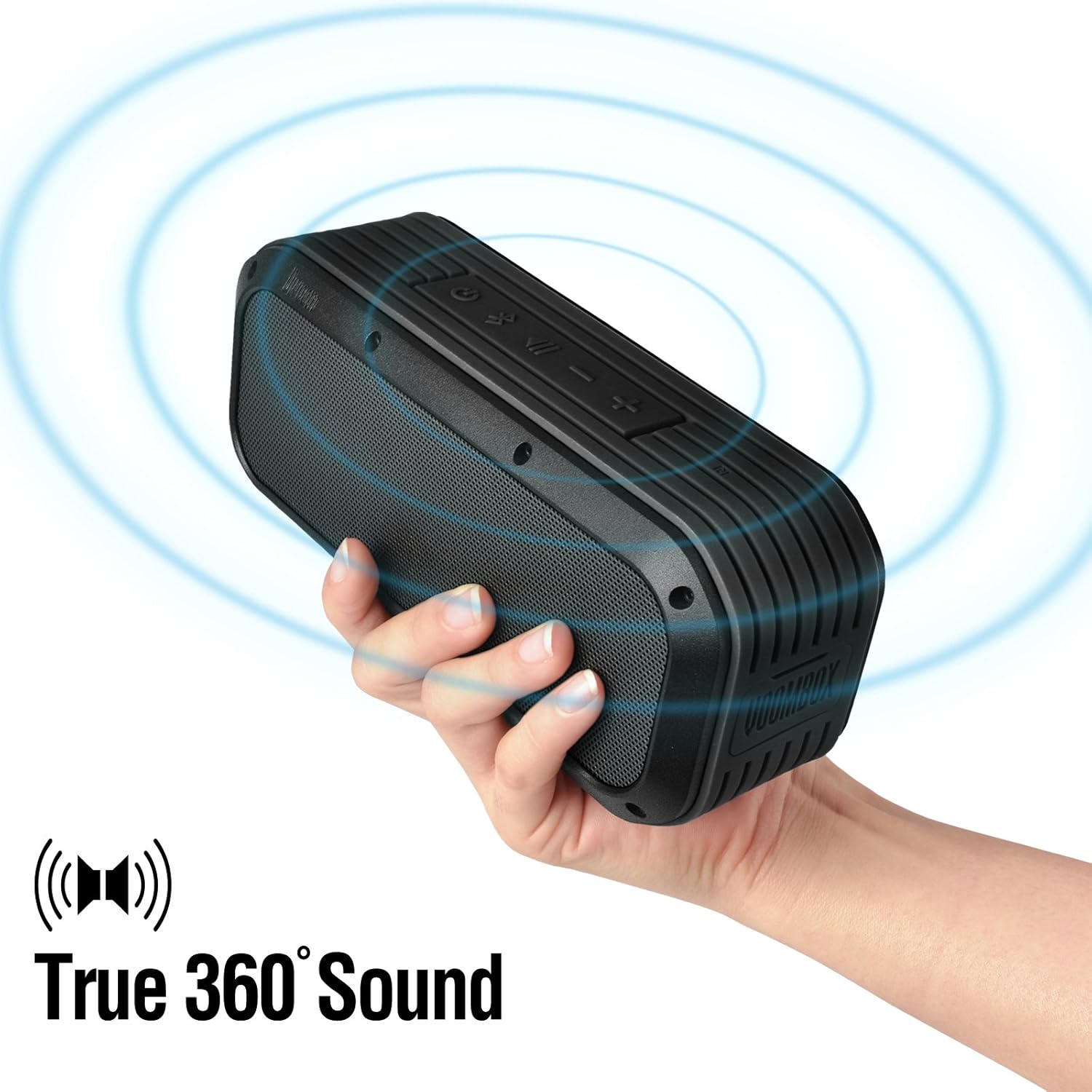
Figure 5: The Voombox Outdoor Speaker's ability to project 360-degree sound.
6. Onderhoud
Proper care will extend the life of your Divoom Voombox Outdoor Speaker:
- Skoonmaak: Gebruik 'n sagte, damp lap om die luidspreker se oppervlak af te vee. Moenie harde chemikalieë of skuurmiddels gebruik nie.
- Waterweerstand: While the speaker is weather-resistant (IP44), it is not designed for submersion. Ensure all port covers are securely closed before exposure to water splashes.
- Berging: Bêre die luidspreker op 'n koel, droë plek weg van direkte sonlig en uiterste temperature.
- Batterysorg: To maintain battery health, avoid fully discharging the battery frequently. Charge the speaker regularly, even if not in use for extended periods.
7. Probleemoplossing
| Probleem | Moontlike oorsaak | Oplossing |
|---|---|---|
| Luidspreker skakel nie aan nie. | Battery is leeg. | Laai die luidspreker vir 3-4 uur. |
| Kan nie met Bluetooth-toestel saambind nie. | Luidspreker is nie in paringsmodus nie of te ver. | Ensure speaker is on and within 10m. Turn Bluetooth off/on on your device. Forget previous pairings. |
| Geen geluid of lae volume nie. | Volume too low on speaker or source device. | Verhoog die volume op beide die luidspreker en jou gekoppelde toestel. |
| Klank vervorming. | Volume too high or weak Bluetooth signal. | Reduce volume. Move speaker closer to the source device. |
8. Spesifikasies
| Kenmerk | Detail |
|---|---|
| Bestuurder grootte | 2-inches x 2-inches |
| Uitset krag | 7.5 W x 2 (Total 15 Watts) |
| Luidspreker afmetings | 165L x 52D x 70 H (mm) |
| Sein tot geraas verhouding | ≥75dB |
| Battery kapasiteit | 3200 mAh |
| Battery Voltage | 3.7 V |
| Battery Laai Tyd | 3 tot 4 uur |
| Wireless Range | Tot 10 meter |
| Bluetooth-nakoming | Bluetooth 4.0 |
| Bluetooth Profile Ondersteuning | A2DP stereo |
| Praat Tyd | Tot 12 uur |
| Mikrofoon sensitiwiteit | -40db |
| Produk afmetings | 18.49 x 5.99 x 7.8 cm |
| Item gewig | 698.53 g |
| Modelnommer | 17620 |

Figure 6: Internal components of the Voombox Outdoor Speaker, illustrating its robust construction.
9. Waarborg en Ondersteuning
Divoom products are designed for durability and performance. For warranty information and technical support, please refer to the official Divoom webwebwerf of kontak hul kliëntediens direk. Bewaar u aankoopbewys as bewys van aankoop vir waarborgeise.
For additional support or inquiries, please visit the Divoom Official Webwebwerf.