
1. Inleiding
Thank you for choosing the Casio Baby-G BG-6903-2ER Digital Watch. This timepiece is designed for durability and functionality, featuring shock resistance and 200-meter water resistance, making it suitable for various activities. This manual provides essential information for setting up, operating, and maintaining your watch.
Beeld 1.1: Voorkant view of the Casio Baby-G BG-6903-2ER digital watch, showcasing its blue resin case and strap, and digital display.
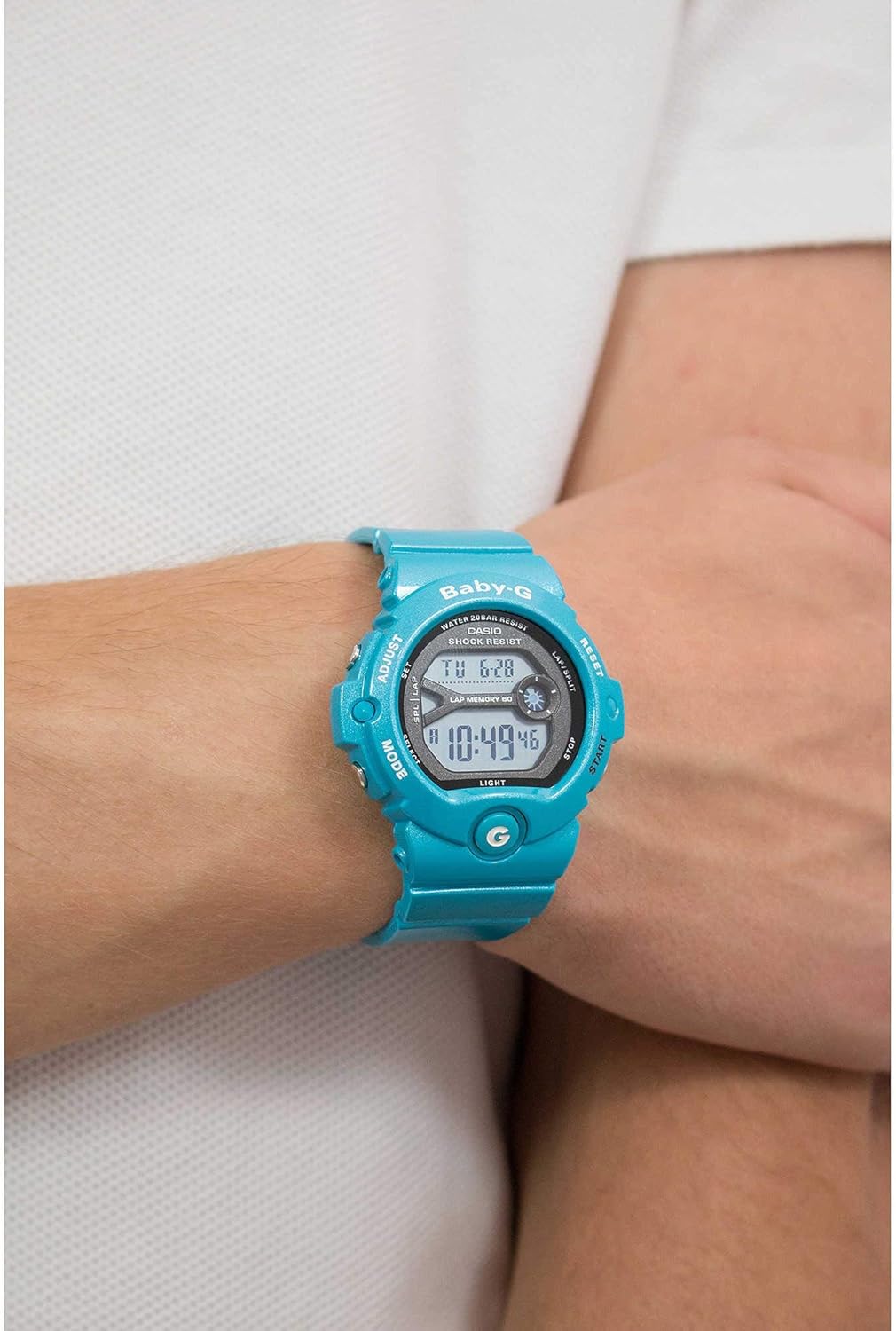
Image 1.2: The Casio Baby-G BG-6903-2ER watch worn on a wrist, illustrating its size and fit.
2. Opstelling
2.1 Uitpak en Aanvanklike Inspeksie
Upon receiving your watch, carefully remove it from its packaging. Inspect the watch for any visible damage. Ensure all protective films are removed from the display and case back.
Image 2.1: The hexagonal tin packaging for the Casio Baby-G watch.
2.2 Instelling van die tyd en datum
- In the Timekeeping Mode, press and hold the AANPAS button (top left) until the city code starts to flash, indicating the setting screen.
- Gebruik die MODUS button (bottom left) to cycle through the settings: City Code, DST (Daylight Saving Time), 12/24-hour format, Seconds, Hour, Minute, Year, Month, Day.
- Gebruik die BEGIN button (bottom right) and TERUGSTEL button (top right) to change the flashing value.
- Sodra alle instellings korrek is, druk die AANPAS button again to exit the setting screen.
2.3 Bandverstelling
The resin strap features a buckle closure. Adjust the strap length by selecting the appropriate hole for a comfortable and secure fit on your wrist. Ensure the watch is not too tight to allow for proper circulation, nor too loose to prevent excessive movement.
3. Die gebruik van die horlosie
3.1 Modus Navigasie
Druk die MODUS button (bottom left) to cycle through the different modes:
- Tydhoumodus: Wys die huidige tyd en datum.
- Wêreldtydmodus: Displays the current time in various cities around the world.
- Stophorlosiemodus: Used for measuring elapsed time.
- Timermodus: A countdown timer function.
- Alarmmodus: Allows setting multiple daily alarms.
3.2 Stophorlosiefunksie
- Navigate to the Stopwatch Mode using the MODUS knoppie.
- Druk die BEGIN button (bottom right) to begin timing.
- Druk BEGIN weer om die tydsberekening te onderbreek.
- Druk die TERUGSTEL button (top right) to reset the stopwatch to zero.
- The watch also features a Lap Memory function, indicated by "LAP MEMORY 60" on the display, allowing you to record up to 60 lap/split times.
3.3 Timer-funksie
- Navigate to the Timer Mode.
- Druk en hou die AANPAS knoppie om timer-instellingsmodus te betree.
- Gebruik die MODUS knoppie om die uur- of minuutinstelling te kies.
- Gebruik die BEGIN en TERUGSTEL knoppies om die waardes te verander.
- Druk AANPAS om die instellingsmodus te verlaat.
- Druk BEGIN to begin the countdown. An alarm will sound when the timer reaches zero.
3.4 Alarm Funksie
- Navigate to the Alarm Mode.
- Gebruik die BEGIN button to scroll through the available alarms (AL1, AL2, etc.) and the Hourly Tydsein (SIG).
- To set an alarm, select the desired alarm and press and hold the AANPAS knoppie.
- Gebruik die MODUS button to select hour or minute, and BEGIN/TERUGSTEL waardes te verander.
- Druk AANPAS om te bevestig en te verlaat.
- Druk BEGIN to toggle the alarm or hourly time signal ON/OFF.
3.5 Agterlig
Druk die LIG button (bottom left, below MODE) to illuminate the display for easy viewin swak lig toestande.
4. Onderhoud
4.1 Maak jou horlosie skoon
To maintain the appearance of your watch, wipe it regularly with a soft, dry cloth. For stubborn dirt, use a soft cloth dampSpoel af met water en 'n sagte neutrale skoonmaakmiddel en vee dit dan droog. Vermy die gebruik van vlugtige middels soos verdunner of bensien, aangesien dit die harskomponente kan beskadig.
4.2 Waterweerstand
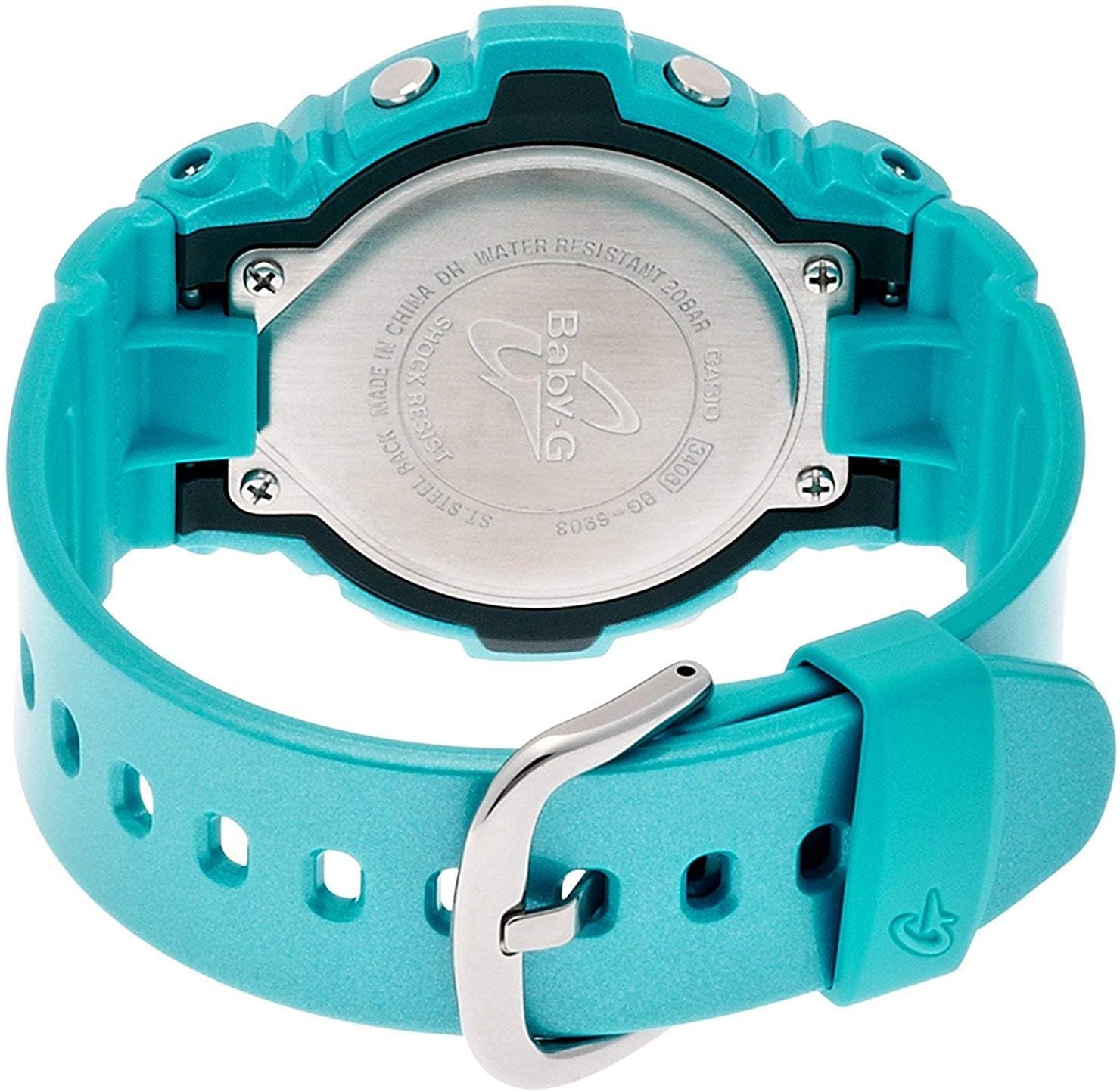
Your Casio Baby-G BG-6903-2ER watch is water resistant to 200 meters (20 bar). This means it is suitable for swimming, showering, and snorkeling. However, avoid operating buttons while the watch is submerged in water or wet, as this can compromise the water resistance. Do not expose the watch to hot water or steam, as this can also affect the seals.

Prent 4.1: Agter view of the Casio Baby-G BG-6903-2ER watch, showing the stainless steel case back with "WATER RESISTANT 20BAR" and "SHOCK RESIST" engravings.
4.3 Batteryvervanging
The watch is powered by a product-specific battery. When the display becomes dim or functions become erratic, it may be time for a battery replacement. It is recommended to have the battery replaced by an authorized Casio service center to ensure proper sealing and maintain water resistance.
5. Probleemoplossing
5.1 Algemene kwessies en oplossings
- Blank Display or Dim Digits: The battery may be low. Consider battery replacement.
- Verkeerde tyd/datum: Re-adjust the time and date settings as described in Section 2.2. Ensure the correct city code and DST setting are selected.
- Knoppies reageer nie: Ensure the watch is not in a locked mode (if applicable, though this model typically does not have a button lock). If the issue persists, a battery issue or internal malfunction may be present.
- Condensation Inside Display: If condensation appears and does not clear within a short period, the watch's water resistance may be compromised. Avoid further water exposure and seek professional inspection immediately.
For issues not covered here, please contact Casio customer support.
6. Spesifikasies
| Handelsmerk | Casio |
| Modelnommer | BG-6903-2ER |
| Tipe vertoon | Digitaal |
| Beweging | Kwarts |
| Materiaal van die saak | Hars |
| Band materiaal | Hars |
| Kas deursnee | 45 millimeter |
| Kasdikte | 14 millimeter |
| Bandbreedte | 18 millimeter |
| Item gewig | 47 gram |
| Waterweerstand Diepte | 200 meter (20 bar) |
| Battery | 1 Produkspesifieke battery (ingesluit) |
| Bykomende kenmerke | Shock Resistant, Stopwatch, Timer, Alarm, World Time, Backlight |
7. Waarborg
This Casio watch is covered by a manufacturer's warranty. The specific terms and duration of the warranty may vary by region. Please refer to the warranty card included with your purchase for detailed information regarding coverage, limitations, and how to make a claim. Keep your proof of purchase for warranty service.
8. Ondersteuning
For further assistance, technical support, or service inquiries regarding your Casio Baby-G BG-6903-2ER watch, please visit the official Casio website or contact their customer service department in your region. Contact information can typically be found on the Casio website or in the documentation provided with your watch.