
Inleiding
The Brookstone Mobile Sport Massager is designed to provide deep, penetrating percussion massage for various muscle groups. Its cordless and compact design allows for convenient use at home or on the go, aiding in muscle pain alleviation and accelerating recovery.
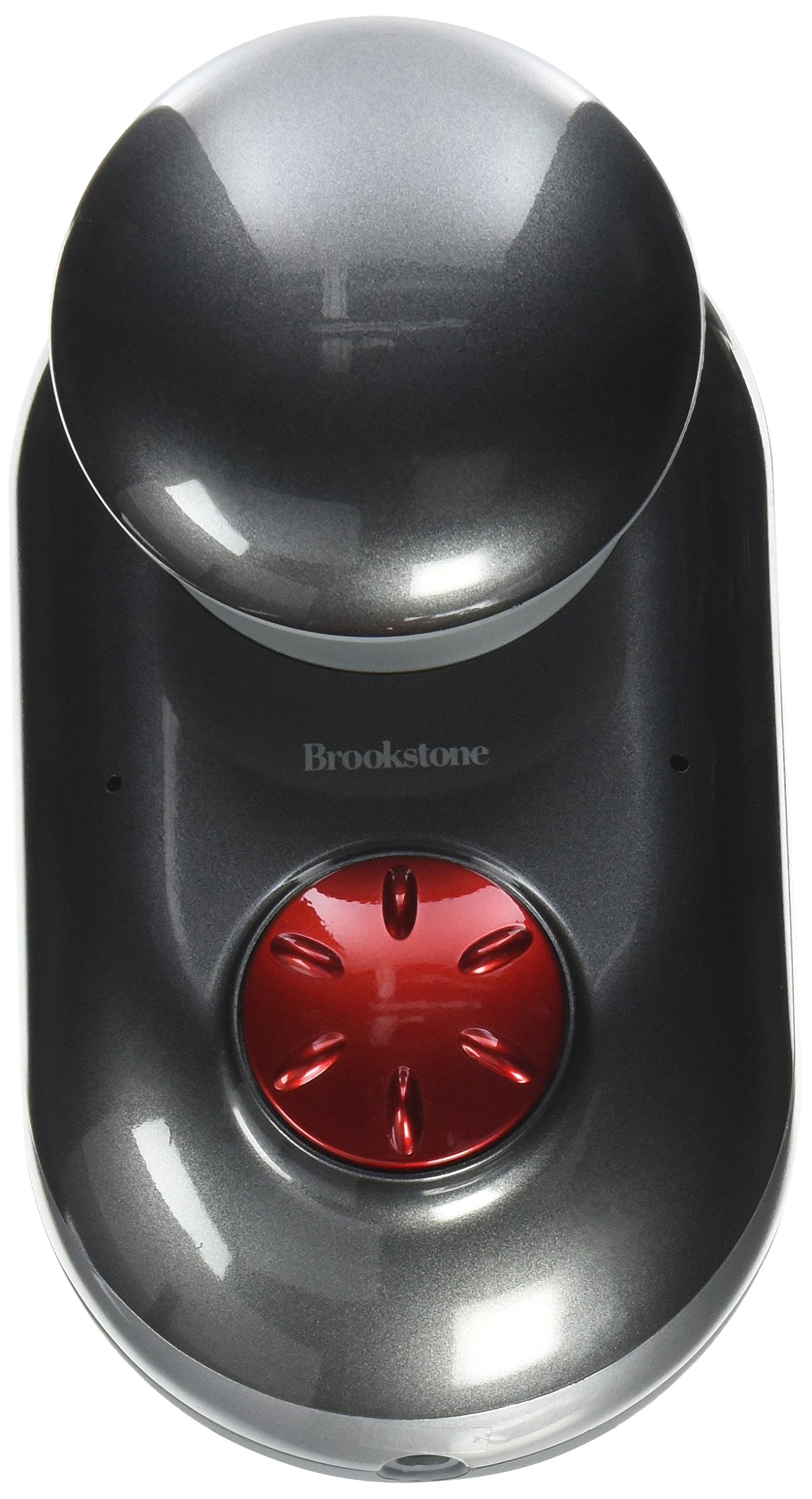
Image: The Brookstone Mobile Sport Massager, a silver-colored, compact, handheld device. It features a rounded massage head designed for percussion therapy and an ergonomic grip for ease of use. The device is shown from a slightly angled top-down perspective, highlighting its sleek design and portable nature.
Belangrike veiligheidsinligting
- Always begin using the massager on the lowest speed setting.
- Do not use the massager on broken skin or areas with inflammation.
- Keep the massager away from water to prevent electrical shock.
- Allow the massager to cool down for 15 minutes between uses to prevent overheating.
- Consult a physician before use if you have any medical conditions or are pregnant.
- Moenie die massager meer as 15 minute op 'n slag gebruik nie.
- Do not overuse or apply excessive pressure to avoid injury.
Pakketinhoud
Verifieer dat alle items in die pakket teenwoordig is:
- Brookstone Mobile Sport Massager Unit
- Laai kabel
- Instructiehandleiding (hierdie dokument)
Opstelling
Laai die masseerder op
- Locate the recharging port on the massager.
- Connect the charging cable to the massager and a suitable power source.
- Charge the massager until the LED indicators show it is fully charged.
- Ontkoppel die laaikabel sodra die laai voltooi is.
The massager is powered by 1 Lithium Ion battery, which is included and rechargeable.
Bedryfsinstruksies
Gebruik die massager
- Maak seker dat die masseerder ten volle gelaai is voor gebruik.
- Turn on the massager using the power button.
- Adjust the speed control to your desired intensity. Start with the lowest setting and gradually increase as comfortable.
- Hold the massager by its dual-grip design.
- Target specific areas such as thighs, calves, shoulders, or hips for relief.
- Move the massager gently over the desired muscle groups. Avoid applying excessive pressure.
- Moet nie meer as 15 minute op 'n slag gebruik nie.
The massager delivers deep, penetrating percussion massage to help alleviate muscle pain and accelerate muscle recovery.
Onderhoud
Skoonmaak en berging
- Before cleaning, ensure the massager is turned off and unplugged from any power source.
- Wipe the massager's surface with a soft, damp lap. Moenie skuur skoonmaakmiddels gebruik of die toestel in water dompel nie.
- Store the massager in a cool, dry place, away from direct sunlight and moisture.
- Proper storage helps maintain the longevity of the device.
Probleemoplossing
| Probleem | Moontlike oorsaak | Oplossing |
|---|---|---|
| Massager does not turn on or has weak power. | Battery is laag of uitgeput. | Charge the massager fully. Ensure the charging cable is securely connected. |
| Massager stops working shortly after charging. | Battery issue or internal fault. | Ensure the massager is fully charged. If the issue persists, contact customer support. |
| Massager feels too heavy or unwieldy. | User preference or prolonged use. | Take breaks during use. Adjust grip or position for comfort. |
Spesifikasies
| Modelnommer | 849265 |
| Handelsmerk | Brookstone |
| Produk afmetings | 6.25 x 3.5 x 6.5 duim |
| Item gewig | 2.15 pond (ongeveer 0.97 kg) |
| Kragbron | Batteryaangedrewe (herlaaibaar) |
| Batterye | 1 Litium-ioonbattery (ingesluit) |
| Masseerdervorm | Masseerstaf |
| Spesifieke gebruike | Muscle Relief and Recovery |
| Produkvoordele | Pain Relief, Muscle Therapy |
| Koordloos | Ja |
| Waterweerstandvlak | Nie waterbestand nie |
| Kleur | Silwer |
| UPC | 883594042102 |
| Datum Eerste Beskikbaar | 1 Oktober 2013 |
Waarborg en Ondersteuning
For warranty information, technical support, or service inquiries, please refer to the official Brookstone website or contact their customer service department. Keep your purchase receipt for warranty validation.
Manufacturer: Brookstone Stores, Inc.