
Baseus W06
Baseus Encok True Wireless Earbuds W06 User Manual
Model: W06 | Brand: Baseus
Inleiding
Thank you for choosing the Baseus Encok True Wireless Earbuds W06. This manual provides detailed instructions on how to set up, operate, and maintain your earbuds to ensure optimal performance and longevity. Please read this manual thoroughly before using the product.
Pakketinhoud
Kontroleer asseblief die inhoud van die verpakking wanneer u dit uitpak. Kontak u kleinhandelaar indien enige items ontbreek of beskadig is.
- Baseus Encok True Wireless Earbuds (L/R)
- Laaikas
- USB-C-laaikabel
- Silikoon-oorstukke (verskeie groottes)
- Gebruikershandleiding
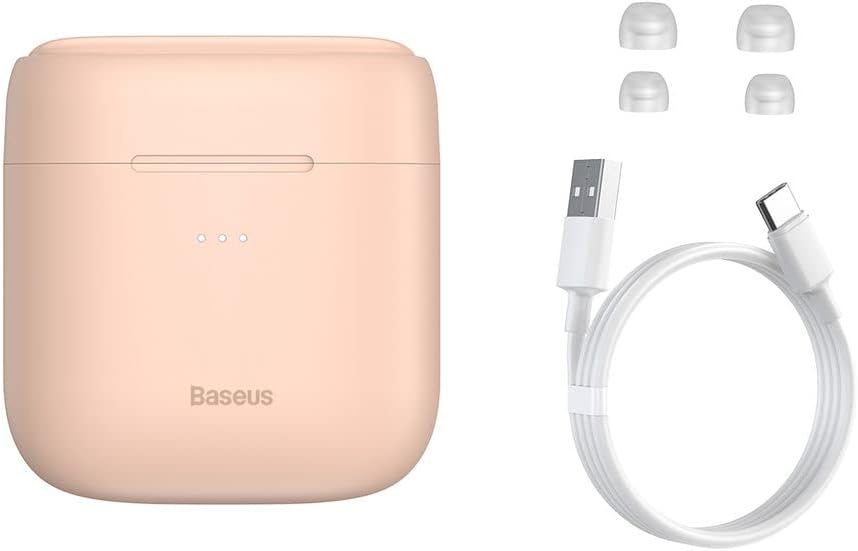
Image: The package contents, showing the charging case, two earbuds, a USB-C charging cable, and several pairs of silicone eartips.
Opstelling
1. Laai die oordopjes en houer
Before first use, fully charge the earbuds and the charging case. Place the earbuds into the charging case. Connect the USB-C cable to the charging case and a power source, or place the charging case on a compatible wireless charging pad.
- Die aanwyserliggies op die kas sal die laaistatus wys.
- 'n Volle lading neem gewoonlik ongeveer 1.5 uur.
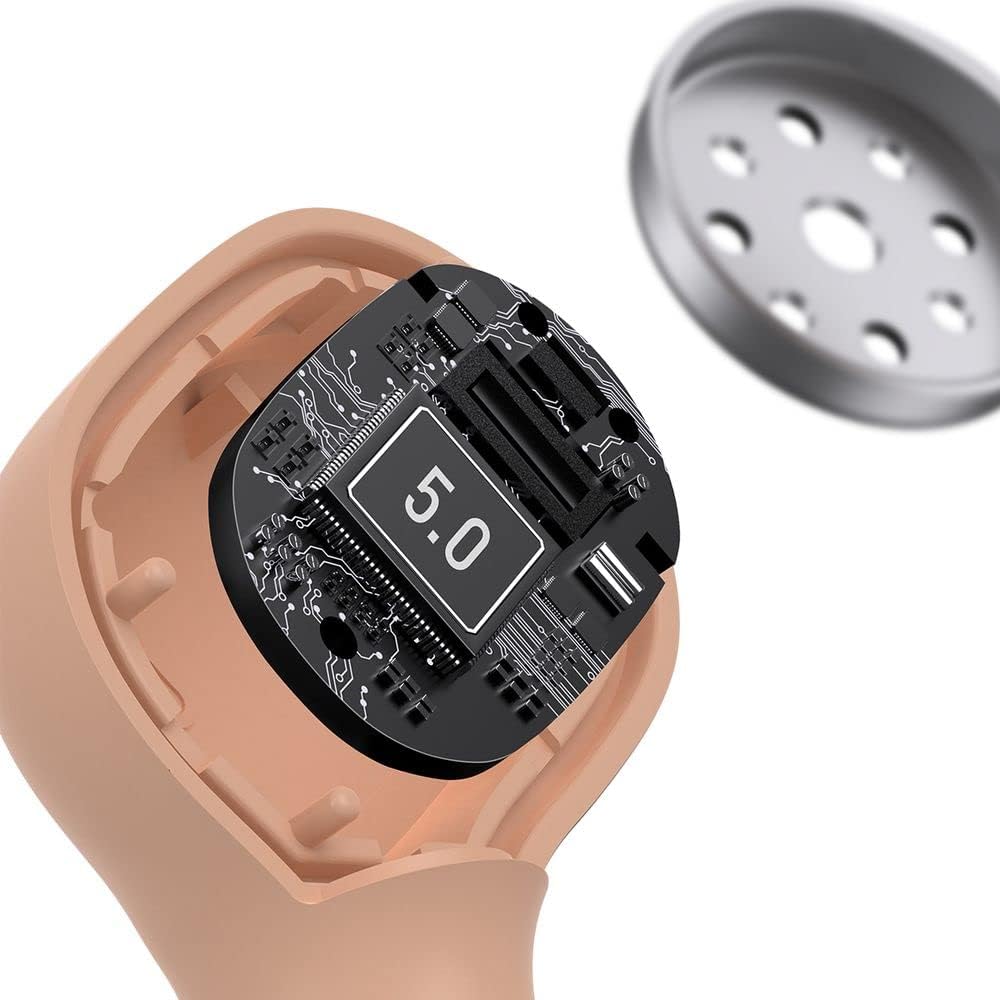
Image: The Baseus Encok W06 earbuds resting inside their open charging case, indicating they are ready for charging or use.

Image: Two Baseus Encok W06 charging cases, one connected via a USB-C cable and another placed on a wireless charging pad, demonstrating charging methods.
2. Bluetooth-koppeling
- Maak seker dat die oordopjes gelaai is.
- Maak die laaikas oop. Die oorfone sal outomaties in paringsmodus gaan, aangedui deur 'n flikkerende liggie op die oorfone.
- Aktiveer Bluetooth op jou toestel (slimfoon, tablet, ens.).
- Soek vir "Baseus Encok W06" in the list of available Bluetooth devices.
- Select it to connect. Once connected, the indicator light on the earbuds will stop flashing.
Die oorfone sal outomaties weer aan die laaste gekoppelde toestel koppel wanneer dit uit die houer gehaal word, indien Bluetooth op die toestel geaktiveer is.
3. Dra van die oordopjes
Choose the silicone eartips that provide the best fit and seal for your ears. Insert the earbuds gently into your ear canal and rotate them slightly until they feel secure and comfortable.

Image: A person wearing a Baseus Encok W06 earbud, illustrating how the earbud sits comfortably and securely in the ear.
Bedryfsinstruksies
The Baseus Encok W06 earbuds feature touch controls for various functions.
- Krag aan: Open the charging case, or press and hold the touch panel for 3 seconds if earbuds are out of case.
- Skakel af: Place earbuds back into the charging case and close the lid, or press and hold the touch panel for 5 seconds.
- Speel/pouse: Double-tap the touch panel on either earbud.
- Volgende snit: Tik drie keer op die regteroorknoppie.
- Vorige snit: Tik drie keer op die linkeroorknoppie.
- Beantwoord/beëindig oproep: Double-tap the touch panel on either earbud during an incoming call.
- Verwerp oproep: Press and hold the touch panel on either earbud for 2 seconds during an incoming call.
- Aktiveer stemassistent: Druk en hou die aanraakpaneel op enige oordopjes vir 3 sekondes in.
Sleutel kenmerke
- Double-sided Wireless Charging: The charging case supports wireless charging from both sides, allowing flexible placement on a wireless charging pad.
- APT-X Audio Decoding: Provides high-quality audio transmission for a superior listening experience.
- CVC Noise Canceling: Clear Voice Capture technology reduces background noise during calls for clearer communication.
- Verlengde batterylewe: Bied tot 300 uur bystandtyd.
- Bluetooth 5.0: Verseker stabiele en doeltreffende draadlose konnektiwiteit.

Image: A visual representation of the Baseus Encok W06 earbuds and charging case, accompanied by text detailing key features such as two-sided wireless charging, APT-X audio decoding, CVC noise canceling, and 300 hours of battery life.

Beeld: 'n Gedetailleerde view of the internal circuitry of a Baseus Encok W06 earbud, prominently displaying '5.0', signifying its Bluetooth 5.0 connectivity.
Onderhoud
Skoonmaak
- Maak die oordopjes en laaikas gereeld skoon met 'n sagte, droë, pluisvrye lap.
- Verwyder die oordoppe en maak dit skoon met sagte seep en water, droog dit dan deeglik af voordat jy dit weer vasmaak.
- Moenie skuurmiddels, alkohol of chemiese oplosmiddels gebruik nie.
- Maak seker dat die laaikontakte op beide die oordopjes en die omhulsel skoon en vry van puin is.
Berging
- Bêre die oordopjes in hul laaikas wanneer dit nie gebruik word nie om hulle te beskerm en gelaai te hou.
- Avoid storing in extreme temperatures (hot or cold) or high humidity.
Battery sorg
- Om die batterylewe te behou, laai die oorfone en houer gereeld, selfs al word dit nie gereeld gebruik nie.
- Vermy om die battery vir lang tye heeltemal te dreineer.
Probleemoplossing
| Probleem | Oplossing |
|---|---|
| Oordopjes koppel nie met toestel nie. |
|
| Geen geluid uit een of albei oorfone nie. |
|
| Laaikas laai nie. |
|
Spesifikasies
| Kenmerk | Detail |
|---|---|
| Handelsmerk | Baseus |
| Model Naam | NGJW06-04 (W06) |
| Item Modelnommer | B00F2ZIDTS |
| Verbindingstegnologie | Draadloos (Bluetooth 5.0) |
| Koptelefoonvormfaktor | In-Oor |
| Kabelkenmerk | Draadloos |
| Item gewig | 50 gram |
| Produk afmetings | 10 x 3 x 2 cm |
| Vervaardiger | Baseus |
| Draadlose laai | Supported (Double-sided) |
| Oudio-dekodering | APT-X |
| Geraasonderdrukking | CVC (for calls) |
| Batterylewe (standby) | Tot 300 uur |
Veiligheidsinligting
- Moenie die produk uitmekaar haal, herstel of verander nie.
- Hou die produk weg van water, vog en uiterste temperature.
- Vermy langdurige blootstelling aan hoë volume vlakke om gehoorskade te voorkom.
- Gooi die produk en sy battery verantwoordelik weg volgens plaaslike regulasies.
- Hou buite bereik van kinders en troeteldiere.
Waarborg en Ondersteuning
Baseus products typically come with a limited warranty. For specific warranty terms and conditions, please refer to the warranty card included in your package or visit the official Baseus website. For technical support, product inquiries, or warranty claims, please contact Baseus customer service or your local retailer.
You can visit the official Baseus store for more information: Baseus Winkel