
Keystone KSTAD70B
Keystone KSTAD70B 70-Pint Dehumidifier User Manual
1. Inleiding
This manual provides essential information for the safe and efficient operation of your Keystone KSTAD70B 70-Pint Dehumidifier. This unit is designed to remove up to 70 pints of moisture from the air daily, suitable for rooms up to 4500 square feet. Key features include electronic controls with an LED display, a 24-hour timer, a transparent water level indicator, and a full bucket alert with automatic shutoff. It also offers a continuous draining option and a removable, easy-to-clean dust filter with a clean-filter alert. The auto-restart function preserves your settings after a power outage, and rolling casters facilitate easy movement.
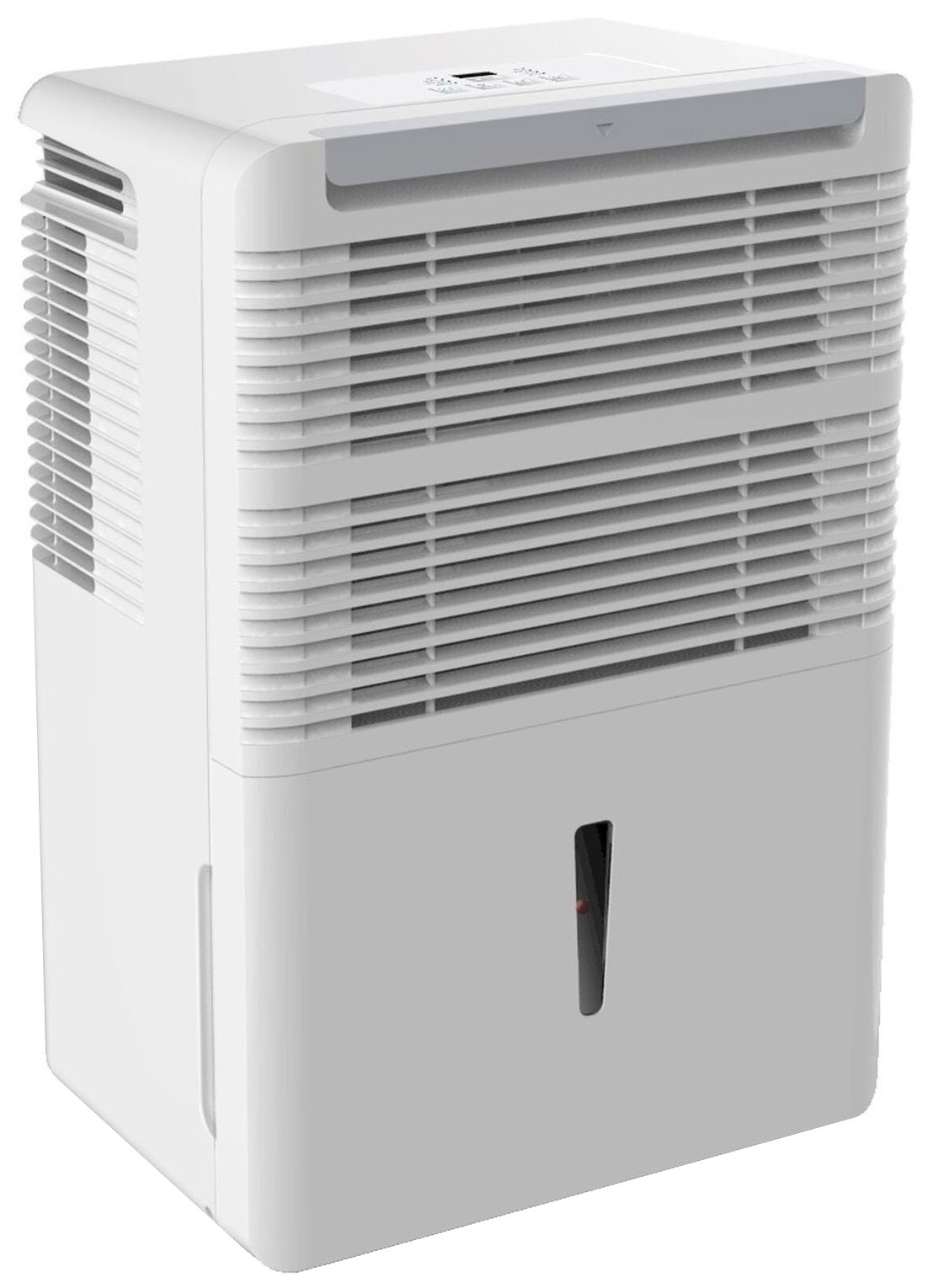
Figuur 1: Voorkant view of the Keystone KSTAD70B Dehumidifier.
2. Veiligheidsinligting
Lees asseblief alle veiligheidsinstruksies voordat u die ontvochtiger gebruik om beserings of skade te voorkom. Bewaar hierdie handleiding vir toekomstige verwysing.
- Always connect the unit to a properly grounded electrical outlet of the correct voltage.
- Moenie die eenheid met 'n beskadigde kragkoord of prop gebruik nie.
- Ensure adequate clearance (at least 12-18 inches) around the air intake and outlet to prevent overheating and ensure efficient operation.
- Moenie die lugopenings versper nie.
- Do not use the dehumidifier near water or in excessively wet environments.
- Ontkoppel die eenheid voordat u skoonmaak of enige onderhoud uitvoer.
- Hierdie toestel is nie bedoel vir gebruik deur persone (insluitend kinders) met verminderde fisiese, sensoriese of geestelike vermoëns, of 'n gebrek aan ervaring en kennis nie, tensy hulle toesig of instruksies oor die gebruik van die toestel gegee is deur 'n persoon wat verantwoordelik is vir hul veiligheid.
- Do not use chemical solvents or abrasive cleaners on the unit.
3. Opstelling en Plasing
3.1 Uitpak
Carefully remove the dehumidifier from its packaging. Retain the packaging materials for future storage or transport. Inspect the unit for any shipping damage.
3.2 Plasing
For optimal performance, place the dehumidifier in a location where air can circulate freely around it. The unit circulates air from the sides, not the top. Therefore, avoid placing it directly in a corner or against walls. Maintain a minimum clearance of 12-18 inches (30-45 cm) on all sides to ensure proper airflow.
3.3 Aanvanklike aanskakeling
Plug the power cord into a grounded electrical outlet. The unit is now ready for operation.
4. Bedryfsinstruksies
4.1 Beheerpaneel verbyview

Figure 2: Control panel of the Keystone KSTAD70B Dehumidifier.
The control panel features an LED display and various buttons for setting the dehumidifier's functions:
- Kragknoppie: Skakel die eenheid aan of af.
- Waaierknoppie: Adjusts fan speed (typically Low, Medium, High).
- Timer-knoppie: Stel die 24-uur aan/af-timer.
- Op/af pyle: Adjust humidity level settings or timer duration.
- Filter aanwyser: Brand wanneer die lugfilter skoongemaak moet word.
- Volledige aanwyser: Brand wanneer die wateremmer vol is en leeggemaak moet word.
- Cont. (Continuous) Indicator: Illuminates when the unit is set for continuous operation.
- Turbo-modus: Activates maximum dehumidification.
- Normale modus: Standard dehumidification operation.
- Outomatiese ontdooiing: Automatically defrosts the coils if ice builds up.
4.2 Instelling van Gewenste Humiditeitsvlak
Press the Up or Down arrow buttons to set your desired humidity level. The unit will operate until the set humidity is reached, then cycle on and off to maintain it. The recommended humidity range for comfort is typically between 45% and 55%.
4.3 Deurlopende Bedryf
To run the dehumidifier continuously, select the 'Cont.' setting. In this mode, the unit will operate regardless of the ambient humidity level. Note that when continuous operation is selected, the humidity setpoint buttons will not respond.
4.4 Timer-funksie
Use the Timer button to program the unit to turn on or off automatically after a set number of hours (up to 24 hours).
4.5 Auto-Restart
The unit features an auto-restart function that saves your settings. In the event of a power outage, die ontvochtiger sal outomaties weer met die laaste instellings werk sodra die krag herstel is.
5. Onderhoud
Gereelde onderhoud verseker optimale werkverrigting en lang lewensduur van u ontvochtiger.
5.1 Leegmaak van die wateremmer
When the water bucket is full, the 'Full' indicator light will illuminate, and the unit will automatically shut off. Carefully remove the bucket and empty the collected water. Reinsert the bucket firmly until it clicks into place to resume operation.

Figure 3: Removing the water collection bucket.

Figure 4: Transparent water level indicator.
5.2 Continuous Draining Option
For continuous operation without emptying the bucket, you can connect a standard garden hose (not included) to the unit's low-level drain. The unit includes an adapter with a clear hose that pushes onto a smooth plastic fitting inside the unit. This adapter has male hose threads for attaching a garden hose. Ensure the hose is routed downwards to a suitable drain to allow gravity to remove the water.
5.3 Skoonmaak van die lugfilter
The 'Filter' indicator light will remind you when it's time to clean the air filter. A clean filter ensures efficient operation and better air quality. To clean, lift the filter straight up from the top at the front corner of the unit and slide it out. Wash the filter with warm, soapy water, rinse thoroughly, and allow it to air dry completely before reinserting.

Figuur 5: Verwydering van die lugfilter vir skoonmaak.
6. Probleemoplossing
Before contacting support, try these common troubleshooting steps:
| Probleem | Moontlike oorsaak | Oplossing |
|---|---|---|
| Ontvochtiger skakel nie aan nie. | No power; power cord loose; 'Full' indicator on. | Check power supply; ensure cord is plugged in; empty water bucket. |
| Eenheid loop, maar ontvogtig nie. | Air filter clogged; room temperature too low; unit size too small for area. | Clean air filter; ensure room temperature is above 41°F (5°C); consider unit placement. |
| Eenheid is raserig. | Eenheid nie gelyk nie; waaierobstruksie. | Place on a flat, stable surface; check for obstructions in fan area. |
| Water lek uit eenheid. | Water bucket not properly seated; continuous drain hose loose or clogged. | Ensure bucket is fully inserted; check continuous drain hose connection and clear any blockages. |
7. Spesifikasies
| Kenmerk | Detail |
|---|---|
| Handelsmerk | Sluitsteen |
| Model Naam | KSTAD70B |
| Ontvochtigingskapasiteit | 70 pinte per dag |
| Aanbevole kamergrootte | Tot 4500 XNUMX vierkante voet |
| Kleur | Wit |
| Spesiale kenmerke | Automatic Restart, Automatic Shutoff |
| Aantal snelhede | 3 |
| Bedryfsmodus | Normal, Turbo, Auto-Defrost |
| Wattage | 720 watt |
| Item gewig | 40 pond |
| Produkafmetings (L x B x H) | 11.25 x 15.5 x 23.25 duim |
| Aanbevole gebruike | Residensieel |
8. Waarborginligting
The Keystone KSTAD70B Dehumidifier comes with a 1 jaar waarborg on parts and labor, and a beperkte waarborg van vyf jaar on the sealed system. Please refer to the physical warranty card included with your product for full terms and conditions.
9. Kliëntediens
For product registration, warranty claims, or technical assistance, please refer to the contact information provided in the physical instruction manual that came with your dehumidifier. Online registration or direct manufacturer contact information may not be readily available; therefore, retaining your original manual is important for support inquiries.