
1. Inleiding
Thank you for choosing the Mac Audio Ice Cube 12-300mm Subwoofer. This manual provides essential information for the proper installation, operation, and maintenance of your new car audio subwoofer. Please read these instructions carefully before attempting to install or use the product to ensure optimal performance and safety.
2. Veiligheidsinstruksies
Neem altyd die volgende veiligheidsmaatreëls in ag om beserings of skade aan die produk en voertuig te voorkom:
- Professionele installasie word aanbeveel: Installation of car audio components can be complex. If you are unsure about any part of the installation process, consult a qualified professional installer.
- Ontkoppel battery: Before starting any electrical work, disconnect the vehicle's negative battery terminal to prevent short circuits and electrical hazards.
- Behoorlike bedrading: Ensure all wiring is correctly connected, insulated, and secured to prevent shorts, overheating, and interference. Use appropriate gauge wires for power and speaker connections.
- Monteer sekuriteit: Securely mount the subwoofer to prevent it from becoming a projectile in the event of sudden stops or collisions.
- Ventilasie: Verseker voldoende ventilasie rondom die subwoofer en ampverligter om oorverhitting te voorkom.
- Volumevlakke: Langdurige blootstelling aan hoë volumevlakke kan gehoorskade veroorsaak. Verstel die volume na 'n veilige en gemaklike vlak.
3. Produk verbyview
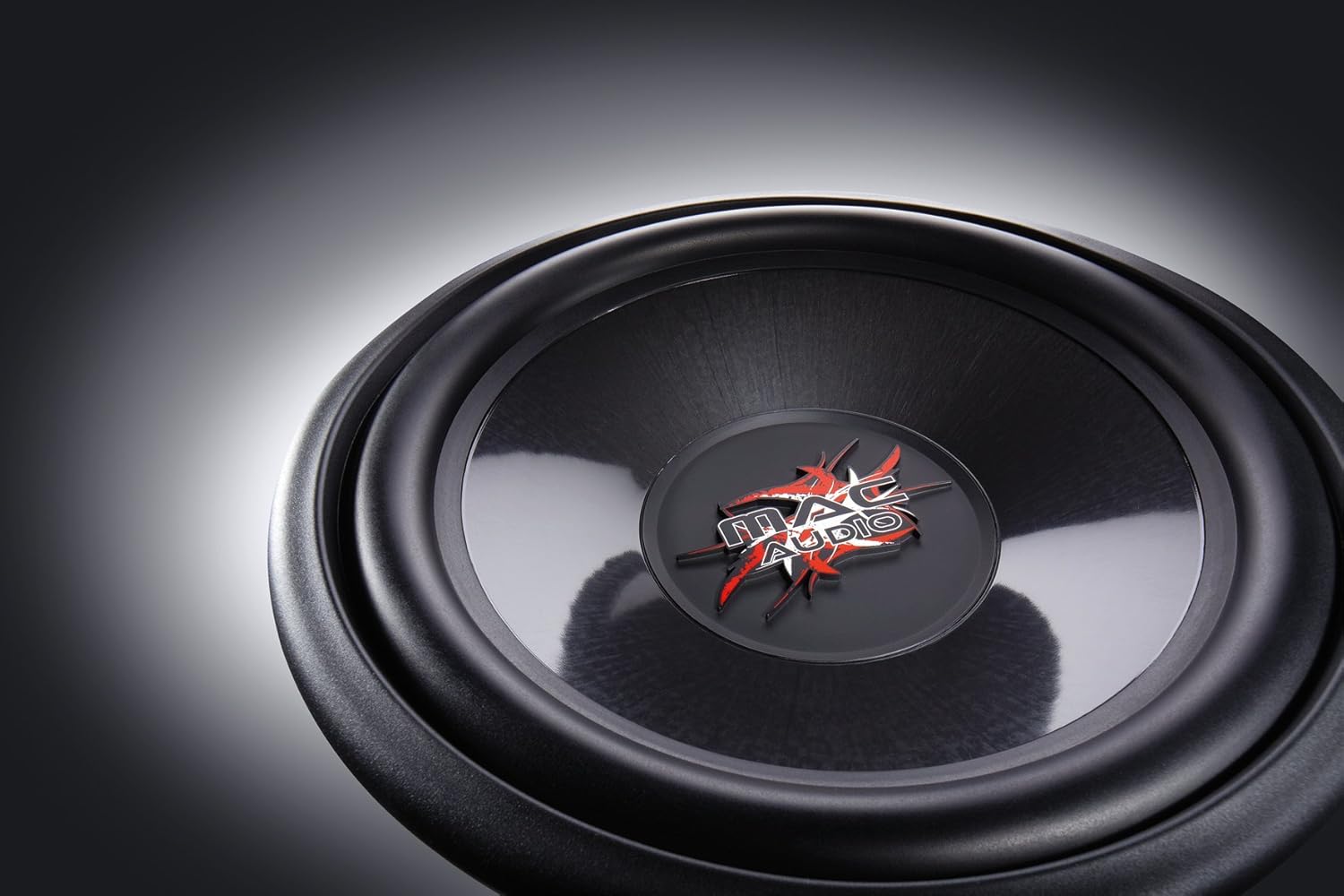
The Mac Audio Ice Cube 12-300mm Subwoofer is designed to deliver powerful bass performance for your car audio system. It features a robust construction suitable for both enclosed and bass-reflex mounting applications.
Sleutel kenmerke:
- 300 mm subwoofer for enclosed/bass-reflex mounting.
- High-performance 5 cm voice coil with Japanese Totoku wire and additional ventilation.
- Steel basket with multi-layer coating for reduced resonance.
- High-power 40 oz magnet with protective cap.
Komponente:
The subwoofer consists of the speaker driver, a robust steel basket, a voice coil, and a powerful magnet assembly. The terminals for connecting speaker wires are located on the side of the basket.

4. Opstelling en installering
Proper installation is crucial for the performance and longevity of your subwoofer. This subwoofer is designed for integration into a custom enclosure, either sealed (enclosed) or ported (bass-reflex).
4.1 Omhulselontwerp
- Verseëlde omhulsel: Provides tight, accurate bass response. The internal volume of the enclosure should be calculated based on the subwoofer's Thiele-Small parameters for optimal performance.
- Ported (Bass-Reflex) Enclosure: Offers louder bass output at specific frequencies. Requires careful design of port dimensions (length and diameter) to tune the enclosure to the desired frequency.
- Consult a car audio specialist or use specialized software for precise enclosure design.
4.2 Montering van die subwoofer
- Ensure the enclosure has a cutout of the correct diameter for the subwoofer.
- Place the subwoofer into the cutout, aligning the mounting holes.
- Secure the subwoofer using appropriate screws, ensuring an airtight seal between the subwoofer frame and the enclosure. Do not overtighten.
4.3 Bedradingsverbindings
Koppel die subwoofer aan 'n geskikte amplewendiger. Verseker die amplifier can provide sufficient power within the subwoofer's rated specifications. Pay close attention to polarity.
- Sprekerterminale: The subwoofer has clearly marked positive (+) and negative (-) terminals.
- Ampverligter verbinding: Connect the positive (+) terminal of the subwoofer to the positive (+) speaker output of your amplifier. Connect the negative (-) terminal of the subwoofer to the negative (-) speaker output of your amplewendiger.
- Draadmeter: Use appropriate gauge speaker wire (e.g., 12-16 gauge) for the distance and power levels.
- Veilige verbindings: Ensure all connections are tight and free from frayed wires that could cause short circuits.
5. Bedryfsinstruksies
Once installed, follow these steps for initial operation and optimal sound adjustment:
- Aanvanklike kragopwekking: After all connections are made and checked, reconnect the vehicle's battery. Turn on your car audio system.
- Ampverligter instellings:
- Kry beheer: Begin met die amplifier's gain control at its minimum setting. Gradually increase the gain until the subwoofer output matches the rest of your system without distortion. Avoid setting the gain too high, as this can lead to clipping and damage.
- Laedeurlaatfilter (LPF): Stel die amplifier's low-pass filter to a suitable frequency, typically between 60 Hz and 100 Hz. This ensures the subwoofer only reproduces low frequencies.
- Bas hupstoot: Use bass boost sparingly, if at all. Excessive bass boost can cause distortion and damage the subwoofer.
- Inbreekperiode: Allow a break-in period of approximately 10-20 hours of normal listening before operating the subwoofer at maximum volume. This allows the suspension components to loosen up and perform optimally.
6. Onderhoud
The Mac Audio Ice Cube subwoofer requires minimal maintenance to ensure long-term performance.
- Skoonmaak: Gebruik 'n sagte, droë lap om die subwoofer-keël en raam af te vee. Vermy die gebruik van harde chemikalieë of skuurmiddels.
- Inspeksie: Periodically check all wiring connections for tightness and signs of corrosion. Ensure the subwoofer is still securely mounted in its enclosure.
- Omgewingsfaktore: Beskerm die subwoofer teen uiterste temperature, direkte sonlig en vog.
7. Probleemoplossing
As jy probleme met jou subwoofer ondervind, raadpleeg die volgende algemene probleme en oplossings:
| Probleem | Moontlike oorsaak | Oplossing |
|---|---|---|
| Geen klank van die subwoofer nie |
|
|
| Vervormde of swak bas |
|
|
| Subwoofer cuts out |
|
|
If the problem persists after attempting these solutions, contact your dealer or a qualified service technician.
8. Spesifikasies
The following are the technical specifications for the Mac Audio Ice Cube 12-300mm Subwoofer (Model 1328320):
| Spesifikasie | Waarde |
|---|---|
| Handelsmerk | MAC AUDIO |
| Tipe luidspreker | Subwoofer |
| Krag | 1200 XNUMX watt (piek) |
| Produkafmetings (L x B x H) | 31.7 x 31.7 x 13 cm |
| Item gewig | 3.3 kilogram |
| Item Modelnommer | 1328320 |
| Montage tipe | Table Mount (Refers to general mounting, typically in an enclosure) |
| Software updates guaranteed until | Inligting nie beskikbaar nie |
9. Waarborg en Ondersteuning
For warranty information, please refer to the documentation provided at the time of purchase or contact your authorized Mac Audio dealer. Keep your proof of purchase for any warranty claims.
For technical support or further assistance, please contact the retailer where you purchased the product or visit the official Mac Audio webwebwerf vir kontakbesonderhede.